MyTimedEvents
 VoodooLights
 1 / 16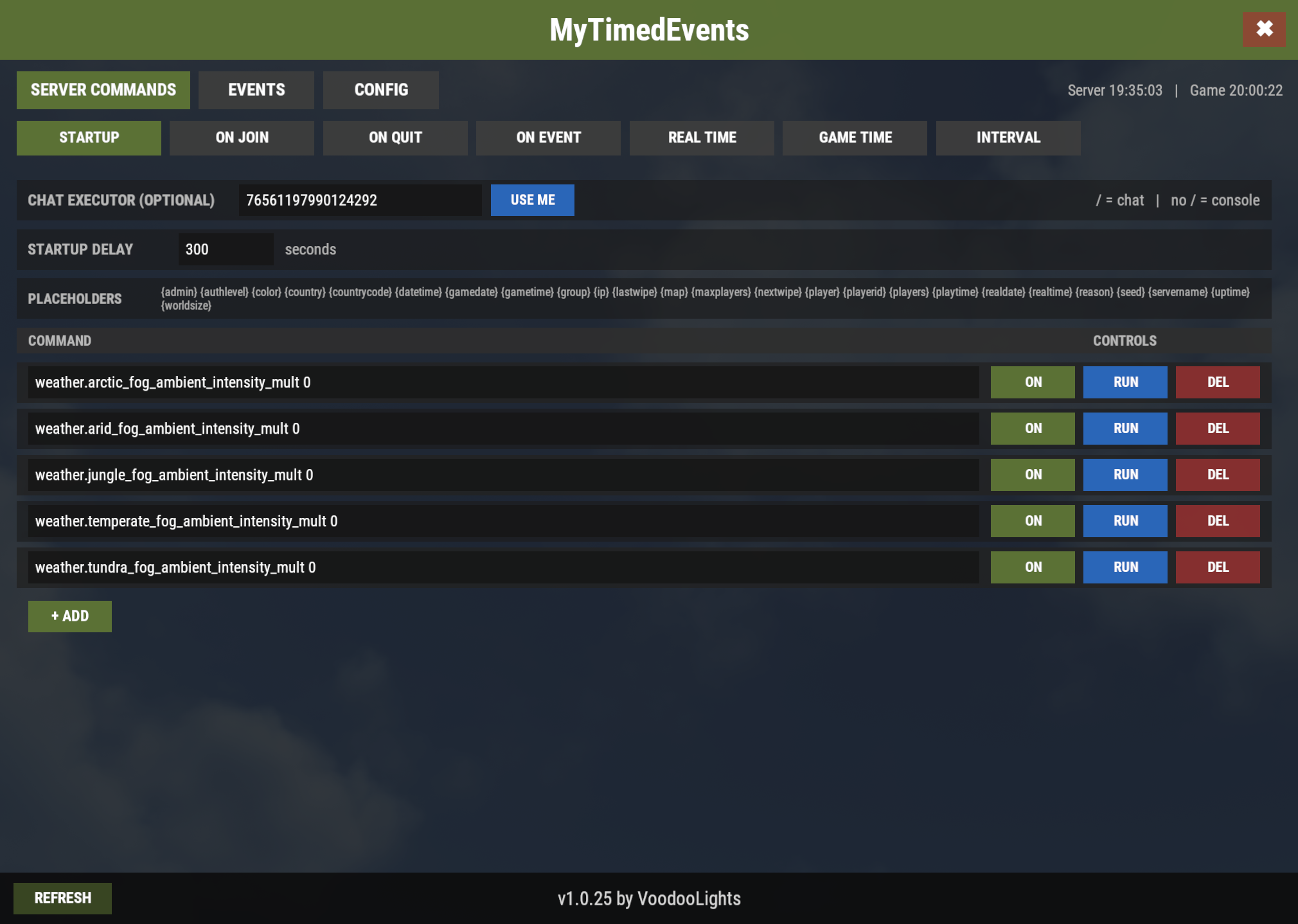


MyTimedEvents
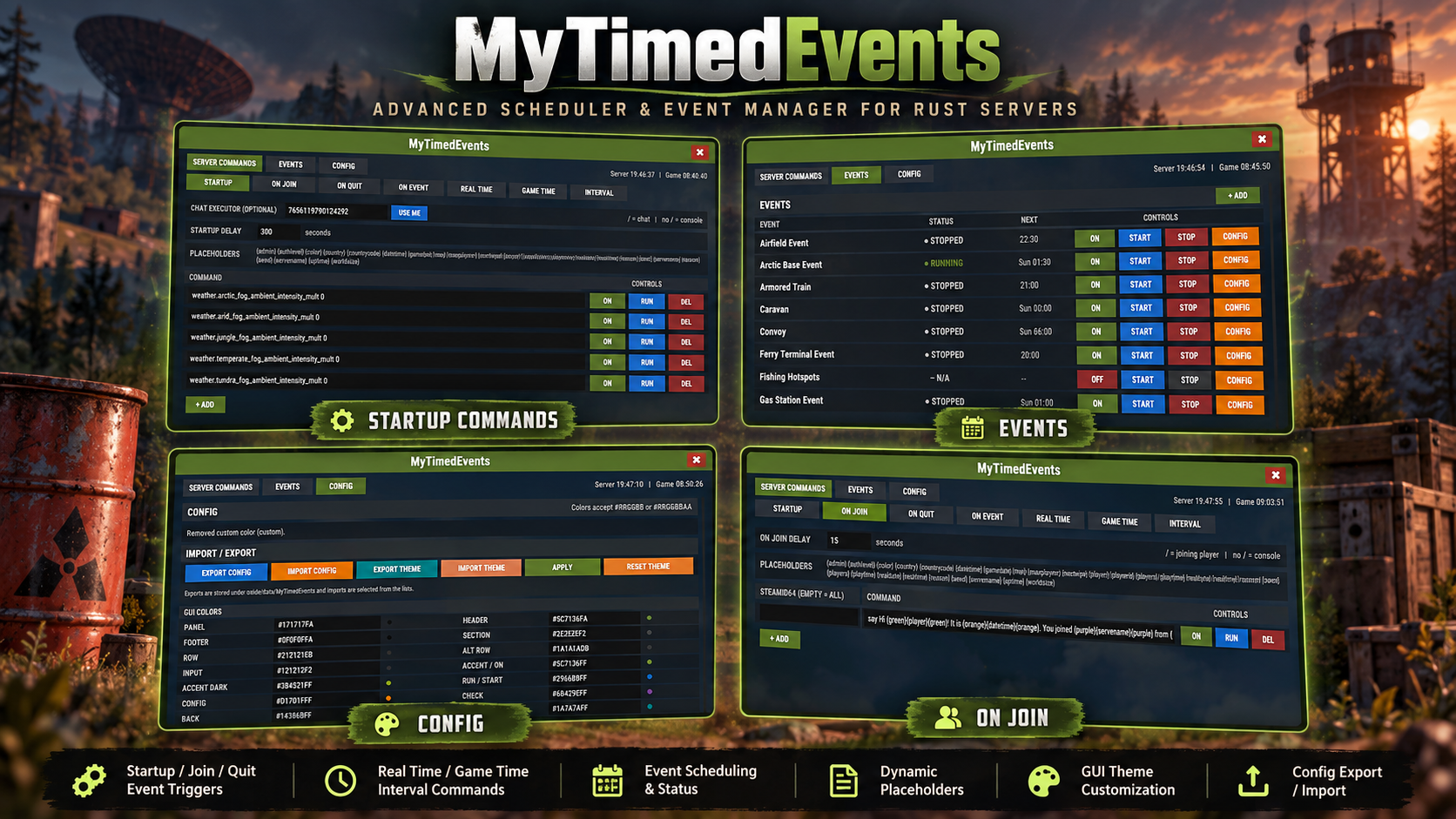
MyTimedEvents is a powerful GUI-based scheduling and event-management plugin for Rust servers. It brings server commands, player-triggered actions, timed automation, event scheduling, dynamic commands using placeholders, GUI customization, logging, and configuration backups together in one clean interface.
Instead of maintaining multiple separate timing and automation configurations, MyTimedEvents gives administrators one central place to control what should happen, when it should happen, and under which conditions.
Everything can be managed directly in-game through the /mte GUI. No need to edit configs!
MAIN FEATURES
• Full in-game administration GUI with three main sections: Server Commands, Events and Config.
• Startup Commands with configurable startup delay and persistent deadline handling across plugin reloads.
• On Join Commands that can run globally or for a specific SteamID64.
• On Quit Commands with player information, session playtime and disconnect reason.
• On Event Commands triggered by supported Rust/uMod plugin hooks, with individual delays.
• Real Time Scheduling using real-world server time in HH:mm:ss format.
• Game Time Scheduling based on the Rust in-game clock.
• Interval Scheduling with selectable REAL or GAME time intervals.
• Automatic Event Scheduling with configurable days, start times and minimum-player requirements.
• Manual START, STOP, RUN and CHECK controls directly from the GUI.
• Event status support through plugin APIs where available.
• Additional custom commands for individual events.
• Global placeholder system usable throughout command sections and events.
• Built-in and fully customizable message colors.
• Create your own color placeholders such as {gold}, {lime} or {teal}.
• Completely configurable GUI color theme using standard hex colors.
• Configurable GUI font scale, opening delays, logging, GeoIP and retry behavior.
• Configuration export/import system with selectable saved snapshots.
• Theme export/import system for transferring GUI themes independently from schedules.
• Automatic backup of the current configuration before an import.
• Persistent scheduler state for important timing information.
• Dedicated MyTimedEvents log file with optional command-execution logging.
• Lightweight scheduler designed for continuous server use.
PERMISSIONS & COMMANDS
Permission: mytimedevents.admin
Grants access to the MyTimedEvents administration GUI and its controls. Native Rust administrators automatically have access and do not need the permission assigned separately.
Commands: /mte or /mytimedevents
Opens the MyTimedEvents GUI. Both commands require either Rust administrator status or the mytimedevents.admin permission.
SERVER COMMANDS
The SERVER COMMANDS section contains several scheduling modes:
STARTUP
Executes configured commands after the server has initialized. The delay is configurable and the execution deadline is stored, allowing the timer to survive a plugin reload during the startup period.
Example:
| 1 | weather.arctic_fog_ambient_intensity_mult 0 |
ON JOIN
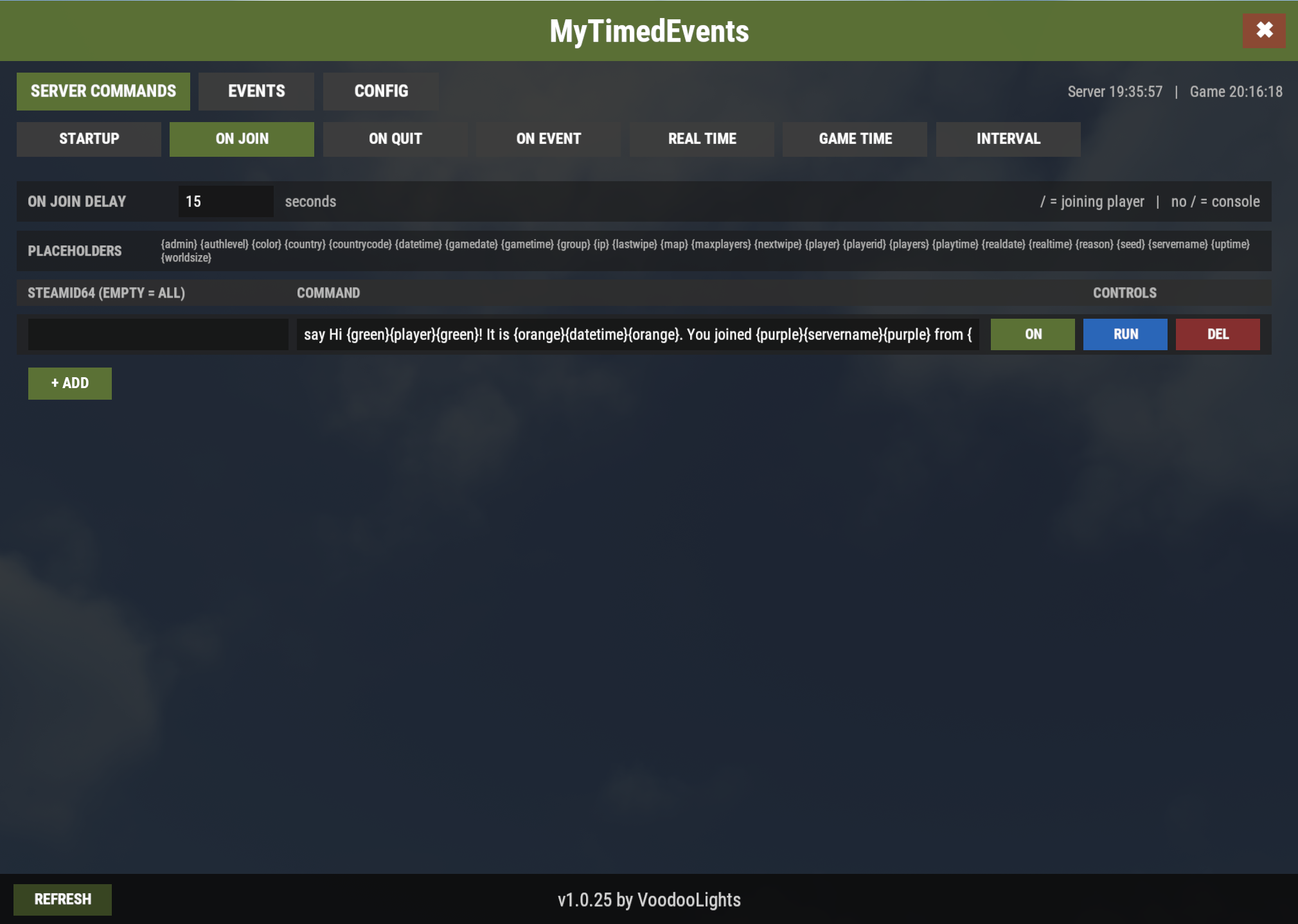
Executes commands when a player connects. Leave the SteamID64 empty to apply an entry to everyone, or enter a SteamID64 for a player-specific action.
Example:
| 1 | say Hi {green}{player}{green}! It is {orange}{datetime}{orange}. You joined {purple}{servername}{purple} from {blue}{country}{blue}. {green}{players}{green}/{maxplayers} players online. Server wiped {pink}{lastwipe}{pink}, next wipe is in {yellow}{nextwipe}{yellow}. |
Note: The {nextwipe} placeholder requires the FREE Wipe Countdown plugin by David, otherwise it returns "Unknown".
ON QUIT
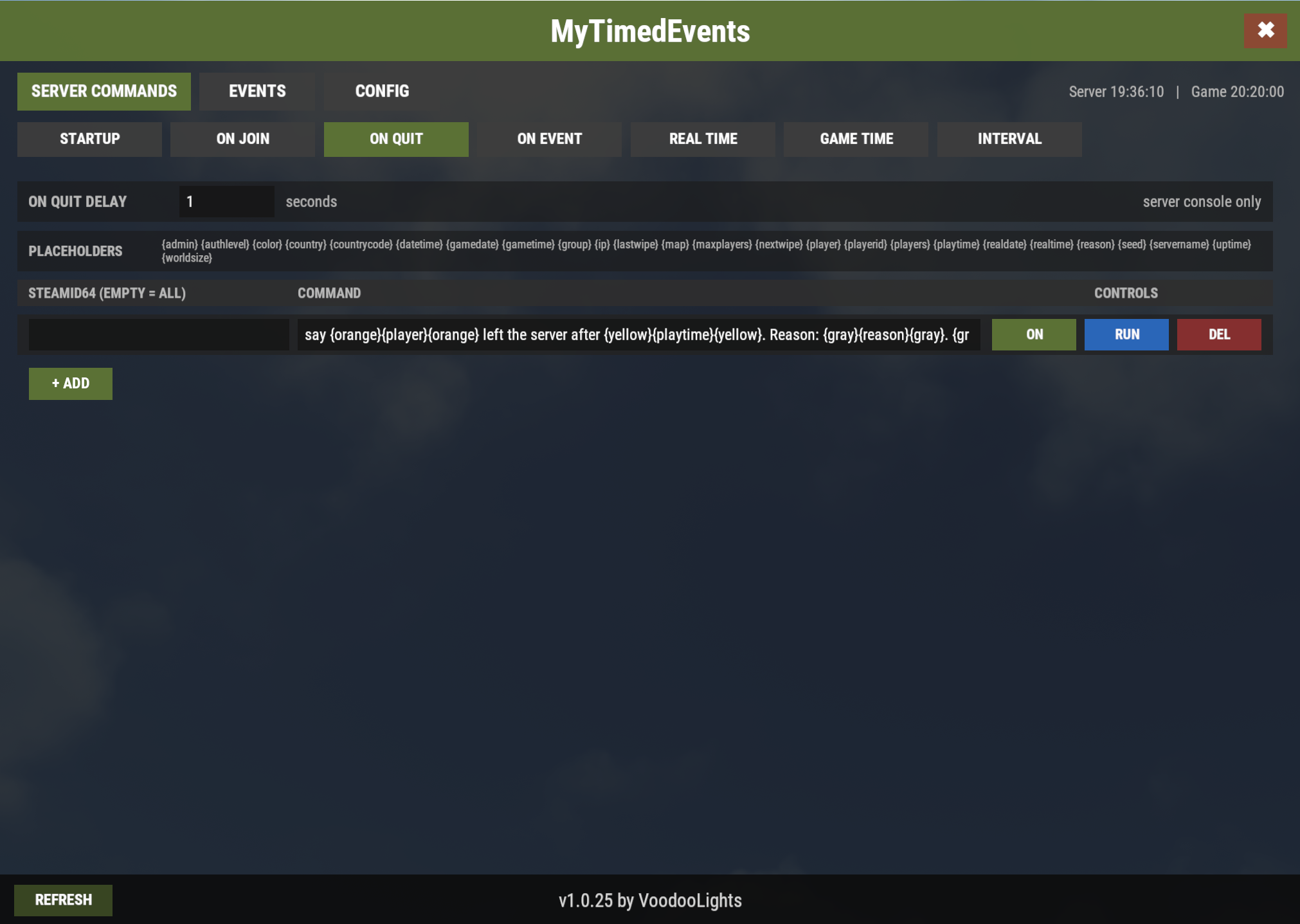
Works the same way for disconnected players and additionally provides useful values such as {playtime} and {reason}.
Example:
| 1 | say {orange}{player}{orange} left the server after {yellow}{playtime}{yellow}. Reason: {gray}{reason}{gray}. {green}{players}{green}/{maxplayers} players online. |
ON EVENT
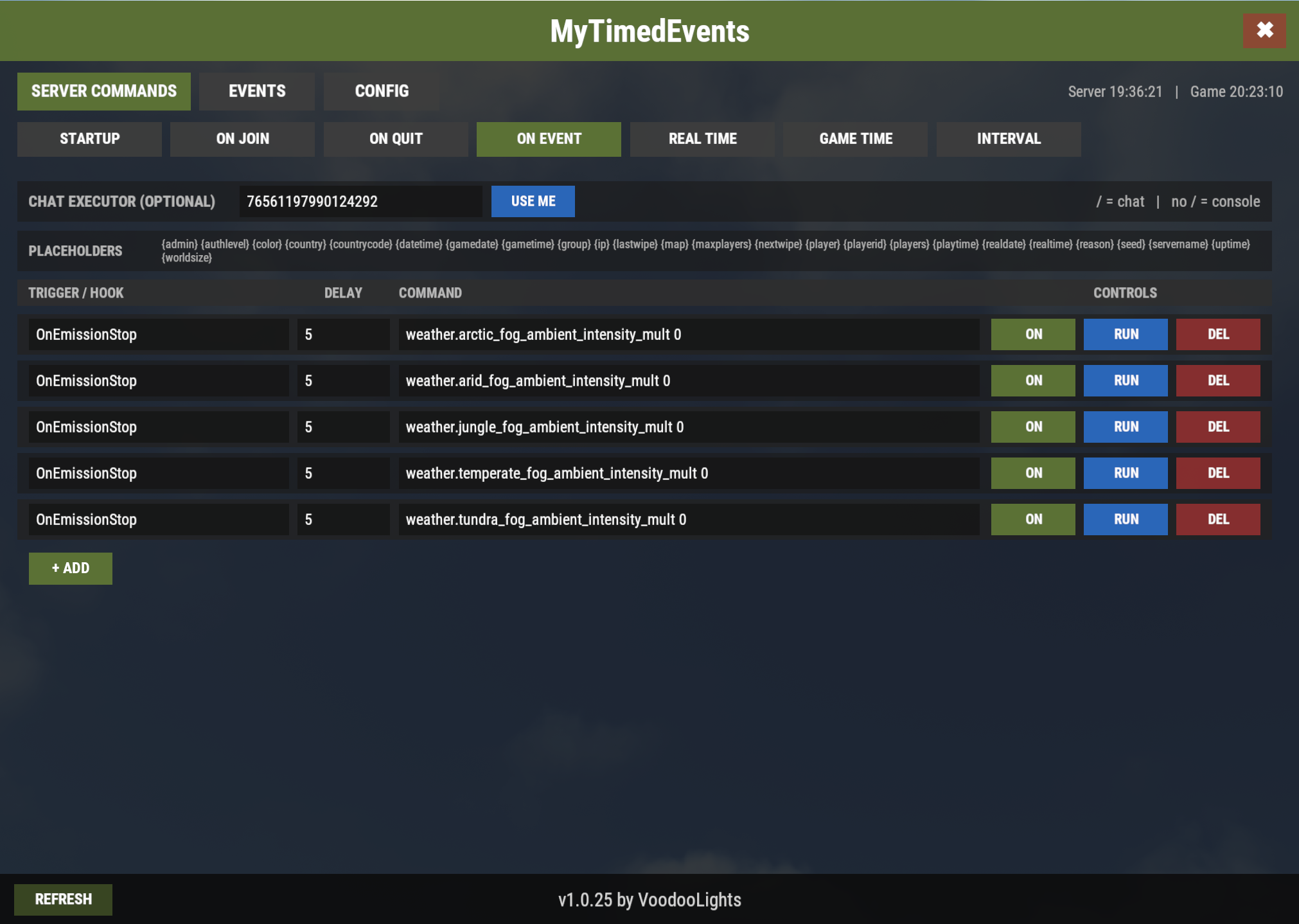
Listens for supported hooks and can execute one or more commands after an individual delay.
Example using Emission plugin by Adem:
Trigger: OnEmissionStop
Delay: 5
Command:
| 1 | weather.arctic_fog_ambient_intensity_mult 0 |
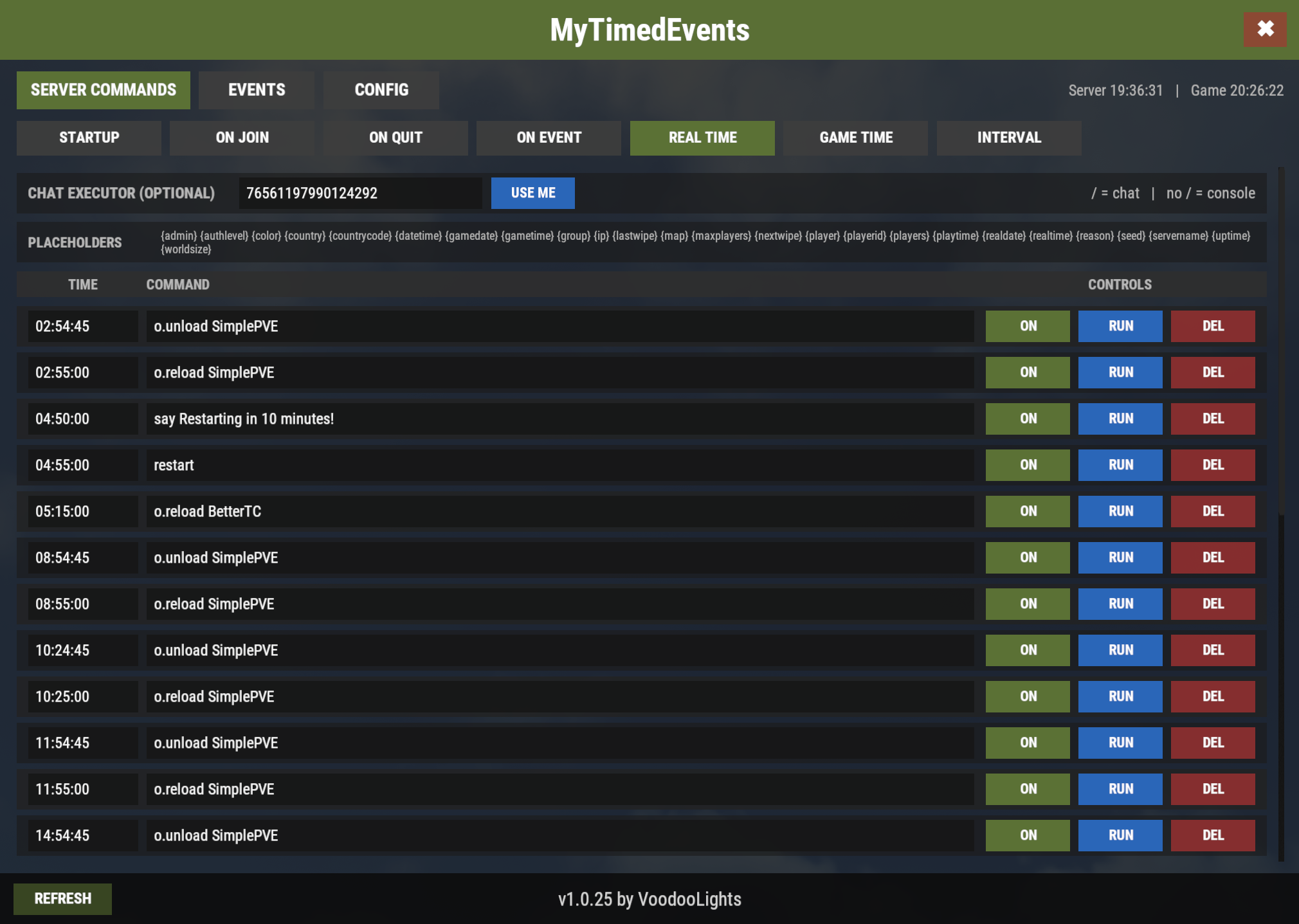
REAL TIME
Schedules commands using actual server time.
Example:
Server Time: 04:55:00
Command:
| 1 | restart |
GAME TIME
Provides the same concept using Rust's in-game clock.
Example:
Game Time: 08:00:00
Command:
| 1 | say Good morning! The in-game time is {gametime}. |
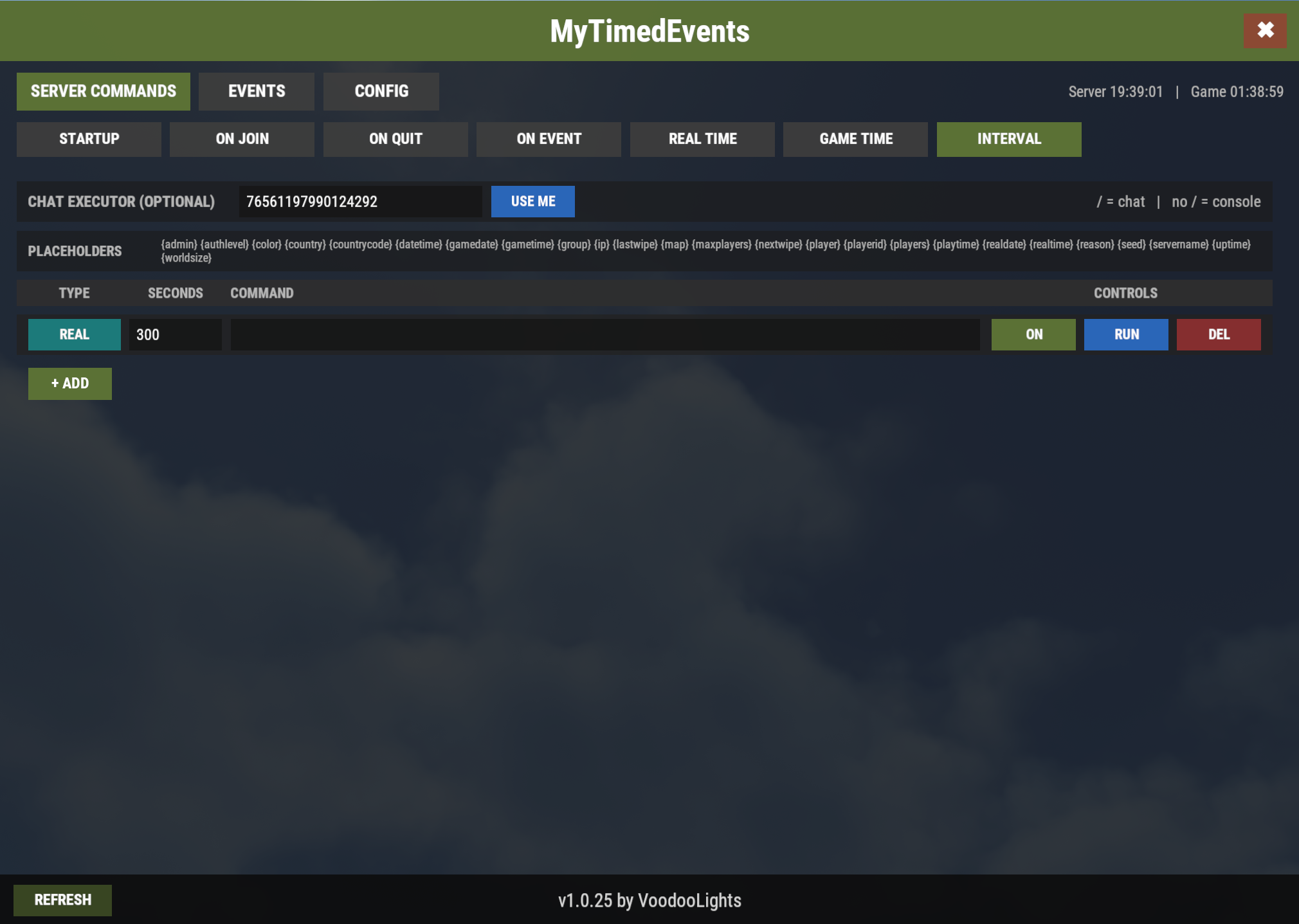
INTERVAL
Executes commands repeatedly after a selected amount of REAL or GAME time.
Example:
Type: REAL (for Server Time)
Seconds: 3600
Command:
| 1 | say Remember to join our Discord! |
Note: MyTimedEvents can execute both server console commands and player chat commands. Commands without / run directly through the server console. Commands with / are sent as player chat commands and therefore require the configured Chat Command Executor to be online; for admin-only commands, that player must also have the required admin permissions.
POWERFUL PLACEHOLDER SYSTEM
MyTimedEvents supports dynamic placeholders that are replaced automatically when a command executes. The supported placeholders are also listed directly in the GUI for quick reference.
{admin} - Outputs Admin when the current player context is a Rust administrator; otherwise it is empty.
{authlevel} - Outputs the current player's Rust authorization level.
{color} - Represents the built-in and custom configurable color placeholders. *
{country} - Outputs the country associated with the current player's IP address when GeoIP information is available.
{countrycode} - Outputs the two-letter country code associated with the current player's IP address.
{datetime} - Outputs the current real-world date and time in YYYY-MM-DD HH:MM:SS format.
{gamedate} - Outputs the current Rust in-game date.
{gametime} - Outputs the current Rust in-game time.
{group} - Outputs the player's highest recognized group: Admin, Ultimate, VIP, or Default.
{ip} - Outputs the IP address of the current player context.
{lastwipe} - Outputs the date and time when the current Rust map/save was created.
{map} - Outputs the currently loaded Rust map/level name.
{maxplayers} - Outputs the server's configured maximum player capacity.
{nextwipe} - Outputs the remaining time until the next wipe using the Wipe Countdown plugin, or Unknown when unavailable.
{player} - Outputs the current player's display name.
{playerid} - Outputs the current player's SteamID64.
{players} - Outputs the current number of connected players; during ON QUIT it represents the remaining players after the disconnect.
{playtime} - Outputs how long the current player has been connected during the current server session.
{realdate} - Outputs the current real-world date in YYYY-MM-DD format.
{realtime} - Outputs the current real-world time in HH:MM:SS format.
{reason} - Outputs the player's disconnect reason when used with ON QUIT.
{seed} - Outputs the current Rust map seed.
{servername} - Outputs the server hostname.
{uptime} - Outputs how long the current server process has been running.
{worldsize} - Outputs the configured Rust world size.
Note: * The {color} placeholder refers to the available color placeholders defined in CONFIG. Use the color name itself in commands, such as {red}, {yellow}, {green}, or any custom color name you have configured (for example {gold}).
EVENTS
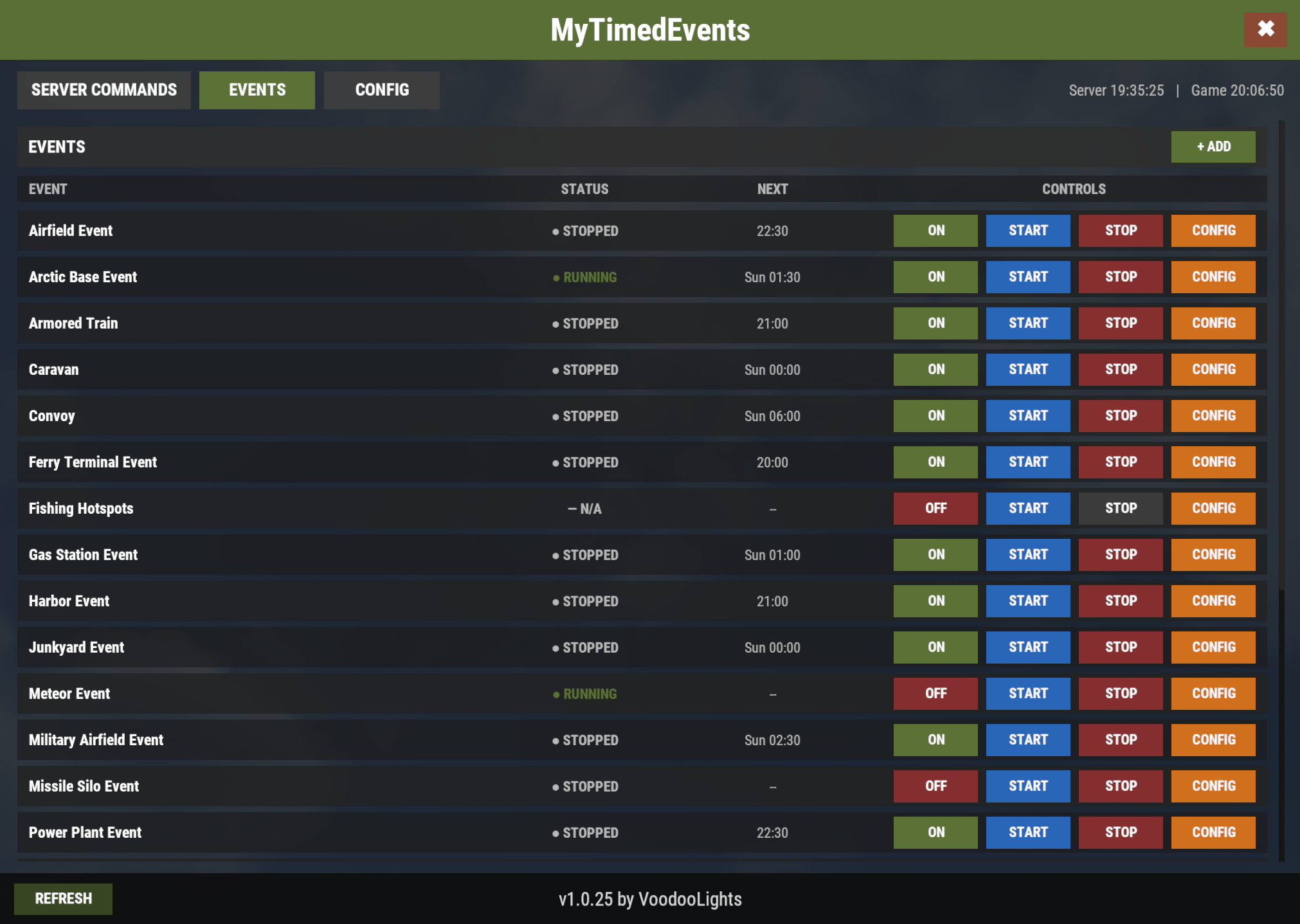
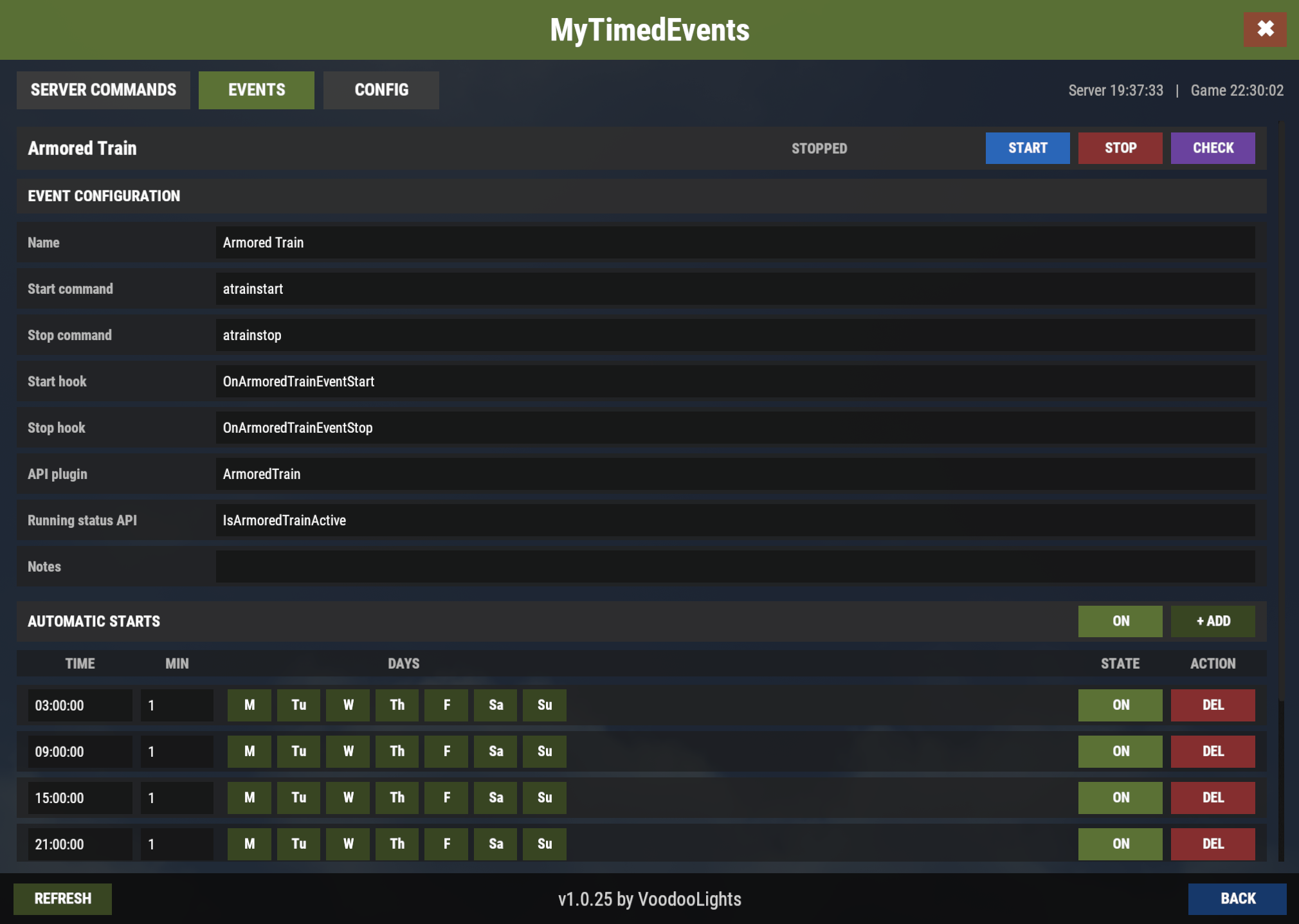
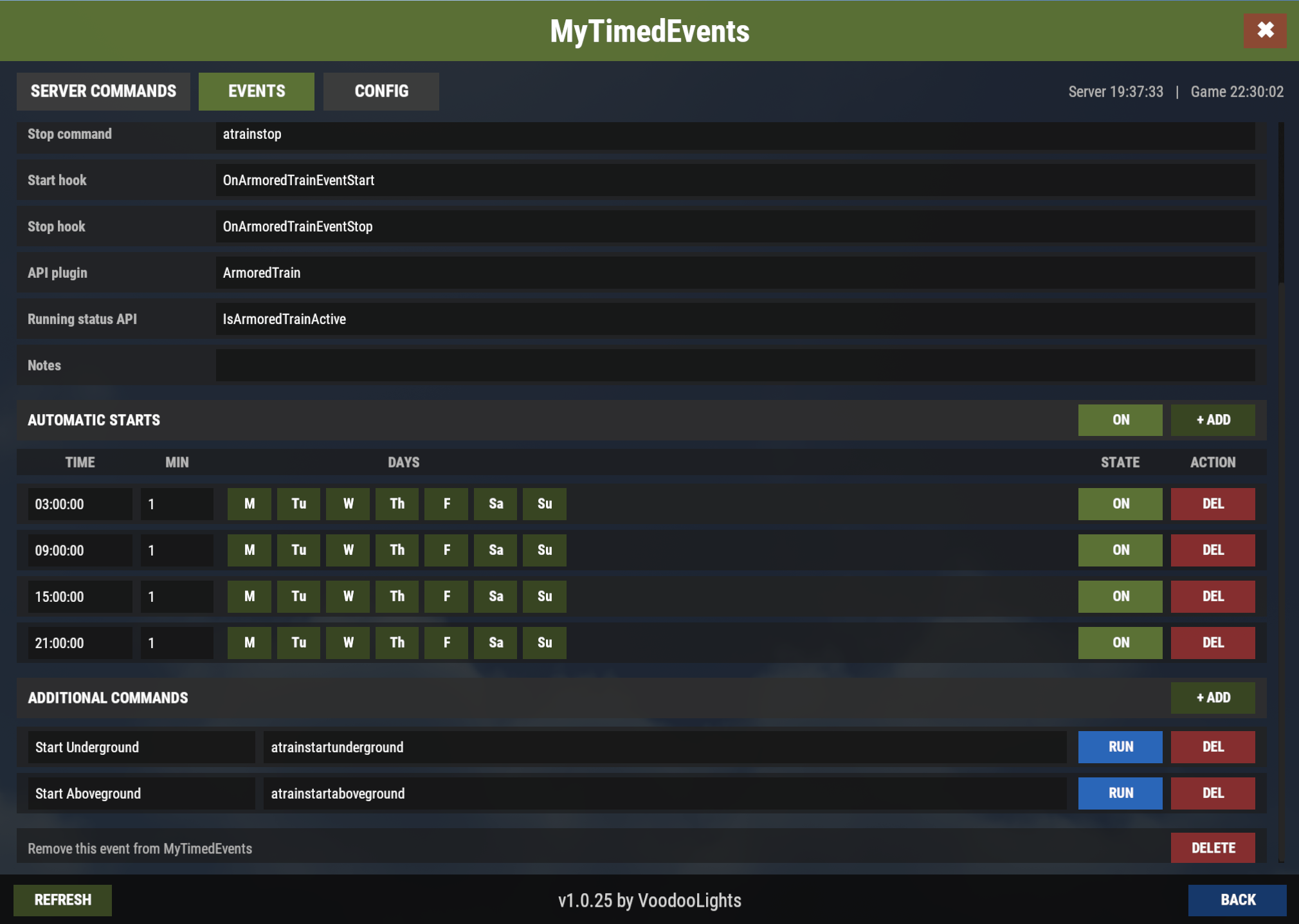
The EVENTS section provides a central scheduler and control panel for external Rust event plugins.
Each event can contain:
• Event name
• Start and stop commands
• Start and stop hooks
• Optional API plugin and running-status API
• Notes
• Multiple scheduled occurrences
• Individual weekday selection
• Minimum-player requirements
• Additional manual commands
The GUI shows event state, next scheduled occurrence, and controls for enabling automation, starting, stopping, checking status and editing the event.
MyTimedEvents already contains definitions for a range of commonly used events including Airfield Event, Arctic Base Event, Armored Train, Caravan, Convoy, Ferry Terminal Event, Fishing Hotspots, Gas Station Event, Harbor Event, Junkyard Event, Meteor Event, Military Airfield Event, Missile Silo Event, Power Plant Event, Satellite Dish Event, Shipwreck, Sputnik, Supermarket Event, The Dome Event, Train Yard Event, Triangulation, Water Event, and Water Treatment Showdown.
Schedules can be changed completely from the GUI.
CONFIG
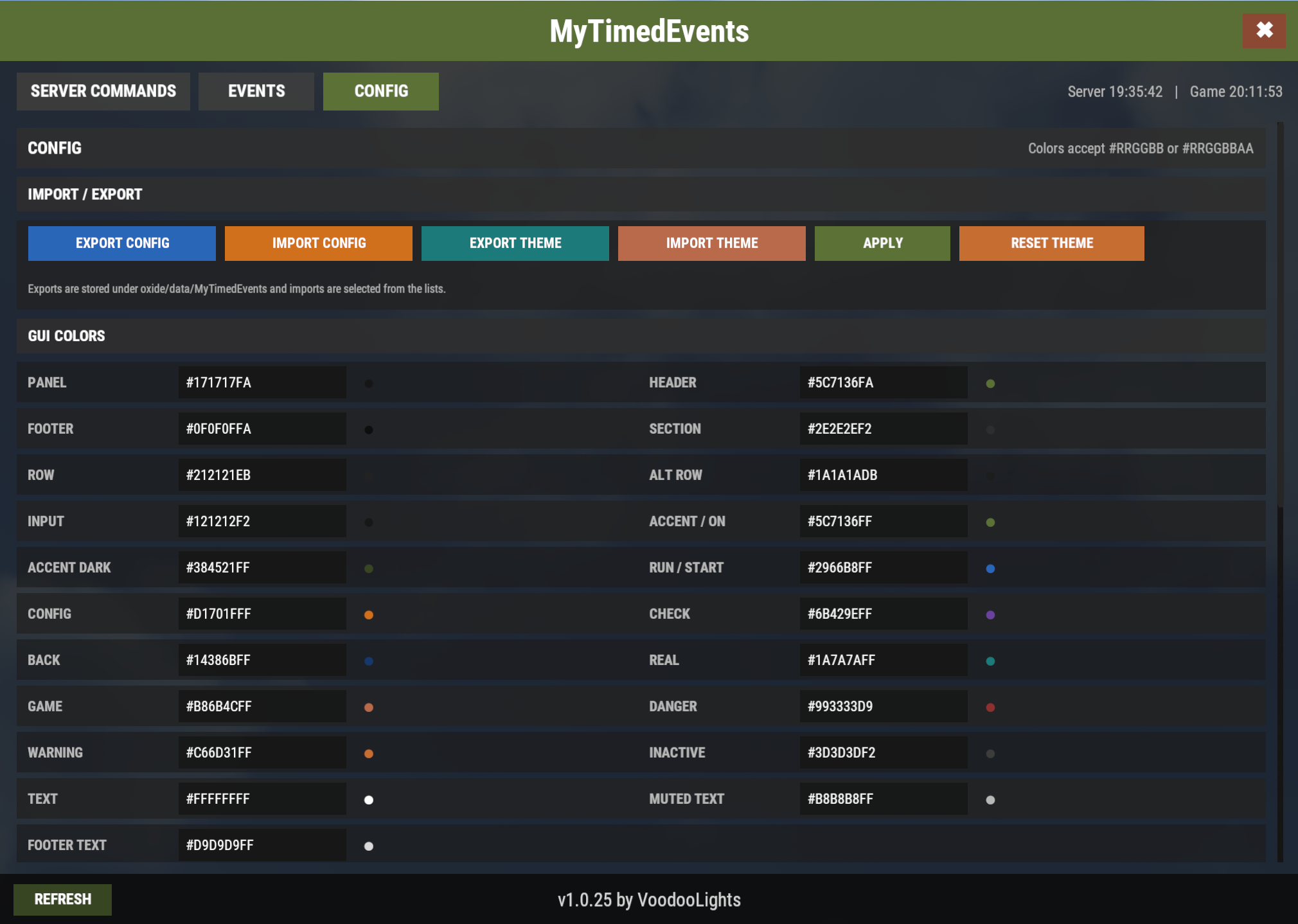
The CONFIG section provides in-game control over configuration backups, GUI appearance, placeholder colors, and general plugin options.
IMPORT / EXPORT
EXPORT CONFIG
Saves a complete copy of the current configuration, including commands, events, GUI settings, placeholder colors, and general options.
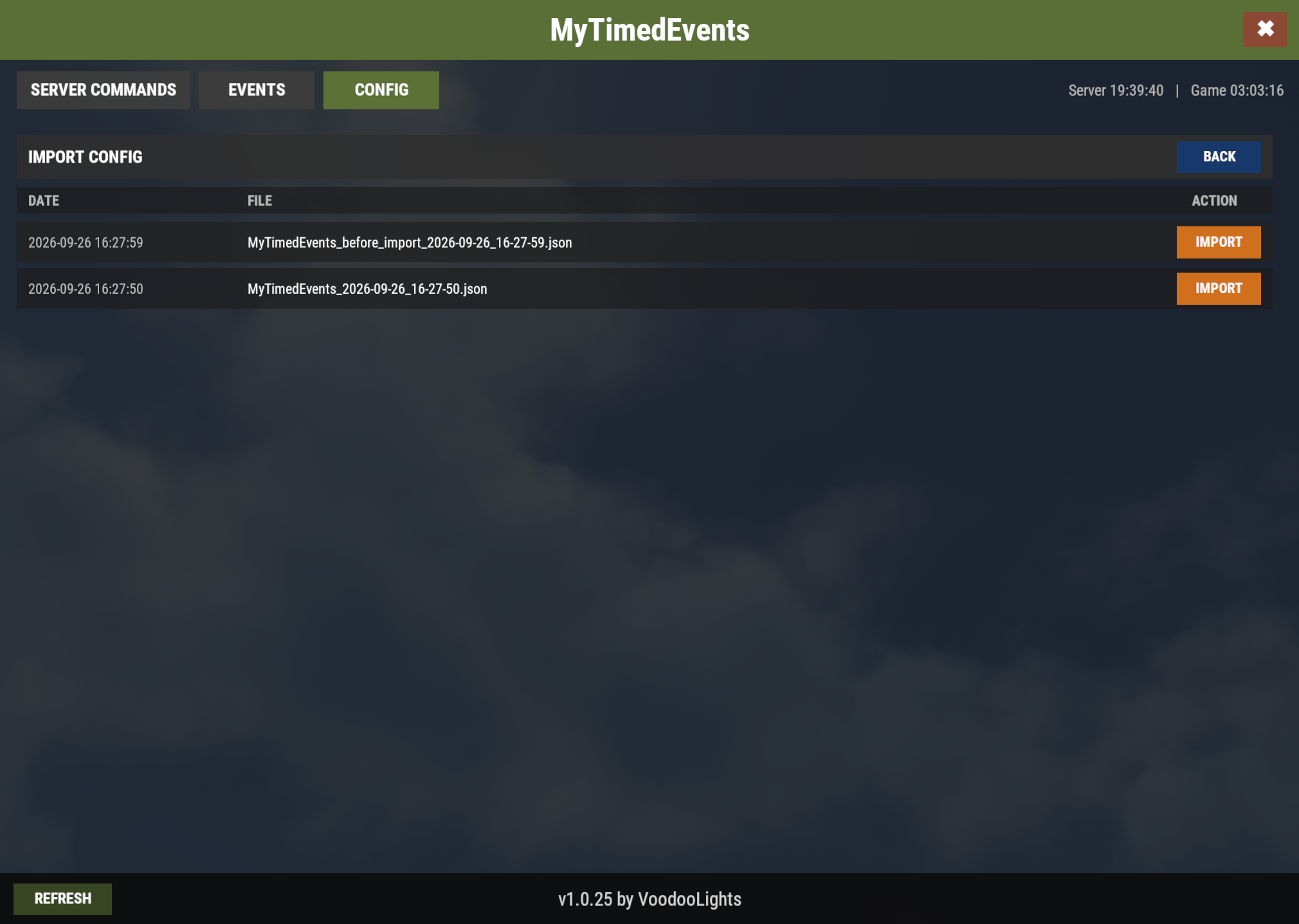
IMPORT CONFIG
Opens the list of saved configuration exports and allows one to be selected and restored. The current configuration is automatically backed up before the import is applied.
EXPORT THEME
Saves only the GUI theme, placeholder colors, font scale, and footer visibility without exporting commands, schedules, or events.
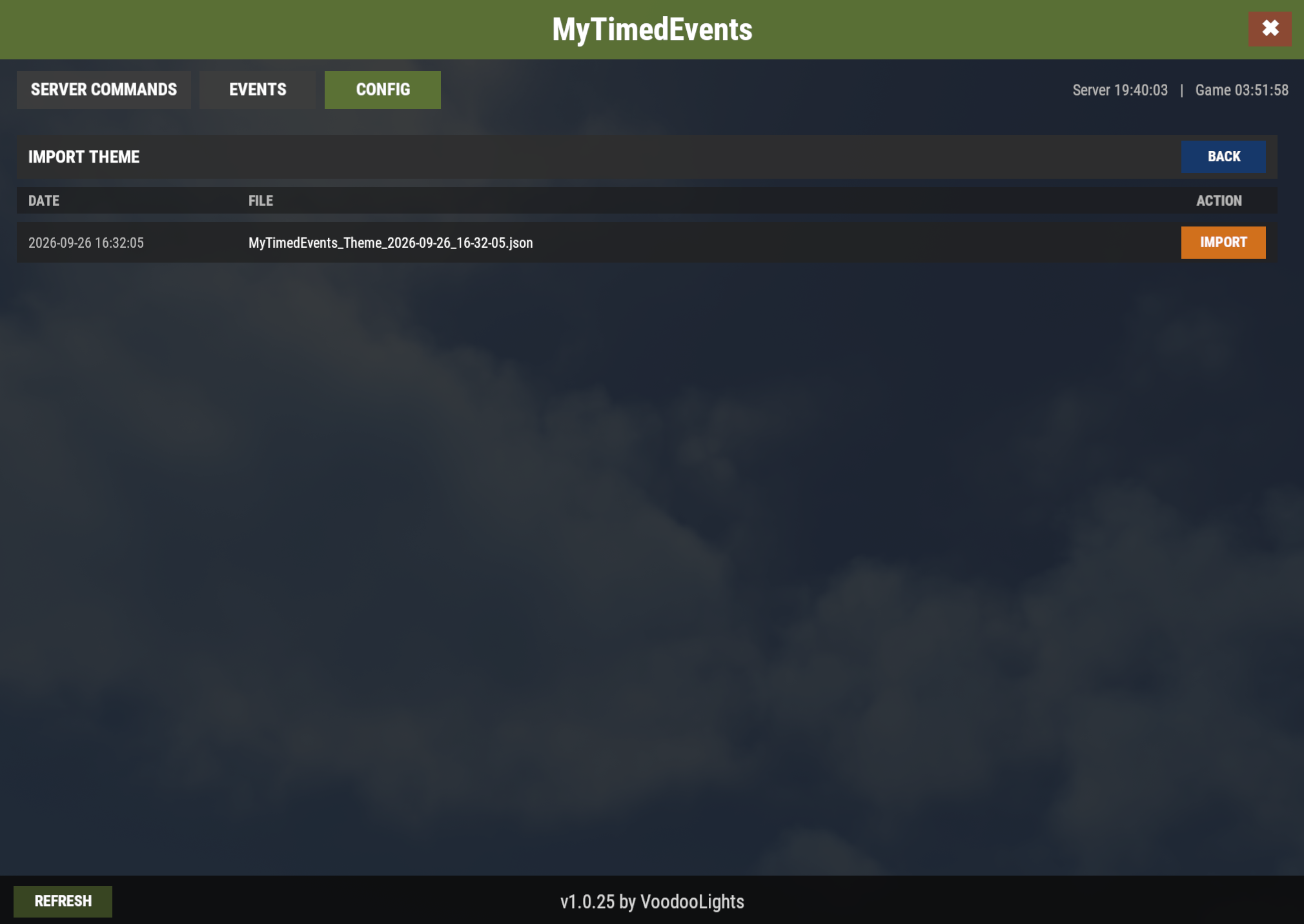
IMPORT THEME
Restores a previously exported theme without replacing the rest of the configuration.
APPLY
Applies the current configuration and refreshes the interface.
RESET THEME
Restores the GUI theme and placeholder colors to their default values.
Configuration exports are stored under oxide/data/MyTimedEvents/exports, while theme exports are stored under oxide/data/MyTimedEvents/theme-exports.
GUI COLORS
The GUI COLORS section controls the appearance of the interface. Colors can be customized individually for the panel, header, footer, section headers, normal and alternate rows, input fields, buttons, text, REAL/GAME selectors, warning states, inactive controls, and other GUI elements.
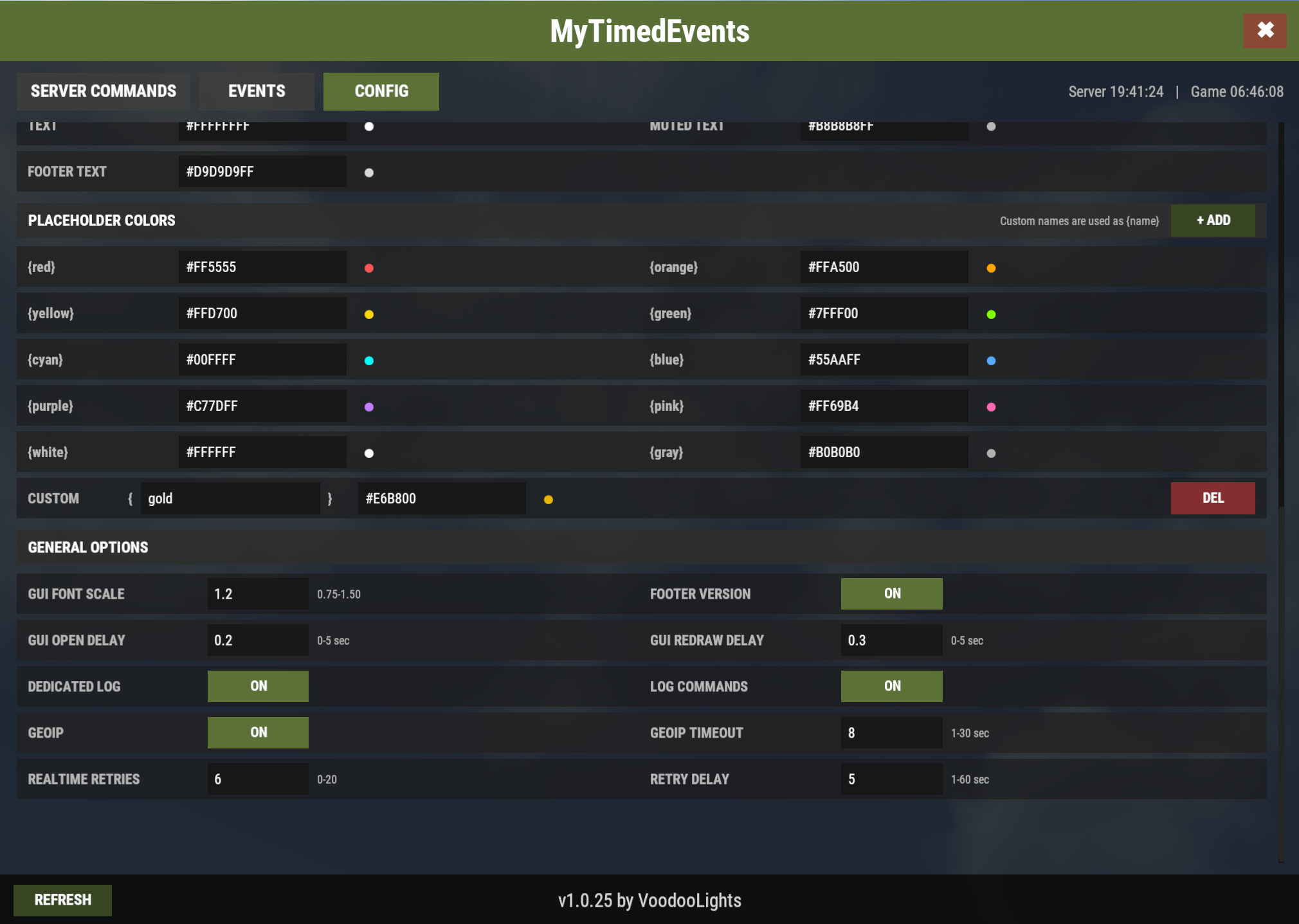
PLACEHOLDER COLORS
The PLACEHOLDER COLORS section controls the colors used by message color placeholders such as {red}, {yellow}, {green}, and the other built-in colors.
Custom color placeholders can also be created by choosing a name and hex color value, allowing placeholders such as {gold}, {lime}, or any other custom name.
GENERAL OPTIONS
The GENERAL OPTIONS section contains the remaining operational and interface settings:
GUI Font Scale
Changes the overall text size used throughout the GUI.
Footer Version
Shows or hides the plugin version information in the GUI footer.
GUI Open Delay
Sets the delay before the GUI is drawn after opening it.
GUI Redraw Delay
Sets the delay before the GUI performs its second redraw, which helps avoid the temporary fuzzy first-frame rendering that can occur when opening the interface.
Dedicated Log
Enables or disables the separate MyTimedEvents log file.
Log Commands
Enables or disables logging of executed commands in the dedicated log.
GeoIP
Enables or disables GeoIP lookups used by placeholders such as {country} and {countrycode}.
GeoIP Timeout
Sets how long the plugin waits for a GeoIP lookup before treating it as unavailable.
RealTime Retries
Sets how many times a scheduled REAL TIME player chat command may be retried if it cannot execute because the configured Chat Command Executor is not available.
Retry Delay
Sets the number of seconds between those retry attempts.

Command your Rust server. Live WebRCON console, performance and player monitoring, quick actions, groups and permissions, and plugin management.
Visit site ↗