
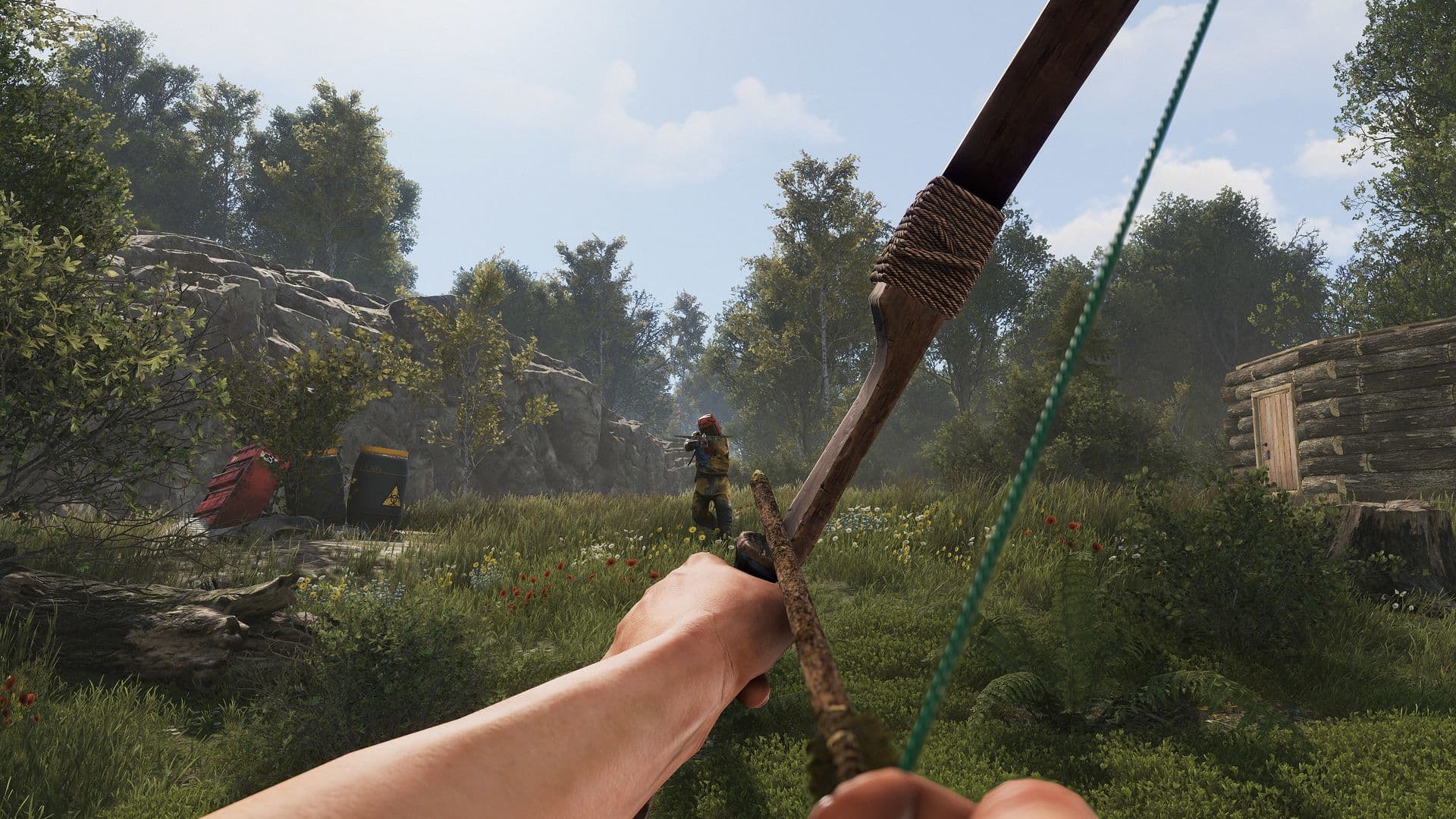
Welcome to the Jungle Event
 EM$Ø


𝗝𝗨𝗡𝗚𝗟𝗘 𝗘𝗩𝗘𝗡𝗧
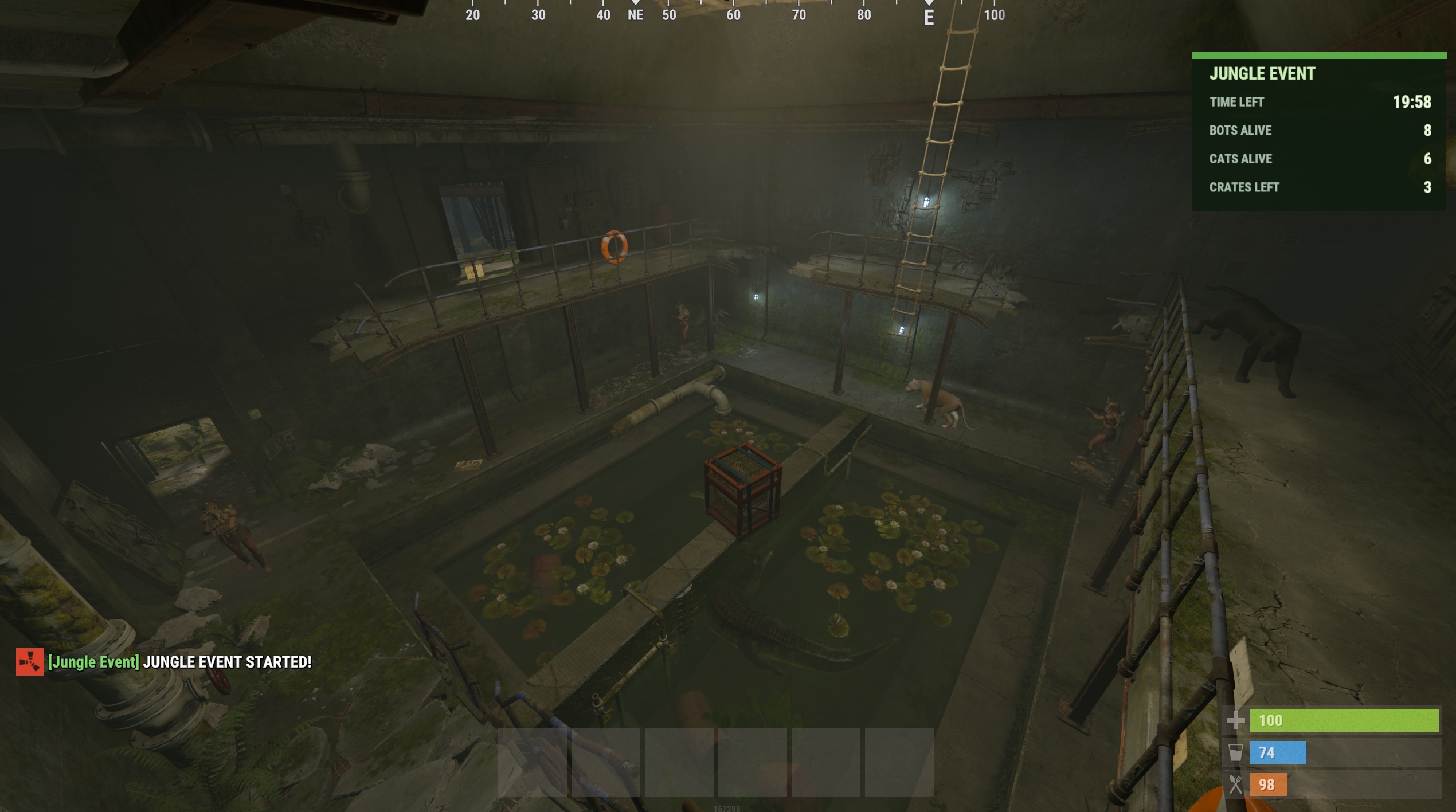
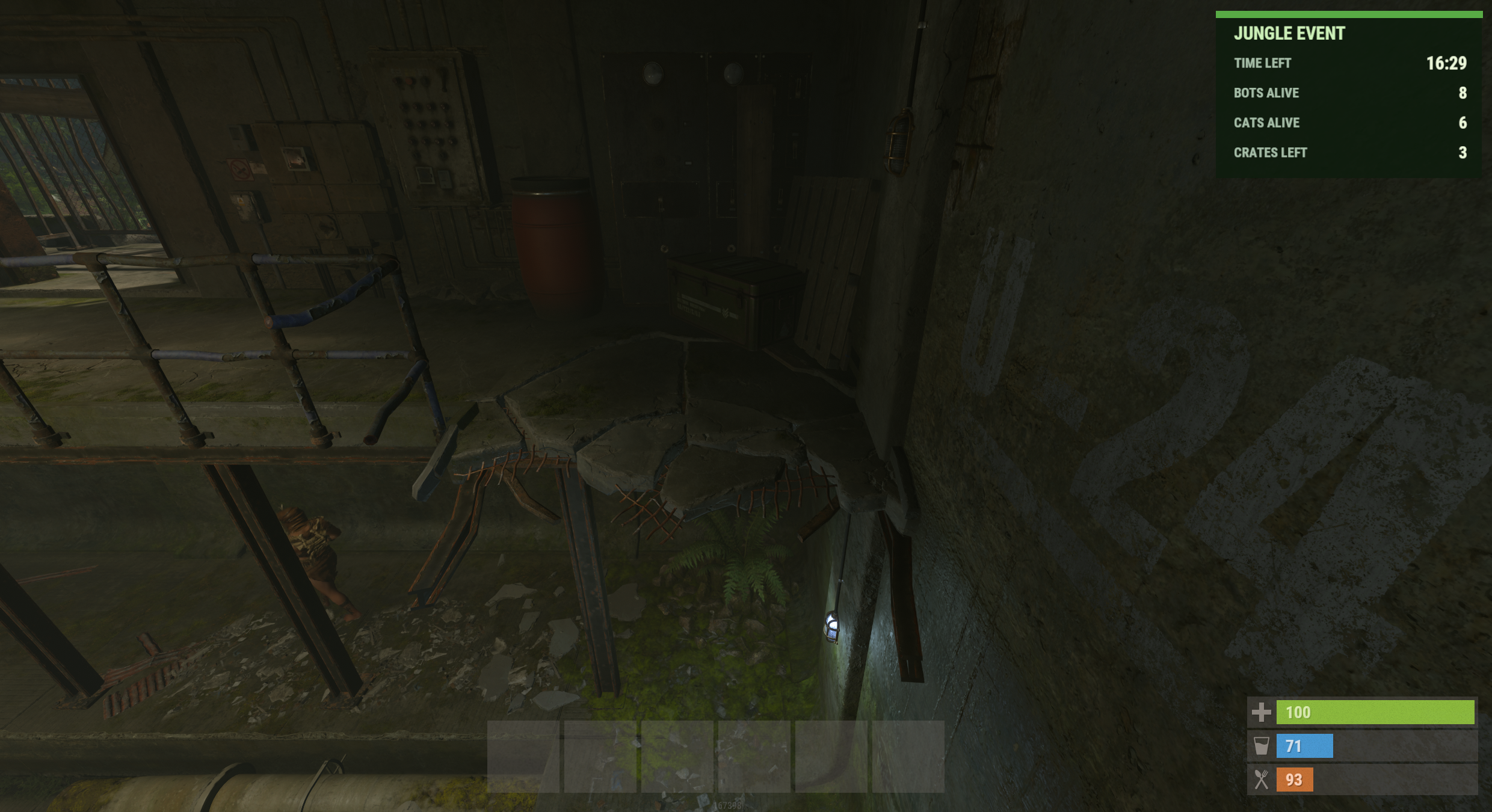
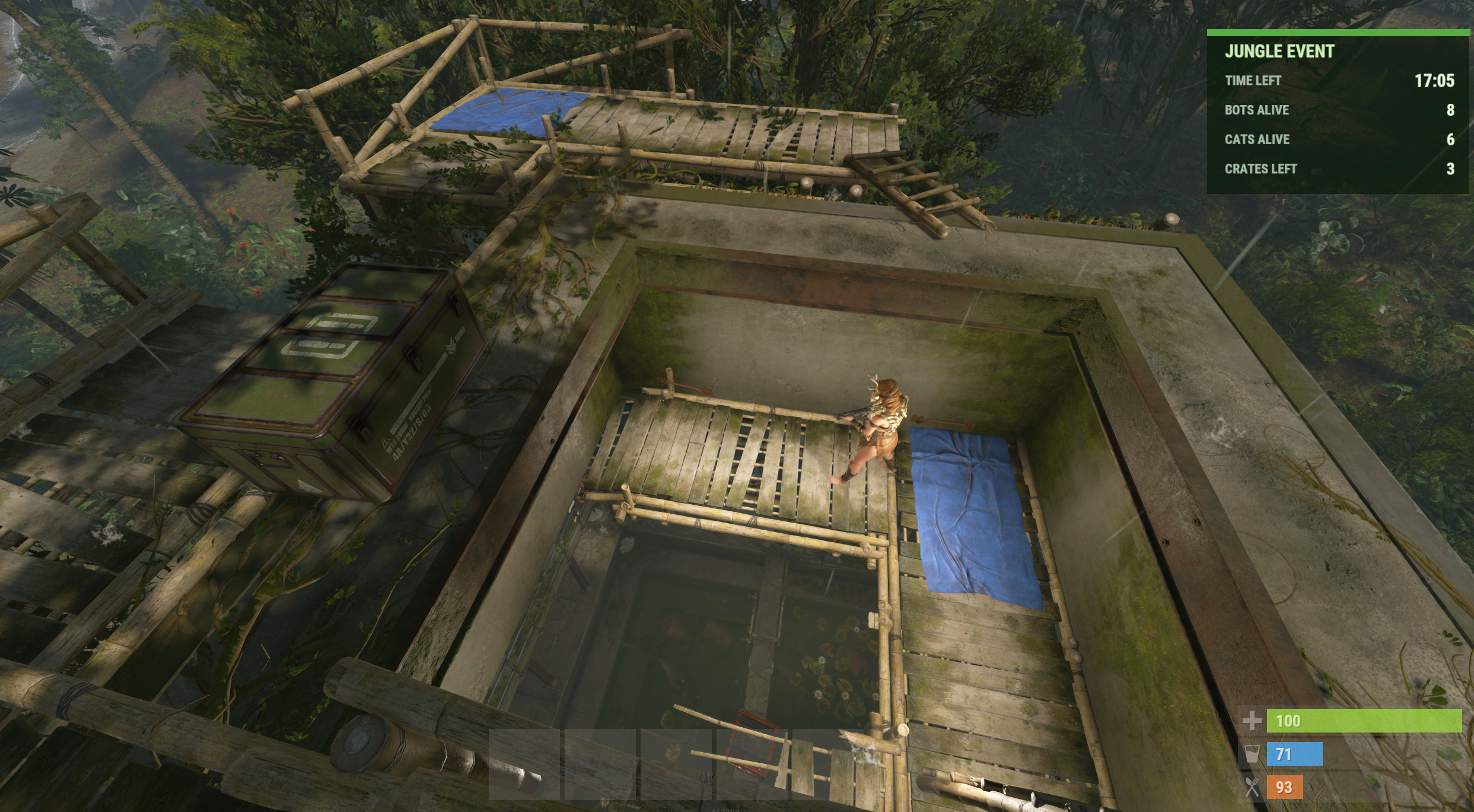
Jungle Event adds a timed PvE encounter to the Jungle Ziggurat monument in Rust.
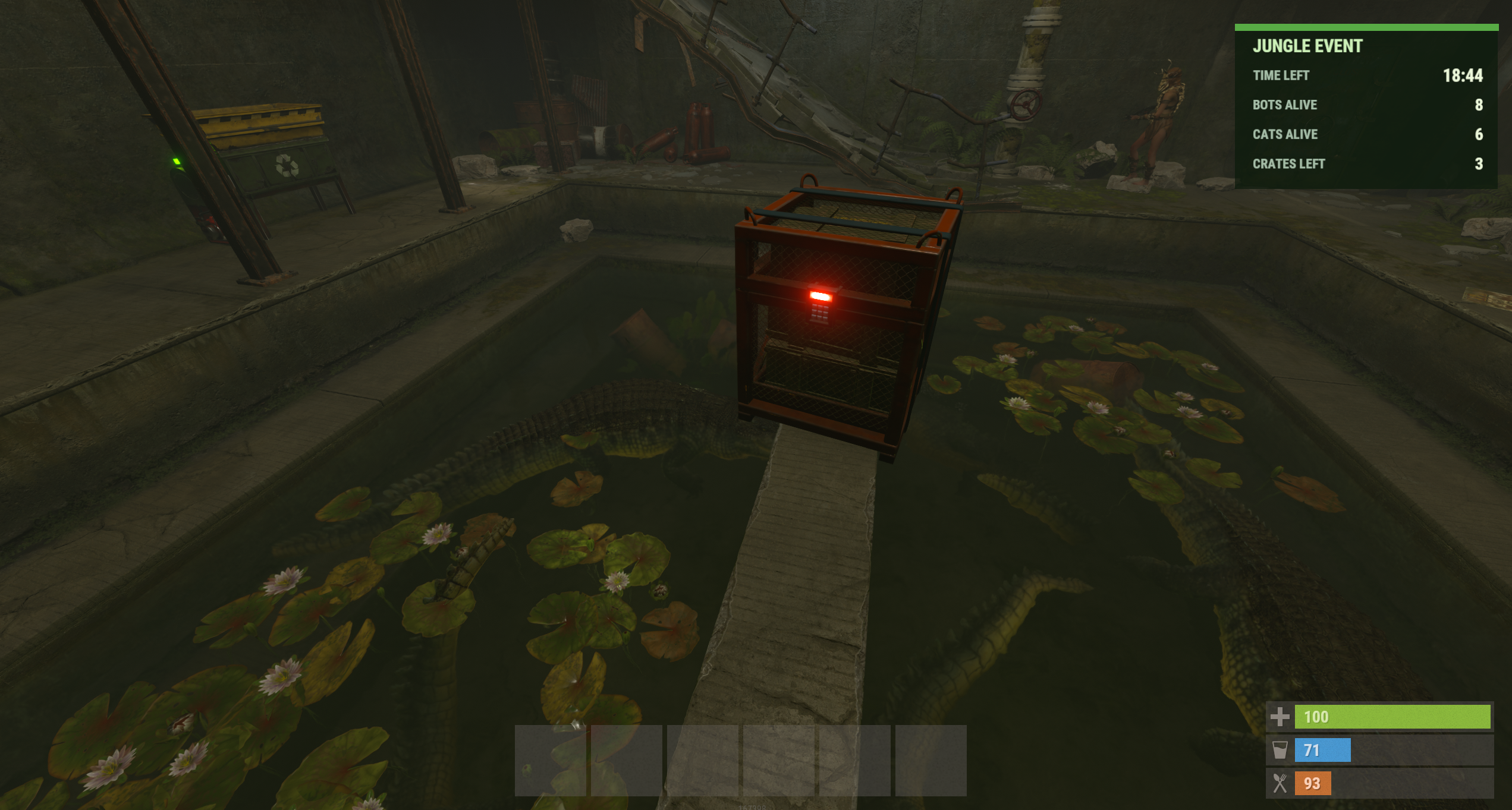
Players face armed scientists, tigers, panthers and crocodiles while collecting loot from two elite crates and one locked crate.
The event can be started manually or scheduled automatically. NPC equipment, loot tables, event duration and other settings can be managed through the in-game admin menu.
Jungle Event is a standalone plugin. No additional plugins or dependencies are required.
━━━━━━━━━━━━━━━━━━━━━━━━━━━━━━━━━━
𝗠𝗔𝗜𝗡 𝗙𝗘𝗔𝗧𝗨𝗥𝗘𝗦
• Automatic Jungle Ziggurat monument detection.
• Up to 8 armed scientists.
• 3 tigers, 3 panthers and 2 crocodiles.
• Configurable NPC health, weapons and detection range.
• NPC patrol routes and animal combat behavior.
• Two elite crates and one hackable locked crate.
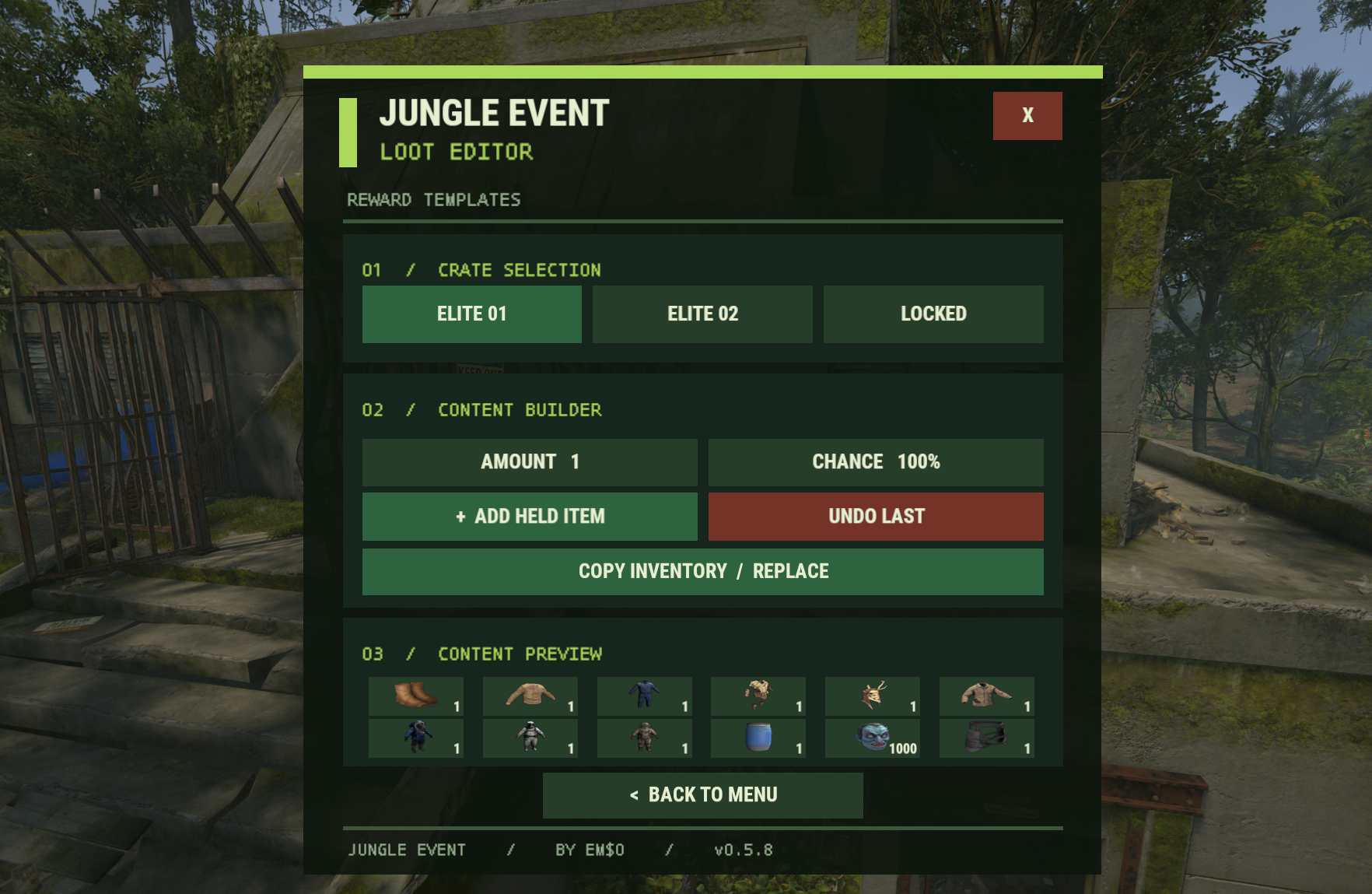
• Custom loot tables with item amounts, skins and drop chances.
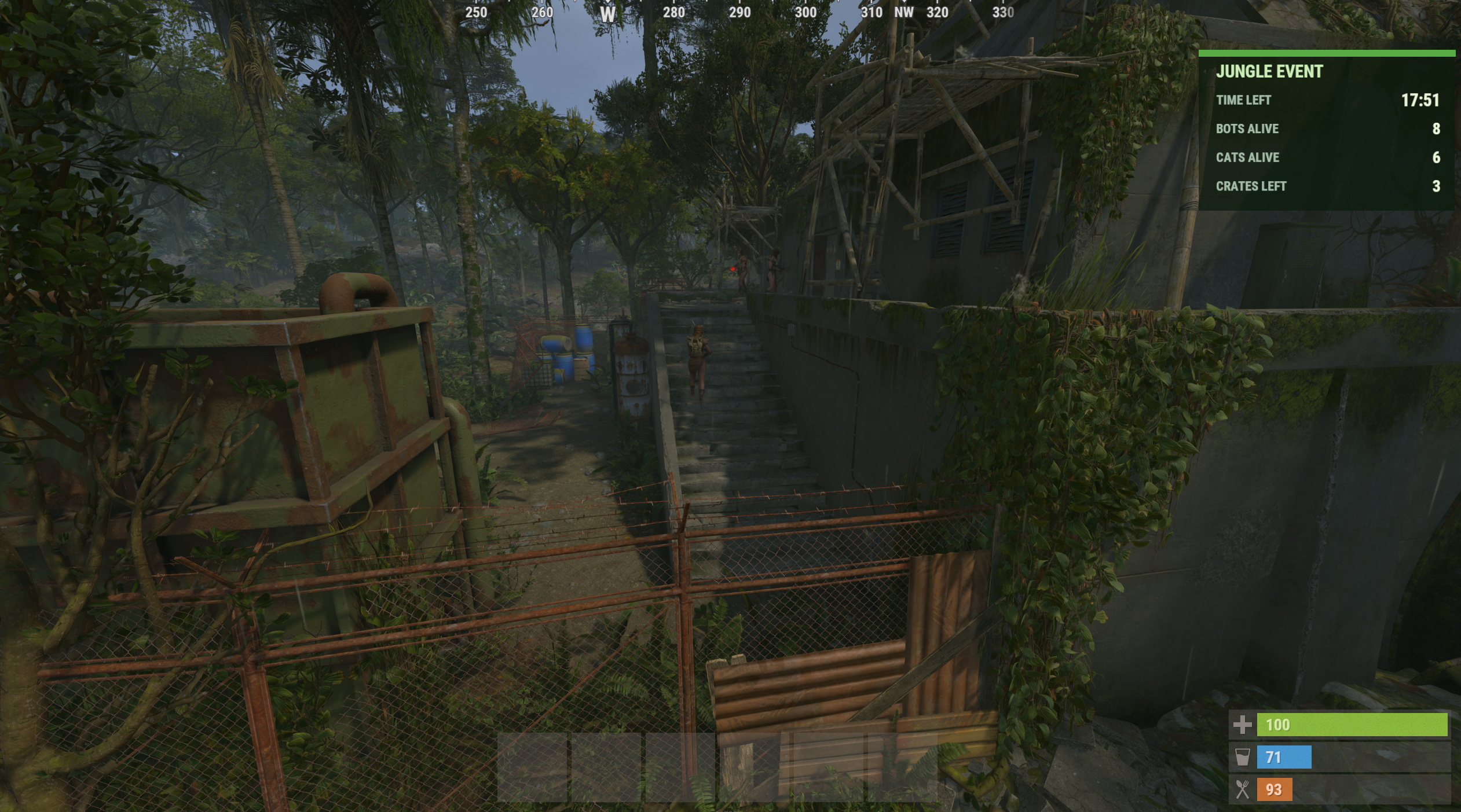
• Wooden barricade perimeter with 10 stone stair access points on both sides.
• Map marker showing the event location.
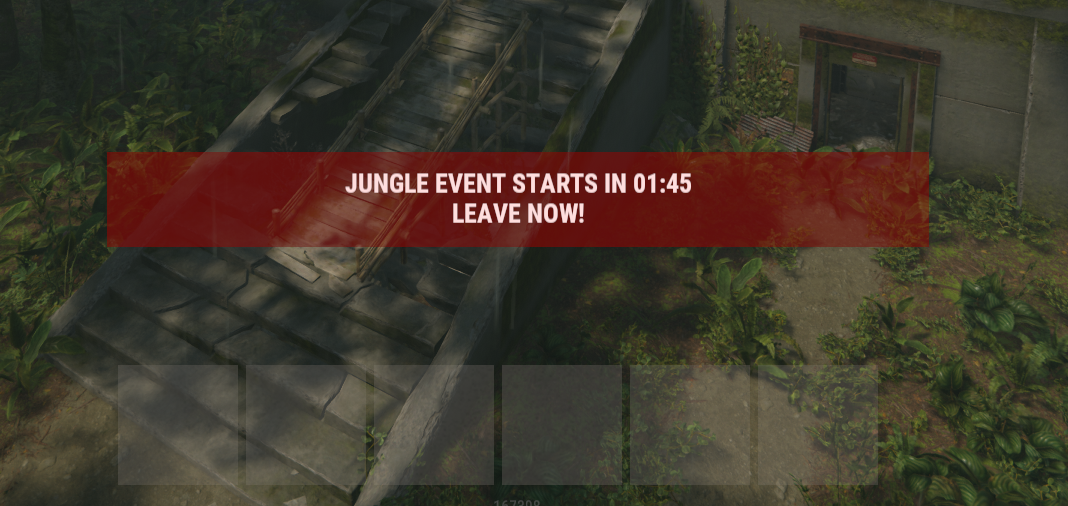
• In-game HUD displaying remaining time, enemies and crates.
• Manual or automatic event scheduling.
• Adjustable countdown, event duration and crate hacking time.
• Optional requirement to defeat all enemies before hacking the locked crate.
• Automatic cleanup when the event ends.
━━━━━━━━━━━━━━━━━━━━━━━━━━━━━━━━━━
𝗘𝗩𝗘𝗡𝗧 𝗚𝗔𝗠𝗘𝗣𝗟𝗔𝗬
Once the event starts, enemies and loot crates spawn at the Jungle Ziggurat.
Players must enter the event area to fight the NPCs and collect their rewards.
The wooden barricade perimeter surrounds the event location, with stone steps on both sides allowing players to enter and leave.
The event continues until the configured timer expires, even if all enemies have been defeated or the crates have been looted.
A locked crate hack started near the deadline can extend the remaining event time.
All event entities are removed when the event finishes or is stopped.
━━━━━━━━━━━━━━━━━━━━━━━━━━━━━━━━━━
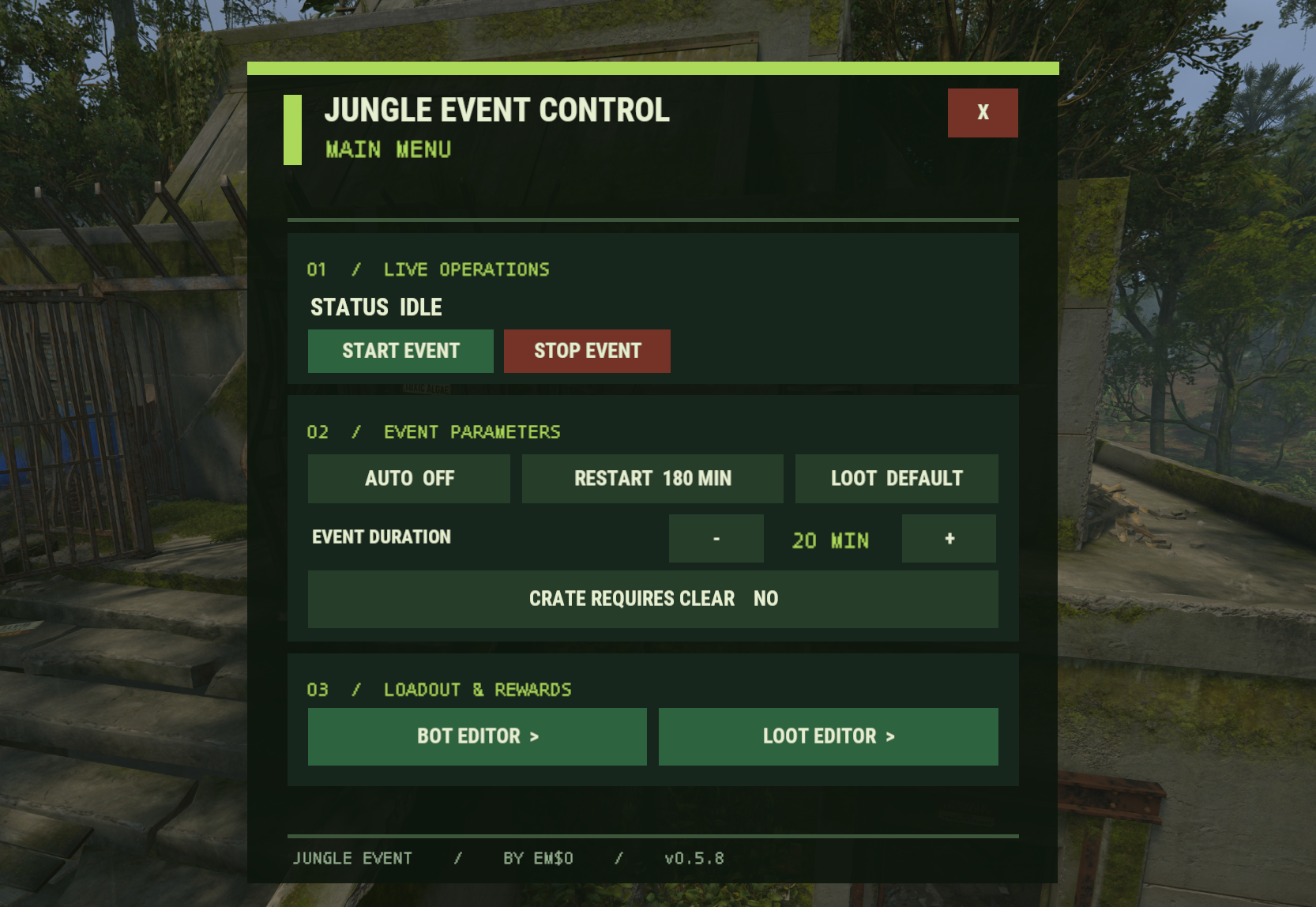
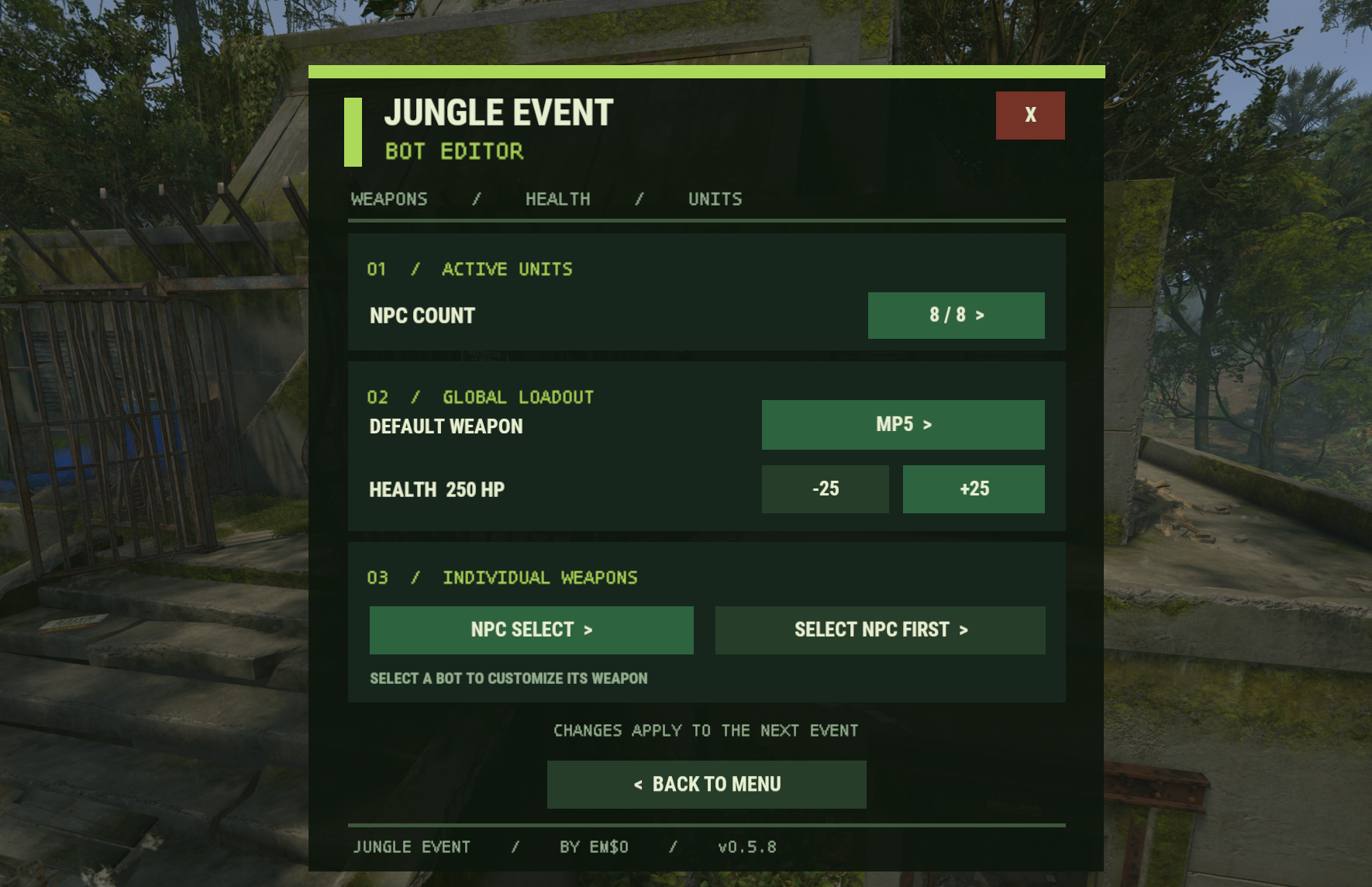
𝗔𝗗𝗠𝗜𝗡 𝗠𝗘𝗡𝗨
The plugin includes an in-game administration interface.
Open it using:
/jungle
Admins can manage:
• Event start and stop.
• Automatic scheduling.
• NPC weapons and health.
• Scientist count and detection range.
• Custom loot tables.
• Crate settings.
• Event duration and countdown.
Most settings can be changed directly in-game without editing the configuration file.
━━━━━━━━━━━━━━━━━━━━━━━━━━━━━━━━━━
𝗖𝗢𝗠𝗠𝗔𝗡𝗗𝗦
/jungle
Opens the admin menu.
/jungle start
Starts the event countdown.
/jungle stop
Stops the current event.
/jungle status
Displays the current event status.
/jungle auto on
Enables automatic events.
/jungle auto off
Disables automatic events.
/jungle help
Displays available commands.
━━━━━━━━━━━━━━━━━━━━━━━━━━━━━━━━━━
𝗣𝗘𝗥𝗠𝗜𝗦𝗦𝗜𝗢𝗡
jungleevent.admin
Grants access to the administration menu and commands.
Server administrators also have access.
━━━━━━━━━━━━━━━━━━━━━━━━━━━━━━━━━━
𝗖𝗨𝗦𝗧𝗢𝗠 𝗟𝗢𝗢𝗧
Jungle Event supports individual loot tables for all three crates.
• Elite Crate 1
• Elite Crate 2
• Locked Crate
Each loot entry can contain:
• Item shortname.
• Minimum amount.
• Maximum amount.
• Drop chance.
• Item skin.
Custom loot can be configured through the admin menu or configuration file.
When disabled, the crates use their default Rust loot.
━━━━━━━━━━━━━━━━━━━━━━━━━━━━━━━━━━
𝗖𝗢𝗡𝗙𝗜𝗚𝗨𝗥𝗔𝗧𝗜𝗢𝗡
| 1 | { |
| 2 | "Active scientist count (1-8)": 8, |
| 3 | "Bot detection distance (meters)": 55.0, |
| 4 | "Default bone NPC weapon (sks / bow / mp5 / ak / m16 / m249)": "sks", |
| 5 | "Bone NPC health (100-500)": 275.0, |
| 6 | "Bone NPC weapon overrides by slot (1-8)": {}, |
| 7 | "Restrict crocodile targets to their pool area": true, |
| 8 | "Maximum horizontal distance of crocodile target from spawn (meters)": 6.0, |
| 9 | "Maximum vertical distance of crocodile target from spawn (meters)": 2.5, |
| 10 | "Automatic start enabled": false, |
| 11 | "Minutes after event ends before next automatic start": 60, |
| 12 | "Warning seconds": 120, |
| 13 | "Event timeout minutes": 20.0, |
| 14 | "Locked crate hacking seconds": 420, |
| 15 | "Extra minutes after event deadline for a late crate hack": 5.0, |
| 16 | "Barricade ground offset (meters)": -0.05, |
| 17 | "Restrict locked crate until all enemies are dead": false, |
| 18 | "Custom loot enabled": false, |
| 19 | "Loot tables": { |
| 20 | "elite1": [], |
| 21 | "elite2": [], |
| 22 | "locked1": [] |
| 23 | } |
| 24 | } |
━━━━━━━━━━━━━━━━━━━━━━━━━━━━━━━━━━
𝗜𝗡𝗦𝗧𝗔𝗟𝗟𝗔𝗧𝗜𝗢𝗡
- Download JungleEvent.cs.
- Upload the file to oxide/plugins.
- Wait for Oxide to load the plugin.
- Open /jungle in-game.
- Configure the event or start it manually.
No additional plugins are needed.
━━━━━━━━━━━━━━━━━━━━━━━━━━━━━━━━━━
JungleEvent.json
| 1 | { |
| 2 | "Active scientist count (1-8)": 8, |
| 3 | "Bot detection distance (meters)": 55.0, |
| 4 | "Default bone NPC weapon (sks / bow / mp5 / ak / m16 / m249)": "sks", |
| 5 | "Bone NPC health (100-500)": 275.0, |
| 6 | "Bone NPC weapon overrides by slot (1-8)": {}, |
| 7 | "Restrict crocodile targets to their pool area": true, |
| 8 | "Maximum horizontal distance of crocodile target from spawn (meters)": 6.0, |
| 9 | "Maximum vertical distance of crocodile target from spawn (meters)": 2.5, |
| 10 | "Automatic start enabled": false, |
| 11 | "Minutes after event ends before next automatic start": 60, |
| 12 | "Warning seconds": 120, |
| 13 | "Event timeout minutes": 20.0, |
| 14 | "Locked crate hacking seconds": 420, |
| 15 | "Extra minutes after event deadline for a late crate hack": 5.0, |
| 16 | "Barricade ground offset (meters)": -0.05, |
| 17 | "Restrict locked crate until all enemies are dead": false, |
| 18 | "Custom loot enabled": false, |
| 19 | "Loot tables": { |
| 20 | "elite1": [], |
| 21 | "elite2": [], |
| 22 | "locked1": [] |
| 23 | } |
| 24 | } |

Trusted hosting partner. Affordable game servers with solid support and panels.
Visit site ↗