BoxLabels
 Yac Vaguer
 1 / 9
BoxLabels
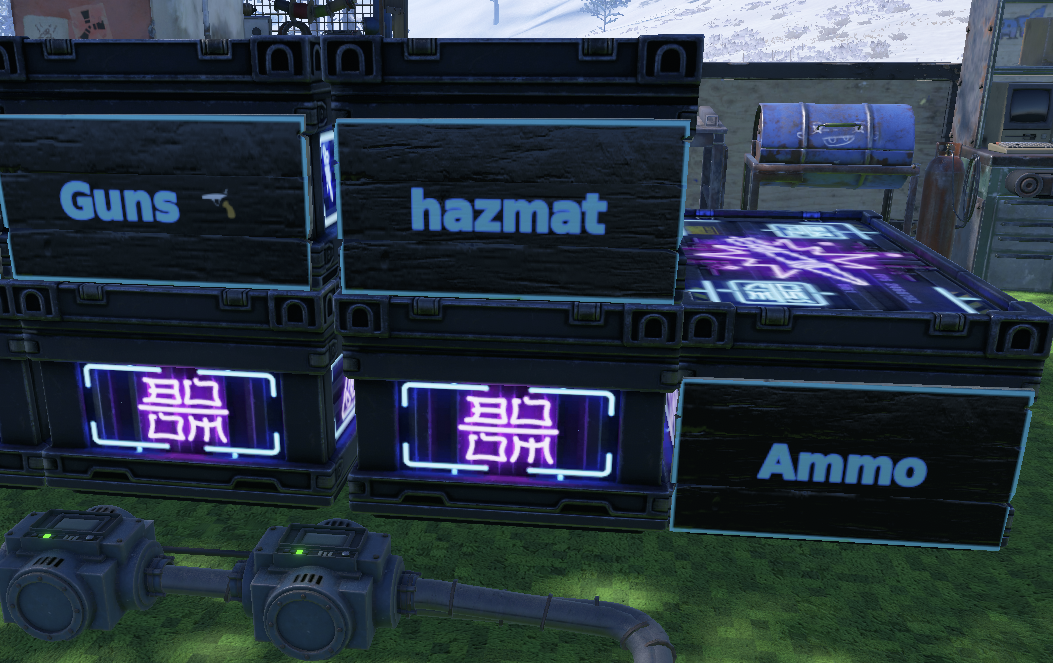
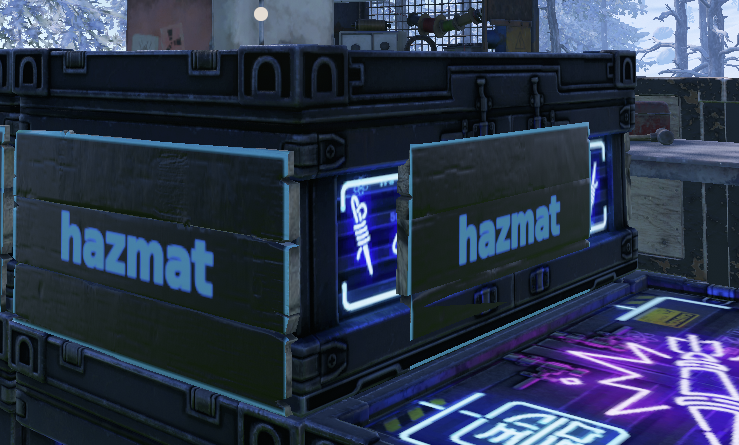
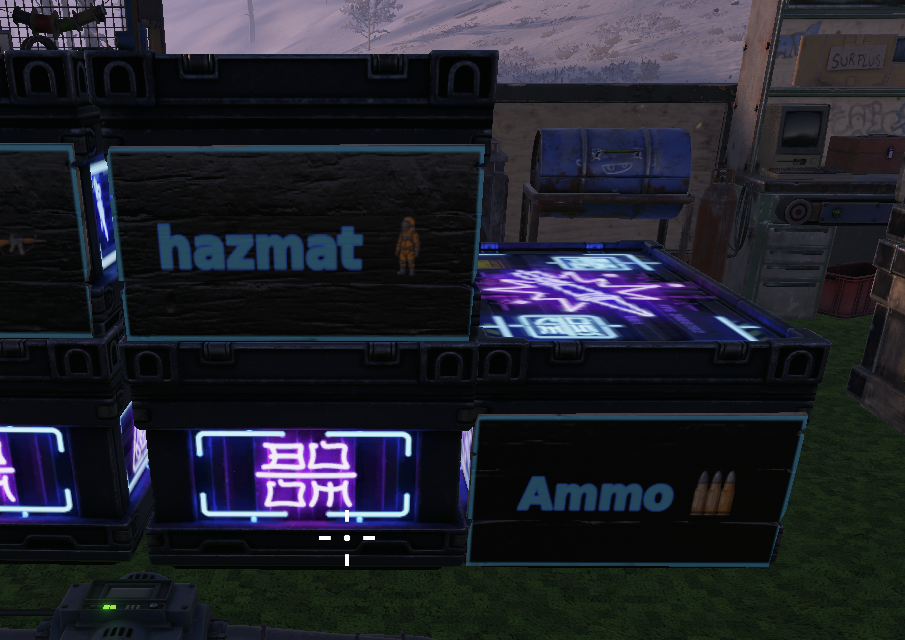
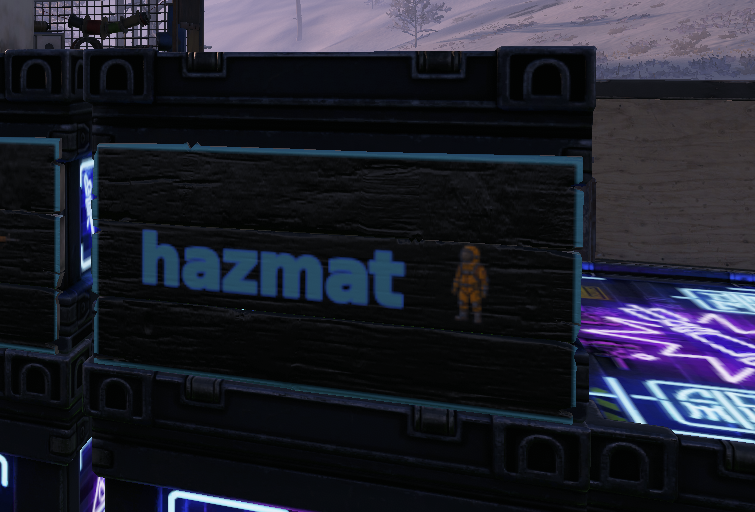
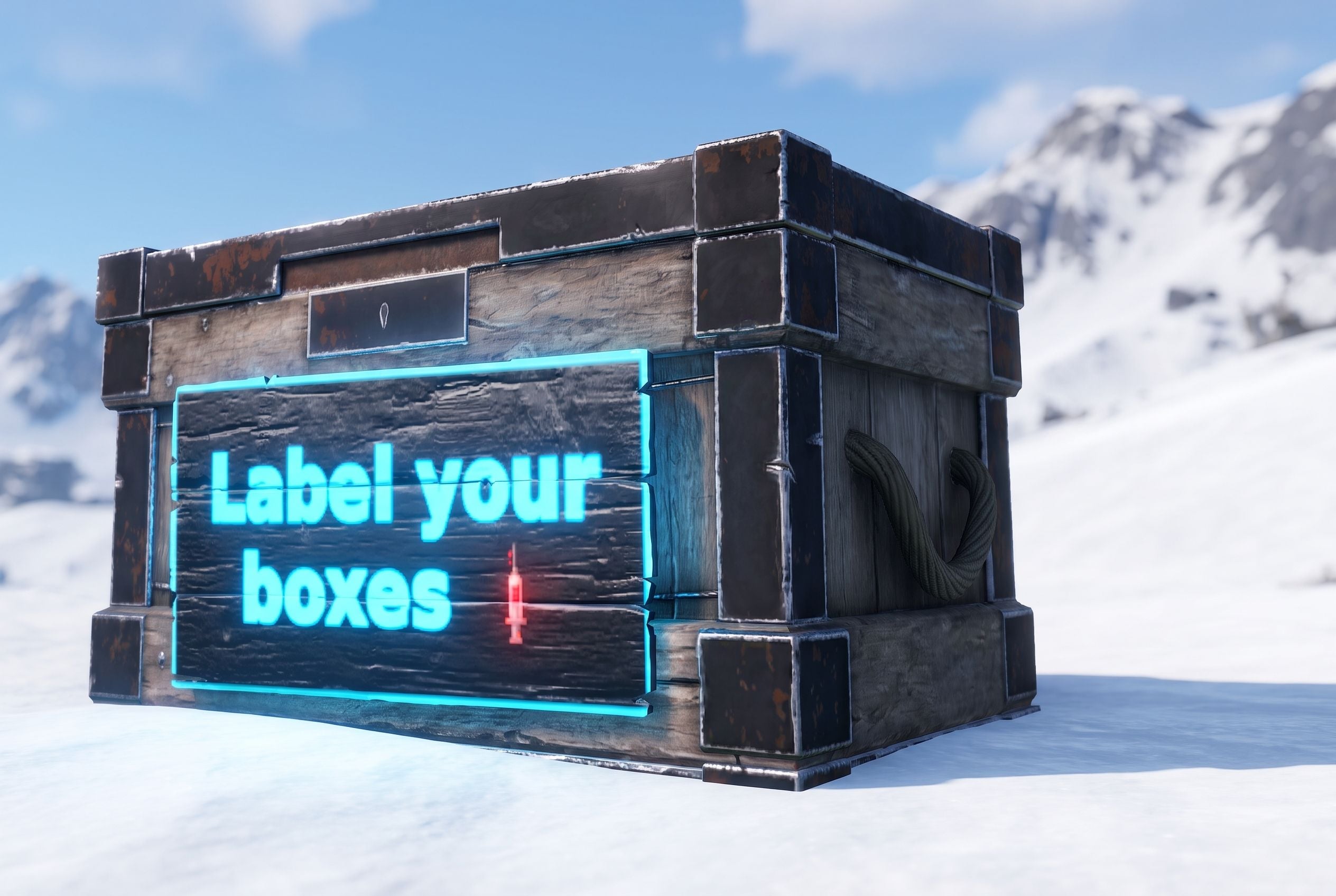
Readable signs on your storage boxes. Aim at a box, type a short message, pick the colors, and small wooden signs go up on its faces. No more opening twelve boxes to find the meds.
Runs on Oxide and Carbon.
What it does
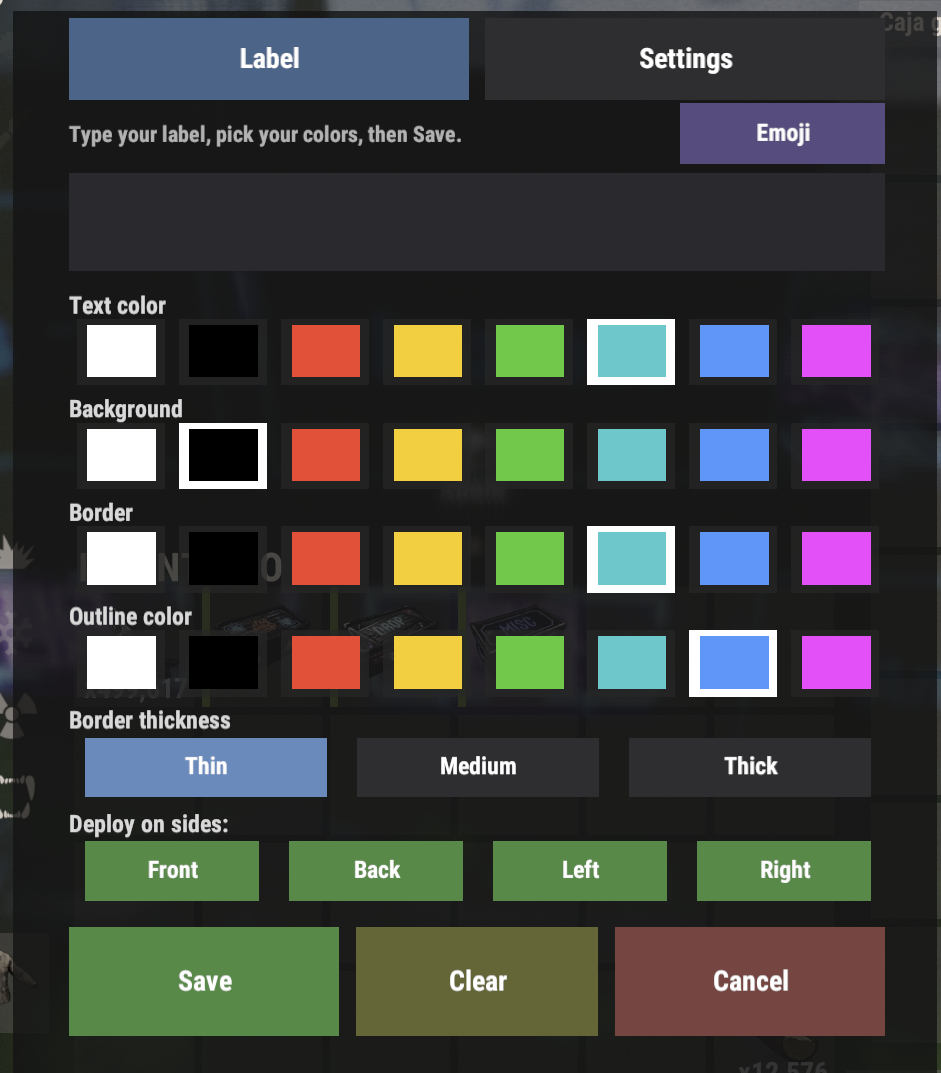
You look at a box and run /label, or press the Label button on the loot screen. A popup opens. You type something like MEDS or AMMO :ammo:, choose a text color, a background and a border, and pick which faces get a sign. Save, and the plugin draws your text to an image and puts it on wooden signs stuck to the box.
It works on the large wood box, skinned versions included, plus the Krieg Storage Crate and the Krieg Storage Barrel. Other containers are ignored on purpose.
When a box gets picked up or destroyed, its signs and its saved label go with it. Nothing is left floating in the air, and the data file doesn't fill up with dead entries.
The signs are real wooden sign entities parented to the box. Aim straight at one and you get the usual "paint" prompt, and a sign can sit in the way of looting or of mounting an industrial adaptor on that face. That's what the side picker is for. Put signs on the faces you read and leave the face you loot or wire up clear.
Commands
/labelopens the label popup for the box you're looking at/label <text>skips the popup and stamps the box right away with your last colors/unlabelremoves the label from the box you're looking at
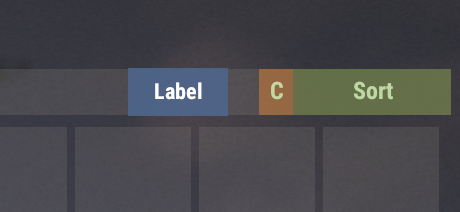
You can also open the popup from inside the box. Loot a box you're allowed to label and a small Label button shows up on the loot screen. It's on by default and you can turn it off in the config. On a box with an industrial adaptor, the button shifts left so it doesn't land on the vanilla gear button.
The popup
Two tabs.
Label is for the box in front of you. Type the message, pick its colors and border, choose the faces. Save writes it, Clear removes the label, Cancel closes without changes.
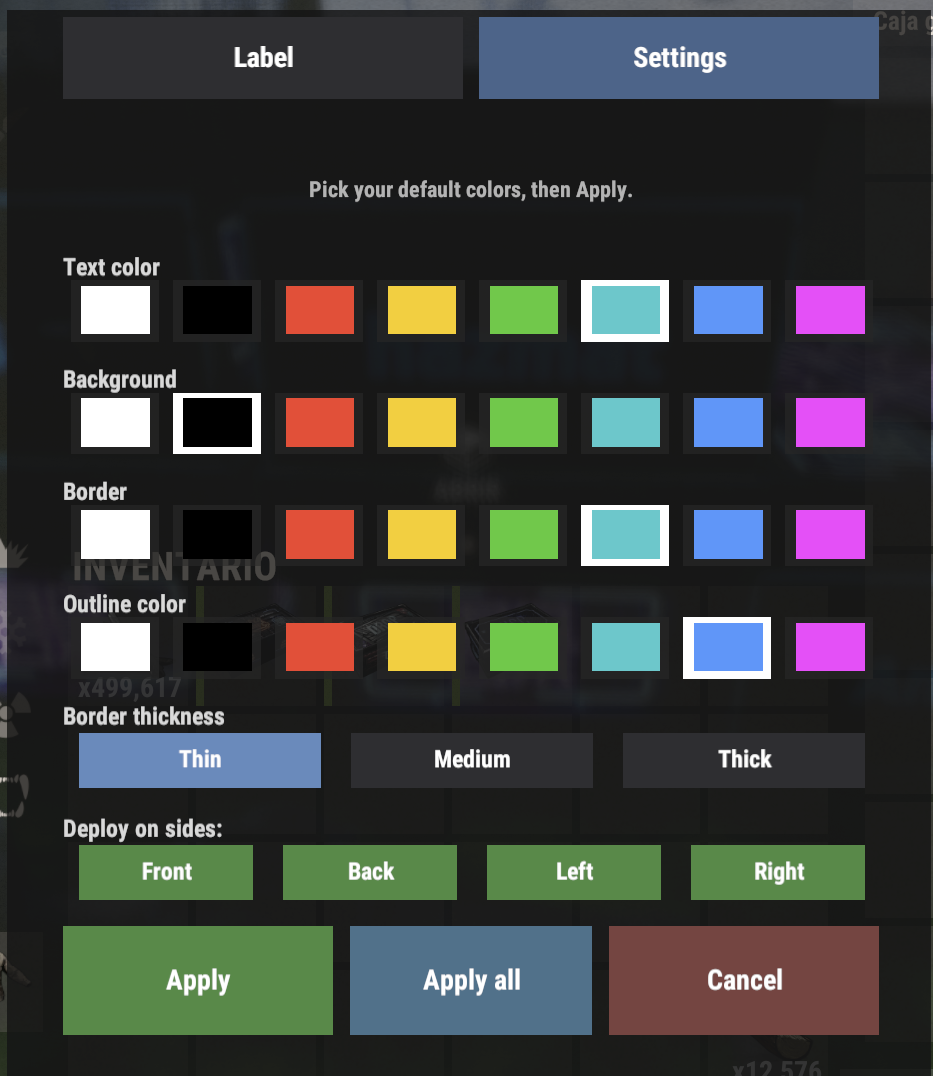
Settings holds your personal defaults. Pick the colors you like once and every new label starts from them. The Apply all button re-skins every label you've already placed with those defaults, so you can recolor a whole base in one click. It works through your labels in small batches over several frames, so a big base doesn't stall the server.
Colors come from a swatch palette, and the plugin remembers your last pick between labels.
Emoji
Drop an icon into a label with :shortcode: syntax. Type LOOT :gun: and the gun icon is drawn inline with the text, sized to the font. Several icons wrap across lines the same way words do.
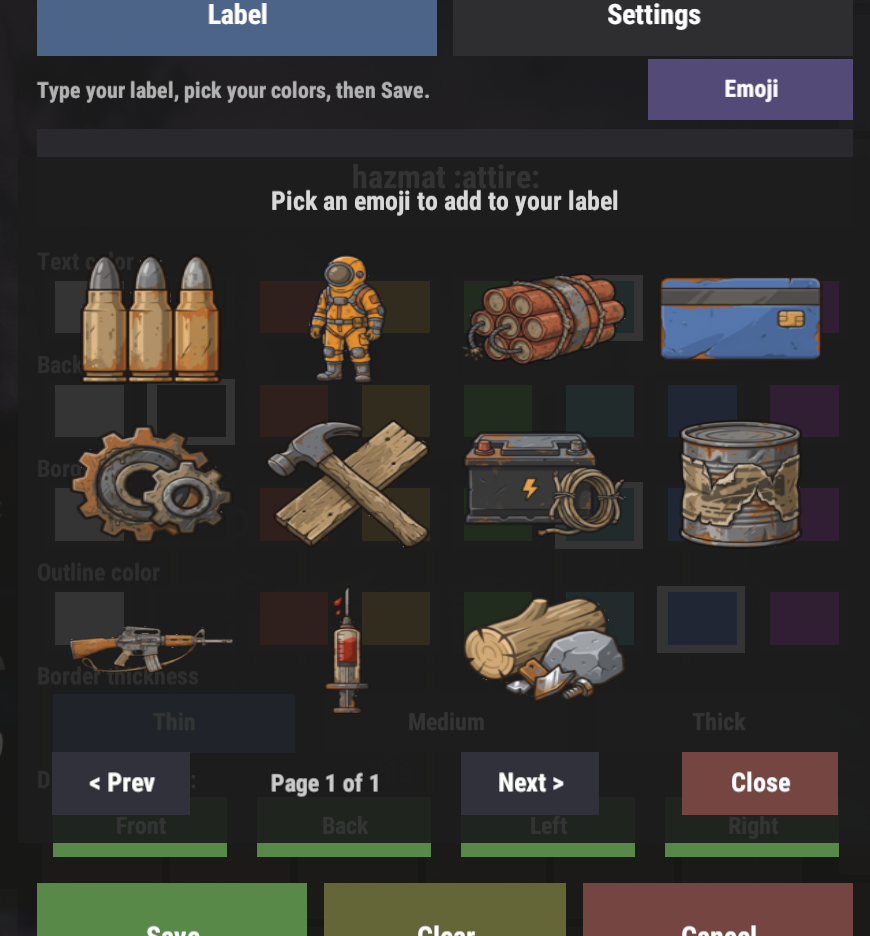
The Emoji button in the popup opens a paged grid. Click an icon to add its shortcode to your text, then Save.
The plugin ships with a Rust item-category pack:
:gun: :attire: :meds: :food: :comps: :rss: :boom: :ammo: :cons: :elec: :card:
A shortcode the server doesn't have stays as plain text, so a typo shows up on the sign as :bogus: instead of vanishing. A stray colon in normal text is left alone.
You don't copy any icons in. On first load the plugin downloads the pack and caches it under oxide/data/BoxLabels/emoji/, or carbon/data/... on Carbon, then renders from that local copy. If the server can't reach the download URL, the plugin still runs and shortcodes show as plain text until it can.
Want your own icons? Host a folder of PNGs plus an emoji.json that maps each shortcode to its file, and point Emoji pack base URL at it. To pull changes after the first download, delete the cached emoji folder and reload the plugin.
The bundled icons are original artwork made for this plugin, free to use and redistribute with it.
Permissions
boxlabel.uselets a player use/labeland/unlabelon boxes they're authorized onboxlabel.adminlabels or clears any box, skipping the tool cupboard check
A normal player needs boxlabel.use and has to be authorized on the tool cupboard that covers the box. Staff with boxlabel.admin can label any box on the map.
Installation
- Drop
BoxLabels.csintooxide/plugins/, orcarbon/plugins/on Carbon. That's the whole plugin. There's no data folder to copy - Grant the use permission to whoever should label boxes:
oxide.grant group default boxlabel.use - Grant
boxlabel.adminto your staff group if you want - The config file is created on first load. Change what you need and reload the plugin
Configuration you'll probably touch first
| 1 | "Max characters": 30, |
| 2 | "Max lines": 3, |
| 3 | "Max characters per line": 12, |
| 4 | "Font family": "DejaVu Sans", |
| 5 | "Font size": 26.0, |
| 6 | "Default text color (hex)": "FFFFFF", |
| 7 | "Default background color (hex)": "000000", |
| 8 | "Default outline color (hex)": "000000", |
| 9 | "Outline width (px)": 3.0, |
| 10 | "Emoji enabled": true, |
| 11 | "Emoji pack base URL": "https://media.yacvaguer.cc/boxlabels/emoji/", |
| 12 | "Emoji size (multiple of font line height)": 1.0, |
| 13 | "Show Label button on the loot screen": true, |
| 14 | "Send player notices to UINotify instead of chat": true |
The default colors are only where a new label starts. Players change them in the popup.
Send player notices to UINotify instead of chat shows label notices as UINotify toasts when UINotify is installed. Without UINotify they go to chat, so leaving it on costs nothing.
There are also three sign placement values, calibrated for the large wood box, and three loot button pixel offsets so the Label button lines up next to your sorting plugin. You shouldn't need to touch either unless your box or your sorting UI is unusual. Krieg boxes use their own fixed placement.
What to expect
The Krieg barrel is round and the signs are flat, so on the barrel the edges of each sign stand off the curve. It reads fine, it just isn't flush.
All player-facing text goes through the language file, so you can translate it.
On Linux the one real setup gotcha is the font. If labels come out blank or in the wrong font, check that libgdiplus and the configured font are installed on the server, then reload.
BoxLabels.json
| 1 | { |
| 2 | "Sign placement - front/back inset (Z)": 0.466, |
| 3 | "Sign placement - left/right inset (X)": 0.838, |
| 4 | "Sign placement - height (Y)": 0.04, |
| 5 | "Send player notices to UINotify instead of chat": true, |
| 6 | "Max characters": 30, |
| 7 | "Max lines": 3, |
| 8 | "Max characters per line": 12, |
| 9 | "Font family": "DejaVu Sans", |
| 10 | "Font size": 26.0, |
| 11 | "Default text color (hex)": "FFFFFF", |
| 12 | "Default background color (hex)": "000000", |
| 13 | "Default outline color (hex)": "000000", |
| 14 | "Outline width (px)": 3.0, |
| 15 | "Emoji enabled": true, |
| 16 | "Emoji pack base URL": "https://media.yacvaguer.cc/boxlabels/emoji/", |
| 17 | "Emoji size (multiple of font line height)": 1.0, |
| 18 | "Show Label button on the loot screen": true, |
| 19 | "Loot button: Sort bar left edge X (px)": 475.0, |
| 20 | "Loot button: header row Y (px)": 609.0, |
| 21 | "Loot button: extra left shift when the industrial gear is shown (px)": 60.0, |
| 22 | "Color swatches (hex)": [ |
| 23 | "FFFFFF", |
| 24 | "000000", |
| 25 | "FF3333", |
| 26 | "FFCC00", |
| 27 | "33CC33", |
| 28 | "00CCCC", |
| 29 | "3399FF", |
| 30 | "FF33FF" |
| 31 | ] |
| 32 | } |

Trusted hosting partner. Affordable game servers with solid support and panels.
Visit site ↗