Satellite Strike Event
 EM$Ø
SATELLITE STRIKE EVENT
━━━━━━━━━━━━━━━━━━━━━━━━━━━━━━
Satellite Strike Event brings an action-packed, multi-stage event to the Satellite Dish monument in Rust.
Survive an intense MLRS bombardment, fight armed scientists, recover a red keycard, activate the launch system, and shoot down two satellites to claim valuable rewards.
The event features Chinook reinforcements, interactive objectives, customizable NPCs, loot crates, and automatic event scheduling.
MAIN FEATURES
━━━━━━━━━━━━━━━━━━━━━━━━━━━━━━
• 8 Armed Scientist NPCs
• Customizable NPC Health, Detection Range & Weapons
• 12-Rocket MLRS Bombardment
• Chinook Helicopter Reinforcements
• Red Keycard Access System
• Interactive Satellite Launch Controls
• Shoot Down 2 Satellites
• 5-Minute Reload Between Satellite Launches
• 3 Loot Crates
• 1 Hackable Locked Crate
• 2 Satellite Loot Containers
• Customizable Crate Loot Tables
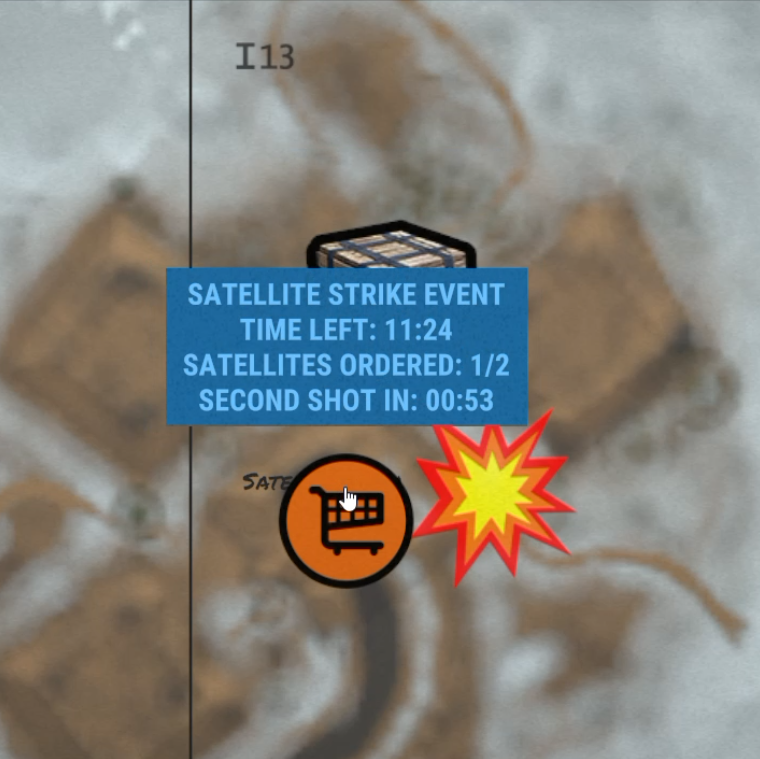
• Event Map Marker
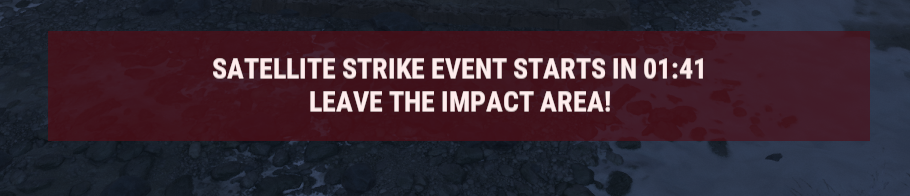
• Custom Objective HUD
• Automatic Event Scheduling
• Configurable Event Duration
• Automatic Event Cleanup
HOW THE EVENT WORKS
━━━━━━━━━━━━━━━━━━━━━━━━━━━━━━
- EVENT WARNING
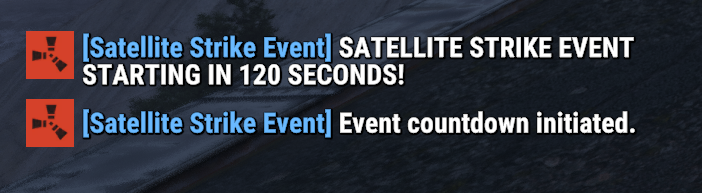
Players receive a global announcement 120 seconds before the event begins.
The event takes place at the Satellite Dish monument.
- MLRS BOMBARDMENT
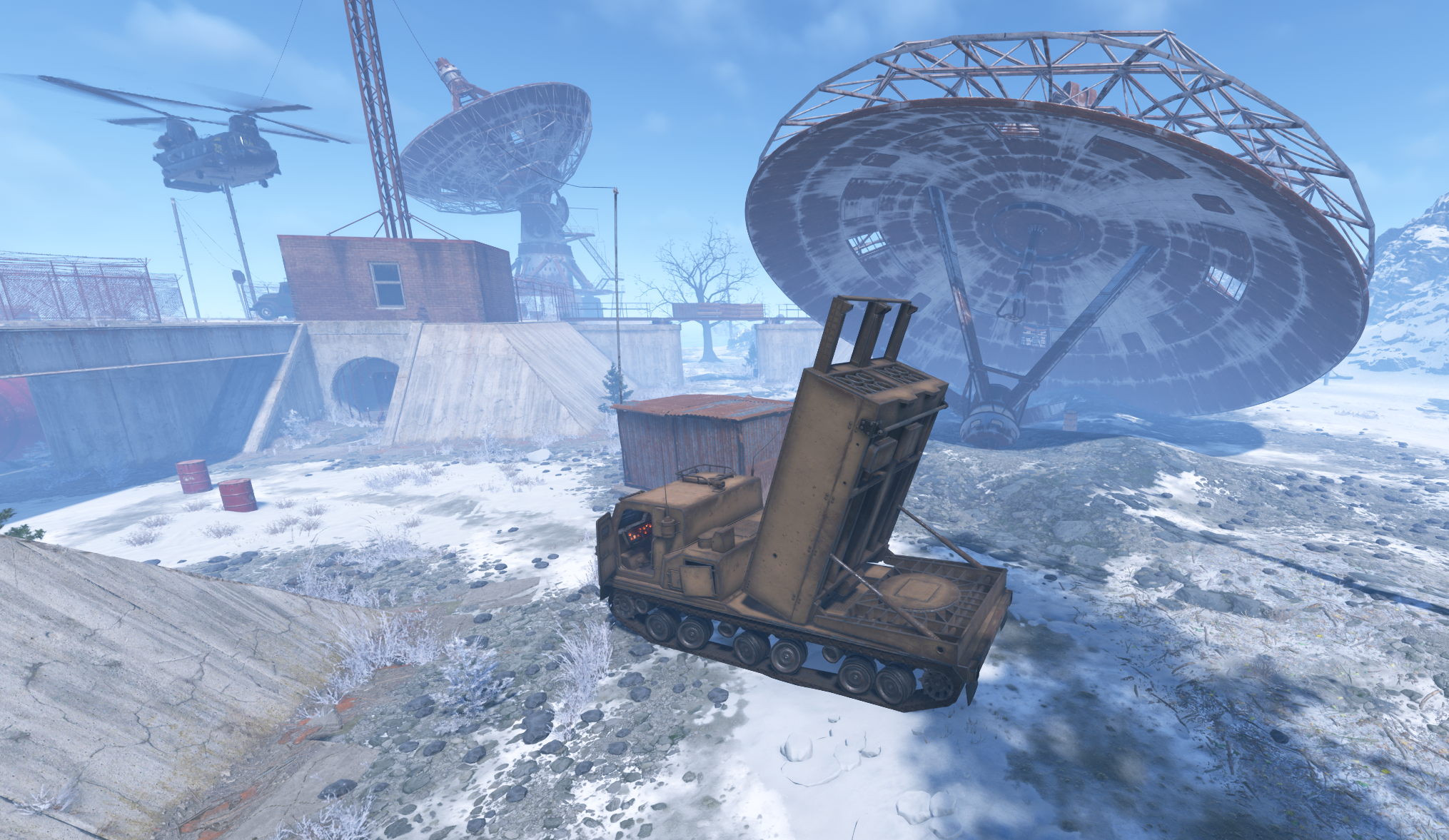
The event begins with a powerful 12-rocket MLRS barrage.
Players must survive the initial attack before continuing with the event objectives.
- CHINOOK & SCIENTISTS
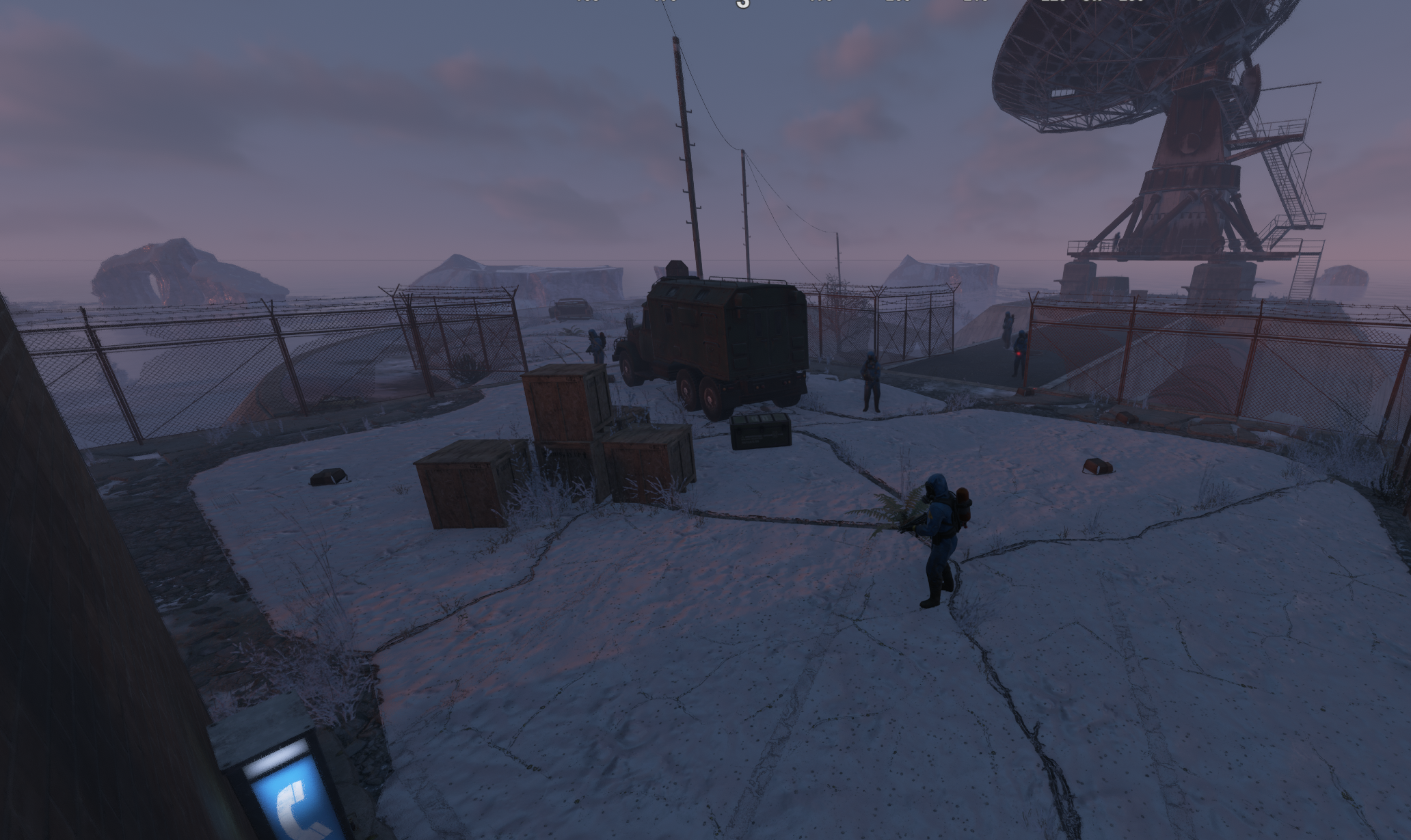
A Chinook helicopter arrives and deploys armed scientists.
Eight scientists patrol the monument and engage nearby players.
Their health, detection range, and weapons can be customized through the configuration.
- FIND THE RED KEYCARD
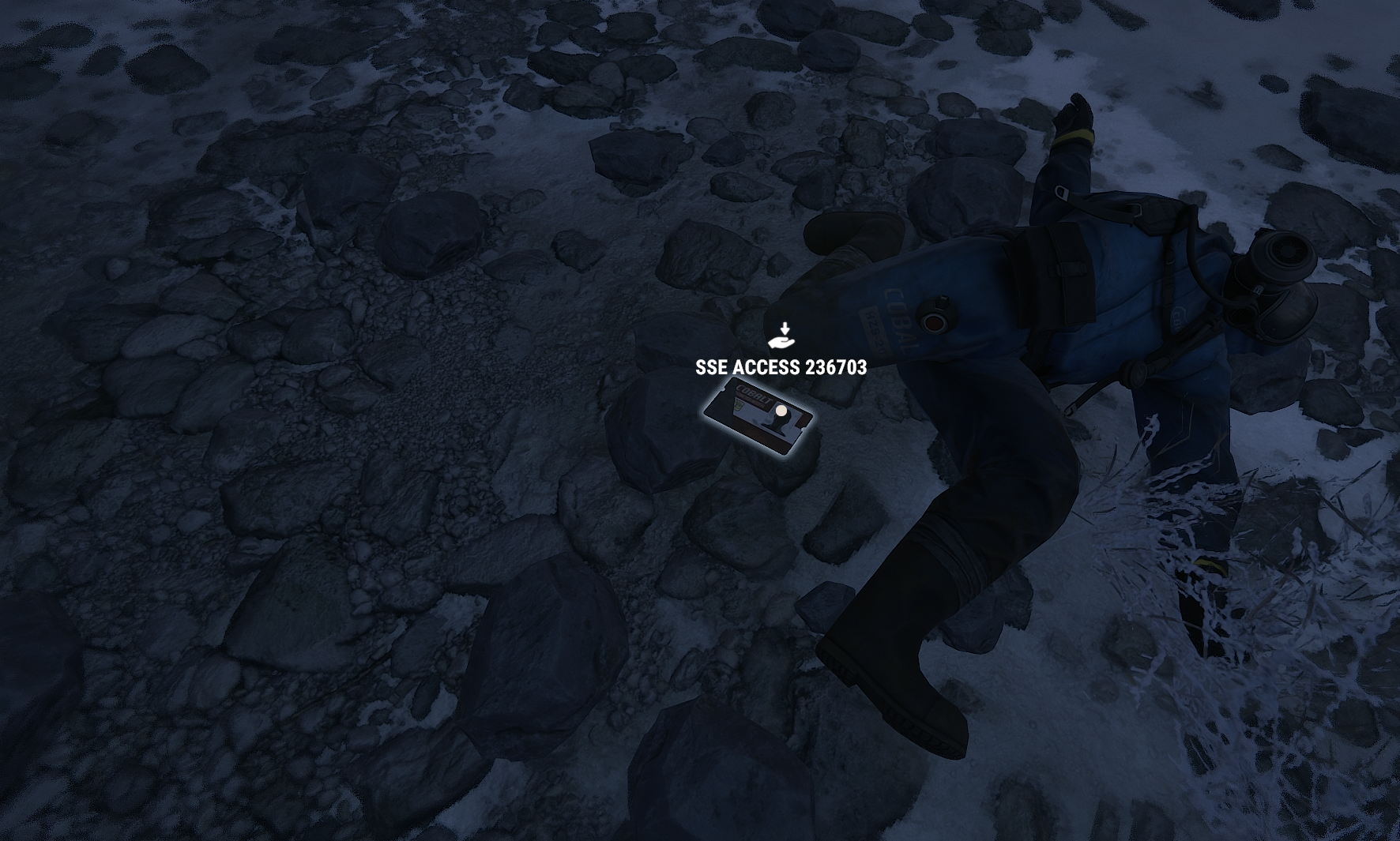
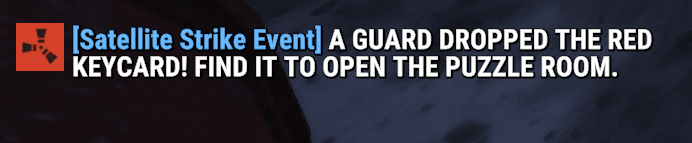
One scientist carries the event's red keycard.
Players must eliminate the scientists, recover the keycard, and gain access to the launch control area.
- ACTIVATE THE LAUNCH SYSTEM
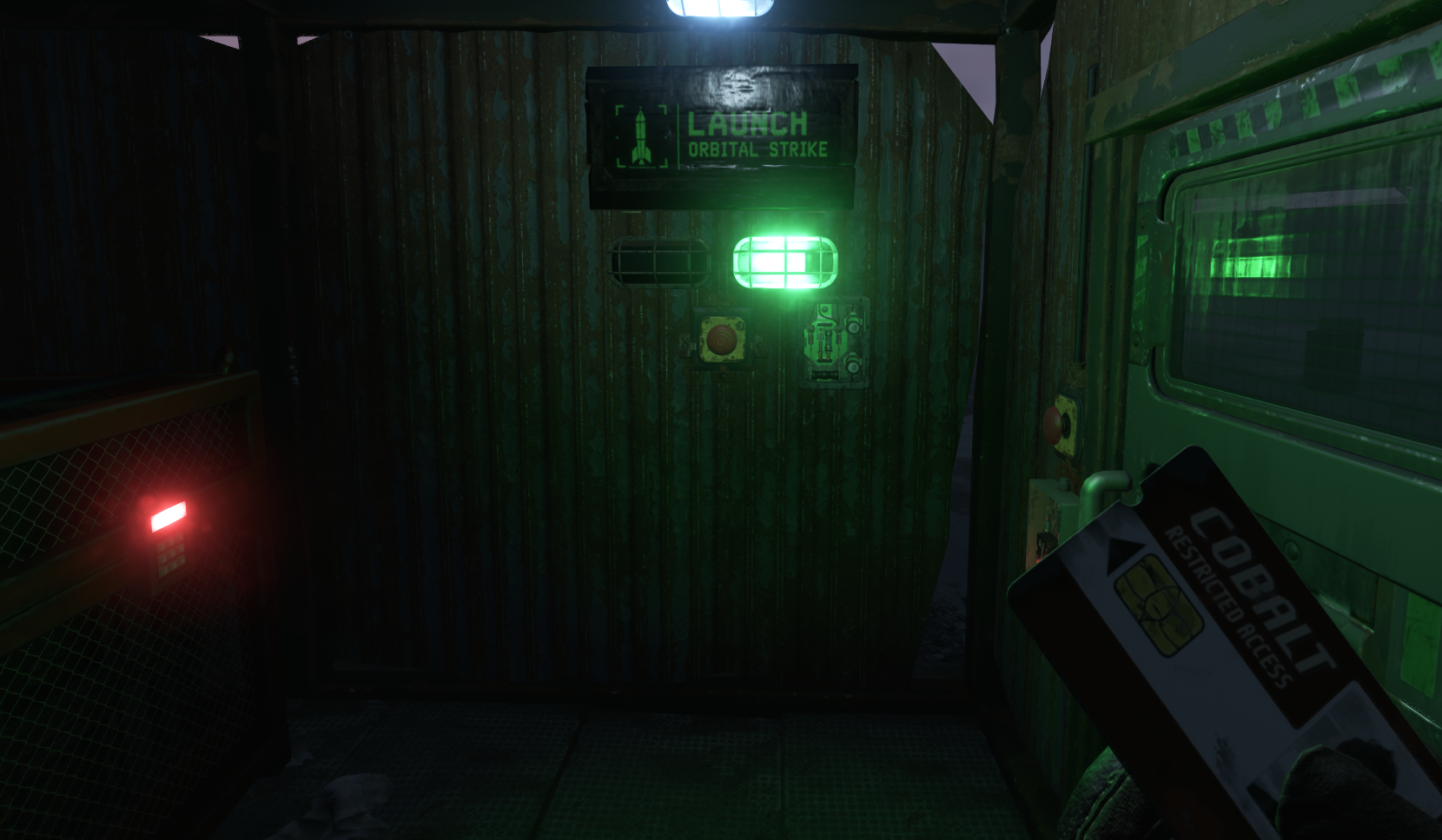
Inside the control area, players will find an interactive launch system.
• Electrical Switch
• Satellite Launch Button
• Launch Status Lights
• Launch Control Sign
Players must activate the electrical switch before launching a satellite.
- SHOOT DOWN THE FIRST SATELLITE
After activating the launch button, a launch countdown begins.
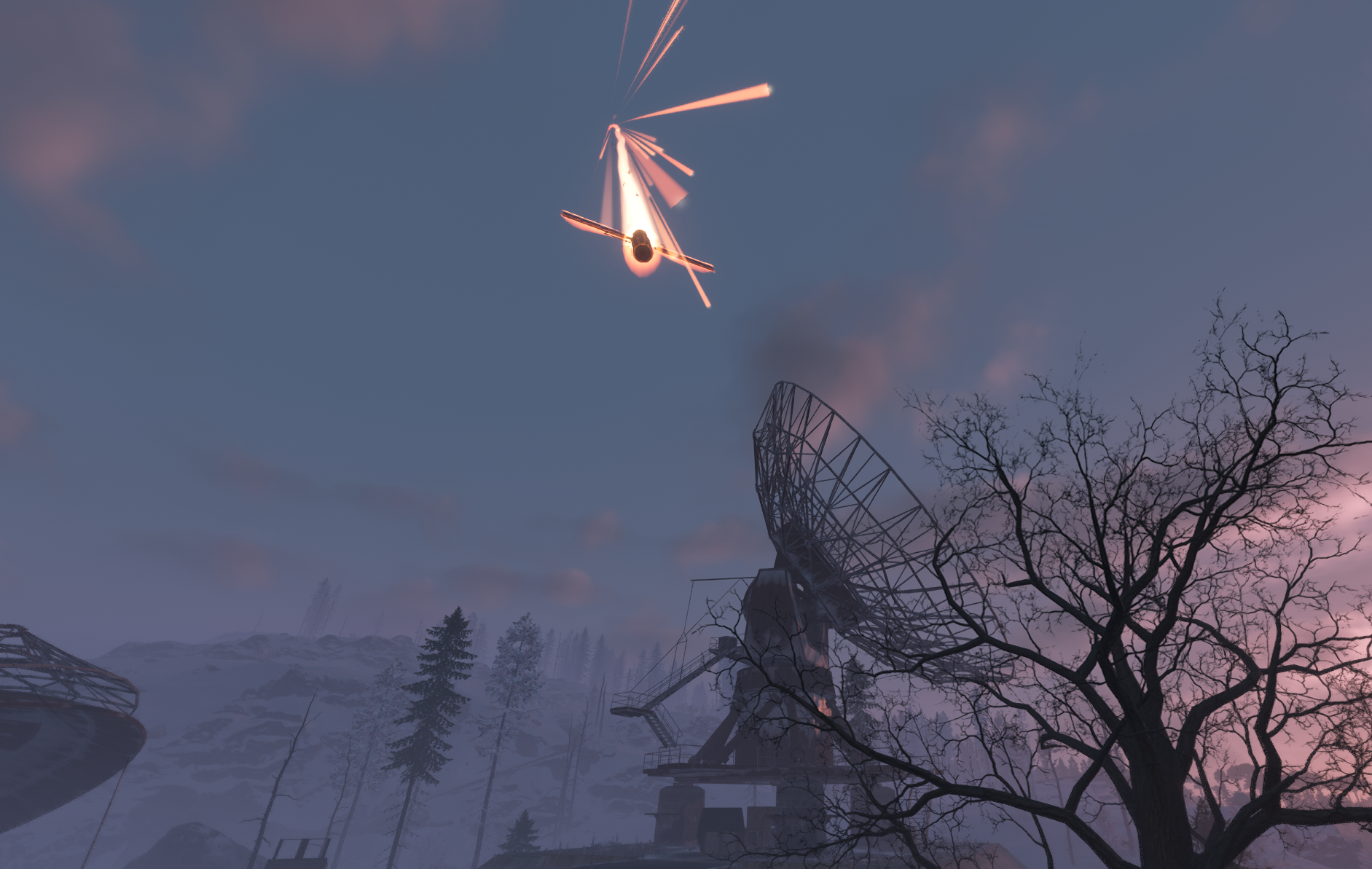
Rockets are fired into the sky toward the first satellite.
The satellite crashes at its designated location, where players can collect its loot.
- RELOAD & SECOND SATELLITE
After the first launch, the system enters a five-minute reload period.
Once the system is ready, players can activate the launch controls again and shoot down the second satellite.
Additional reinforcements increase the challenge.
- COLLECT THE REWARDS
Players can collect rewards from:
• Satellite Loot Container 1
• Satellite Loot Container 2
• Elite Loot Crate
• Normal Loot Crate 1
• Normal Loot Crate 2
• Hackable Locked Crate
Each container supports its own custom loot table.
CUSTOMIZATION
━━━━━━━━━━━━━━━━━━━━━━━━━━━━━━
Satellite Strike Event includes configurable settings to adapt the event to your server.
EVENT SETTINGS
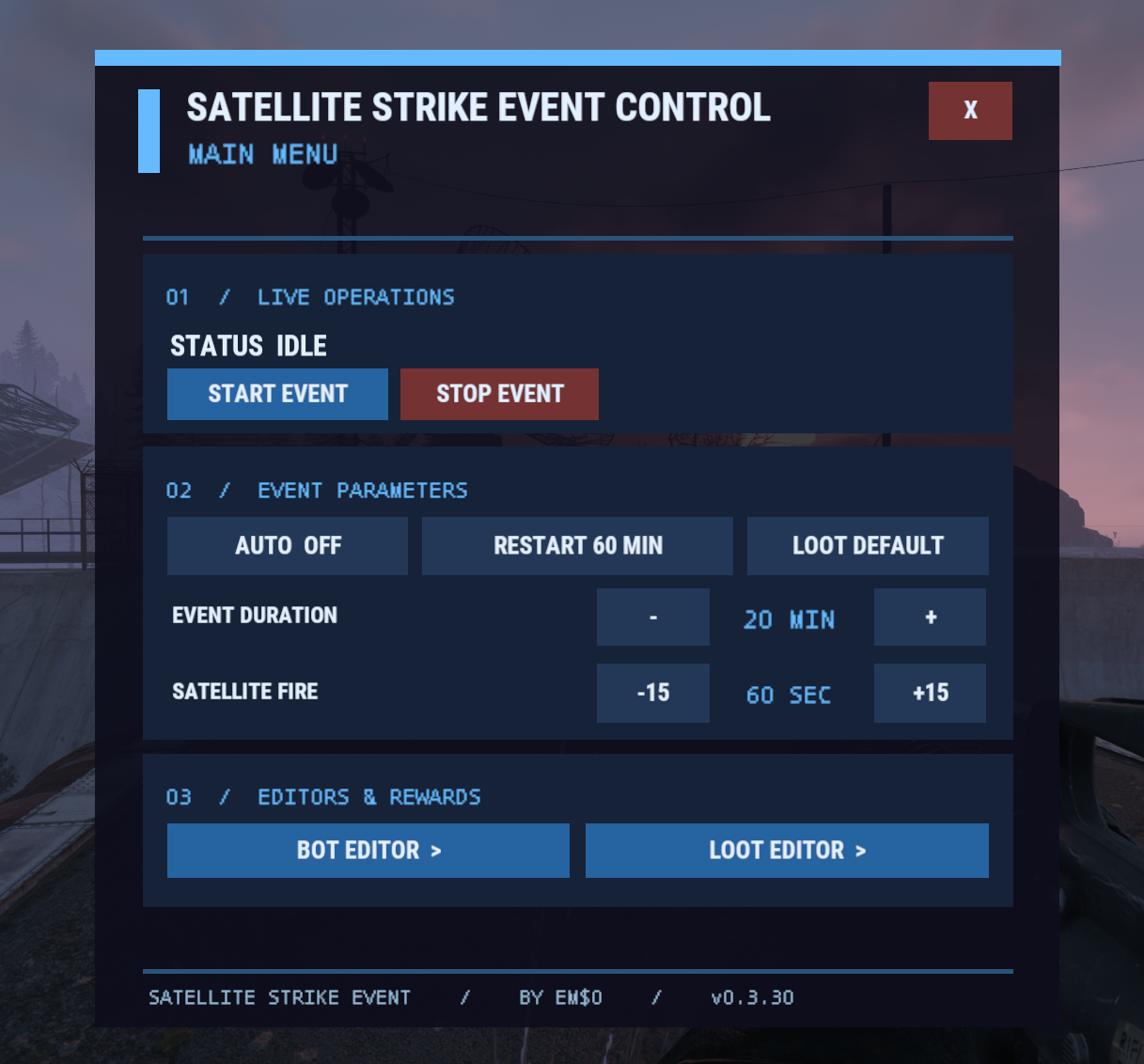
• Enable or Disable Automatic Events
• Configure Automatic Restart Interval
• Adjust Event Duration
• Configure Locked Crate Hack Time
• Configure Satellite Burning Duration
NPC SETTINGS
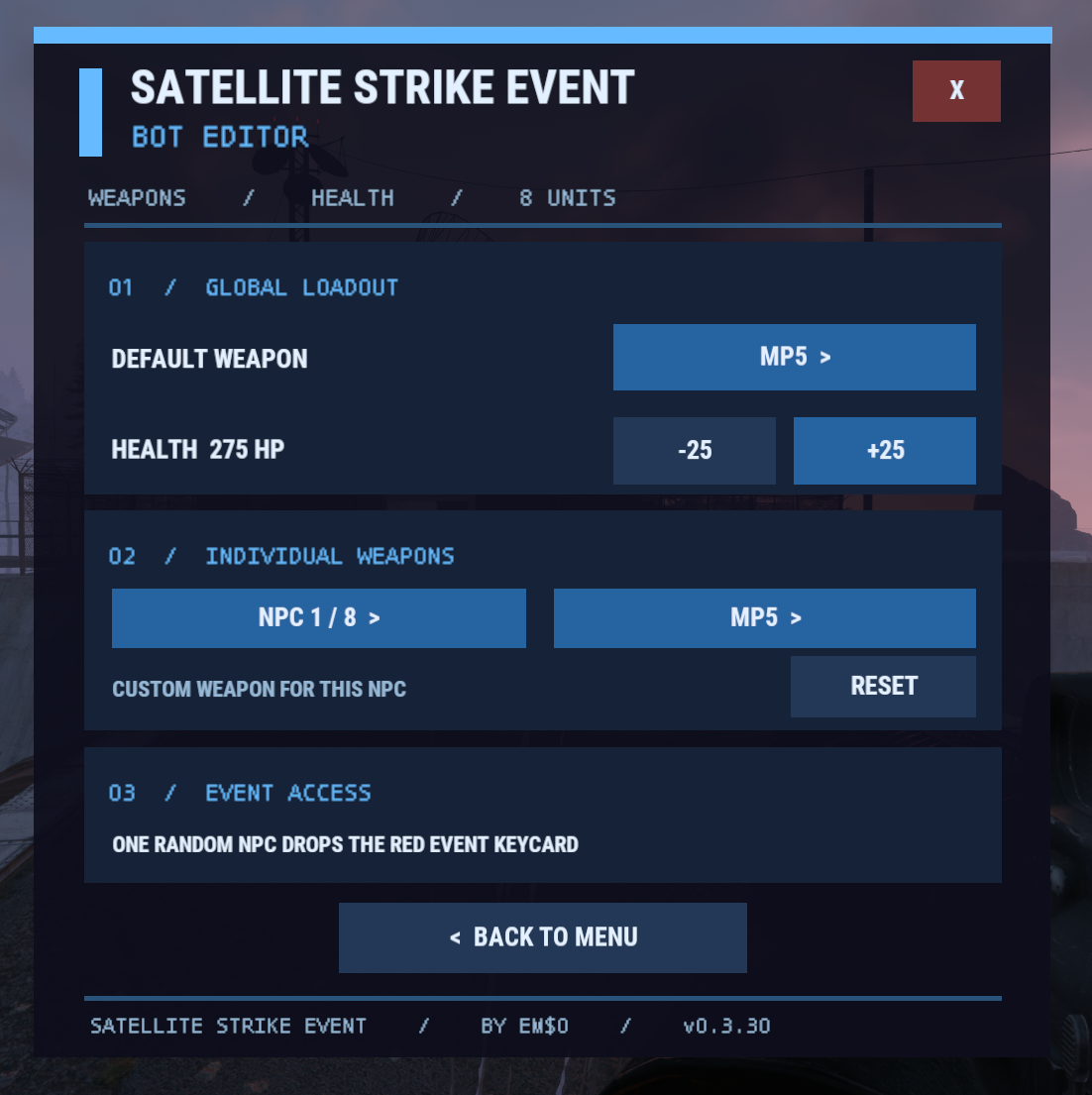
• Customize NPC Health
• Customize NPC Detection Range
• Configure Default NPC Weapon
• Assign Individual Weapons to NPC Slots 1 - 8
MLRS SETTINGS
• Enable or Disable MLRS Rockets
• Adjust Rocket Launch Interval
• Configure Rocket Dispersion Radius
• Change Visual Rocket Count for Satellite Launches
LOOT SETTINGS
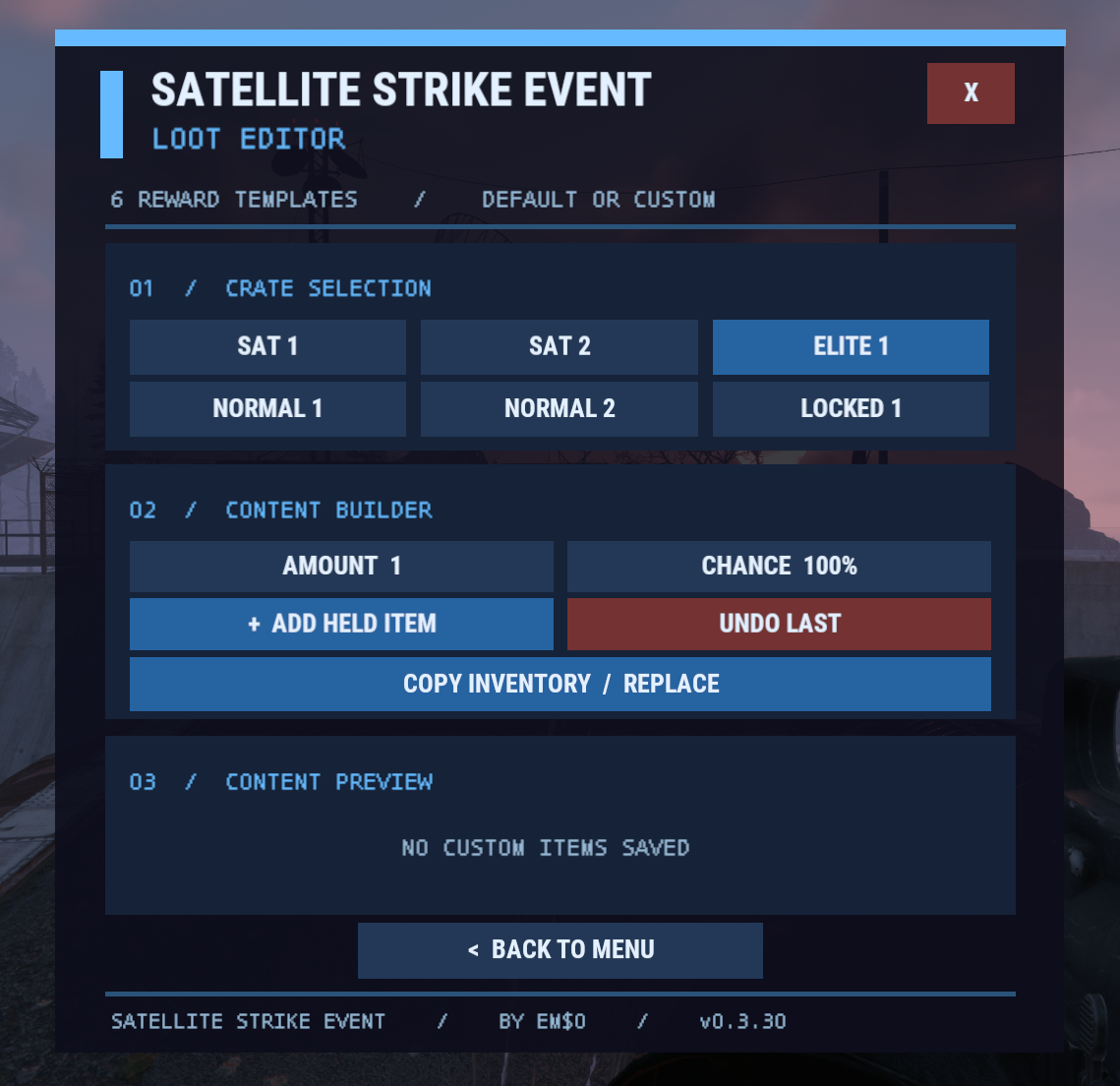
• Use Native Server Loot
• Enable Custom Loot Tables
• Configure Individual Crate Loot
• Set Item Amounts
• Configure Drop Chances
• Assign Optional Item Skins
DEFAULT CONFIGURATION
━━━━━━━━━━━━━━━━━━━━━━━━━━━━━━
| 1 | { |
| 2 | "Automatic start enabled": false, |
| 3 | "Minutes after event ends before automatic restart": 60, |
| 4 | "Event duration in minutes (including descent)": 20.0, |
| 5 | "Locked crate hack seconds": 600, |
| 6 | "Satellite burning time after impact (seconds, 0-180)": 60, |
| 7 | "MLRS truck actual model yaw correction (0 or 180)": 180, |
| 8 | "Visual sky rockets per satellite launch": 4, |
| 9 | "MLRS rockets enabled": true, |
| 10 | "MLRS launch interval in seconds": 0.22, |
| 11 | "MLRS dispersion radius in meters": 19.0, |
| 12 | "NPC health": 275.0, |
| 13 | "NPC detection range": 55.0, |
| 14 | "Default NPC weapon": "sks", |
| 15 | "NPC weapons by slot 1-8": { |
| 16 | "1": "mp5" |
| 17 | }, |
| 18 | "Use custom crate loot instead of native server loot": false, |
| 19 | "Loot tables": { |
| 20 | "satellite1": [], |
| 21 | "satellite2": [], |
| 22 | "elite1": [], |
| 23 | "normal1": [], |
| 24 | "normal2": [], |
| 25 | "locked1": [] |
| 26 | } |
| 27 | } |
CUSTOM LOOT SYSTEM
━━━━━━━━━━━━━━━━━━━━━━━━━━━━━━
By default, Satellite Strike Event uses the server's native loot system.
Server owners can enable custom loot to create separate reward tables for each event container.
Available loot tables:
• satellite1
• satellite2
• elite1
• normal1
• normal2
• locked1
Custom loot entries support item shortnames, minimum and maximum amounts, drop chances, and optional skin IDs.
IMPORTANT:
Configure your loot tables before enabling custom loot. Empty custom loot tables will not provide rewards.
ADMIN COMMANDS
━━━━━━━━━━━━━━━━━━━━━━━━━━━━━━
/satstrike
Opens the main administration interface.
/satstrike start
Starts the event warning countdown.
/satstrike stop
Stops the current event.
/satstrike status
Displays current event information.
/satstrike auto on
Enables automatic events.
/satstrike auto off
Disables automatic events.
/satstrike help
Displays available commands.
PERMISSION
━━━━━━━━━━━━━━━━━━━━━━━━━━━━━━
satellitestrikeevent.admin
INSTALLATION
━━━━━━━━━━━━━━━━━━━━━━━━━━━━━━
- Download SatelliteStrikeEvent.cs.
- Place the plugin in:
oxide/plugins/ - Allow Oxide/uMod to load the plugin.
- Edit the configuration file:
oxide/config/SatelliteStrikeEvent.json - Use /satstrike to manage the event.
SatelliteStrikeEvent.json
| 1 | { |
| 2 | "Automatic start enabled": false, |
| 3 | "Minutes after event ends before automatic restart": 60, |
| 4 | "Event duration in minutes (including descent)": 20.0, |
| 5 | "Locked crate hack seconds": 600, |
| 6 | "Satellite burning time after impact (seconds, 0-180)": 60, |
| 7 | "MLRS truck actual model yaw correction (0 or 180)": 180, |
| 8 | "Visual sky rockets per satellite launch": 4, |
| 9 | "MLRS rockets enabled": true, |
| 10 | "MLRS launch interval in seconds": 0.22, |
| 11 | "MLRS dispersion radius in meters": 19.0, |
| 12 | "NPC health": 275.0, |
| 13 | "NPC detection range": 55.0, |
| 14 | "Default NPC weapon": "sks", |
| 15 | "NPC weapons by slot 1-8": { |
| 16 | "1": "mp5" |
| 17 | }, |
| 18 | "Use custom crate loot instead of native server loot": false, |
| 19 | "Loot tables": { |
| 20 | "satellite1": [], |
| 21 | "satellite2": [], |
| 22 | "elite1": [], |
| 23 | "normal1": [], |
| 24 | "normal2": [], |
| 25 | "locked1": [] |
| 26 | } |
| 27 | } |

Trusted hosting partner. Affordable game servers with solid support and panels.
Visit site ↗