
RustShield
 Duff
Duff 1 / 2
1 / 2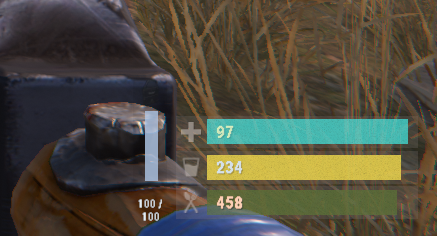
RustShield
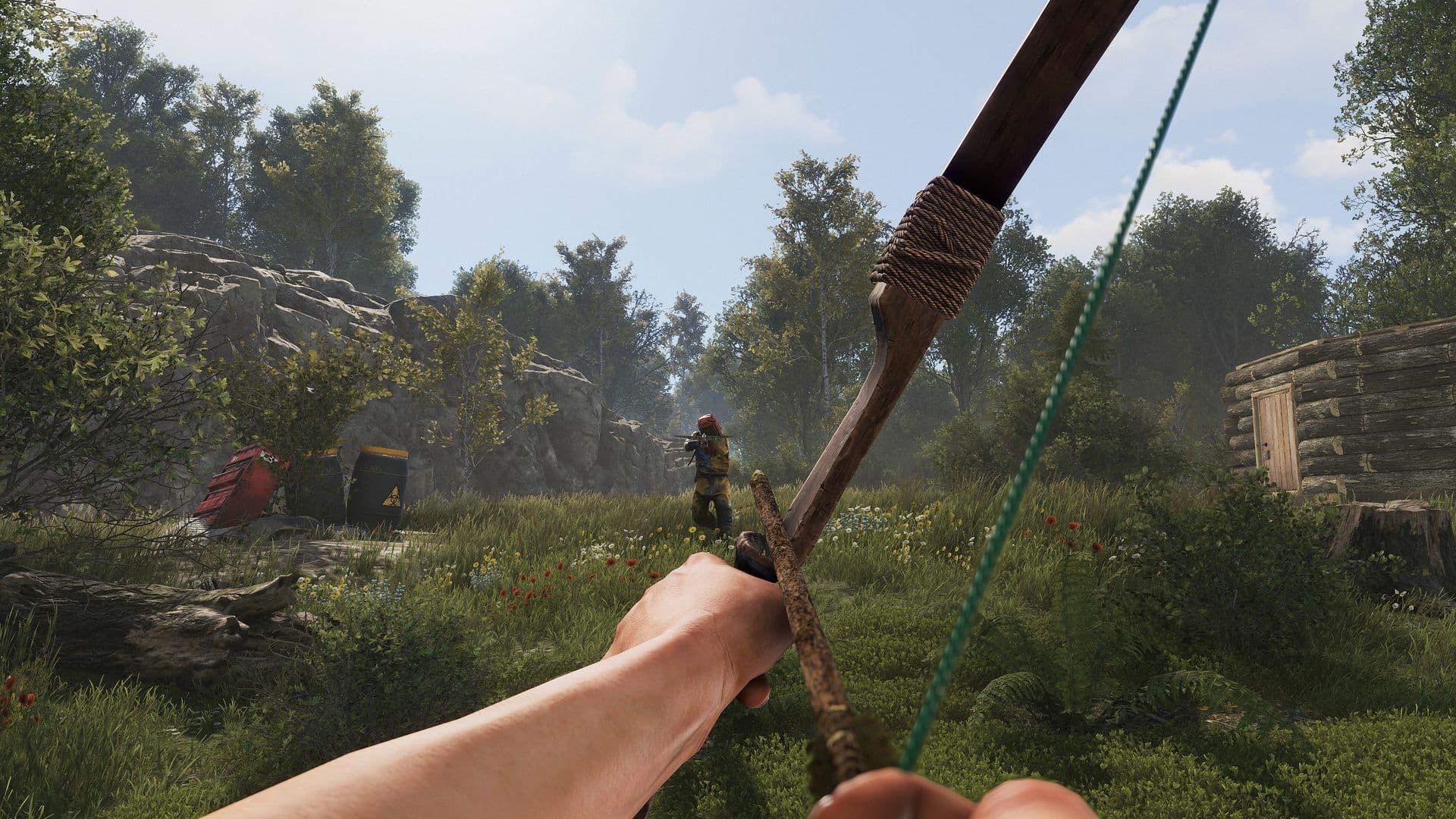
RustShield is a standalone player shield system for Rust servers.
It adds a separate shield layer on top of player health. When a player takes supported combat damage, the shield absorbs damage first before the remaining damage is passed through to health.
The plugin is designed to be simple, configurable, and easy to use. It includes shield profiles, passive recharge, healing item restore, shield break effects, and a compact HUD display.
Features
- Player shield system with separate current and maximum shield values
- Damage absorption before health damage
- Configurable damage types that can consume shield
- Passive shield recharge after a delay
- Optional shield restore from healing items
- Optional shield restore on kills
- Shield break state with optional screen overlay
- Compact shield HUD
- Permission/profile based shield tiers
- Admin commands for managing player shields
- Data saving for player shield states
Default Damage Behavior
By default, RustShield is configured so normal combat damage can consume shield.
Default shield damage types include:
- Bullet
- Arrow
- Slash
- Blunt
- Stab
- Bite
- Explosion
- AntiVehicle
- Cannon
Fall damage, hunger, thirst, cold, drowning, bleeding, poison, radiation, decay, collision, and other status/world damage do not consume shield unless you add those damage types to the config.
Commands
Player Command
- /shield
Shows your current shield amount, maximum shield amount, and active shield profile.
Admin Command
- /shieldadmin
Admin command for checking, giving, setting, filling, clearing, and reloading shield data.
Available admin actions:
- /shieldadmin status <player|steamid>
- /shieldadmin give <player|steamid> <amount>
- /shieldadmin set <player|steamid> <current> [max]
- /shieldadmin max <player|steamid> <amount>
- /shieldadmin full <player|steamid>
- /shieldadmin clear <player|steamid>
- /shieldadmin reload
Permissions
- rustshield.use
Allows players to use the shield system when permission access is enabled in the config.
- rustshield.admin
Allows access to the admin shield command.
Configuration
RustShield includes configurable sections for:
- Chat settings
- Commands
- General access settings
- Shield system
- Shield profiles
- Passive recharge
- Healing item restore
- Shield break behavior
- Kill restore
- Shield HUD
The default configuration is ready to use, but server owners can adjust shield values, profile tiers, recharge speed, HUD position, HUD colors, damage types, and restore behavior.
Developer API
RustShield includes simple API methods and external hooks for other plugins that want to read or modify player shield values.
API Methods
GetShield(ulong userId)
Returns the player's current shield amount.
GetMaxShield(ulong userId)
Returns the player's current maximum shield amount.
RestoreShield(ulong userId, float amount)
Restores shield to a player. Returns true if the shield value changed.
DamageShield(ulong userId, float amount)
Directly damages a player's shield. Returns true if the shield value changed.
SetShield(ulong userId, float currentShield)
Sets a player's current shield value. Returns true if the shield value changed.
SetMaxShield(ulong userId, float maximumShield)
Sets a custom maximum shield value for a player. Use 0 to return the player to their configured profile maximum. Returns true if the value changed.
ClearShield(ulong userId)
Clears a player's current shield. Returns true if the shield value changed.
External Hooks
OnRustShieldAbsorbed(BasePlayer player, float amount)
Called when a player's shield absorbs damage.
OnRustShieldRestored(BasePlayer player, float amount, string source)
Called when a player's shield is restored.
Possible restore sources include:
admin
api
passive_recharge
healing_item
kill
respawn
first_use
OnRustShieldBroken(BasePlayer player)
Called when a player's shield breaks.
For setup help, plugin updates, support, or general questions, you are welcome to join my Discord community:
https://discord.gg/jewGrSqHB4
RustShield.json
{
  "Chat": {
    "Use Prefix": true,
    "Prefix": "<color=#72D1FF>[Shield]</color>",
    "Icon Steam ID": 76561198888888888
  },
  "Commands": {
    "Player Command": "shield",
    "Admin Command": "shieldadmin"
  },
  "General": {
    "Use Permission To Access Shield System": false,
    "Save Interval Seconds": 300.0
  },
  "Shield System": {
    "Enabled": true,
    "Default Maximum Shield": 30.0,
    "Maximum Allowed Shield": 300.0,
    "Allow Shield Restore On First Use": true,
    "Shield Percent On First Use": 1.0,
    "Allow Shield Restore On Respawn": true,
    "Shield Percent On Respawn": 1.0,
    "Clear Shield On Death": true,
    "Absorb Self Inflicted Damage": true,
    "Absorb Environmental Damage": true,
    "Absorb Fall Damage": false,
    "Damage Types That Can Consume Shield": [
      "Bullet",
      "Arrow",
      "Slash",
      "Blunt",
      "Stab",
      "Bite",
      "Explosion",
      "AntiVehicle",
      "Cannon"
    ],
    "Minimum Damage To Process": 0.01
  },
  "Shield Profiles": [
    {
      "Profile Name": "default",
      "Permission": "",
      "Priority": 0,
      "Maximum Shield": 30.0,
      "Passive Recharge Multiplier": 1.0
    },
    {
      "Profile Name": "vip",
      "Permission": "rustshield.vip",
      "Priority": 10,
      "Maximum Shield": 50.0,
      "Passive Recharge Multiplier": 1.35
    }
  ],
  "Passive Recharge": {
    "Enabled": true,
    "Delay After Damage Seconds": 12.0,
    "Delay After Shield Break Seconds": 18.0,
    "Tick Interval Seconds": 1.0,
    "Flat Amount Per Tick": 3.0,
    "Percent Of Maximum Shield Per Tick": 0.0,
    "Pause While Dead": true,
    "Pause While Wounded": true,
    "Pause While Sleeping": true,
    "Pause While Building Blocked": false,
    "Pause While In Safe Zone": false
  },
  "Healing Item Restore": {
    "Enabled": true,
    "Apply Delay Seconds": 0.1,
    "Only Restore Shield When Health Is Full": false,
    "Full Health Tolerance": 1.0,
    "Ignore While Wounded": true,
    "Allow Self Healing Shield Restore": true,
    "Allow Healing Other Players Shield Restore": true,
    "Items": [
      {
        "Item Shortname": "bandage",
        "Flat Shield Amount": 2.0,
        "Percent Of Maximum Shield": 0.0
      },
      {
        "Item Shortname": "syringe.medical",
        "Flat Shield Amount": 6.0,
        "Percent Of Maximum Shield": 0.0
      },
      {
        "Item Shortname": "largemedkit",
        "Flat Shield Amount": 15.0,
        "Percent Of Maximum Shield": 0.0
      }
    ]
  },
  "Shield Break": {
    "Enabled": true,
    "Extra Recharge Delay Seconds": 6.0,
    "Use Broken HUD Color": true,
    "Send Chat Message": false,
    "Block Shield Restore During Break Delay": true,
    "Show Screen Overlay": true,
    "Screen Overlay Duration Seconds": 0.42,
    "Screen Overlay Cooldown Seconds": 1.0,
    "Screen Overlay Fade In Seconds": 0.08,
    "Screen Overlay Fade Out Seconds": 0.18,
    "Use Screen Overlay Center Tint": true,
    "Use Screen Overlay Edge Flash": true,
    "Screen Overlay Center Color": "0.62 0.84 1 0.025",
    "Screen Overlay Edge Color": "0.42 0.72 1 0.18",
    "Screen Overlay Inner Edge Color": "0.72 0.90 1 0.10",
    "Screen Overlay Shard Color": "0.70 0.88 1 0.14"
  },
  "Kill Restore": {
    "Enabled": false,
    "Restore On Player Kill": true,
    "Player Kill Flat Amount": 15.0,
    "Player Kill Percent Of Maximum Shield": 0.0,
    "Restore On NPC Kill": true,
    "NPC Kill Flat Amount": 3.0,
    "NPC Kill Percent Of Maximum Shield": 0.0,
    "Ignore Self Kills": true
  },
  "Shield HUD": {
    "Enabled": true,
    "Refresh Interval Seconds": 5.0,
    "Anchor Min": "1 0",
    "Anchor Max": "1 0",
    "Offset Min": "-242 39",
    "Offset Max": "-216 127",
    "Use Native Item Icons": true,
    "Icon Item Shortname": "clothing.mod.armorinsert_metal",
    "Background Color": "0 0 0 0",
    "Row Background Color": "0.05 0.05 0.05 0.34",
    "Shield Bar Color": "0.72 0.82 0.95 0.78",
    "Broken Shield Bar Color": "1 0.25 0.25 0.86",
    "Recharging Shield Bar Color": "0.35 0.75 1 0.84"
  }
}

Trusted hosting partner. Affordable game servers with solid support and panels.
Visit site ↗