ApartmentController
 Duff
Duff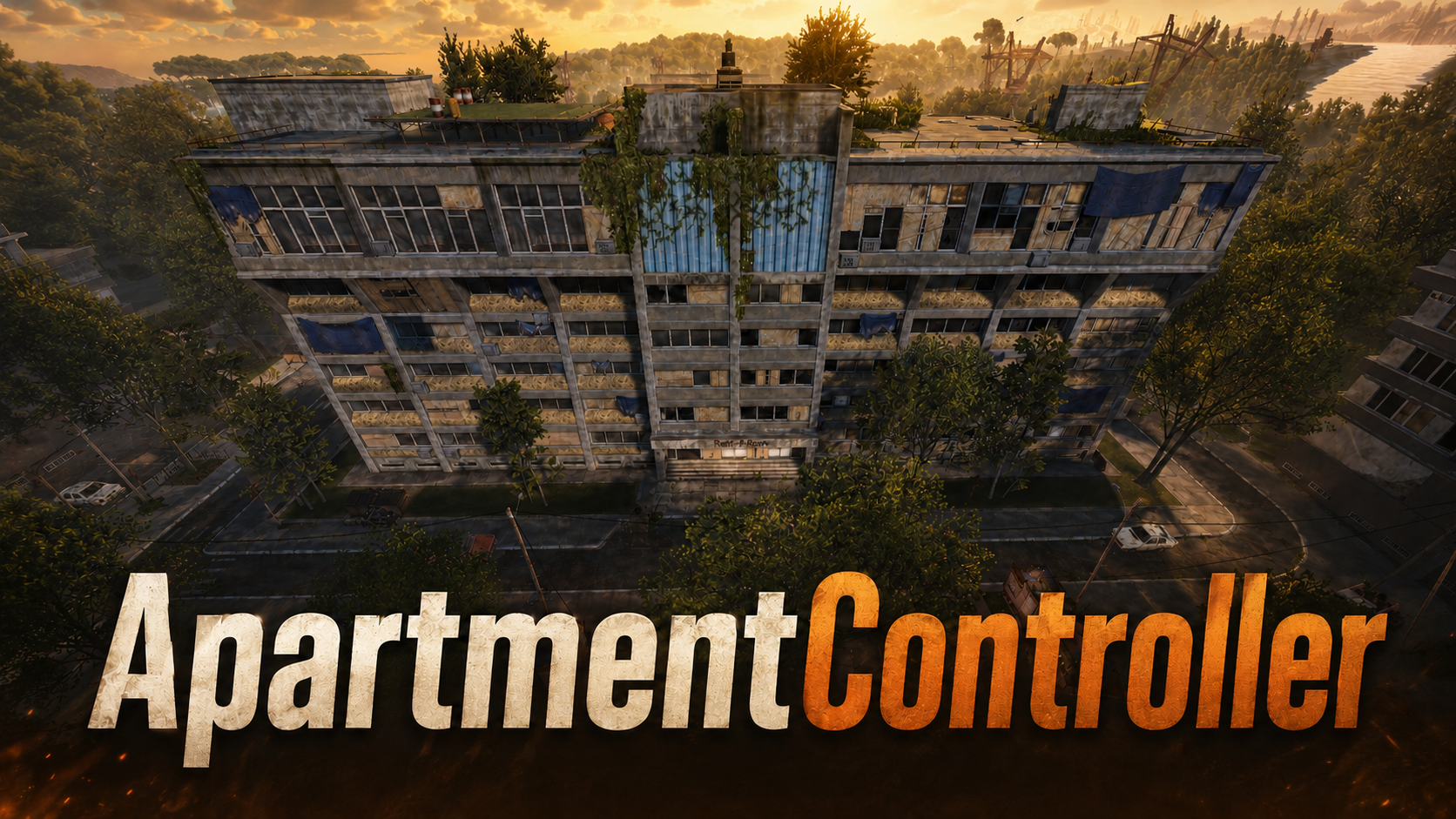 1 / 8
1 / 8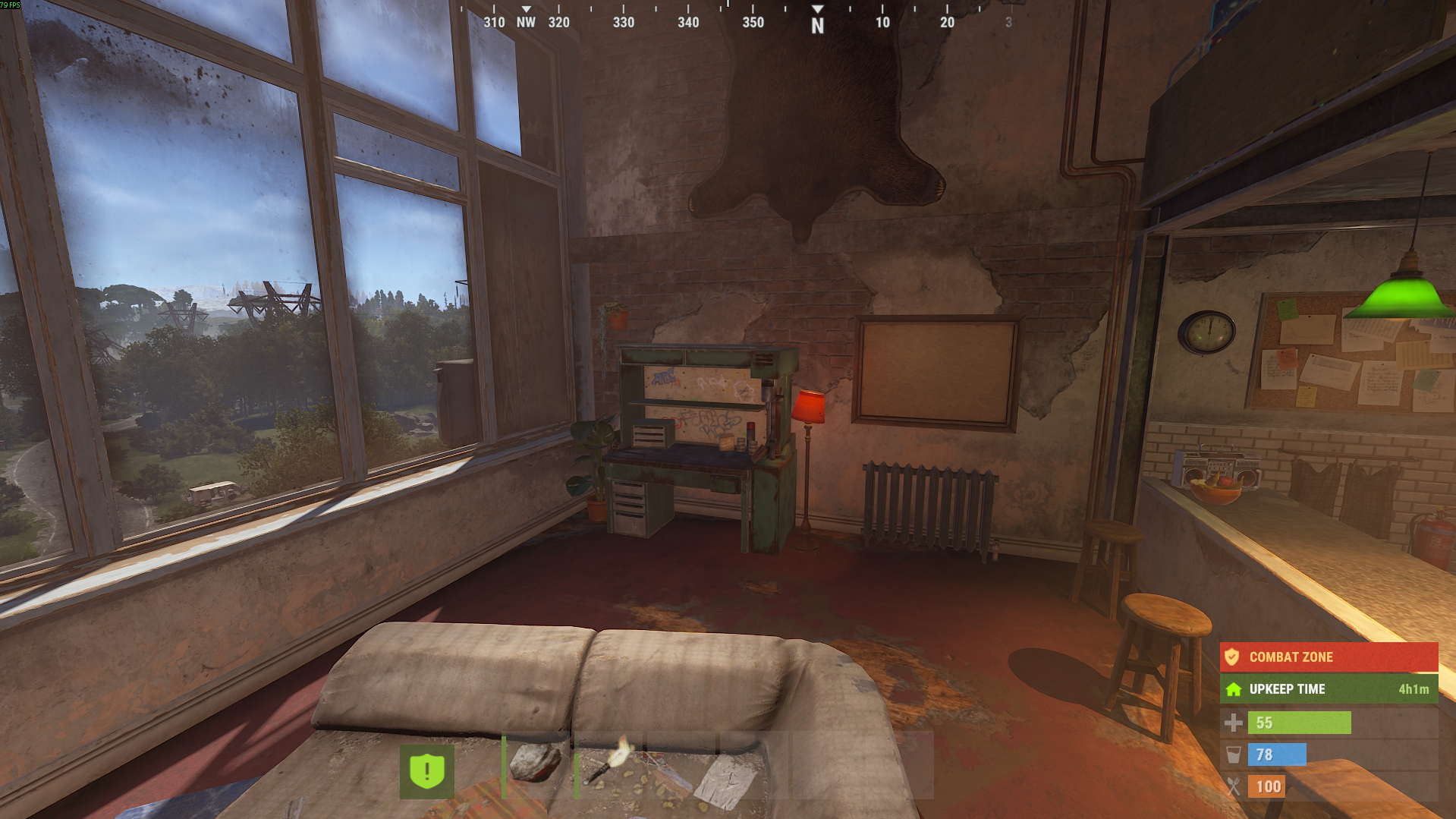
ApartmentController
Take control of Rust’s Apartment Complex monument.
ApartmentController gives server owners a much better way to manage apartments, master keys, break-ins, raid protection, rentable shops, item recovery, and monument settings.
Rust’s native Apartment monument is useful, but server owners normally have very limited control over it. This plugin expands the monument into something you can actually manage, balance, protect, and build server features around.
Use it for PvE servers, RP servers, VIP apartments, protected player housing, controlled shop rentals, custom economy balancing, or simply to make the Apartment monument cleaner and easier to administrate.
What It Does
ApartmentController lets you control how the Apartment Complex works on your server.
You can change apartment prices, adjust rent, control master keys, protect rooms from break-ins, manage rentable shops, recover player items after evictions, and give admins useful tools for handling the monument without relying only on native Rust behavior.
Players get clearer messages, safer paid actions, confirmation prompts, and a recovery command for saved items.
Admins get proper commands to inspect rooms, assign apartments, evict rooms, check shops, close shops, apply turret skins, and manage the monument much more easily.
Features
- Custom apartment purchase and upgrade control
- Configurable apartment prices and daily rent
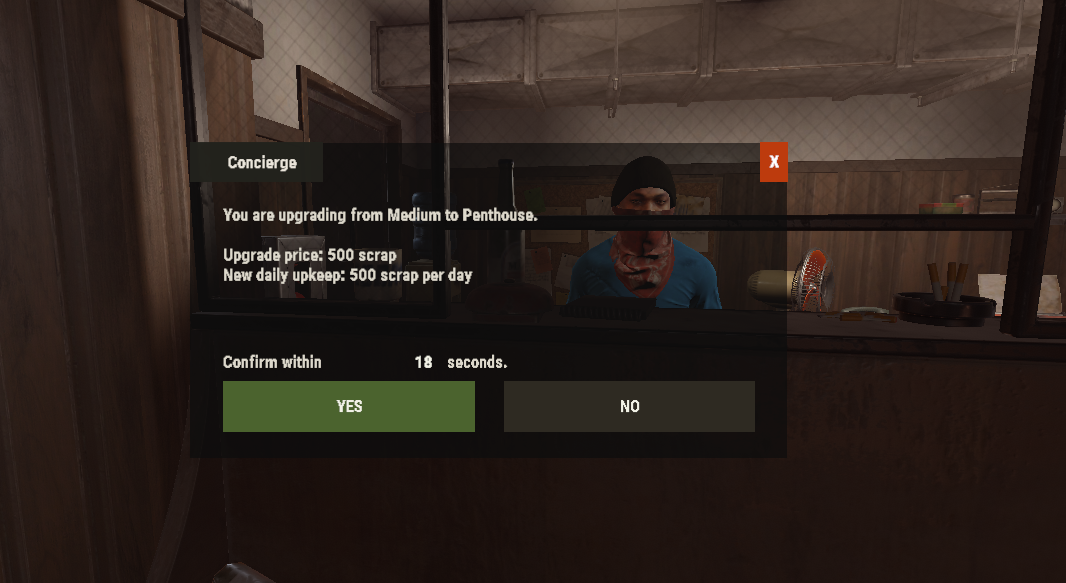
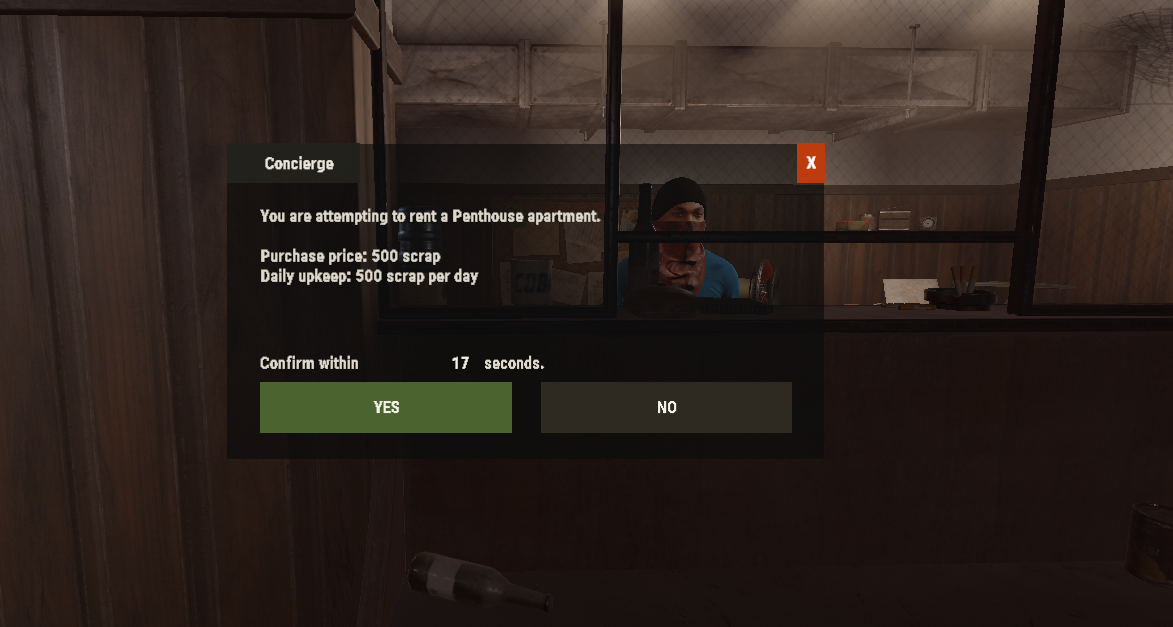
- Confirmation UI before paid apartment actions
- Chat fallback confirmation with
/apt confirm - Optional teleport after buying or upgrading an apartment
- Security NPC master key control
- Security NPC paid-door control
- Custom master key pricing
- Master key cooldown, window, and wipe limits
- Permission-based apartment raid protection
- Permission-based rentable shop raid protection
- Protected break-in blocking
- Optional owner notifications when protected rooms or shops are attacked
- Rentable shop admin tools
- Rentable shop item recovery before forced closure
- Apartment item recovery before eviction
/apt recoverfor saved apartment and shop items- Login reminders for pending recoveries
- Configurable recovery expiry
- Overflow item drop support
- Vending machine item restriction support
- Apartment monument turret skinning
- Room entity modifier support
- Cleaner chat output with prefix, colors, and optional SteamID icon
- Admin test tools for safe local testing
Apartment Control
ApartmentController lets you decide how apartment renting should work on your server.
You can keep native Rust behavior, or enable custom handling for more control.
You can configure:
- Basement apartment price
- Medium apartment price
- Penthouse apartment price
- Upgrade prices
- Daily rent values
- Free rent hours
- Rent scaling
- Eviction delay
- Purchase and upgrade confirmation
- Player teleport after purchase or upgrade
This makes it much easier to balance apartments around your server economy.
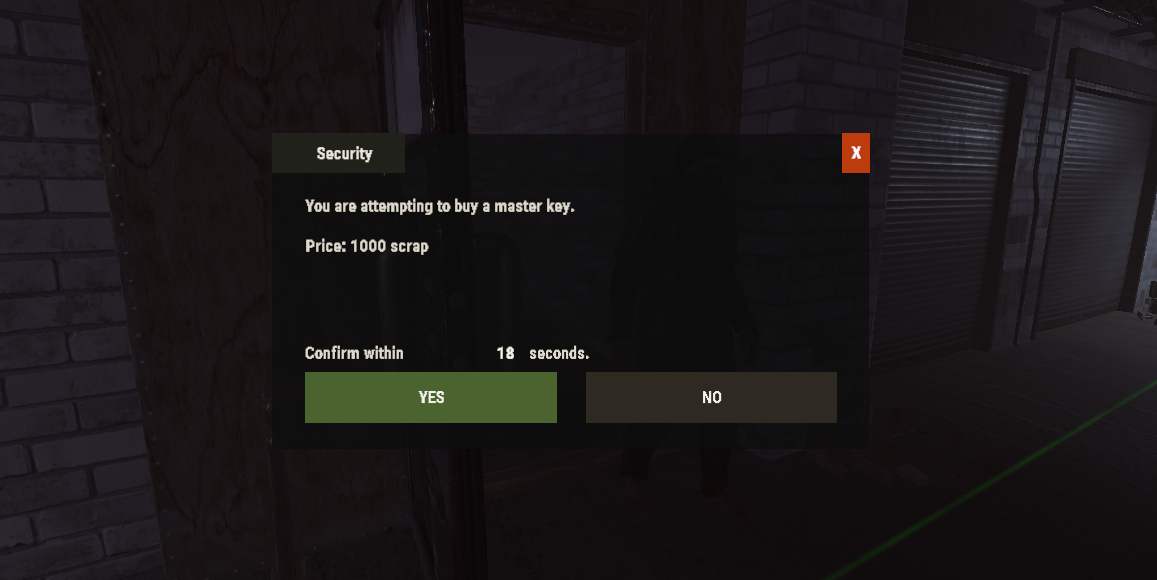
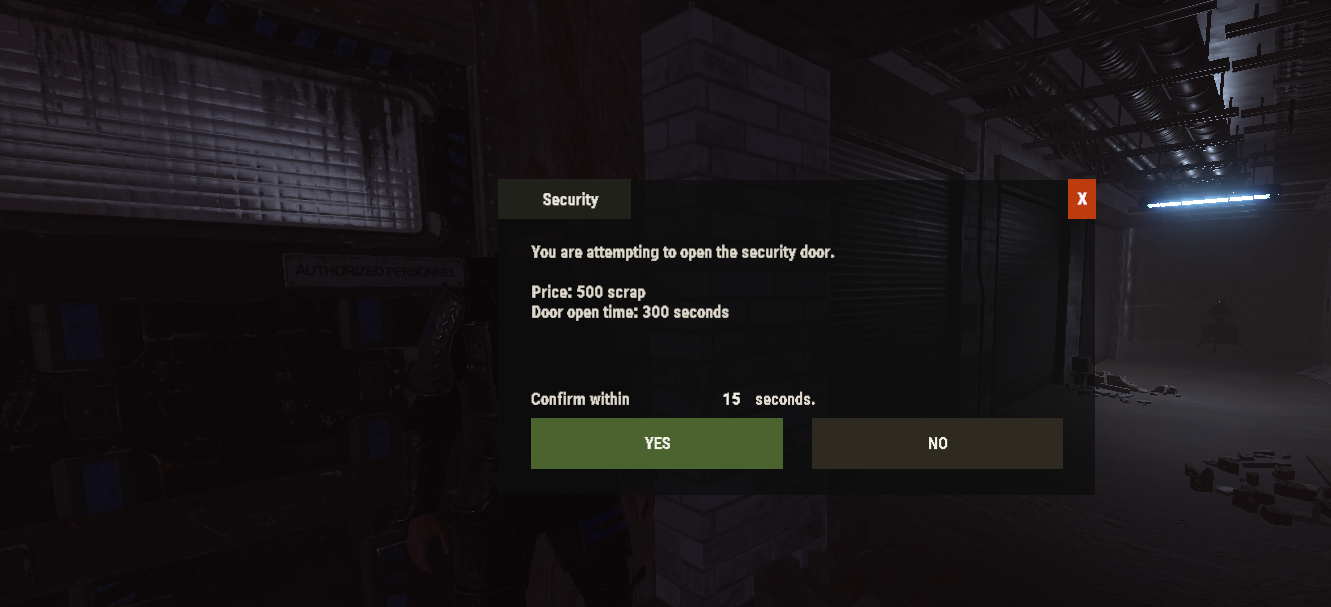
Confirmation UI
Important paid actions can use a clean confirmation UI before scrap is taken.
This helps prevent accidental purchases and makes apartment actions feel more polished for players.
The confirmation UI can be used for:
- Buying apartments
- Upgrading apartments
- Buying master keys from the Security NPC
- Opening the Security NPC paid door
If you do not want to use the UI, players can confirm through chat using /apt confirm.
Security NPC Control
ApartmentController gives you more control over the Apartment monument Security NPC.
You can decide whether players are allowed to buy master keys, whether they need permission, how much keys cost, and how often players can receive them.
You can also control the paid security door, including custom price, permission requirement, and how long the door stays open.
This is useful if you want master keys to be rare, VIP-only, limited per wipe, or balanced around your server economy.
Master Key Limits
Master keys can be powerful, so ApartmentController includes limit options.
You can limit master keys by:
- Cooldown
- Purchase window
- Wipe limit
- Permission bypass
- Refund behavior when blocked
This helps prevent players from stacking too many master keys or bypassing your intended apartment raiding balance.
Raid Protection
ApartmentController can protect apartments from break-ins when the owner has permission.
This is useful for PvE servers, VIP housing, RP apartments, staff housing, or any server where some apartments should not be raidable.
Raid protection can:
- Block protected apartment break-ins
- Prevent master key consumption when blocked
- Cancel break-ins immediately
- Force-close the apartment door
- Eject raiders from protected rooms
- Notify owners when someone tries to break in
Rentable shops can also be protected with their own permission-based raid protection.
Rentable Shop Control
ApartmentController also gives admins better control over the rentable shops at the Apartment Complex.
Admins can list shops, inspect shop state, close shops, evict shops, check owners, and create item recoveries before forced closures.
You can control shop-related settings such as:
- Rent per hour
- Initial shop fee
- Takeover protection
- Stored item reclaim time
- Shop raid protection
- Shop robbery behavior
- Vending machine restrictions
This gives server owners much more control over how the Apartment monument shops are used.
Item Recovery
One of the most useful parts of ApartmentController is the recovery system.
When configured, the plugin can save items before forced apartment evictions or forced shop closures. Players can then claim those saved items with /apt recover.
This helps prevent unfair item loss when admins need to clean up apartments or close shops.
Recovery supports:
- Apartment eviction recovery
- Rentable shop recovery
- Saved item data
- Item contents
- Skins and custom names
- Expiry timers
- Login reminders
- Inventory-first delivery
- Drop overflow at player feet
- Automatic cleanup after successful recovery
Apartment Monument Turret Skinning
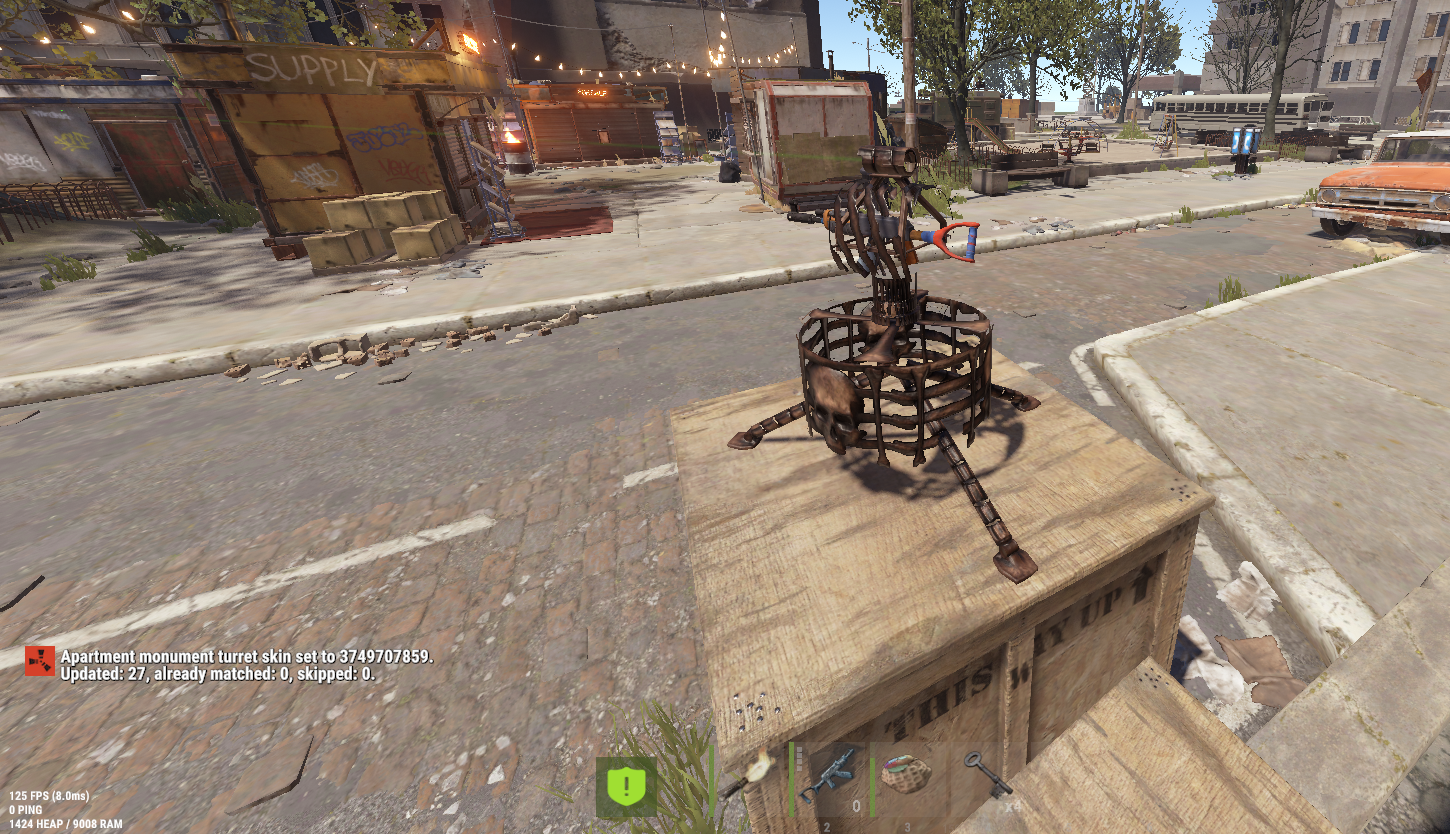
Admins can apply a saved skin to Apartment monument turrets.
This is useful for servers that want the monument to match a theme, VIP area, city zone, RP district, or custom server style.
Commands allow admins to set or clear the turret skin, and the plugin can reapply the saved skin after restart or when turrets spawn.
Room Entity Modifiers
ApartmentController can modify selected room entities after a player receives or upgrades an apartment.
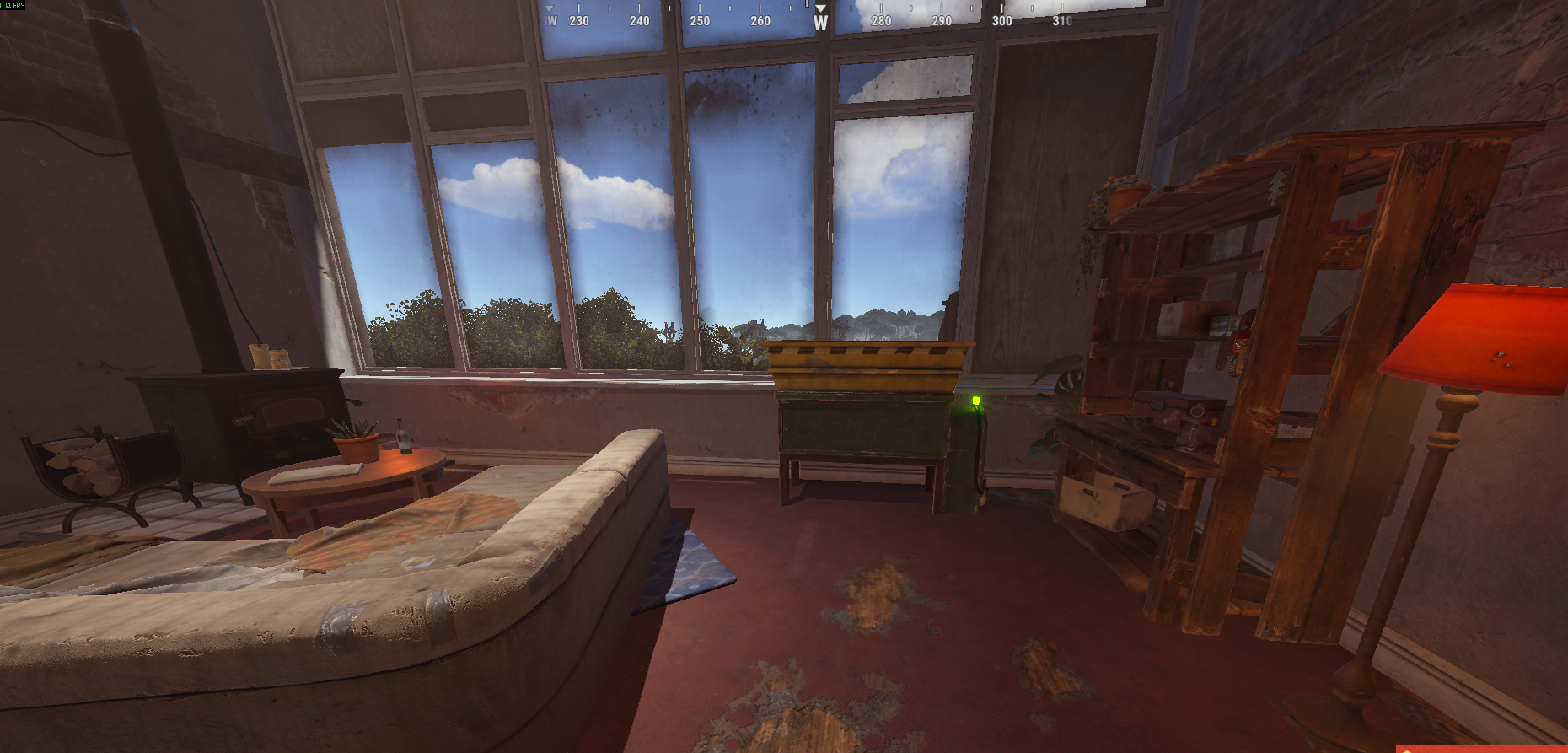
This can be used to give better apartments better room setups.
The default idea is simple:
- Medium apartments can receive a Workbench Level 2
- Penthouse apartments can receive a Workbench Level 3
- Permissions can be required for these upgrades
This gives server owners another way to make apartment tiers feel more valuable.
Commands
Player Commands
/apt recover
Recover pending apartment or shop items.
/apt confirm
Confirm a pending paid action when chat confirmation is used.
Main Admin Commands
/apt help
Show the main ApartmentController command overview.
/apt status
Show cached apartments, shops, and buildings.
/apt list
List apartment rooms.
/apt info <room>
Show details about a specific apartment room.
/apt player <player>
Find a player's apartment.
/apt cancelraid <room>
Cancel an active apartment break-in.
/apt owner <add/remove> <room> <player>
Add or remove room owners.
/apt tp <room>
Teleport to an apartment room.
/apt evict <room>
Evict a room using configured cleanup/recovery behavior.
/apt give <player> <room>
Assign a room to a player.
/apt key <player> [amount]
Give master keys to a player.
/apt prices
Show apartment price information.
/apt furniture <room>
Dump room furniture information to console.
/apt setturretskins <skinId>
Apply and save a monument turret skin.
/apt clearturretskins
Clear the saved monument turret skin.
/apt prefab
Debug the entity you are looking at.
/apt convodump
Dump apartment vendor conversation data to console.
/apt reload
Reload settings, rebuild cache, and reapply plugin changes.
Rentable Shop Commands
/aptshop help
Show shop command help.
/aptshop list
List rentable shops.
/aptshop info <shopNumber>
Show details about a rentable shop.
/aptshop close <shopNumber> confirm
Close a shop and create recovery data if enabled.
/aptshop evict <shopNumber> confirm
Evict/close a shop and create recovery data if enabled.
/aptshop clearintruders <shopNumber>
Show intruder cleanup support state.
/aptshop intruder <add/check> <shopNumber> <player>
Add or check shop intruder state.
/aptshop renttick
Run the native shop rent tick.
Development Test Commands
ApartmentController includes optional test commands for setup and local testing.
These are disabled unless enabled in the config.
/apttest fakerent <room>
Create a fake apartment tenant.
/apttest fakeowner <room>
Create a fake apartment owner.
/apttest fakeevict <room>
Test apartment eviction cleanup.
/apttest rentdue <room>
Simulate native rent eviction checkout.
/apttest raidstart <room>
Start a test apartment break-in.
/apttest raidcancel <room>
Cancel a test apartment break-in.
/apttest protect <room>
Add raid protection to fake apartment owners.
/apttest unprotect <room>
Remove raid protection from fake apartment owners.
/apttest info <room>
Show test room information.
/apttest cleanup
Clean up fake test players and test data.
/aptshop test fakerent <shopNumber>
Create a fake shop tenant.
/aptshop test intruder <shopNumber>
Add yourself as a shop intruder.
/aptshop test renttick confirm
Run shop rent tick test.
/aptshop test close <shopNumber> confirm
Close a fake test shop.
/aptshop test protect <shopNumber>
Add fake shop raid protection.
/aptshop test unprotect <shopNumber>
Remove fake shop raid protection.
/aptshop test info <shopNumber>
Show test shop information.
/aptshop test cleanup
Clean up fake shop and apartment test data.
Permissions
apartmentcontroller.use
Allows access to basic ApartmentController commands.
apartmentcontroller.admin
Allows main apartment admin commands.
apartmentcontroller.bypass
Bypass/admin access used by plugin checks.
apartmentcontroller.raidprotect
Allows apartment raid protection.
apartmentcontroller.masterkey
Master key-related permission.
apartmentcontroller.masterkey.bypasscooldown
Bypasses master key cooldown and limit checks.
apartmentcontroller.shop.admin
Allows rentable shop admin commands.
apartmentcontroller.shop.breakin
Permission used for shop break-in/robbery behavior.
apartmentcontroller.security.masterkey
Allows Security NPC master key purchase when permission is required.
apartmentcontroller.security.door
Allows Security NPC paid-door use when permission is required.
apartmentcontroller.roomentity.mediumworkbench2
Allows configured Medium apartment workbench replacement.
apartmentcontroller.roomentity.penthouseworkbench3
Allows configured Penthouse workbench replacement.
apartmentcontroller.test
Allows development test commands when test tools are enabled.
Why Use ApartmentController?
ApartmentController is made for server owners who want the Apartment Complex monument to be more useful, more controllable, and easier to manage.
Instead of leaving the monument mostly locked to native Rust behavior, this plugin gives you the tools to shape it around your server.
You can use it to create protected apartments, VIP housing, balanced apartment pricing, controlled shop rentals, safer evictions, cleaner recoveries, and better admin control over one of Rust’s newest monument systems.
If your server uses the Apartment Complex, this plugin gives you the control that the native monument is missing.
Futher Information:
ApartmentController is built with live-server performance in mind. It uses cached monument entities, targeted hooks, pooled lookups where needed, configurable logging, and cleanup on unload to avoid unnecessary background work.
Support
For setup help, updates, and support, join my Discord:
Plugins By Duff
https://discord.gg/jewGrSqHB4
ApartmentController.json
{
  "General": {
    "Apply Native Settings On Load": true,
    "Restore Native Settings On Unload": false,
    "Debug": false
  },
  "Chat Settings": {
    "Use Prefix": true,
    "Prefix": "<color=#d6b36a>[ApartmentController]</color> ",
    "Chat Icon SteamID (0 = none)": 0,
    "Chat Channel (0 = default)": 0,
    "Use Rich Text Colors": true
  },
  "Logging Settings": {
    "Use Console Logs": true,
    "Use Log File": false,
    "Log File Name": "ApartmentController",
    "Include Prefix In Console Logs": true
  },
  "Apartment Rental": {
    "Enabled": true,
    "Use Custom Purchase Handling": true,
    "Use Custom Upgrade Handling": true,
    "Use Confirmation UI": true,
    "Allow Purchases": true,
    "Allow Upgrades": true,
    "Allow Checkout": true,
    "Teleport Player To Room On Purchase": true,
    "Teleport Player To Room On Upgrade": true,
    "Notify Player On Purchase": true,
    "Notify Player On Upgrade": true
  },
  "Apartment Prices And Rent": {
    "Enabled": true,
    "Small": {
      "Purchase Cost Scrap (-1 = native)": 500,
      "Upgrade Cost Scrap (-1 = native)": 500,
      "Minimum Daily Rent Scrap (-1 = native)": 500
    },
    "Medium": {
      "Purchase Cost Scrap (-1 = native)": 500,
      "Upgrade Cost Scrap (-1 = native)": 500,
      "Minimum Daily Rent Scrap (-1 = native)": 500
    },
    "Large": {
      "Purchase Cost Scrap (-1 = native)": 500,
      "Upgrade Cost Scrap (-1 = native)": 500,
      "Minimum Daily Rent Scrap (-1 = native)": 500
    },
    "Free Rent Hours On New Apartment": 4.0,
    "Rent Scaling Multiplier": 0.0,
    "Eviction Delay Seconds": 86400.0
  },
  "Apartment Raid Protection": {
    "Enabled": true,
    "Apartment Invisible Blocker": true,
    "Allow Combat Outside Break In": true,
    "Permission": "apartmentcontroller.raidprotect",
    "Protect If Any Owner Has Permission": true,
    "Prevent Master Key Consumption": true,
    "Cancel Break In Immediately": true,
    "Force Close Front Door": true,
    "Eject Raider If Inside": true,
    "Notify Owners": true,
    "Door Search Radius": 4.0
  },
  "Apartment Raiding": {
    "Enabled": true
  },
  "Master Key Break-In": {
    "Break In Hold Seconds (-1 = native)": -1.0,
    "Intruder Authorized Seconds": 300.0
  },
  "Apartment Monument Turrets": {
    "Enabled": true,
    "Apply Saved Skin On Server Initialized": true,
    "Apply Saved Skin On Turret Spawned": true,
    "Search Radius From Apartment Building": 175.0,
    "Only Skin Unowned Static Turrets": true
  },
  "Apartment Eviction Cleanup": {
    "Enabled": true,
    "Apply To Admin Evictions": true,
    "Apply To Player Checkout": false,
    "Apply To Rent Evictions": false,
    "Recovery": {
      "Enabled": true,
      "Expire After Seconds": 7200.0,
      "Give To Inventory First": true,
      "Drop Overflow At Player Feet": true,
      "Include Upkeep Terminal Items": true,
      "Include Furniture Storage Items": true,
      "Delete After Successful Recovery": true,
      "Delete After Expiry": true
    },
    "Fallback Drops": {
      "Drop Items At Room Door": false,
      "Drop Items At Player If Online": false
    },
    "Notifications": {
      "Notify Evicted Player": true,
      "Notify On Recovery": true
    },
    "Logging": {
      "Log Evictions": true,
      "Log Recoveries": true
    }
  },
  "Room Entity Modifiers": {
    "Enabled": true,
    "Debug": false,
    "Apply After Purchase": true,
    "Apply After Upgrade": true,
    "Delay Seconds After Room Assigned": 0.25,
    "Entity Replacements": [
      {
        "Enabled": true,
        "Display Name": "Penthouse Tier 3 Workbench Upgrade",
        "Permission Required": true,
        "Permission": "apartmentcontroller.roomentity.penthouseworkbench3",
        "Apartment Sizes": [
          "Large"
        ],
        "Find Original By Short Prefab Names": [
          "workbench1"
        ],
        "Find Original By Prefab Names": [
          "assets/bundled/prefabs/static/workbench1.static.prefab"
        ],
        "Replacement Prefab": "assets/prefabs/deployable/tier 3 workbench/workbench3.deployed.prefab",
        "Use Original Position": true,
        "Use Original Rotation": true,
        "Kill Original Entity": true,
        "Add Replacement To Room Furniture List": true
      },
      {
        "Enabled": true,
        "Display Name": "Medium Tier 2 Workbench Upgrade",
        "Permission Required": true,
        "Permission": "apartmentcontroller.roomentity.mediumworkbench2",
        "Apartment Sizes": [
          "Medium"
        ],
        "Find Original By Short Prefab Names": [
          "workbench1"
        ],
        "Find Original By Prefab Names": [
          "assets/bundled/prefabs/static/workbench1.static.prefab"
        ],
        "Replacement Prefab": "assets/prefabs/deployable/tier 2 workbench/workbench2.deployed.prefab",
        "Use Original Position": true,
        "Use Original Rotation": true,
        "Kill Original Entity": true,
        "Add Replacement To Room Furniture List": true
      }
    ],
    "Entity Additions": [
      {
        "Enabled": true,
        "Id": "penthouse_recycler",
        "Display Name": "Penthouse Recycler",
        "Permission Required": true,
        "Permission": "apartmentcontroller.roomentity.penthouse_recycler",
        "Apartment Sizes": [
          "Penthouse"
        ],
        "Prefab": "assets/bundled/prefabs/static/recycler_static.prefab",
        "Skin ID": 0,
        "Local Position": {
          "x": -2.577859,
          "y": -0.02422905,
          "z": 11.631103
        },
        "Local Rotation": {
          "x": 0.0,
          "y": 0.15770318,
          "z": 0.0
        },
        "Add To Room Furniture List": true,
        "Prevent Duplicates": true,
        "Duplicate Search Radius": 1.0
      }
    ]
  },
  "Security NPC": {
    "Enabled": true,
    "Use Confirmation UI": true,
    "Master Key Purchase Enabled": true,
    "Master Key Purchase Price Enabled": true,
    "Master Key Price Scrap": 1000,
    "Require Permission To Buy Master Key": false,
    "Master Key Buy Permission": "",
    "Paid Door Enabled": true,
    "Custom Paid Door Price Enabled": false,
    "Paid Door Price Scrap": 50,
    "Security Door Open Seconds": 300.0,
    "Require Permission To Use Paid Door": false,
    "Paid Door Permission": "apartmentcontroller.security.door",
    "Notify Player When Blocked": true,
    "Notify Player When Paid Door Opened": true
  },
  "Master Key Limits": {
    "Enabled": true,
    "Limit All Master Keys Added To Player Inventory": true,
    "Cooldown Seconds": 3600.0,
    "Window Seconds (0 = disabled)": 0.0,
    "Max Purchases Per Window": 0,
    "Wipe Limit (0 = disabled)": 0,
    "Refund Scrap When Blocked": true,
    "Bypass Permission": "apartmentcontroller.masterkey.bypasscooldown"
  },
  "Rentable Shops": {
    "Enabled": true,
    "Rental": {
      "Scrap Per Hour Rent": 10,
      "Initial Scrap Fee": 100,
      "Takeover Protection Hours": 6.0,
      "Stored Item Reclaim Minutes": 1440
    },
    "Recovery": {
      "Enabled": true,
      "Apply To Admin Close": true,
      "Apply To Admin Evict": true,
      "Expire After Seconds": 7200.0,
      "Give To Inventory First": true,
      "Drop Overflow At Player Feet": true,
      "Include Vending Machine Items": true,
      "Delete After Successful Recovery": true,
      "Delete After Expiry": true,
      "Notify Owner When Recovery Is Created": true,
      "Notify On Recovery Claim": true,
      "Log Recovery Created": true,
      "Log Recovery Claims": true
    },
    "Raid Protection": {
      "Enabled": false,
      "Permission": "apartmentcontroller.raidprotect",
      "Protect If Owner Has Permission": true,
      "Prevent Master Key Consumption": true,
      "Notify Owner": true,
      "Shop Search Radius": 4.0
    },
    "Robbery": {
      "Enabled": true,
      "Require Permission To Rob Shops": false,
      "Permission": "apartmentcontroller.shop.breakin",
      "Block Intruder Looting": false,
      "Notify Owner When Shop Is Robbed": true,
      "Log Shop Robberies": true
    },
    "Vending Machine Restrictions": {
      "Enabled": false,
      "Allow Scrap For Rent And Purchases Even If Listed": true,
      "Banned Item Shortnames": [
        "explosive.timed",
        "ammo.rocket.basic",
        "ammo.rocket.hv",
        "ammo.rocket.fire",
        "explosives"
      ]
    }
  },
  "Development Test Tools": {
    "Enabled": false,
    "Require Admin Permission": true,
    "Permission": "apartmentcontroller.test",
    "Allow Fake Players": true,
    "Log Test Actions": true,
    "Auto Cleanup Fake Players On Unload": true
  },
  "Commands": {
    "Maximum Rows Per List Command": 30
  },
  "Data": {
    "Save Cooldown Data Immediately": true,
    "Clear Cooldown Data On New Save": true
  }
}
Command your Rust server. Live WebRCON console, performance and player monitoring, quick actions, groups and permissions, and plugin management.
Visit site ↗