Turret Reskinner
 Duff
Duff 1 / 3
1 / 3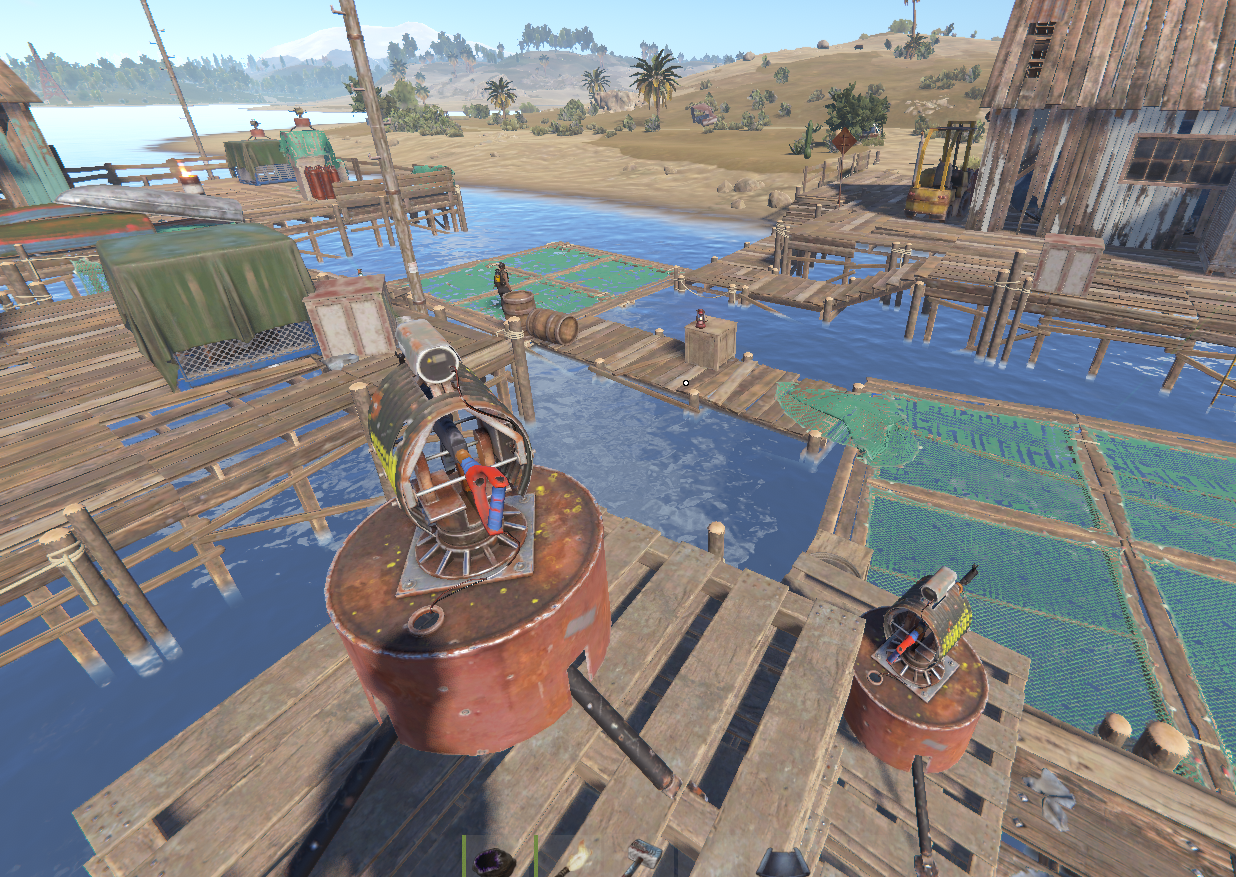
Turret Reskinner
A simple way to give your Rust server's safe zones a little more personality.
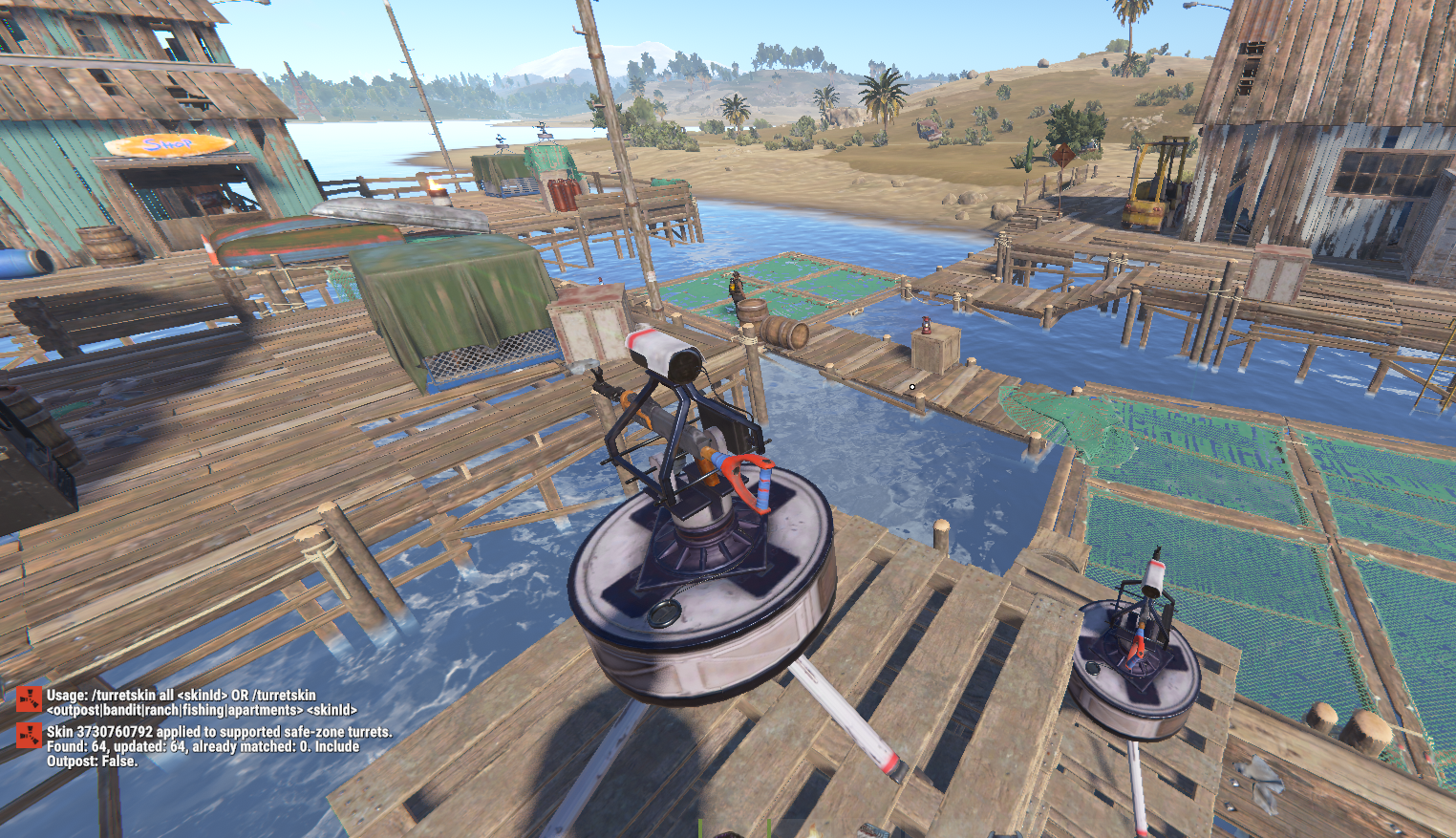
Turret Reskinner allows server owners and admins to apply their own custom turret skin IDs to supported safe-zone monument turrets.
If your server has its own theme, branding, color scheme, seasonal style, or simply a turret skin you really like, this gives you an easy way to carry that look into the safe zones your players regularly visit.
This is a small plugin I wanted to release for free for the Rust server community. Nothing complicated - just a useful customization tool for server owners who want their monuments to feel a little more like their own server.
FEATURES
- Apply custom skins to supported safe-zone turrets
- Apply one skin to all supported safe zones
- Set different skins for individual monument groups
- Great for matching your server's theme or visual identity
- Restore original turret skins at any time using skin ID
0 - Original skins are remembered across server restarts
- Configured skins automatically reapply on startup
- Player-placed turrets are never modified
- Admin and permission restricted
- Outpost sentry reskinning is optional and disabled by default
- Lightweight and non-invasive
- No server-wide entity scanning
SUPPORTED SAFE ZONES
- Bandit Camp
- Ranches
- Large Barn
- Fishing Villages
- Large Fishing Village
- Apartments
- Outpost - Optional
COMMANDS
Apply To All Supported Safe Zones
/turretskin all <skinId>
Example:
/turretskin all 1234567890
Apply To A Specific Monument Group
/turretskin bandit <skinId>
/turretskin ranch <skinId>
/turretskin fishing <skinId>
/turretskin apartments <skinId>
/turretskin outpost <skinId>
Example:
/turretskin fishing 1234567890
RESTORING ORIGINAL SKINS
Use skin ID 0 to remove the custom skin and restore the turret's original skin.
Restore a specific monument group:
/turretskin fishing 0
Restore all supported monument turrets:
/turretskin all 0
Original turret skins are remembered so they can still be restored after a server restart.
PERMISSION
turretreskinner.admin
Server administrators can use the command automatically.
CONFIGURATION
| 1 | { |
| 2 | "Include Outpost Sentry Turrets": false, |
| 3 | "Outpost Skin ID": 0, |
| 4 | "Bandit Camp Skin ID": 0, |
| 5 | "Ranches and Large Barn Skin ID": 0, |
| 6 | "Fishing Villages Skin ID": 0, |
| 7 | "Apartments Skin ID": 0 |
| 8 | } |
Outpost is disabled by default and can be enabled separately in the configuration.
WHY?
Safe zones are some of the most recognizable and frequently visited places on a Rust server.
Turret Reskinner simply gives server owners another small way to make those locations fit their own server.
Use a custom skin to match your server's theme, create a consistent visual style across your monuments, change things up for seasonal events, or just use a turret skin you prefer over the default.
SUPPORT
Found an issue, have a suggestion, or want to check out my other plugins?
Plugins By Duff

Command your Rust server. Live WebRCON console, performance and player monitoring, quick actions, groups and permissions, and plugin management.
Visit site ↗