
Zen Changelog
 Brad Copp
 1 / 2
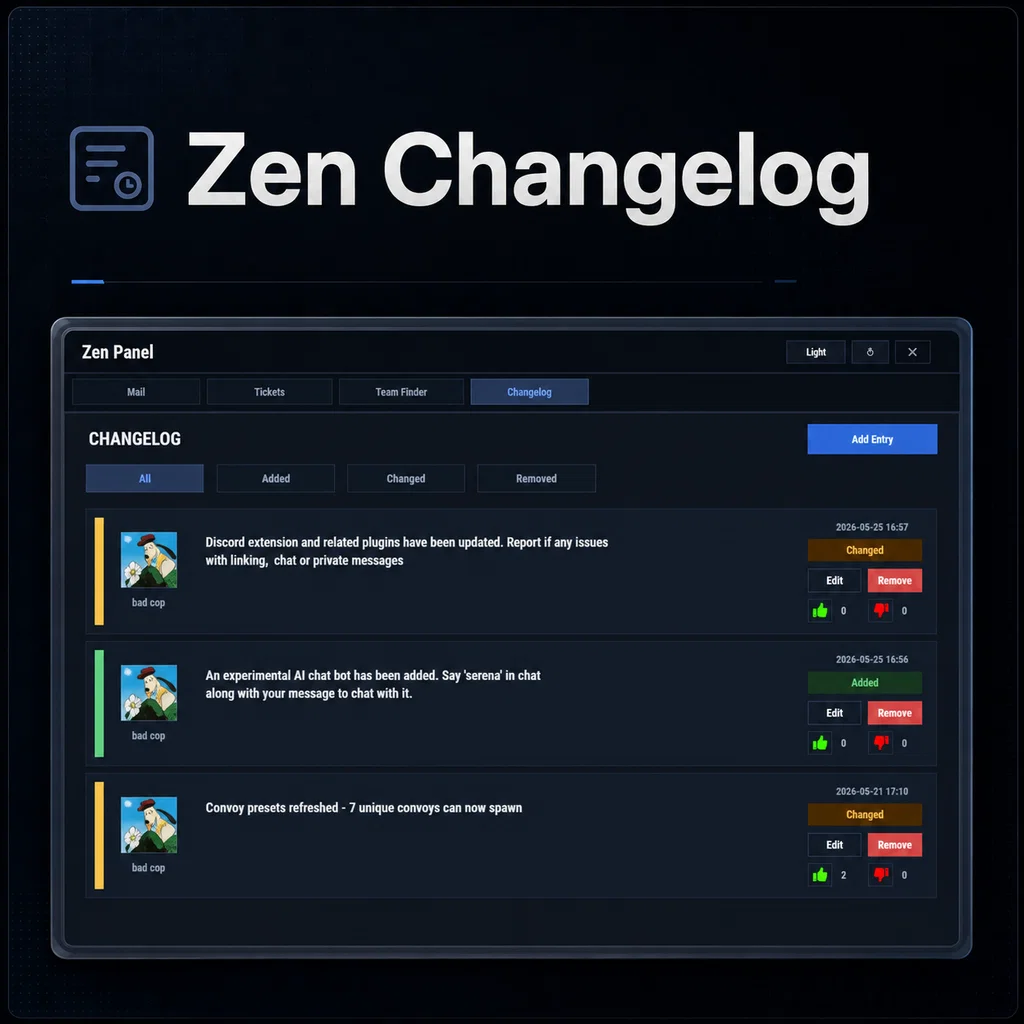
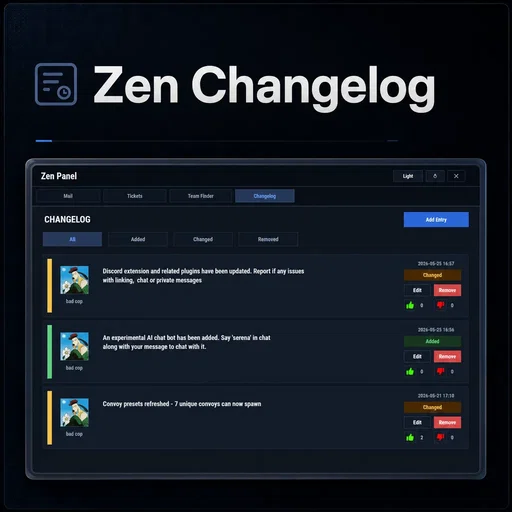
Zen Changelog is a lightweight in-game changelog addon for Zen Panel, allowing server owners to post updates, changes, removals, and important server notes directly inside Rust.
Instead of relying only on Discord announcements or repeated chat messages, Zen Changelog gives players a simple place to check what has changed on the server at any time.
Players can also like or dislike changelog entries, giving admins a quick indication of how the community feels about recent updates.
Perfect For
- Wipe changes
- Server update notes
- Balance changes
- New feature announcements
- Removed feature notices
- Bug fixes
- Rule or gameplay adjustments
- Collecting quick player feedback
Core Features
- Clean changelog tab inside Zen Panel
- Entries sorted newest first
- Added / Changed / Removed entry types
- Filter entries by type
- Player like and dislike voting
- Admin create, edit, and remove tools
- HUD notification when new changelog entries are posted
- Optional wipe-based changelog clearing
- Configurable tab title, entry length, open commands, and vote icons
Chat Commands
/changes - Opens the Changelog tab by default (configurable command)
Admin Command Examples
/changelog add added "Added a new custom monument to the map."
/changelog add changed "Reduced Bradley respawn time from 60 minutes to 45 minutes."
/changelog add removed "Removed the old starter kit from the server."
Entry Types
- added
- changed
- removed
Permissions
zenchangelog.admin - Allows admins to create, edit, and remove changelog entries
Why Use Zen Changelog?
Zen Changelog gives players an easy way to stay informed without needing to search Discord or ask staff what changed. The voting system also gives admins simple feedback on whether players like or dislike recent updates.
If you want a clean and lightweight way to show server changes inside Rust, Zen Changelog is a simple addon that fits naturally into the Zen Panel system.
Requirements
Requires Zen Panel. Oxide servers also need the latest Carbon Aliases extension. Carbon servers do not need that extension.
ZenChangelog.json
{
  "Enabled": true,
  "Tab Title": "Changelog",
  "Commands to open the Changelog tab": [
    "changes"
  ],
  "Clear Changelog On Wipe": false,
  "Max Entry Length": 300,
  "Like Icon URL": "https://i.ibb.co/pjZxkFTm/like.png",
  "Dislike Icon URL": "https://i.ibb.co/DHrtKnmh/dislike.png"
}

Trusted hosting partner. Affordable game servers with solid support and panels.
Visit site ↗