Hit Markers
 Mevent
 1 / 2
1 / 2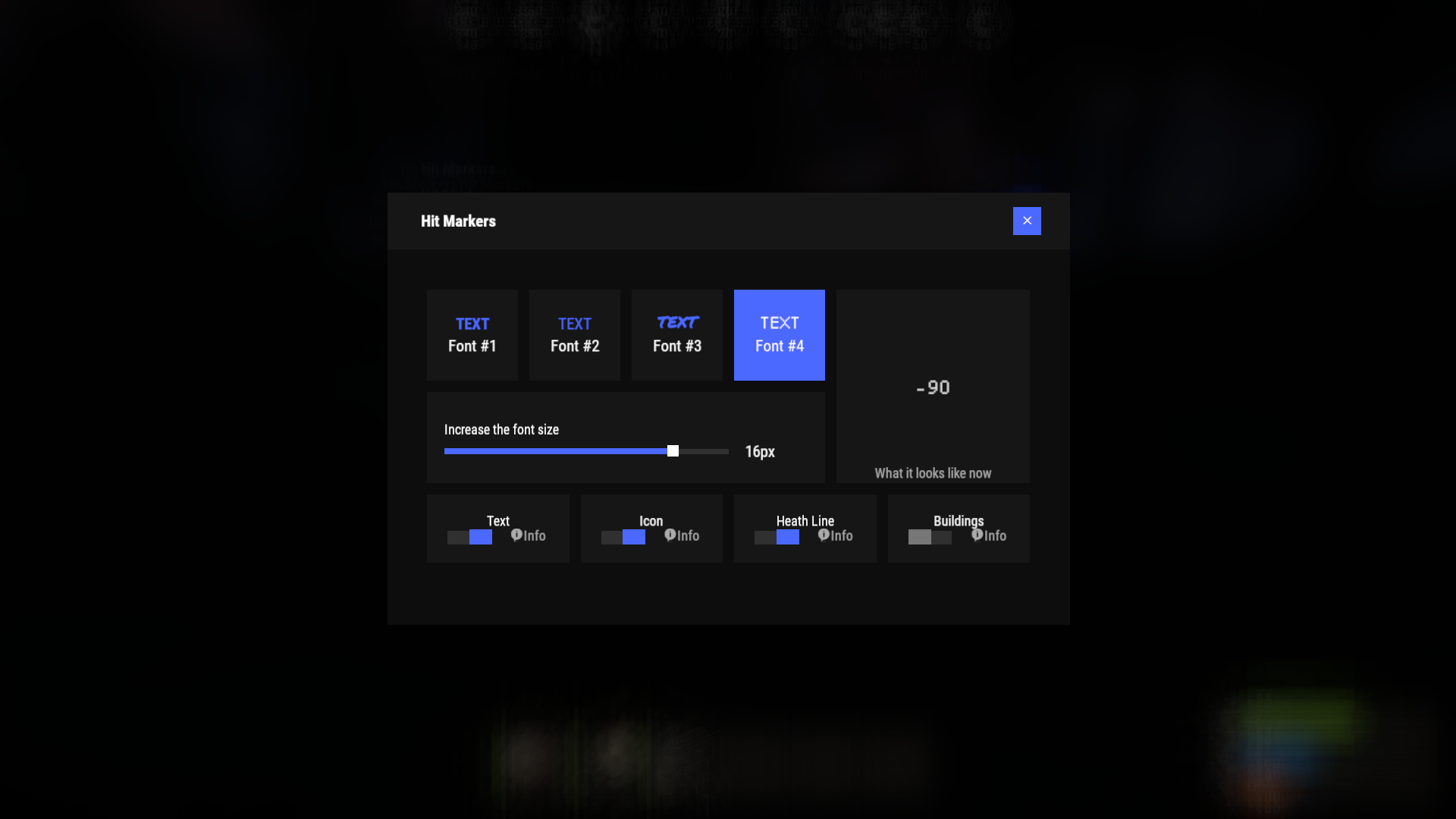
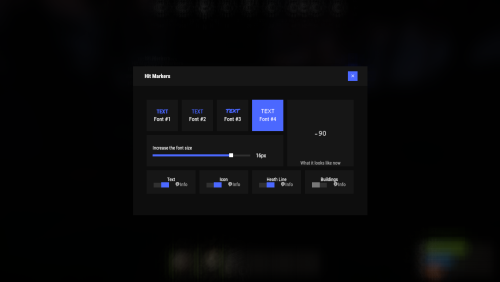
Each user can choose his own marker, which is convenient for him! 🙂 Commands marker - open an UI Permissions You can set permission in config, for example: "Permission (ex: hitmarkers.use)": "hitmarkers.
Description
Each user can choose his own marker, which is convenient for him! 🙂
Commands
- marker - open an UI
Permissions
You can set permission in config, for example:
code
| 1 | "Permission (ex: hitmarkers.use)": "hitmarkers.use", |
You can also set your own permission for each font and button.
Config
code
| 1 | { |
| 2 | "Commands": [ |
| 3 | "marker", |
| 4 | "hits" |
| 5 | ], |
| 6 | "Permission (ex: hitmarkers.use)": "", |
| 7 | "Work with Notify?": true, |
| 8 | "Fonts": { |
| 9 | "0": { |
| 10 | "Font": "robotocondensed-bold.ttf", |
| 11 | "Permission (ex: hitmarkers.font)": "" |
| 12 | }, |
| 13 | "1": { |
| 14 | "Font": "robotocondensed-regular.ttf", |
| 15 | "Permission (ex: hitmarkers.font)": "" |
| 16 | }, |
| 17 | "2": { |
| 18 | "Font": "permanentmarker.ttf", |
| 19 | "Permission (ex: hitmarkers.font)": "" |
| 20 | }, |
| 21 | "3": { |
| 22 | "Font": "droidsansmono.ttf", |
| 23 | "Permission (ex: hitmarkers.font)": "" |
| 24 | } |
| 25 | }, |
| 26 | "Min Font Size": 8, |
| 27 | "Max Font Size": 18, |
| 28 | "Buttons": [ |
| 29 | { |
| 30 | "Enabled": true, |
| 31 | "Title": "Text", |
| 32 | "Type": "Text", |
| 33 | "Description": "<b>Damage numbers</b> will pop up in the center of the screen!", |
| 34 | "Permission": "hitmarkers.text" |
| 35 | }, |
| 36 | { |
| 37 | "Enabled": true, |
| 38 | "Title": "Icon", |
| 39 | "Type": "Icon", |
| 40 | "Description": "The familiar hit icon changes color after a <b>headshot!</b>", |
| 41 | "Permission": "hitmarkers.icon" |
| 42 | }, |
| 43 | { |
| 44 | "Enabled": true, |
| 45 | "Title": "Heath Line", |
| 46 | "Type": "HealthLine", |
| 47 | "Description": "A bar appears above the slots, showing the <b>remaining</b> health of the enemy", |
| 48 | "Permission": "hitmarkers.line" |
| 49 | }, |
| 50 | { |
| 51 | "Enabled": true, |
| 52 | "Title": "Buildings", |
| 53 | "Type": "Buildings", |
| 54 | "Description": "Displaying damage by buildings", |
| 55 | "Permission": "hitmarkers.buildings" |
| 56 | } |
| 57 | ], |
| 58 | "Info Icon": "https://i.imgur.com/YIRjnIT.png", |
| 59 | "Show damage to NPC": true, |
| 60 | "Show damage to animals": false, |
| 61 | "Marker removal time": 0.25, |
| 62 | "Default Values": { |
| 63 | "Font ID": 0, |
| 64 | "Font Size": 14, |
| 65 | "Text": true, |
| 66 | "Icon": false, |
| 67 | "Health Line": false, |
| 68 | "Buildings": false |
| 69 | } |
| 70 | } |
Sponsored

RCONtrol
Command your Rust server. Live WebRCON console, performance and player monitoring, quick actions, groups and permissions, and plugin management.
Visit site ↗$19.95
Views2
Downloads0
Purchases0
Rating★ 0.0
Version1.2.7
PlatformRust
CategoryPlugins
CompatibleOxide · Carbon
Size9 KB
PublishedSep 19, 2026
UpdatedSep 19, 2026
✓ Reviewed for safety and integrity