Bank System
 Mevent
 1 / 7
1 / 7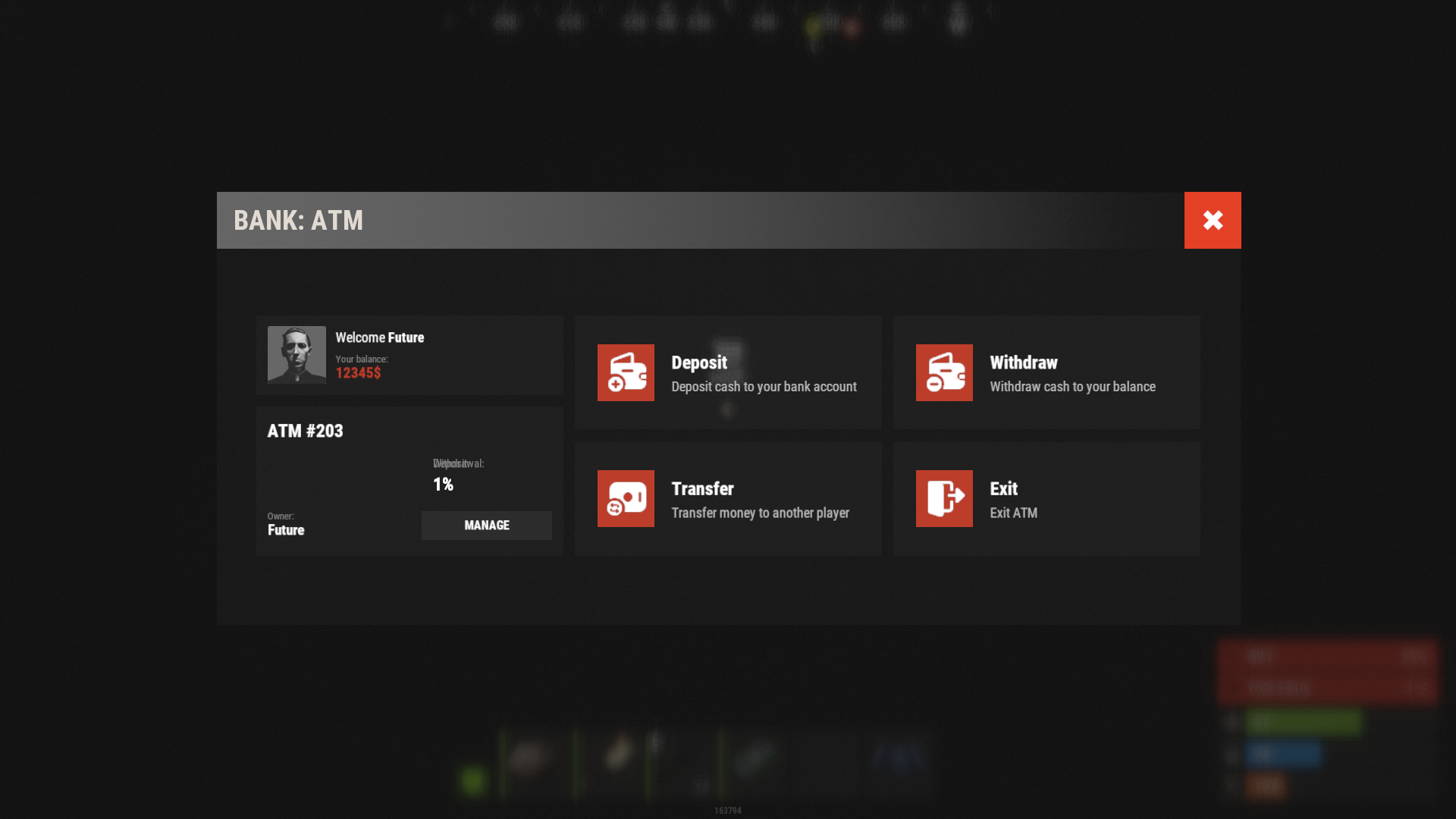
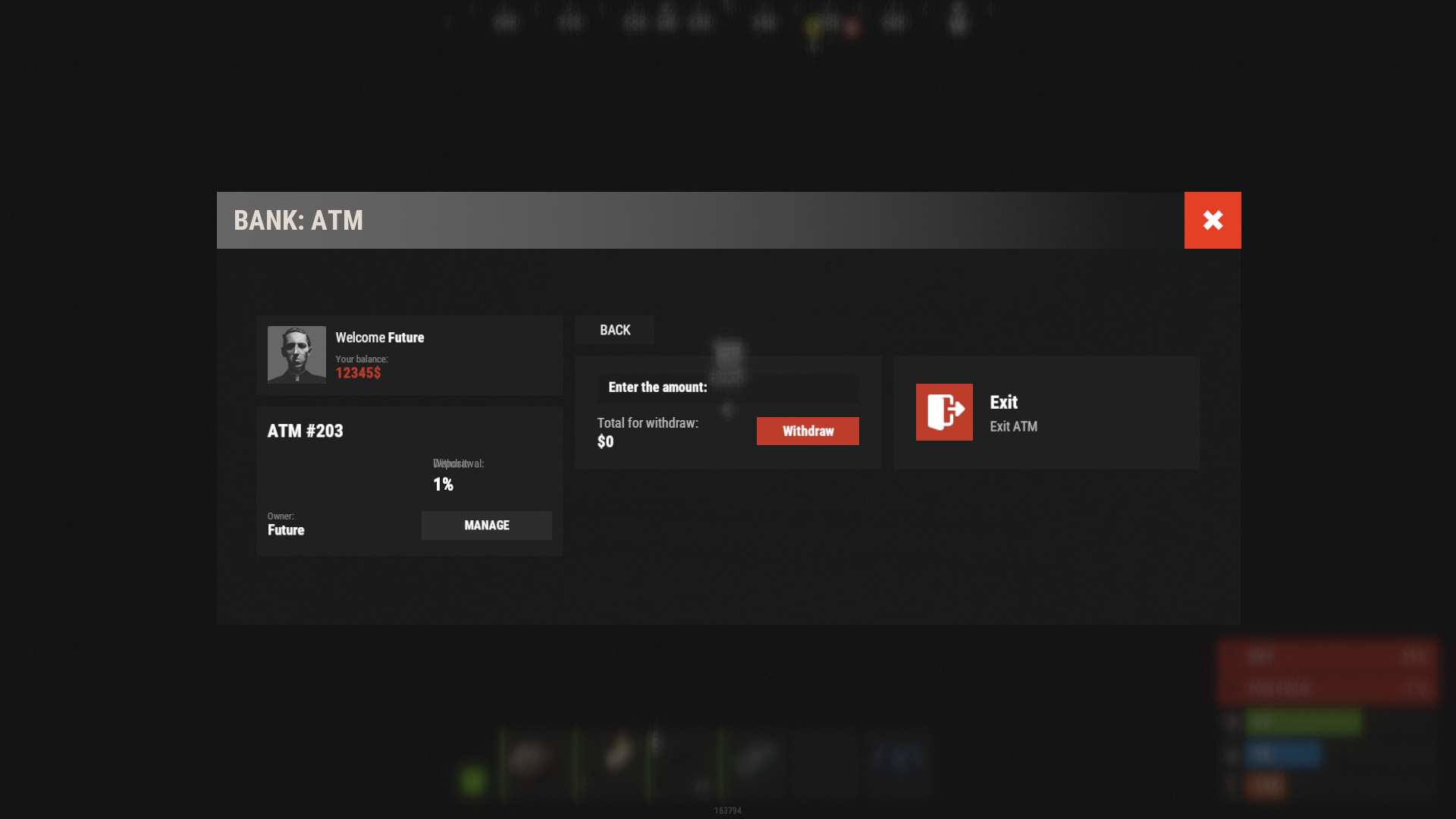
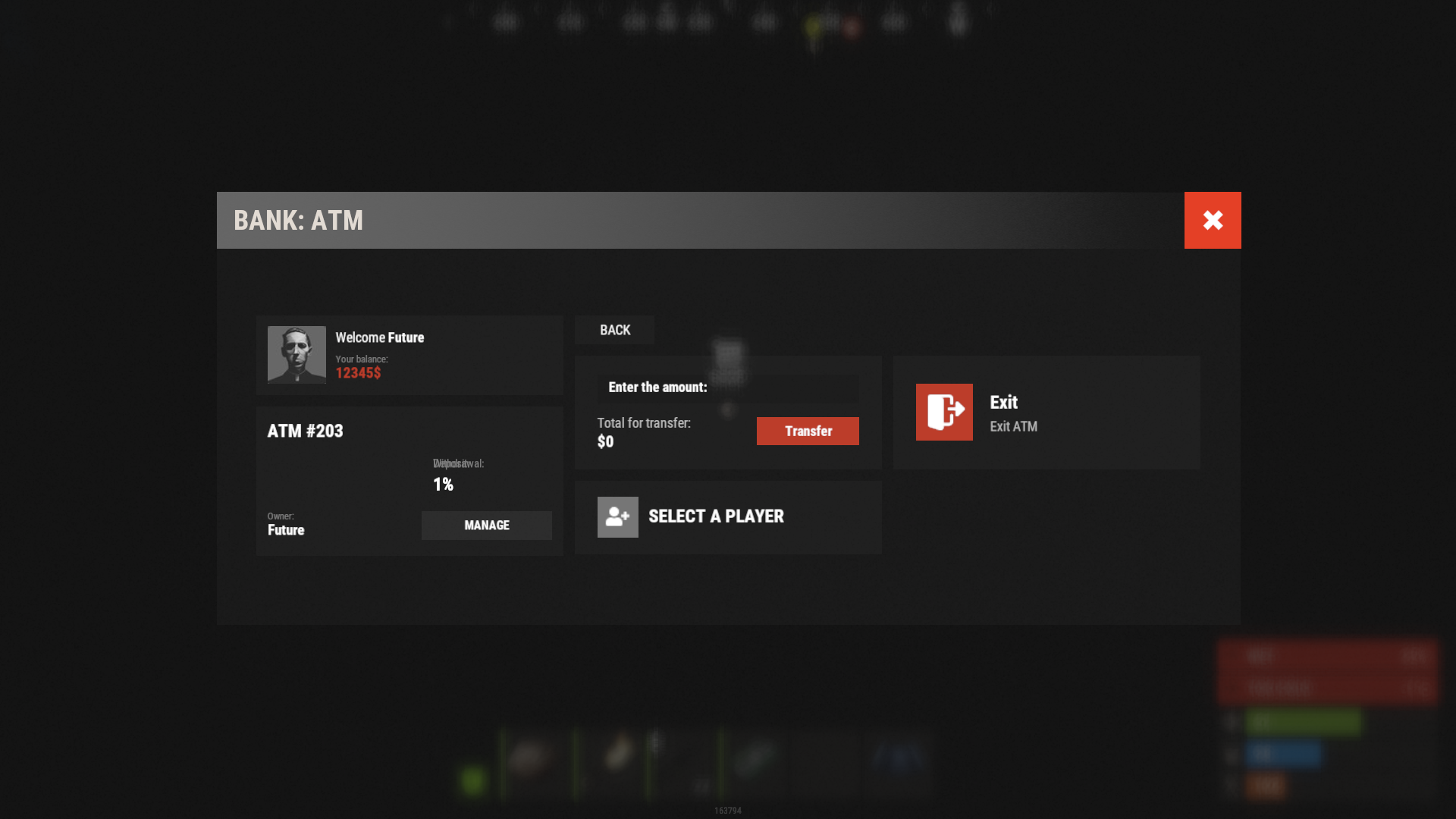
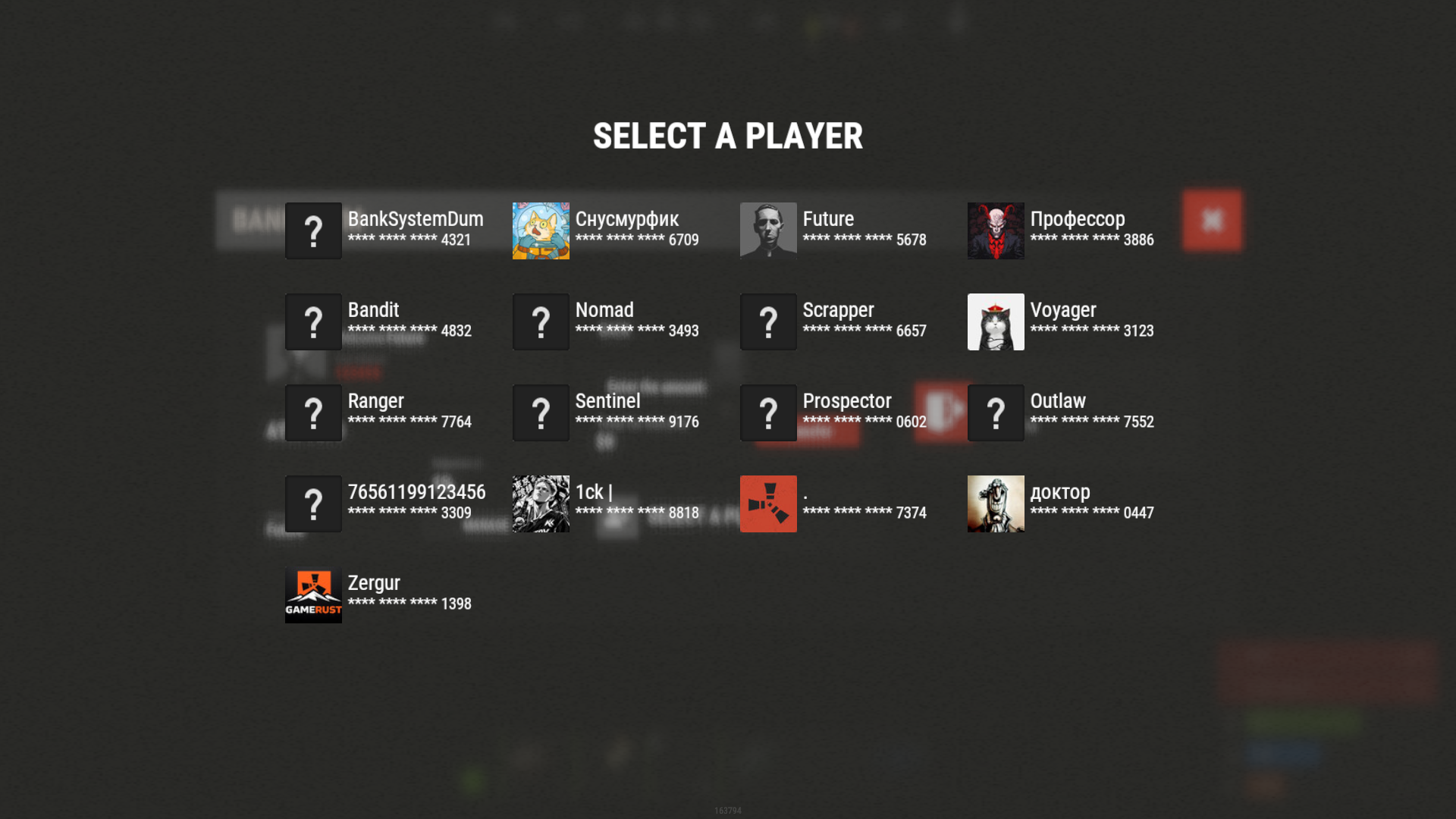
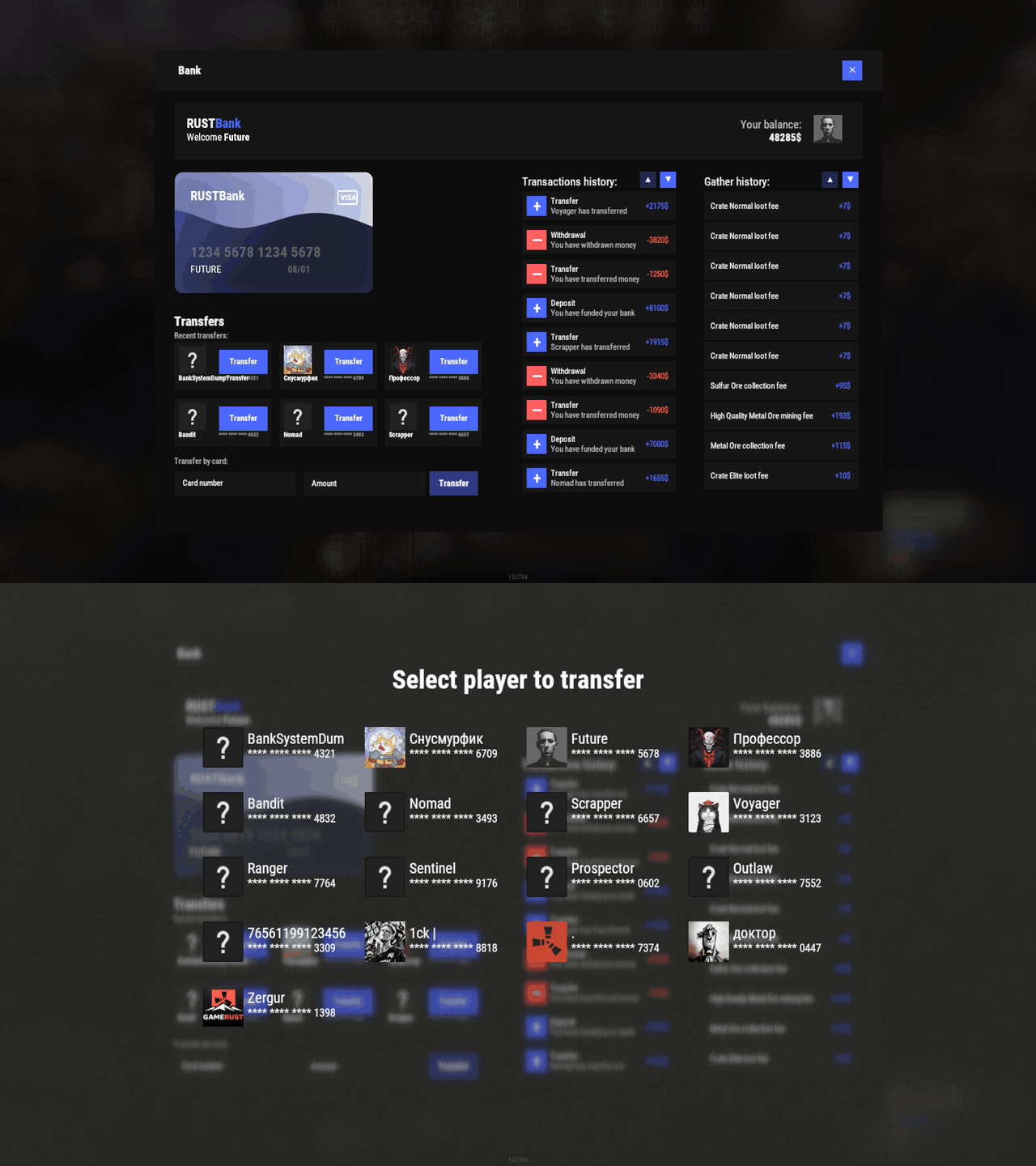
Bank System adds a bank to your server. Players get a card and a balance, transfer money to each other and use ATMs that other players own and profit from. Every deposit, withdrawal and transfer lands in a history the player opens from the bank window. The interface ships in seven templates, so it works as a fullscreen menu or inside any ServerPanel version, and the balance can be the plugin's own or come from Economics, ServerRewards or another economy plugin.

💰 Features
- Bank card with balance, transaction history and gather history in one window. Cards can be created automatically on first open and expire after a set number of days.
- Transfers between players: pick someone from the list or type a card number. The list can show everyone or only players who are online.
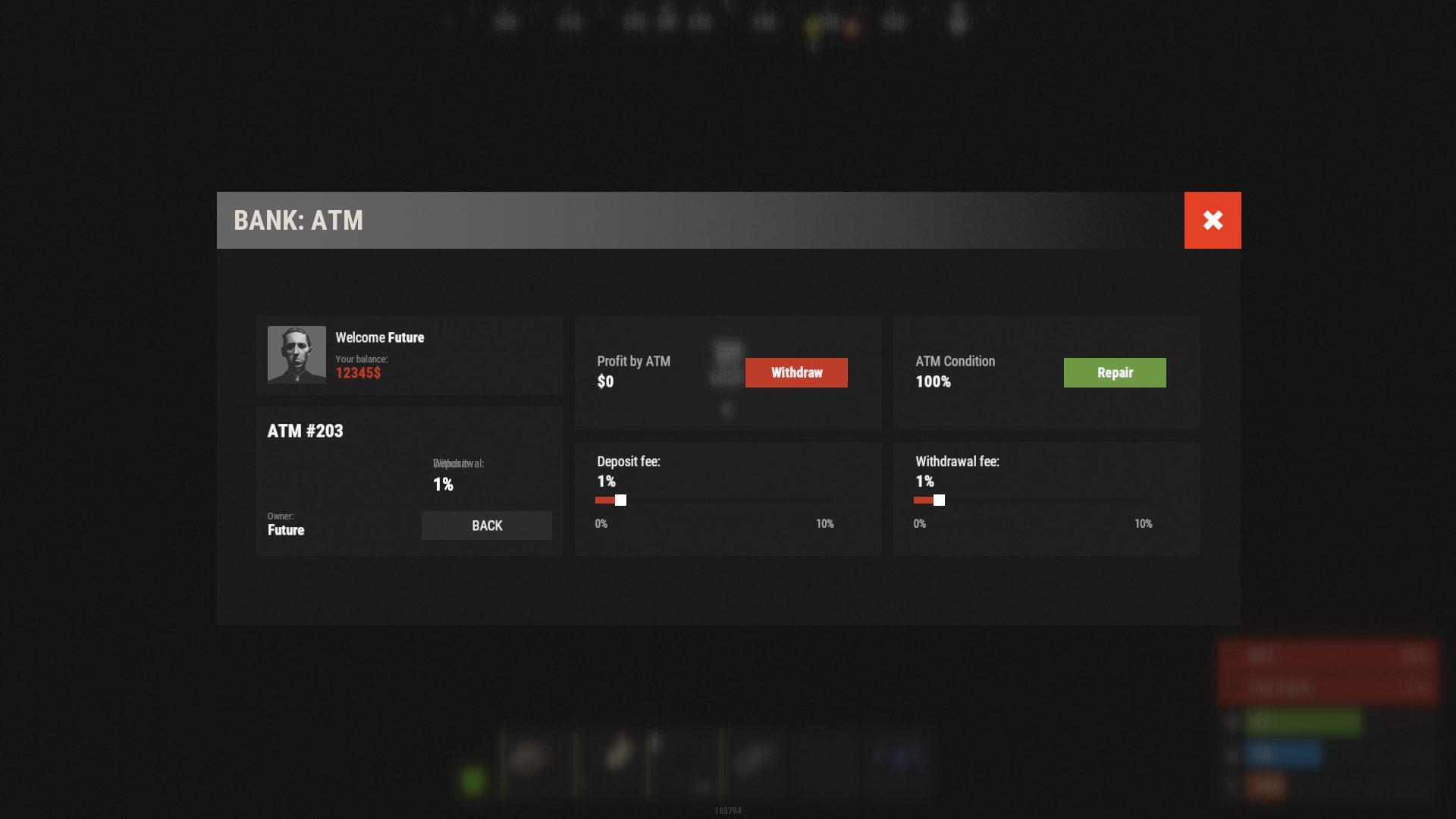
- Player-owned ATMs. A player buys an ATM, places it and earns the deposit and withdrawal fees other players pay at it.
- ATMs break during operations and are repaired with items you choose, priced per 1% of condition. A permission can lower the breakage chance for a group.
- Two fee modes: take the fee out of the amount the player entered, or charge it on top.
- ATMs at monuments through the built-in spawn settings or MonumentAddons.
- Pay players for gathering, picking up collectibles, looting crates and kills. Set a price per shortname or prefab; the money goes to the balance or into the player's hands as banknotes.
- Banknotes as an item, with a configurable drop from crates.
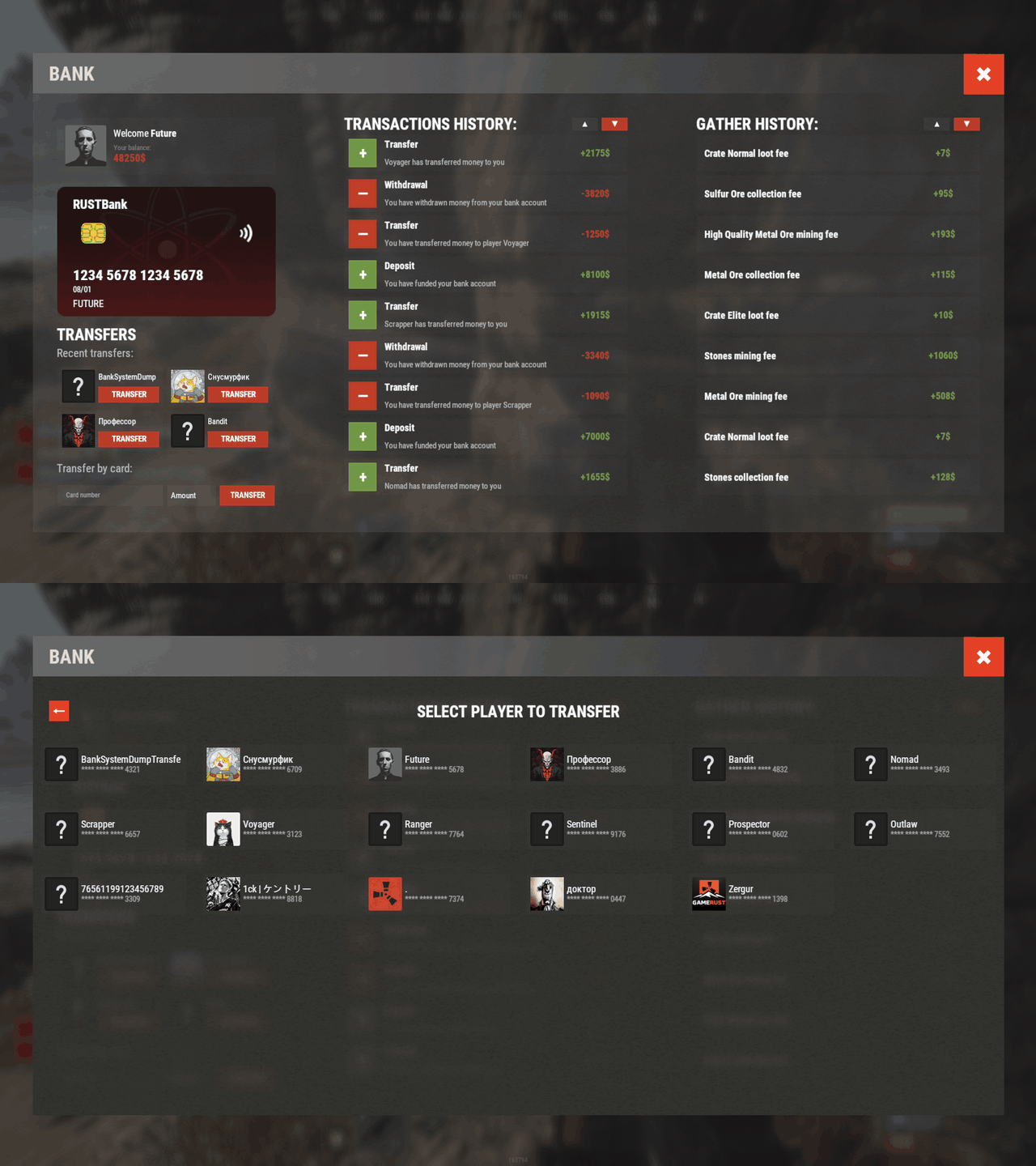
- Seven UI templates: fullscreen Old Style and New Rust, ServerPanel V1, V2 and V4, and both ATM styles. Each template is a JSON file in the data folder, so the look is editable without touching the code.
- Your own balance or a third-party one: Economics, ServerRewards and any plugin with add, remove and show hooks. Balances convert from Economics and ServerRewards with one command.
- Works with HumanNPC, Notify/UINotify and LangAPI. Offline image mode for when image hosts rate-limit you. Auto wipe for players, logs and ATMs, each on its own switch.
🎮 Commands
- bank - open the bank. The command names come from Commands in the config.
- ATM command - opens the ATM window from chat. The list Commands to open ATM menu is empty by default; add a name such as
atmto enable it. Permission to open ATM menu via command gates it. - bank.givenote [targetId] [amount] - give banknotes to a player.
- bank.giveatm [targetId] [amount] - give ATMs to a player.
- bank.setbalance [targetId] [amount] - set a player's balance.
- bank.deposit [targetId] [amount] - add money to a player's balance.
- bank.withdraw [targetId] [amount] - take money from a player's balance.
- bank.transfer [playerId] [targetId] [amount] - move money from one player to another.
- bank.wipe - remove every ATM from the plugin data. Wiping players and logs on a new save is set in Wipe Settings.
- bank.convert.economics - import balances from Economics.
- bank.convert.serverrewards - import balances from ServerRewards.
- bank.template <interface_type> <template> - switch the UI template. Server console only. Without arguments it prints the list below. The choice is saved to the config (Fullscreen style (OldStyle/NewRust) and Template) and applied at once.
<interface_type>:fullscreenfor the standalone window,inmenufor the ServerPanel page.<template>forfullscreen:oldornew.<template>forinmenu:v1,v2,v4orauto. Withautothe plugin reads the template version from the ServerPanel category it is placed in.Examples:bank.template fullscreen old- sets the fullscreen UI to the old style template.bank.template fullscreen new- sets the fullscreen UI to the new Rust template.bank.template inmenu v1- sets the in-menu UI to the ServerPanel V1 template.bank.template inmenu v2- sets the in-menu UI to the ServerPanel V2 template.bank.template inmenu v4- sets the in-menu UI to the ServerPanel V4 template.bank.template inmenu auto- picks the in-menu template from the ServerPanel category.
The admin commands above (bank.givenote through bank.convert.serverrewards) run from the server console or from a player with admin rights.
🛡️ Permissions
- banksystem.use - access to the bank. The name is whatever you put in Permission (example: banksystem.use); leave it empty and the bank is open to everyone.
- ATM command permission - the value of Permission to open ATM menu via command. Players without it can still use a placed ATM; only the chat command is gated.
- Breakage permissions - Breakage percentage during operation maps a permission to a breakage percent. Give a group its own permission and a lower percent to make their ATMs break less often.
🖼️ Showcase
Fullscreen Templates
- Template OLD STYLE
- Template NEW RUST
In-Menu Templates (ServerPanel)
- Template V1
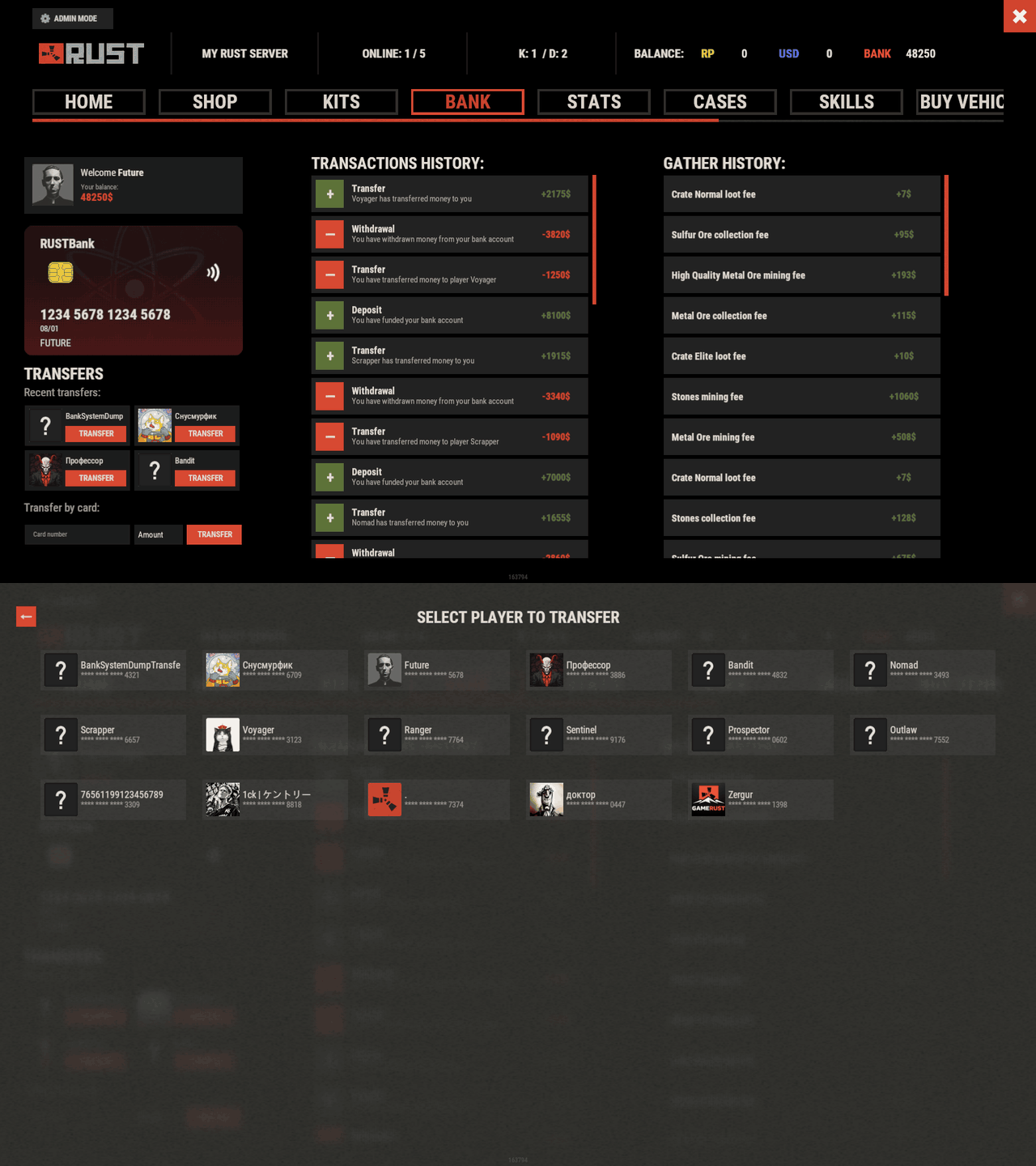
- Template V2
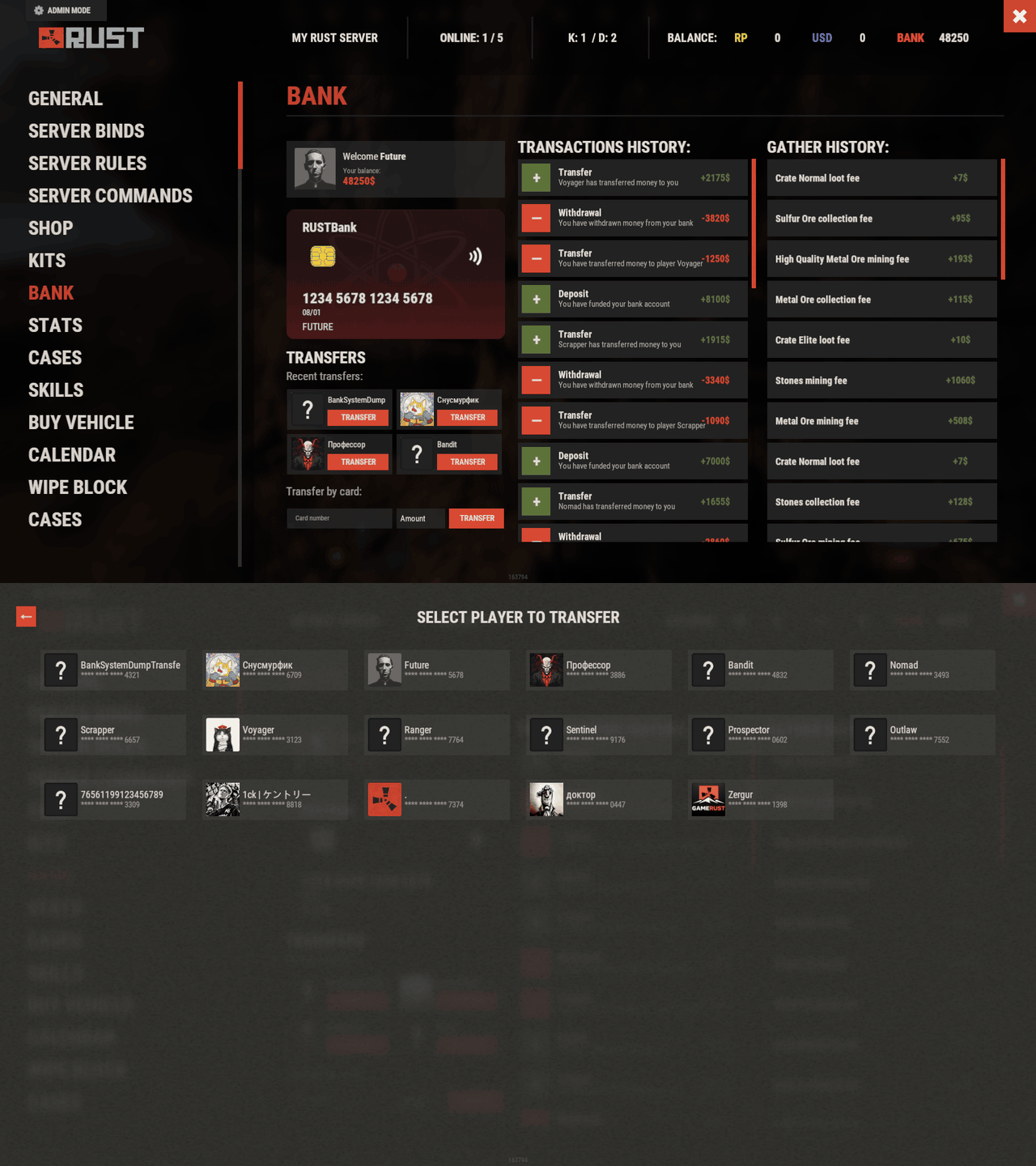
- Template V4
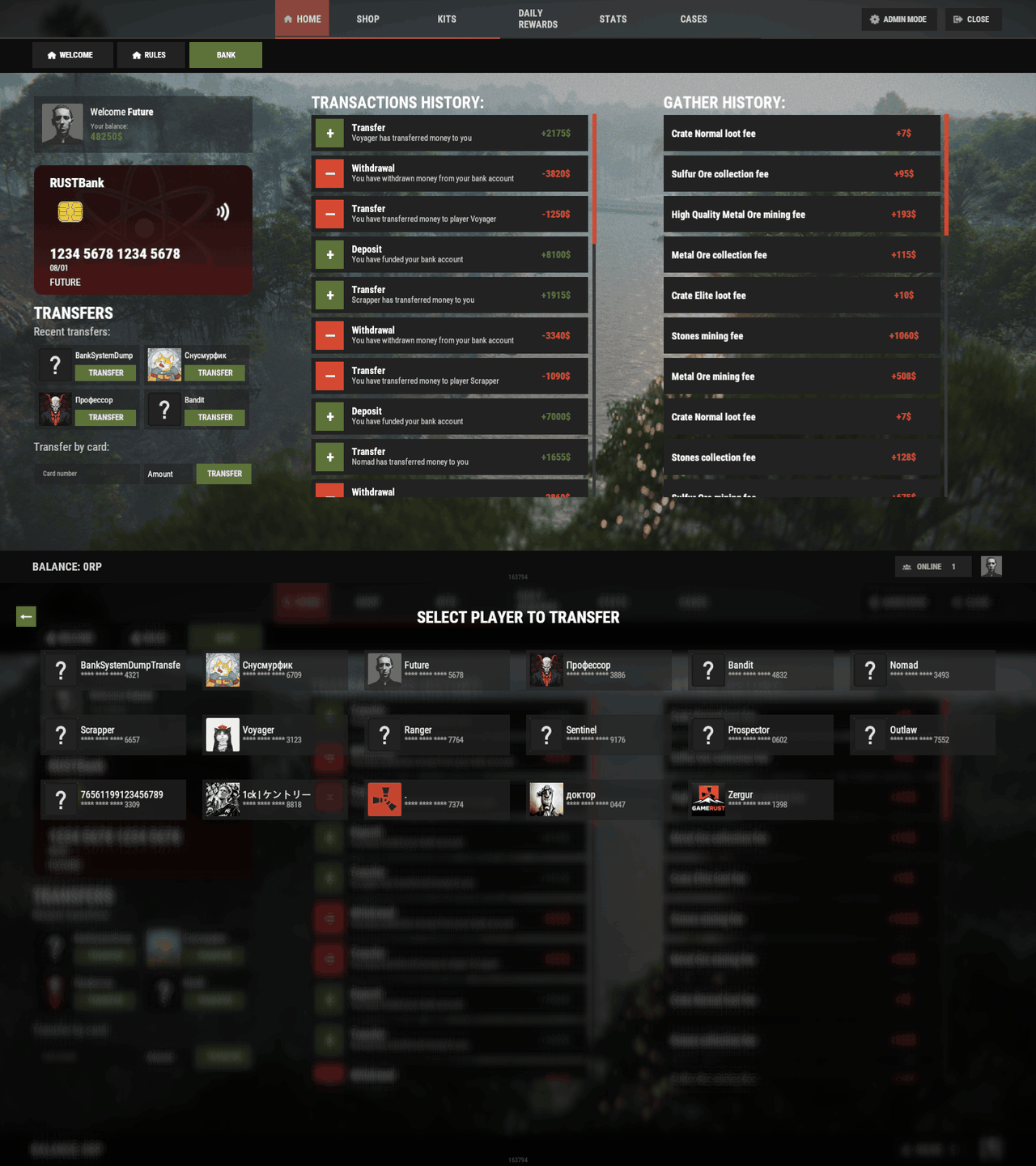
ATM
- Template OLD STYLE
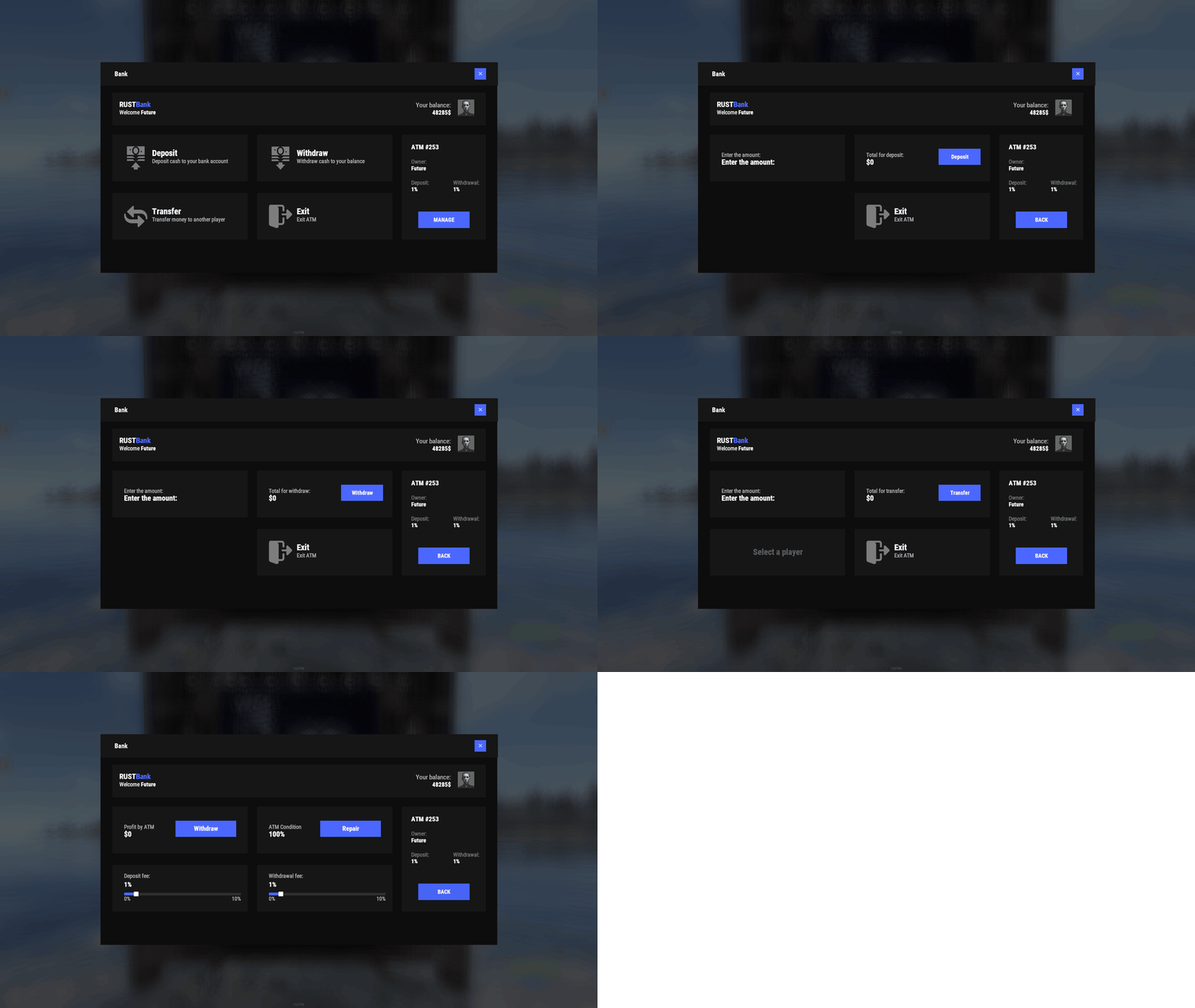
- Template NEW RUST
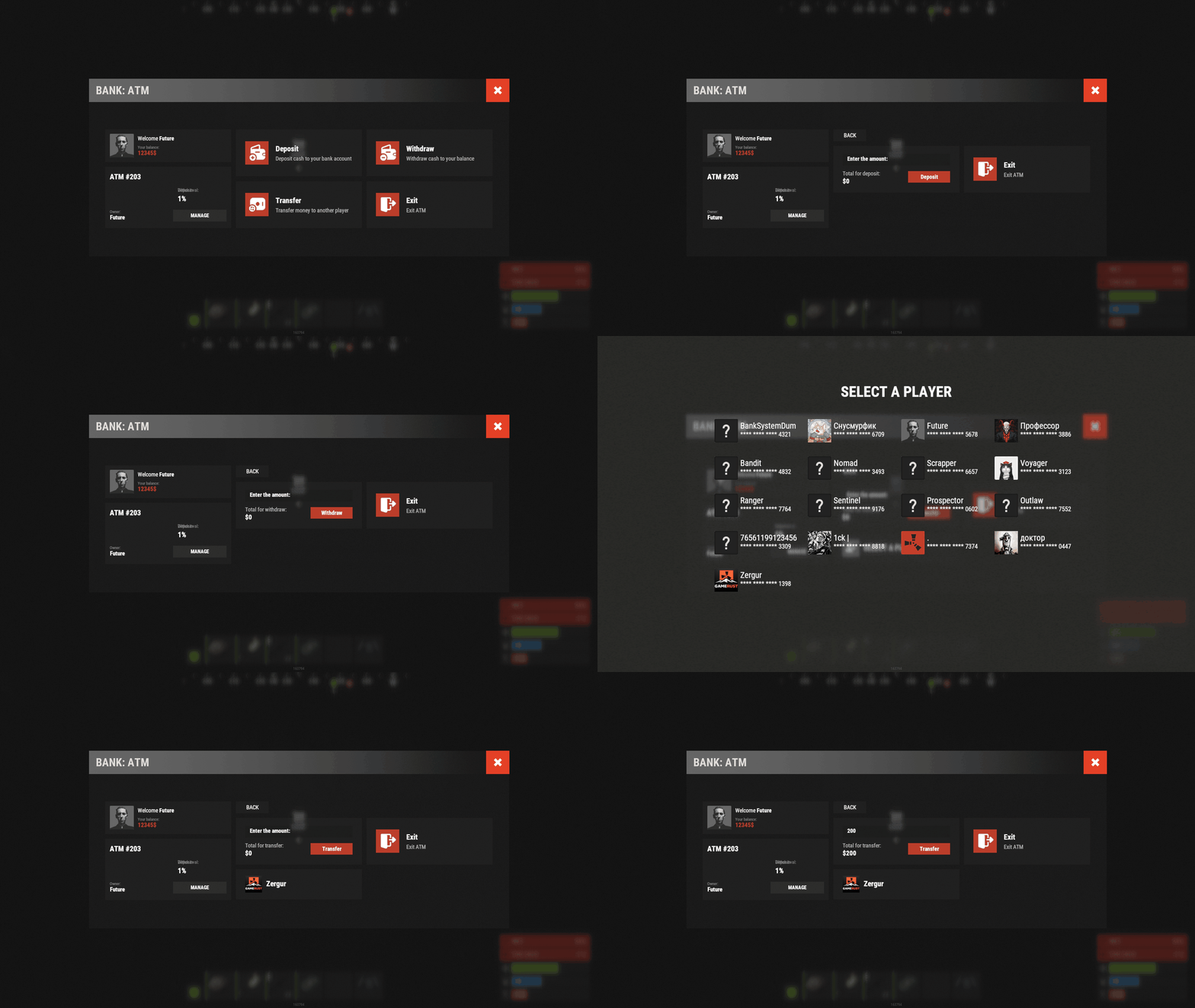
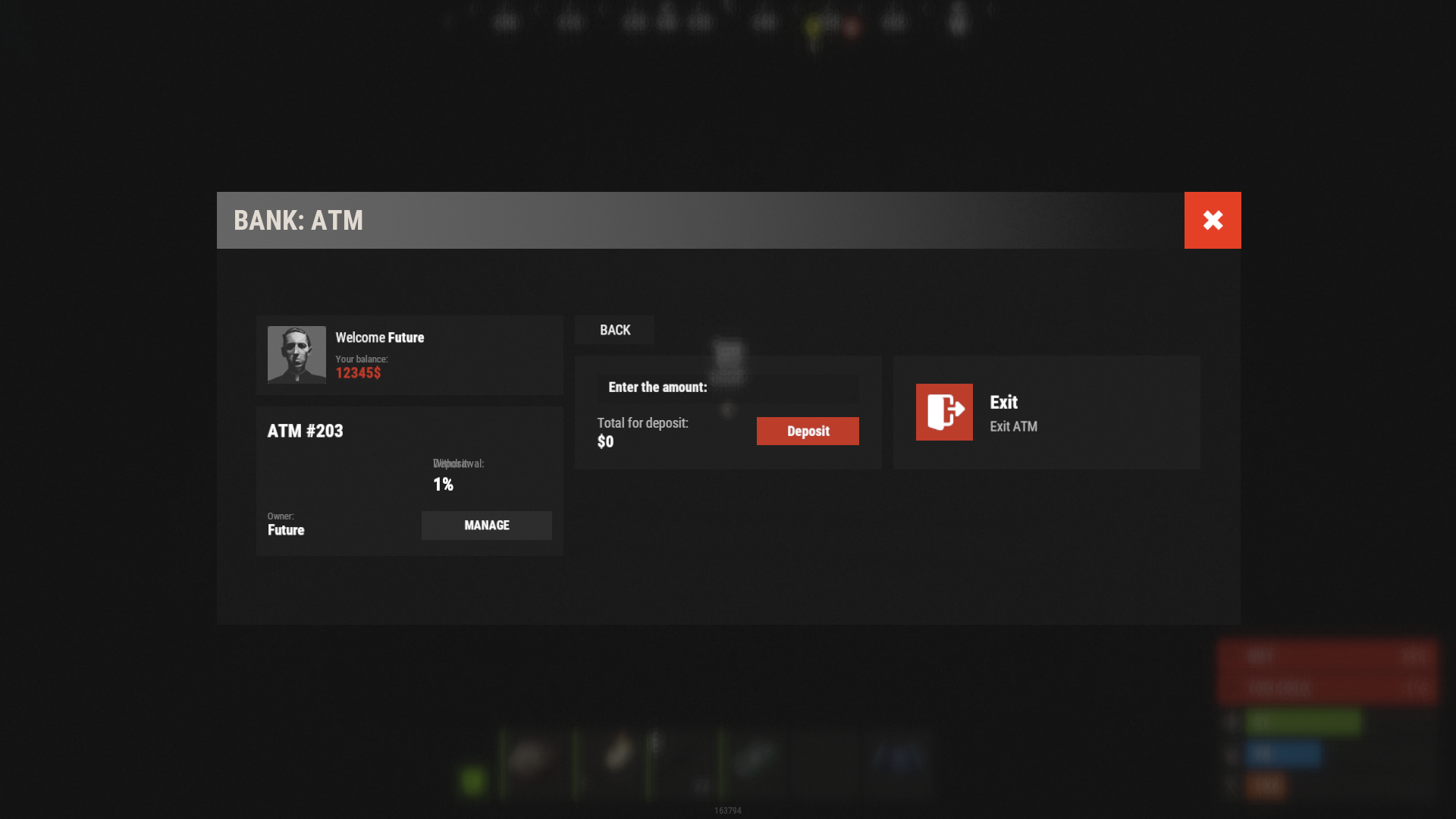
The ATM follows the fullscreen style: Fullscreen style (OldStyle/NewRust) in the config picks both the bank window and the ATM look.
🧪 TEST SERVER
Join our test server to view and experience all our unique features yourself!
Copy the IP Address below to start playing!
| 1 | connect 194.147.90.239:28015 |
📚 FAQ
Q: Where can I see an example of a config?
A: Config
Q: How do I switch the template?
A: From the server console: bank.template fullscreen old, bank.template fullscreen new, bank.template inmenu v1, v2, v4 or auto. Run bank.template with no arguments to print the list. The Showcase above shows what each one looks like.
Q: Where are the templates and how do I change the look?
A: Each template is a JSON file in oxide/data/BankSystem/Templates/ (carbon/data/BankSystem/Templates/ on Carbon): OldStyle.json, NewRust.json, V1.json, V2.json, V4.json, AtmOldStyle.json and AtmNewRust.json. Edit colors, sizes, fonts and positions there and reload the plugin. Delete a file and the plugin writes the default one back on the next load.
Q: I updated from 1.4.x. Where did my interface settings go?
A: Version 2.0.0 moved every interface setting out of the config and into the template files above. Your old config is saved to data/BankSystem/Backups/; open it next to the new template file and carry your colors and sizes over by hand.
Q: How do I add Bank System to ServerPanel?
A: Create a new category in ServerPanel with these settings:
| 1 | "Type": "Plugin", |
| 2 | "Plugin Name": "BankSystem", |
| 3 | "Plugin Hook": "API_OpenPlugin" |
Then run bank.template inmenu auto and the bank page takes the template version of that category.
Q: How do ATM fees work?
A: ATM Settings sets the minimum, maximum, default and step for the deposit and withdrawal fees; the ATM owner picks the exact percent with a slider in the Manage screen. Deduct the fee from the entered amount? chooses between two modes: with true a player who enters 100 gets 100 minus the fee, with false the player pays 100 plus the fee.
Q: How do I use Economics or ServerRewards as the balance?
A: In Economy Settings set Use own economic system? to false and fill in the plugin name and its hooks. Economics:
| 1 | "Economy Settings": { |
| 2 | "Use own economic system?": false, |
| 3 | "Plugin name": "Economics", |
| 4 | "Balance add hook": "Deposit", |
| 5 | "Balance remove hook": "Withdraw", |
| 6 | "Balance show hook": "Balance" |
| 7 | } |
ServerRewards:
| 1 | "Economy Settings": { |
| 2 | "Use own economic system?": false, |
| 3 | "Plugin name": "ServerRewards", |
| 4 | "Balance add hook": "AddPoints", |
| 5 | "Balance remove hook": "TakePoints", |
| 6 | "Balance show hook": "CheckPoints" |
| 7 | } |
Q: How do I spawn an ATM at a monument using BankSystem and MonumentAddons?
A: Follow these steps to auto-spawn an ATM at your monuments:
- Go to a Monument:
- Spawn a Vending Machine:
/maspawn vendingmachine.deployed- Convert It to an ATM:
/maskin 2551771822Confirm that
2551771822 matches the ATM skin ID configured in your BankSystem settings.Your ATM is now installed at the monument and will automatically respawn during wipes or map changes.
Q: I see black images with Rust logo or get error 429 when loading images. What should I do?
A: These issues occur when there are problems downloading images from the internet. The plugin sends images to ImageLibrary but is not responsible for the downloading process itself. Error 429 typically occurs due to rate limits imposed by image hosting services like Imgur (see HTTP 429 documentation for more details). To fix this, enable Offline Image Mode which will use local images instead:
- Enable the mode in config:
- Open "oxide/config/BankSystem.json" (or "carbon/config/BankSystem.json" for Carbon)
- Set
"Enable Offline Image Mode": true - Set up the images:
- Create folder "TheMevent" in "oxide/data" (or "carbon/data" for Carbon)
- Download PluginsStorage (click "CODE" → "Download ZIP")
- Extract the ZIP and copy all contents to the "TheMevent" folder
- Reload the plugin:
- Type
o.reload BankSystem(Oxide) orc.reload BankSystem(Carbon)
Note: If you want to add your own custom images, place them in the "TheMevent" folder and reference them with the "TheMevent/" prefix. For example: "TheMevent/Icon1.png", "TheMevent/MyCustomIcon.jpg", etc.
Q: How do I fix RUSTNote stack splitting issues?
A: You need to find "Enable item split control? (if there are errors with stack plugins - it is worth turning off)" in the config and set it to false.
📑 Hooks and API
Hooks:
| 1 | private object CanPlayerCreateCard(BasePlayer player) |
| 2 | private void OnPlayerCreatedCard(BasePlayer player) |
| 3 | private void OnBalanceChanged(ulong member, int amount) |
API Methods:
| 1 | private string API_OpenPlugin(BasePlayer player) |
| 2 | |
| 3 | private bool HasCard(BasePlayer player) |
| 4 | private bool HasCard(ulong member) |
| 5 | |
| 6 | private int Balance(BasePlayer player) |
| 7 | private int Balance(string member) |
| 8 | private int Balance(ulong member) |
| 9 | |
| 10 | private bool Deposit(BasePlayer player, int amount) |
| 11 | private bool Deposit(string member, int amount) |
| 12 | private bool Deposit(ulong member, int amount) |
| 13 | |
| 14 | private bool Withdraw(BasePlayer player, int amount) |
| 15 | private bool Withdraw(string member, int amount) |
| 16 | private bool Withdraw(ulong member, int amount) |
| 17 | |
| 18 | private bool Transfer(BasePlayer member, BasePlayer target, int amount) |
| 19 | private bool Transfer(string member, string target, int amount) |
| 20 | private bool Transfer(ulong member, ulong target, int amount) |
| 21 | |
| 22 | private int API_BankSystemBalance(BasePlayer player) |
| 23 | private int API_BankSystemBalance(string member) |
| 24 | private int API_BankSystemBalance(ulong member) |
| 25 | |
| 26 | private bool API_BankSystemDeposit(BasePlayer player, int amount) |
| 27 | private bool API_BankSystemDeposit(string member, int amount) |
| 28 | private bool API_BankSystemDeposit(ulong member, int amount) |
| 29 | |
| 30 | private bool API_BankSystemWithdraw(BasePlayer player, int amount) |
| 31 | private bool API_BankSystemWithdraw(string member, int amount) |
| 32 | private bool API_BankSystemWithdraw(ulong member, int amount) |
| 33 | |
| 34 | private bool API_BankSystemTransfer(BasePlayer member, BasePlayer target, int amount) |
| 35 | private bool API_BankSystemTransfer(string member, string target, int amount) |
| 36 | private bool API_BankSystemTransfer(ulong member, ulong target, int amount) |

Command your Rust server. Live WebRCON console, performance and player monitoring, quick actions, groups and permissions, and plugin management.
Visit site ↗