
Christmas Gifts
 badgyver
 1 / 11
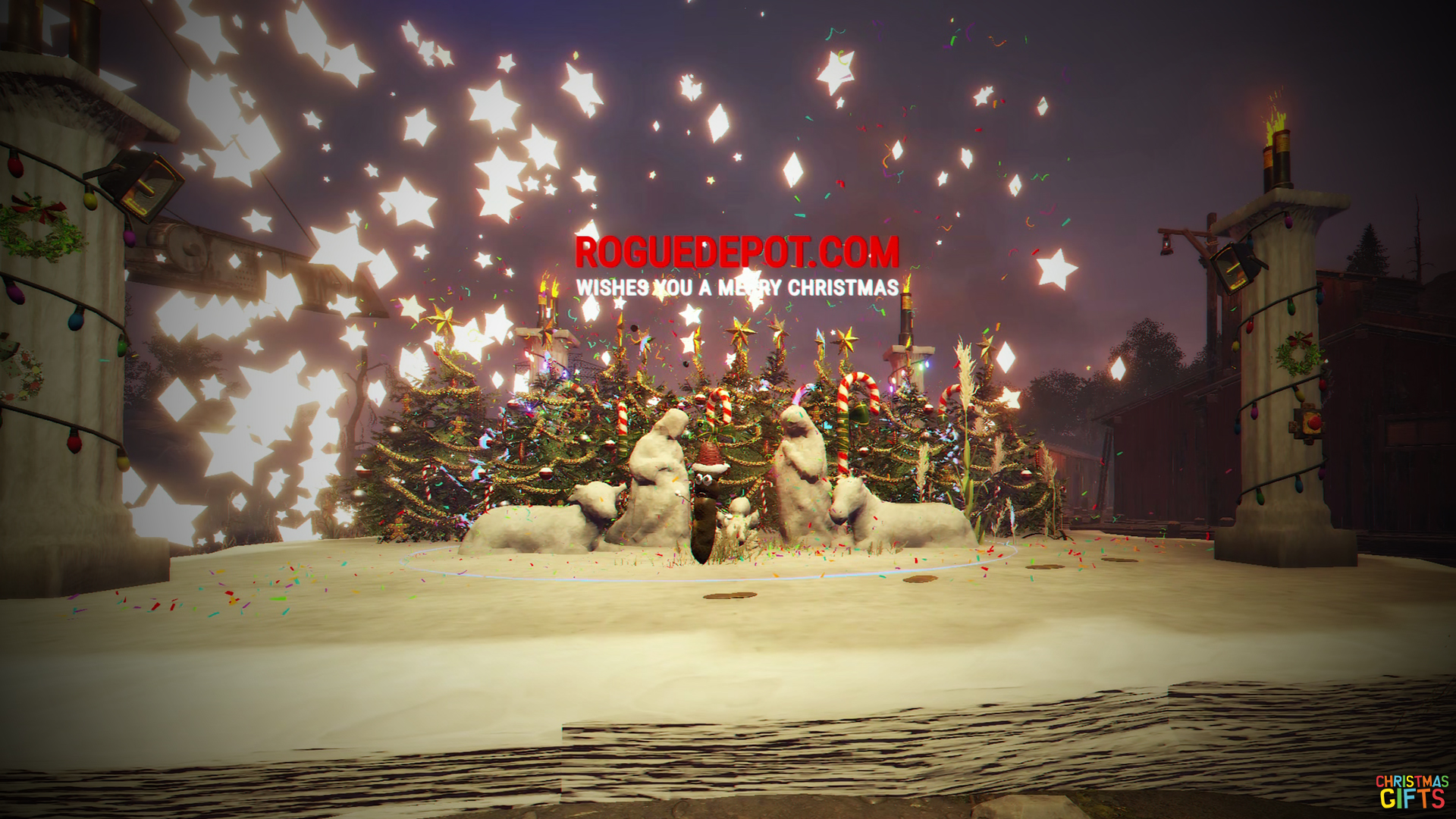
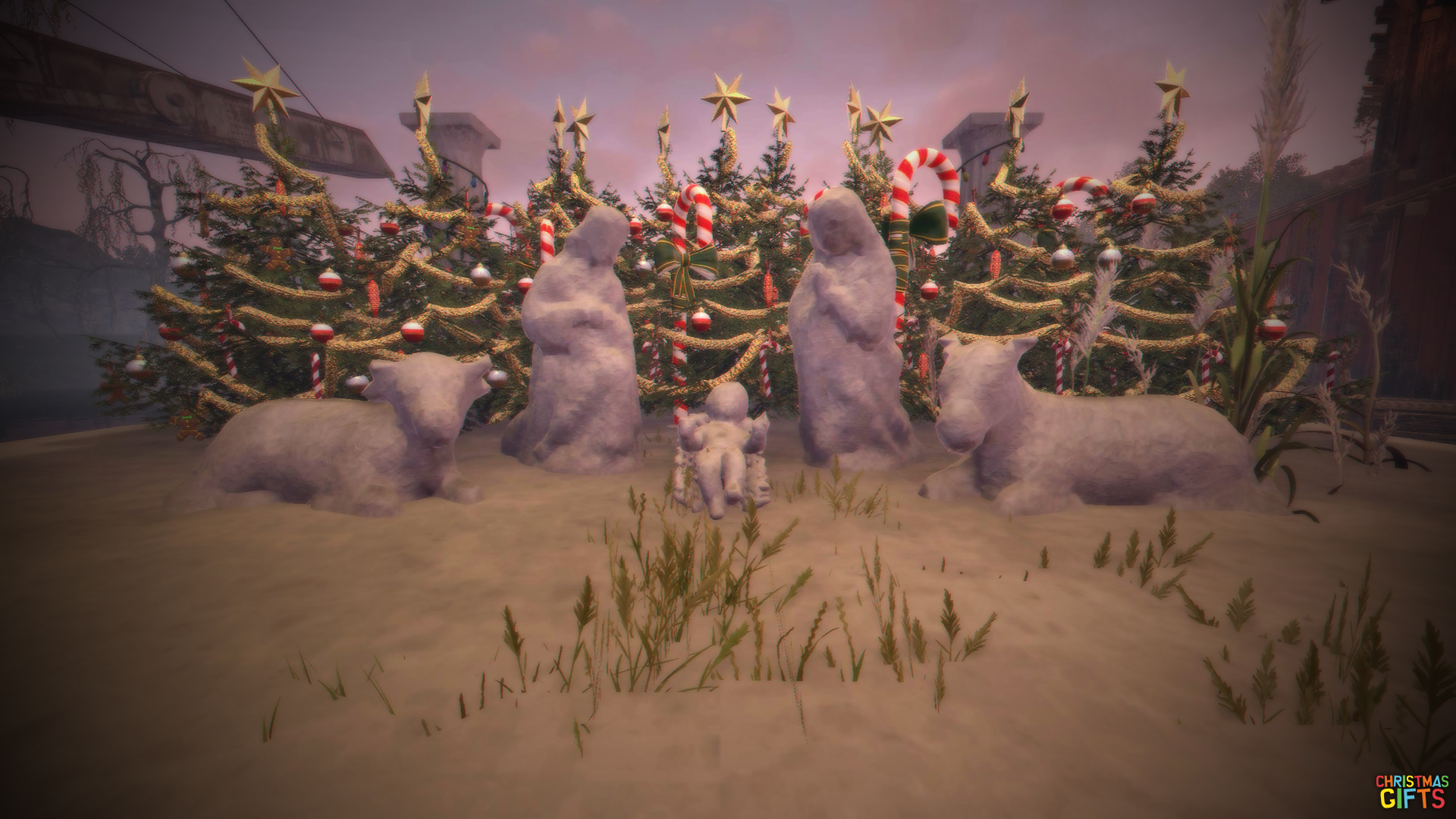
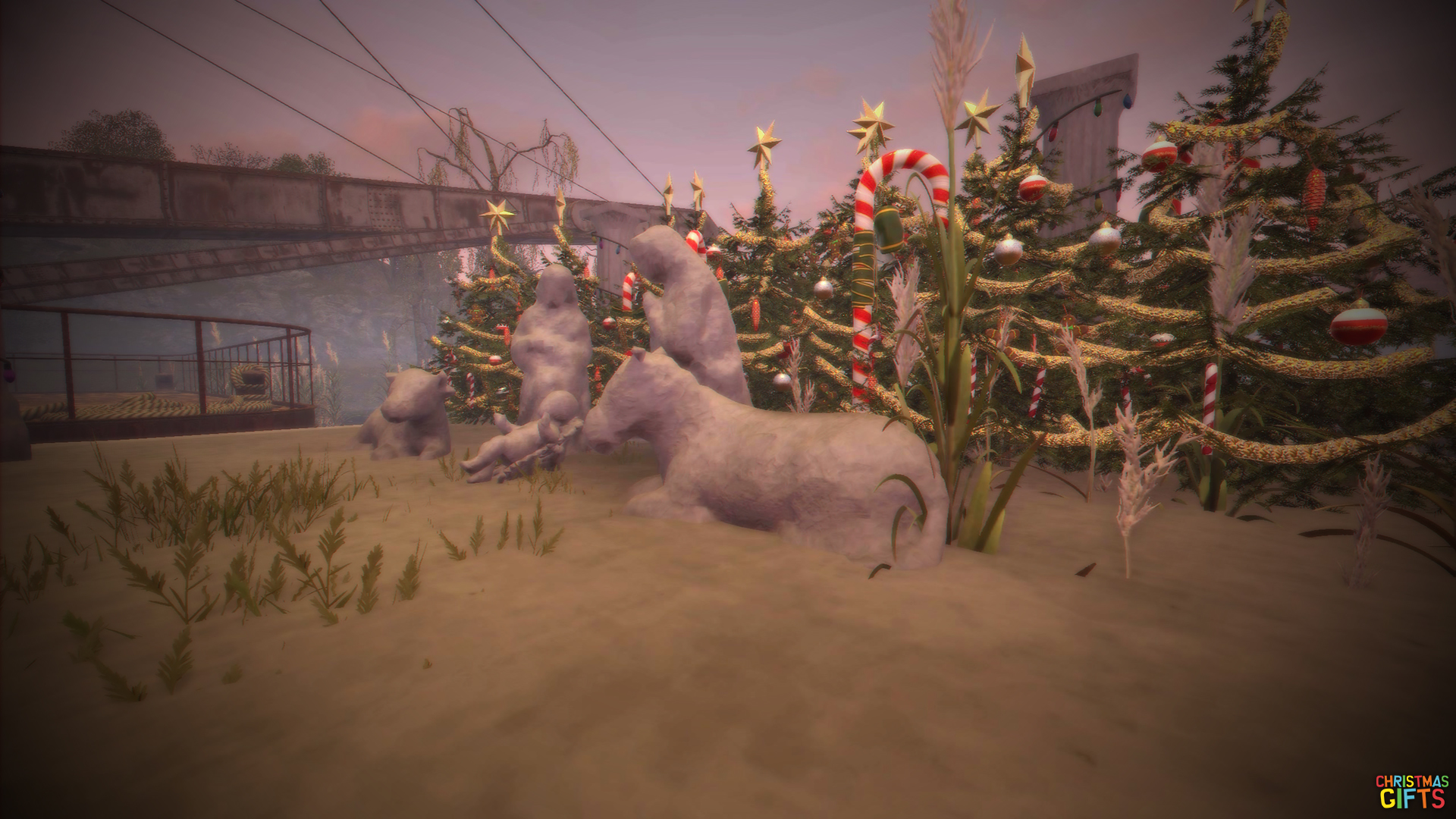
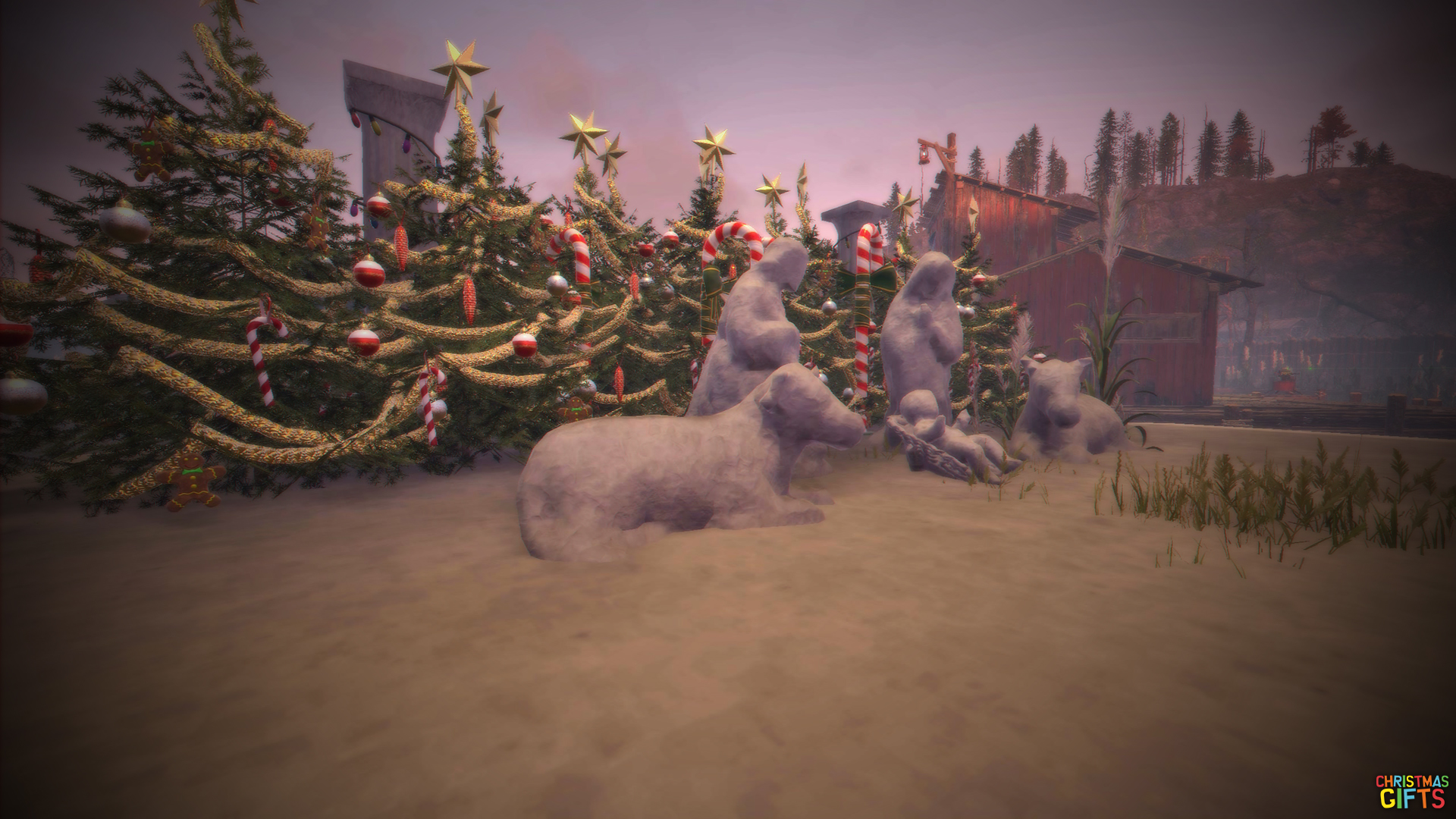
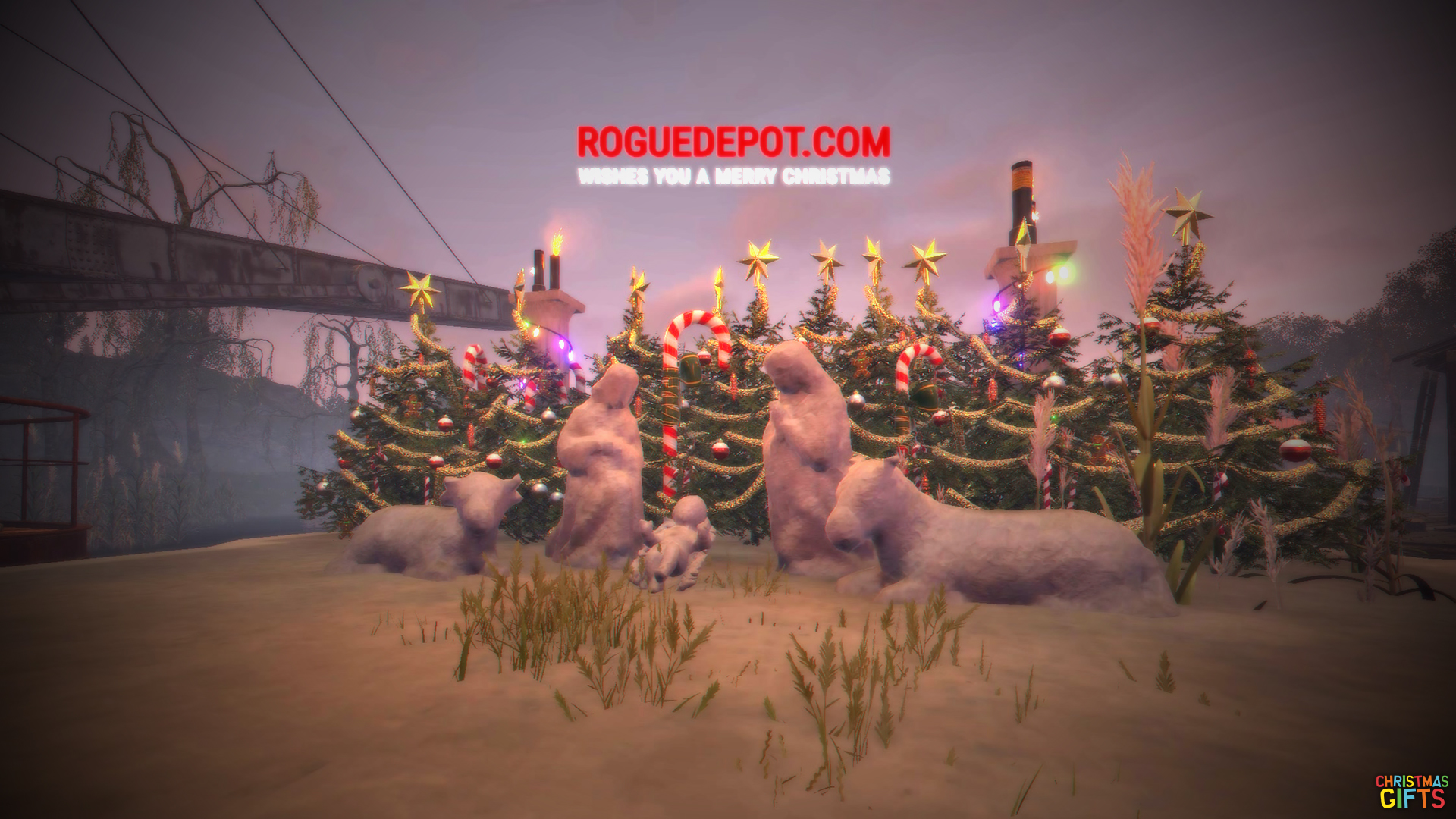
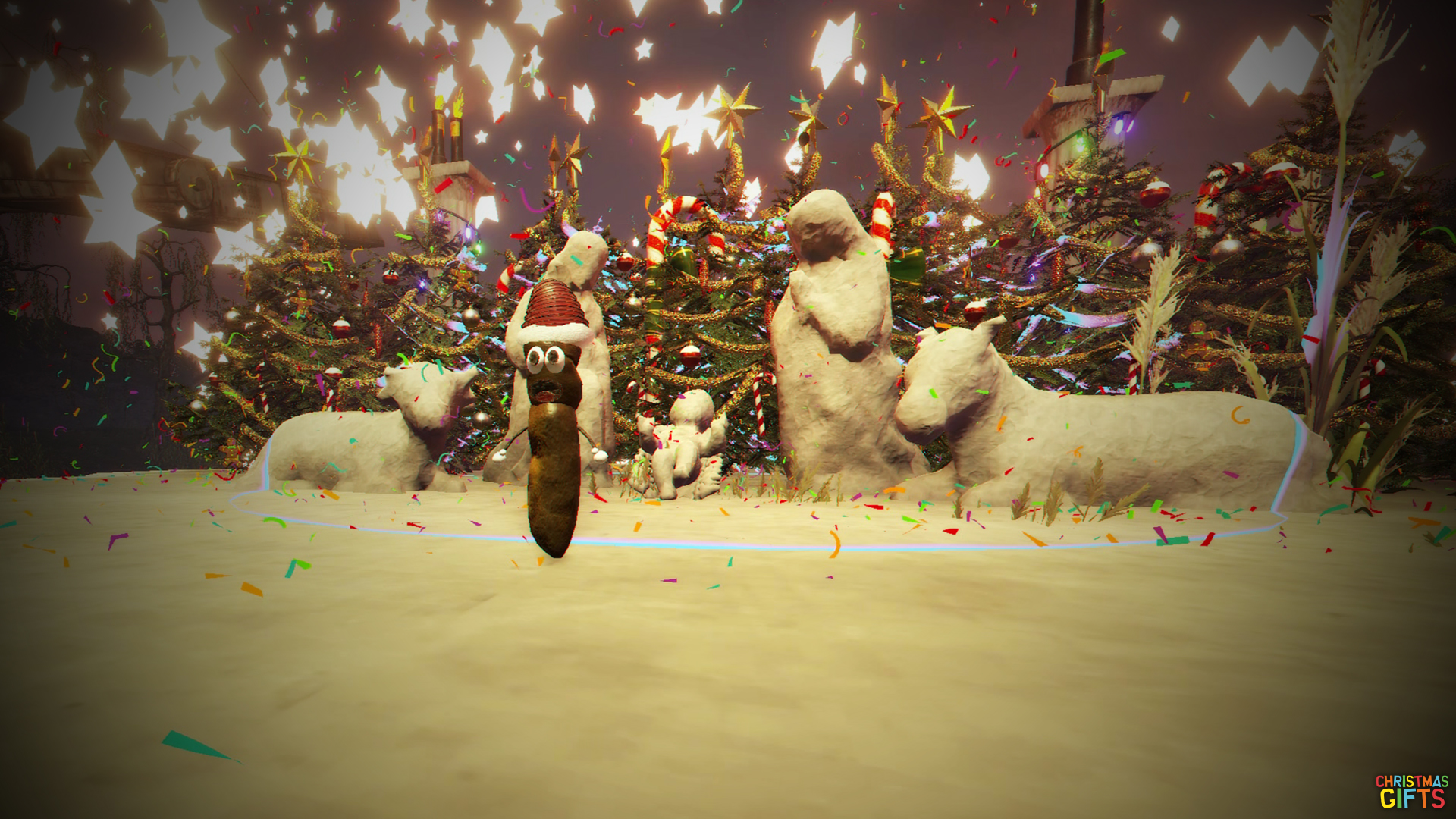
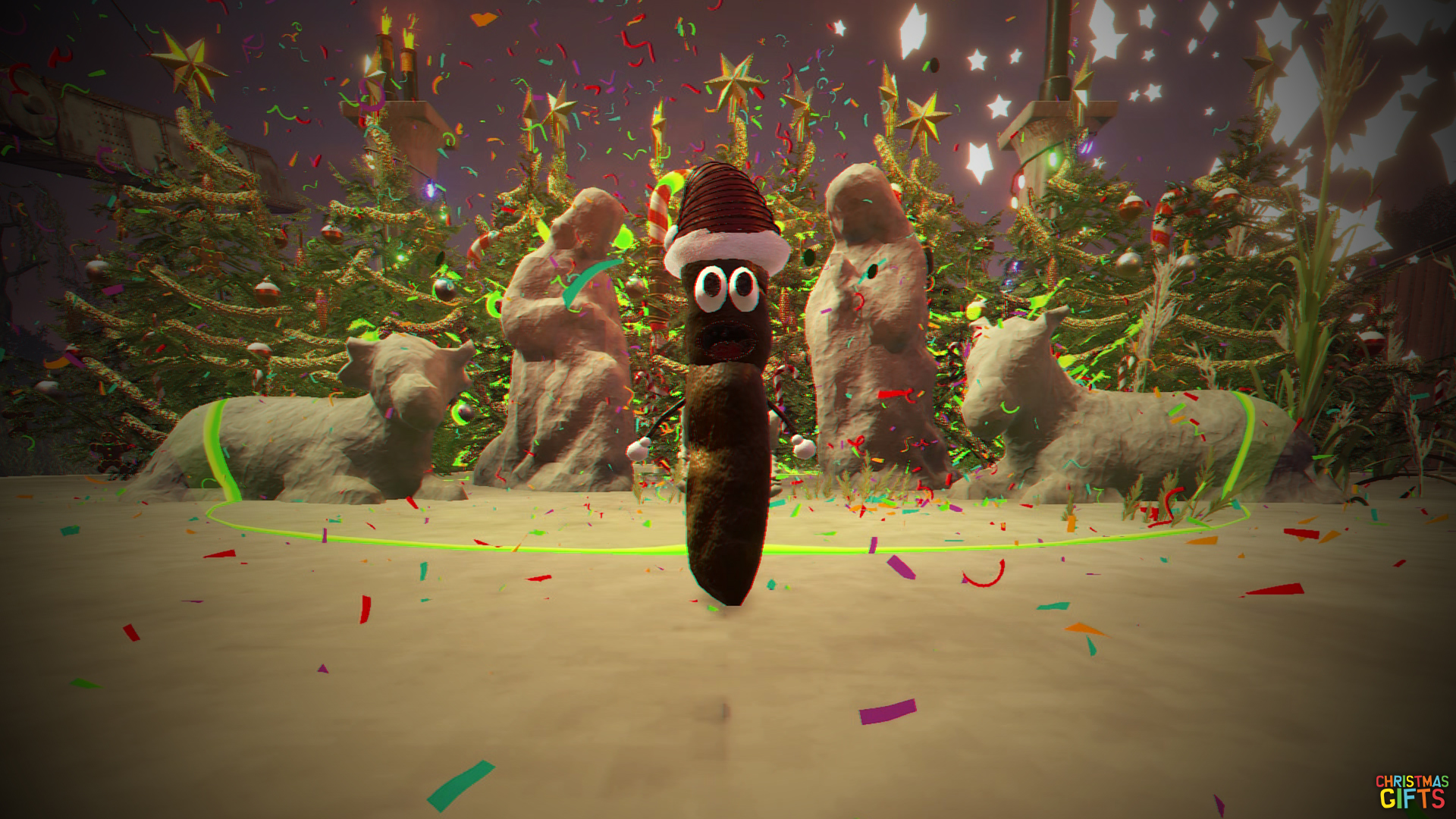
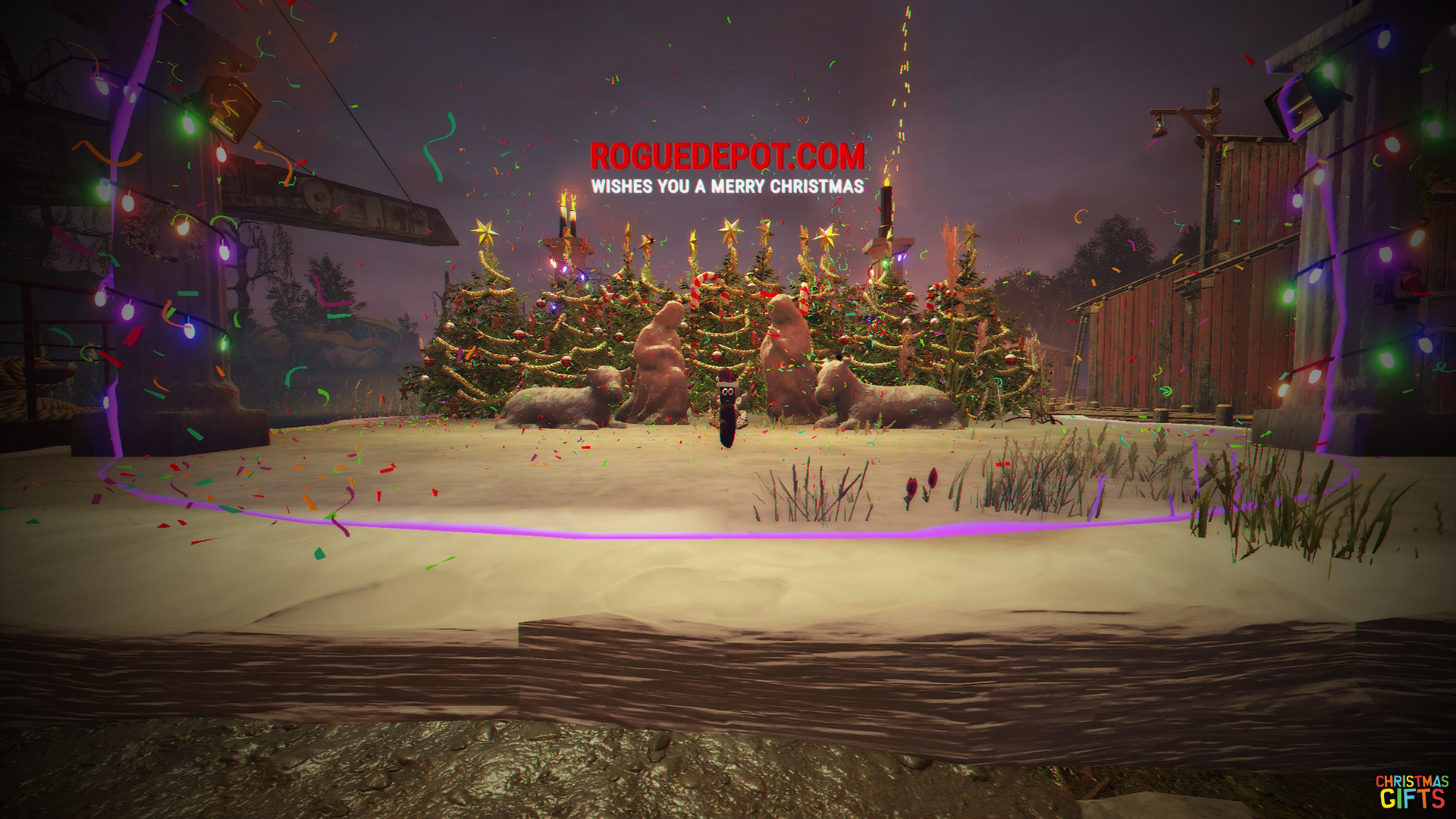
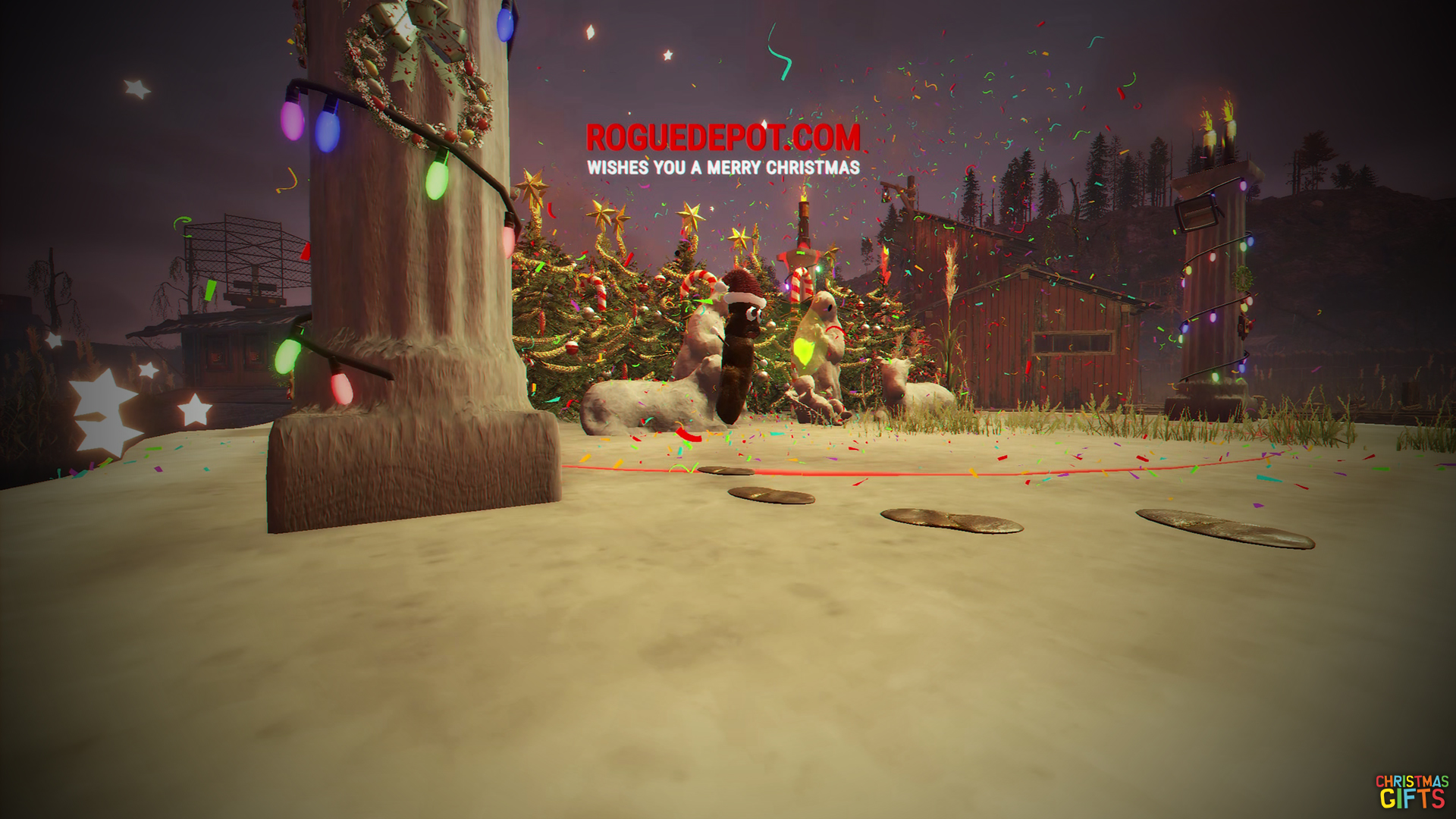
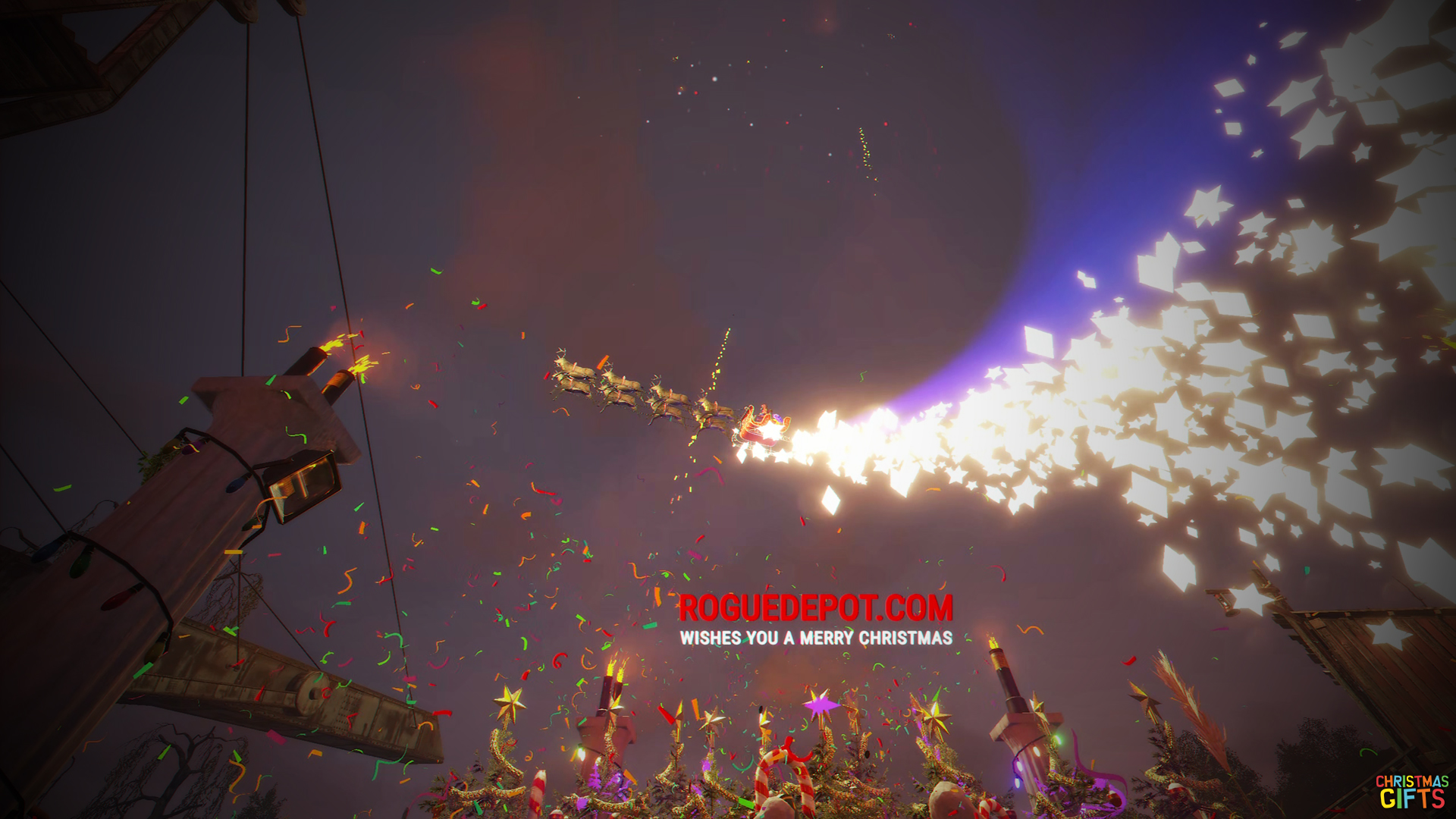
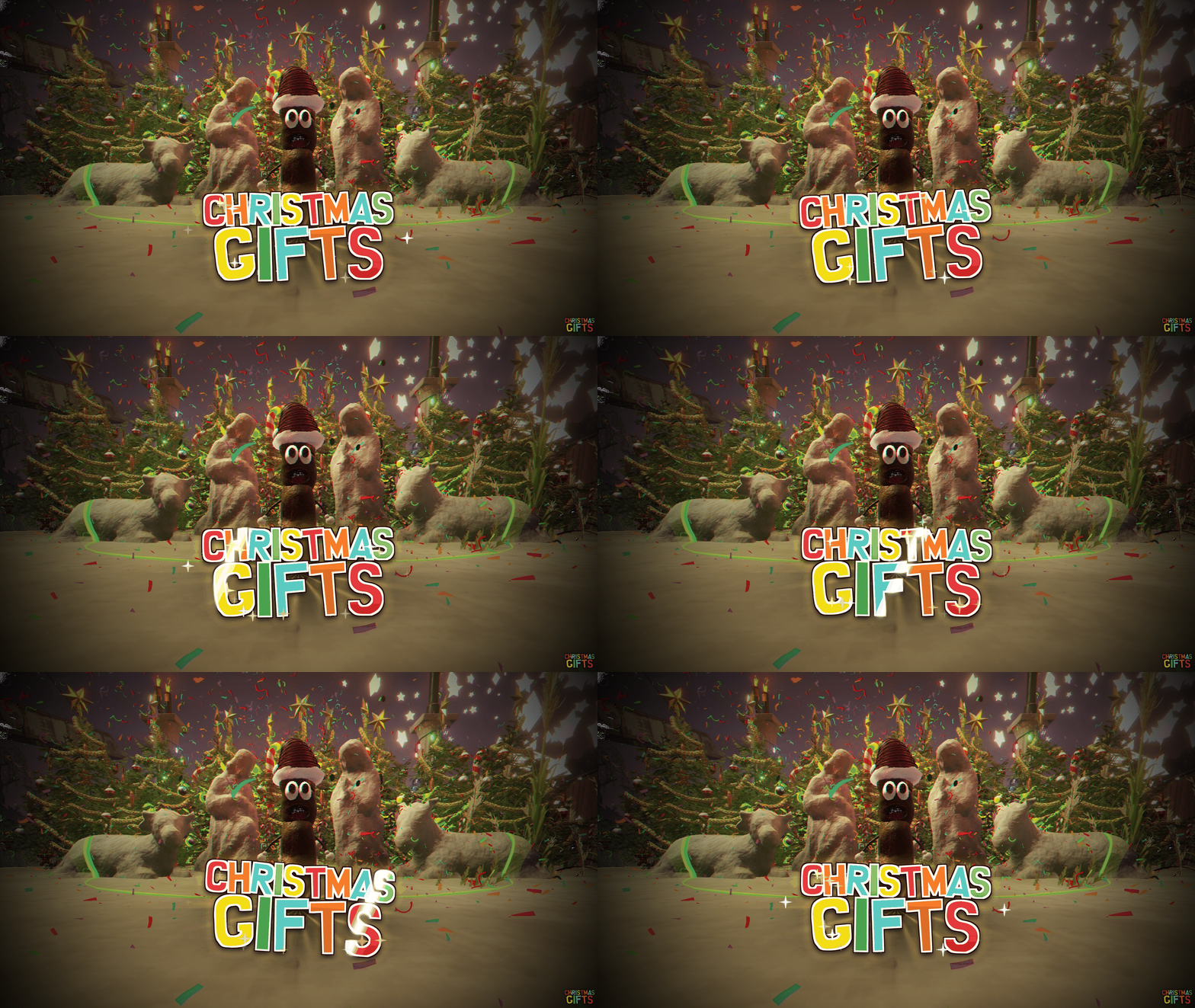
A Nativity scene of stone statues on a rock base, with Christmas trees, candy canes, wreaths and columns wrapped in lights. Press the button and the show begins: a song, fireworks, confetti and coloured spheres, Mr. Hankey comes out to dance, and Santa flies over the scene in his sleigh dropping Christmas presents for you.
CHRISTMAS GIFTS is a daily Christmas gift event for Rust that runs entirely on its own. Install one file and the scene places itself at Bandit Camp or the Outpost on any map. Every player gets one show and one set of presents per day, and every setting can be changed from a full-screen menu inside the game.
WHAT IS IN THE BOX
- A Nativity scene of stone statues: Joseph, Mary, the Baby Jesus in the manger, the ox and the donkey, on a rock base.
- Christmas decoration: Christmas trees, candy canes, wreaths, four columns with Christmas lights and floodlights at night.
- Daily gifts: one show per player per day, with presents that only that player can open.
- A Christmas show: song, fireworks, confetti, coloured spheres and floating text.
- Mr. Hankey dancing on the base, jumping from side to side.
- Santa's sleigh flying in circles over the scene and dropping the presents.
- A private turn: while a player receives their gifts, the scene is closed to everybody else.
- Automatic placement at Bandit Camp (default) or the Outpost, on any map.
- Custom loot for the presents, or the game's own present loot.
- An admin menu (/gift) with 8 pages, and 14 languages.
- One single file. It creates its own configuration and data. No dependencies.
THE SCENE
The statues are real stone sculptures of the game, standing on a rock base that follows the slope of the ground. Behind them stand the Christmas trees and the candy canes; around them, four columns wrapped in Christmas lights, with wreaths on the front ones and floodlights that switch on at night.
A fixed sphere surrounds the scene: inside it there is a safe zone, comfort and no building. Nobody can stay asleep or disconnected inside it: they are moved just outside.
HOW IT WORKS FOR THE PLAYERS
- PRESS THE BUTTON. It is on the front right column of the scene.
- THE SHOW STARTS. The song plays once, with fireworks from every column, confetti, coloured spheres and the floating text. The lights of the front columns change their animation to the music.
- MR. HANKEY DANCES. He comes out, jumps from side to side across the base, spins, swings his arms and leaves before the end.
- SANTA ARRIVES. His sleigh flies in circles over the scene and drops 8 presents (configurable) on the ground inside the sphere.
- OPEN YOUR PRESENTS. Only the player who pressed the button can open them. When Mr. Hankey leaves, a countdown starts: 5 minutes to open them (configurable). Presents left at the end disappear.
- YOUR OWN TURN. While it is your turn nobody else can press the button, other players are moved outside the sphere, and the edge of the sphere turns red.
- DON'T WANDER OFF. If you leave the sphere, disconnect or die, your presents disappear after 1 minute unless you come back.
- ONE GIFT A DAY. Each player can start one show per day. Pressing the button again shows a red warning with the time left. Level 2 admins can skip the limit (option).
A panel at the top right of the screen tells the player whose turn it is, how many presents are waiting and how long is left.
THE PRESENTS
- Two kinds of the game's own boxes, picked at random: the big present drop and the Christmas loot box. Both can be switched on or off.
- They fall softly to the ground and can be opened the moment they land.
- They fall on open ground, never on roofs or high places, and never behind the scene.
- Presents cannot be damaged, and nobody but their owner can open them.
- Loot: the game's present loot by default, or your own list with item icons, amounts, chances and skins.
AUTOMATIC PLACEMENT
The scene places itself at Bandit Camp (default) or at the Outpost, on a spot chosen by hand at each monument. The spot is stored relative to the monument, so it works on every map. If a map does not have that monument, the scene stays where it is. You can also place it yourself anywhere with /nat, and save your own spot for each monument from the menu.
ADMIN MENU: /gift
A full-screen menu where every change is saved at once.
- GENERAL - shows per day, the hour the day starts, admins without limit, warning time.
- SANTA & PRESENTS - sleigh height (one per place), flight radius, lap time, number and kinds of presents, time to open them.
- LOOT - your own loot for the presents, with item icons and an item picker.
- EFFECTS - song, fireworks, confetti, Mr. Hankey, portals, sleigh, spheres, floating text, column lights and floodlights, each on or off.
- TEXTS - the floating text, its colours and sizes.
- MESSAGES - every message the players see, on screen and in the chat.
- PLACEMENT - automatic placement at the Outpost or Bandit Camp, and where the presents fall at each place.
- LANGUAGE - the flag button at the top: each admin and player picks their language.
- ACTIONS - test show, stop the show, clear today's gifts.
14 LANGUAGES
Every text of the menu, the warnings on screen, the chat messages and the floating text is in 14 languages: English, Spanish, Portuguese (Brazil), French, German, Italian, Polish, Russian, Ukrainian, Turkish, Dutch, Chinese, Japanese and Korean. Everything is in English until a player picks another language with the flag button, and the choice is shared by every BADGYVER.COM plugin on the server.
Write your own text in any language in the menu and press Enter: the plugin translates it once with a free online translator and saves it in Oxide's language files, so every player reads it in their own language. The menu looks the same at any screen resolution and any UI scale.
WHAT IT NEVER DOES
- It never leaves anything behind: when the scene is removed or the plugin is unloaded, every piece goes, and after a restart the scene is rebuilt in the same spot.
- The statues and the decoration cannot be damaged or picked up.
- Nobody can build inside the sphere.
PERFORMANCE
Nothing checks areas all the time: the sphere tells the plugin when a player comes in or goes out. The show and its effects only exist while it plays, and the pieces of the scene are never written to your server save. Checked with the Carbon profiler.
COMMANDS AND PERMISSION
- /nat - places the scene in front of you (level 2 admins). It turns the automatic placement off.
- /nat remove - removes the scene (level 2 admins).
- /gift - opens the admin menu. The command name can be changed.
Permission christmasgifts.admin lets a player open /gift. Level 2 admins can always open it.
INSTALLATION
- Copy ChristmasGifts.cs into oxide/plugins/.
- The plugin creates all its files by itself.
- The scene appears on its own at Bandit Camp. To put it somewhere else, stand there and type /nat.
Written for Oxide (uMod). No other plugin is needed. The full guide, section by section, is in readme.txt inside the download.
ChristmasGifts.json
| 1 | { |
| 2 | "1. Daily gifts": { |
| 3 | "Shows each player can start per day": 1, |
| 4 | "The day starts at this hour (server time, 0-23)": 0, |
| 5 | "Level 2 admins skip the daily gift limit": true, |
| 6 | "Seconds the red warning stays on screen": 10.0 |
| 7 | }, |
| 8 | "2. Santa and his presents": { |
| 9 | "Flight height above the scene when placed with /nat (m)": 7.5, |
| 10 | "Circle radius (m, 4 - 13: the presents always fall inside the sphere)": 10.0, |
| 11 | "Seconds per lap": 14.0, |
| 12 | "Santa drops presents": true, |
| 13 | "Presents per show": 8, |
| 14 | "Presents left behind disappear this many seconds after their owner leaves the sphere": 60.0, |
| 15 | "Kinds of present (the game's own boxes, one picked at random each time)": [ |
| 16 | "assets/prefabs/misc/xmas/sleigh/presentdrop.prefab", |
| 17 | "assets/prefabs/missions/portal/proceduraldungeon/xmastunnels/loot/xmastunnellootbox.prefab" |
| 18 | ], |
| 19 | "Minutes to open the presents (countdown from when Mr. Hankey leaves)": 5.0 |
| 20 | }, |
| 21 | "3. Custom loot of the presents": { |
| 22 | "Use this custom loot instead of the game's present loot": false, |
| 23 | "Items per present (minimum)": 2, |
| 24 | "Items per present (maximum)": 4, |
| 25 | "Items": [ |
| 26 | { |
| 27 | "Item shortname": "scrap", |
| 28 | "Minimum amount": 25, |
| 29 | "Maximum amount": 75, |
| 30 | "Chance (%)": 100.0, |
| 31 | "Skin": 0 |
| 32 | }, |
| 33 | { |
| 34 | "Item shortname": "candycane", |
| 35 | "Minimum amount": 1, |
| 36 | "Maximum amount": 3, |
| 37 | "Chance (%)": 80.0, |
| 38 | "Skin": 0 |
| 39 | }, |
| 40 | { |
| 41 | "Item shortname": "snowball", |
| 42 | "Minimum amount": 4, |
| 43 | "Maximum amount": 10, |
| 44 | "Chance (%)": 60.0, |
| 45 | "Skin": 0 |
| 46 | }, |
| 47 | { |
| 48 | "Item shortname": "metal.refined", |
| 49 | "Minimum amount": 10, |
| 50 | "Maximum amount": 30, |
| 51 | "Chance (%)": 35.0, |
| 52 | "Skin": 0 |
| 53 | }, |
| 54 | { |
| 55 | "Item shortname": "ammo.rifle", |
| 56 | "Minimum amount": 20, |
| 57 | "Maximum amount": 60, |
| 58 | "Chance (%)": 35.0, |
| 59 | "Skin": 0 |
| 60 | }, |
| 61 | { |
| 62 | "Item shortname": "rifle.ak", |
| 63 | "Minimum amount": 1, |
| 64 | "Maximum amount": 1, |
| 65 | "Chance (%)": 3.0, |
| 66 | "Skin": 0 |
| 67 | } |
| 68 | ] |
| 69 | }, |
| 70 | "4. Effects of the show": { |
| 71 | "Song": true, |
| 72 | "Fireworks": true, |
| 73 | "Confetti": true, |
| 74 | "Mr. Hankey": true, |
| 75 | "Portal effects of Mr. Hankey": true, |
| 76 | "Santa's sleigh": true, |
| 77 | "Colour spheres": true, |
| 78 | "Floating text": true, |
| 79 | "Christmas lights of the columns": true, |
| 80 | "Floodlights at night": true, |
| 81 | "Floodlights - hour they turn on (0-23)": 20.0, |
| 82 | "Floodlights - hour they turn off (0-23)": 9.0 |
| 83 | }, |
| 84 | "5. Texts and colours": { |
| 85 | "Floating text - top line": "ROGUEDEPOT.COM", |
| 86 | "Floating text - top line colour": "#FF2020", |
| 87 | "Floating text - top line size": 60, |
| 88 | "Floating text - bottom line": "WISHES YOU A MERRY CHRISTMAS", |
| 89 | "Floating text - bottom line colour": "#FFFFFF", |
| 90 | "Floating text - bottom line size": 30, |
| 91 | "Daily limit warning - title": "DAILY GIFTS ALREADY CLAIMED", |
| 92 | "Daily limit warning - text ({time} = time left)": "You have already received your Christmas gifts today. Santa will be back for you in {time}.", |
| 93 | "Daily limit warning - colour": "#FF3B30", |
| 94 | "Chat - show started": "Ho ho ho! Santa is on his way with your Christmas gifts!", |
| 95 | "Chat - show already running": "Santa is already here for you: enjoy the show and open your presents!", |
| 96 | "Scene busy warning - title": "SANTA IS BUSY", |
| 97 | "Scene busy warning - text ({name} = the player receiving gifts)": "{name} is receiving their Christmas gifts. The scene is closed until they have opened all their presents. Come back in a moment!", |
| 98 | "Chat - sent out of the scene ({name})": "Santa is delivering gifts to {name}: you have been moved out of the scene until they have opened them.", |
| 99 | "Top right message - title": "YOUR CHRISTMAS GIFTS", |
| 100 | "Top right message - text ({minutes} = time to open them, {seconds} = time after leaving)": "Only you can open your presents and nobody else can enter the scene until you have opened them all. When Mr. Hankey leaves you have {minutes} minutes to open them. If you leave the sphere, the presents still here disappear after {seconds} seconds.", |
| 101 | "Top right message - countdown ({time})": "Your presents disappear in {time}", |
| 102 | "Top right message - before the countdown": "The countdown starts when Mr. Hankey leaves", |
| 103 | "Top right message - presents waiting ({count})": "Presents waiting for you: {count}", |
| 104 | "Top right message - after leaving ({seconds})": "You left the scene! Your presents disappear in {seconds} s", |
| 105 | "Top right message - colour": "#FF991F", |
| 106 | "Chat - present of another player ({name})": "This present is a gift for {name}.", |
| 107 | "Chat colour": "#7CDB52" |
| 108 | }, |
| 109 | "6. Menu": { |
| 110 | "Chat command of the menu": "gift", |
| 111 | "Menu text size (1 small - 2 very big)": 1.35 |
| 112 | }, |
| 113 | "7. Automatic placement": { |
| 114 | "Where the scene appears by itself (None, Outpost, Bandit)": "Bandit", |
| 115 | "Outpost spot is set": true, |
| 116 | "Outpost spot - metres to the right of the monument's centre": 20.41, |
| 117 | "Outpost spot - metres in front of the monument's centre": 32.53, |
| 118 | "Outpost spot - turn from the monument's facing (degrees)": -90.8, |
| 119 | "Bandit Camp spot is set": true, |
| 120 | "Bandit Camp spot - metres to the right of the monument's centre": 20.64, |
| 121 | "Bandit Camp spot - metres in front of the monument's centre": -27.1, |
| 122 | "Bandit Camp spot - turn from the monument's facing (degrees)": 42.2, |
| 123 | "Santa's flight height at the Outpost (m)": 7.5, |
| 124 | "Santa's flight height at Bandit Camp (m)": 16.0, |
| 125 | "Where the presents fall when placed with /nat (Sides, Front, FrontAndSides)": "Sides", |
| 126 | "Where the presents fall at the Outpost (Sides, Front, FrontAndSides)": "Front", |
| 127 | "Where the presents fall at Bandit Camp (Sides, Front, FrontAndSides)": "Front" |
| 128 | } |
| 129 | } |

Trusted hosting partner. Affordable game servers with solid support and panels.
Visit site ↗