
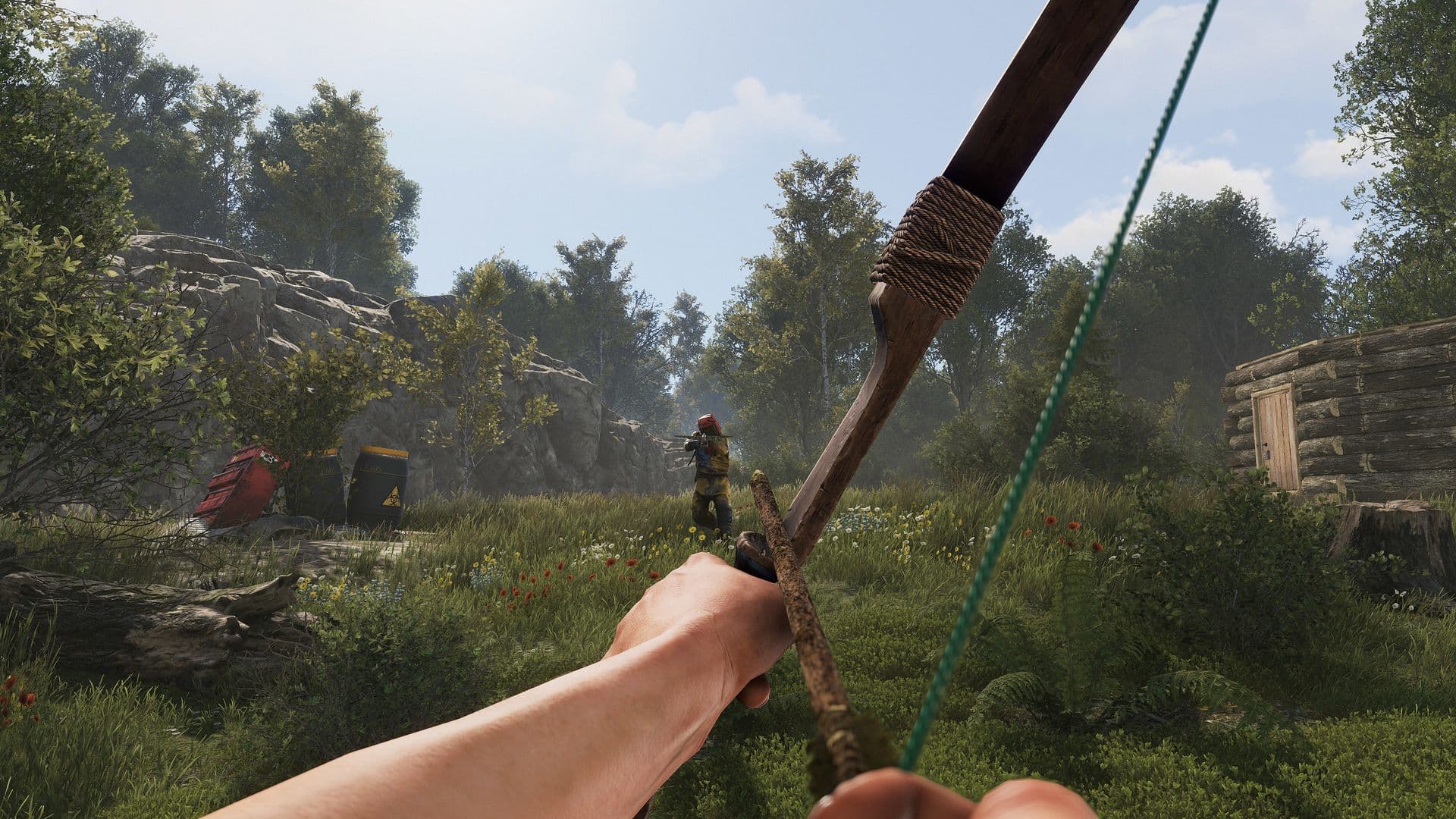
Secure Lock
 TheGamingChurch
 1 / 10

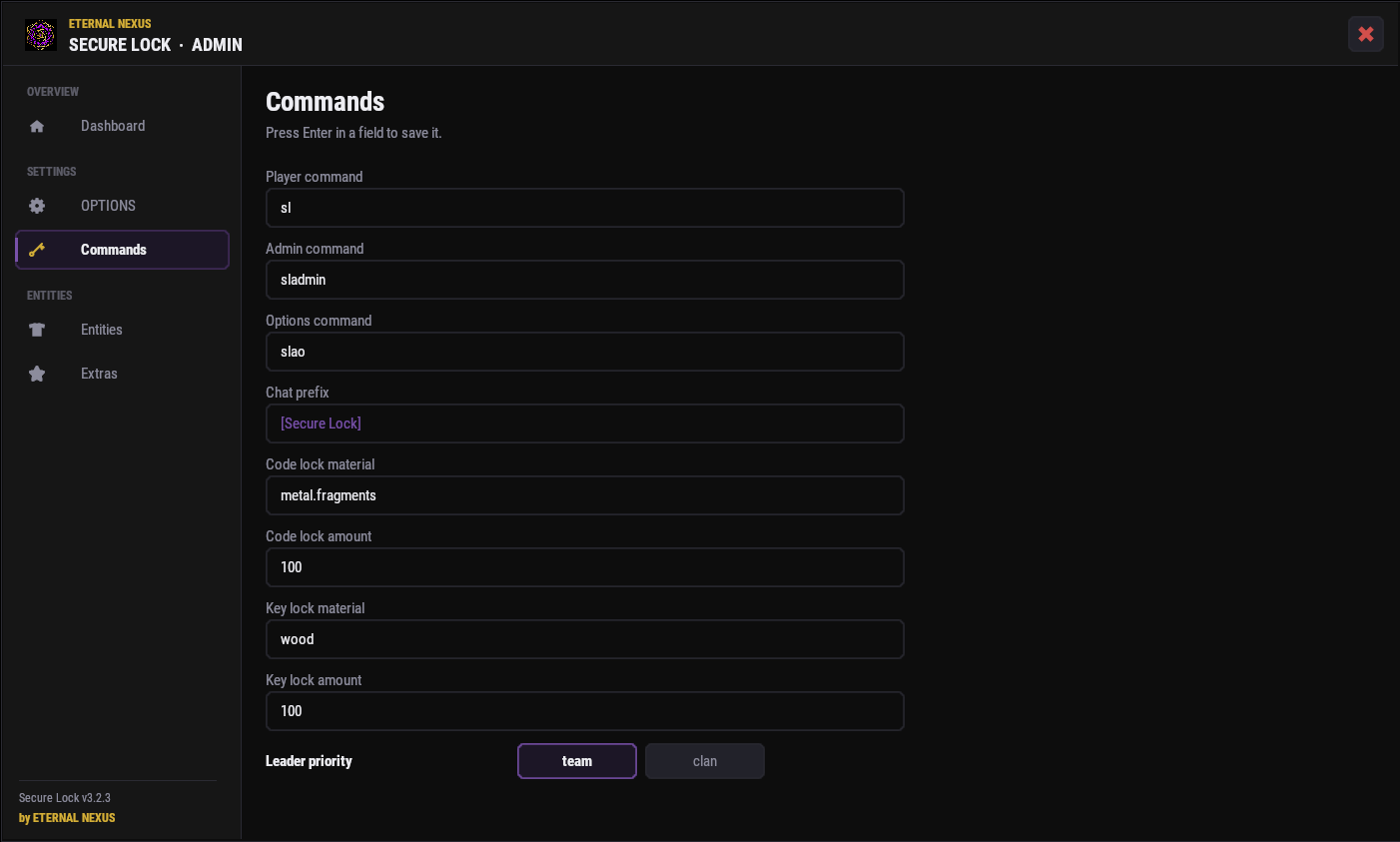
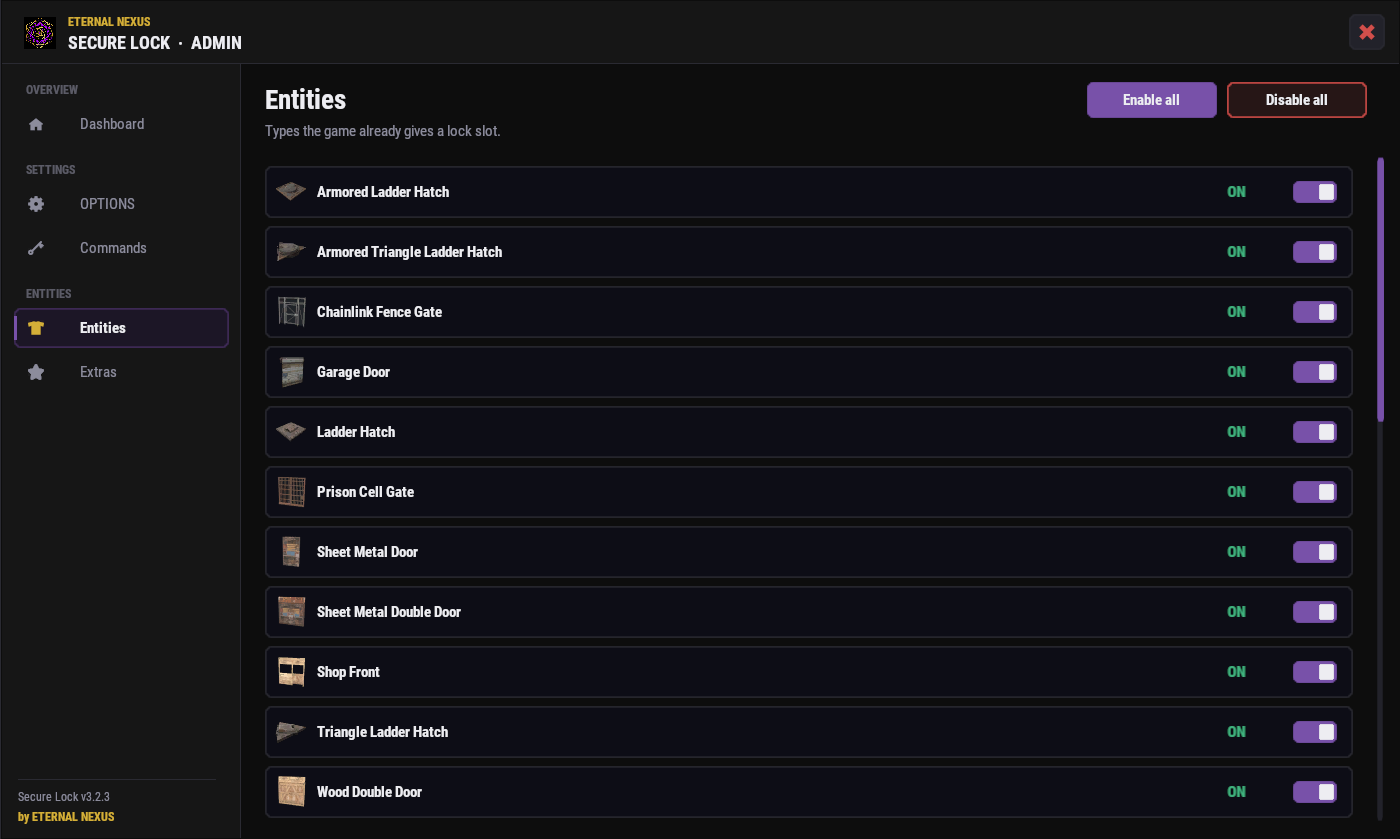
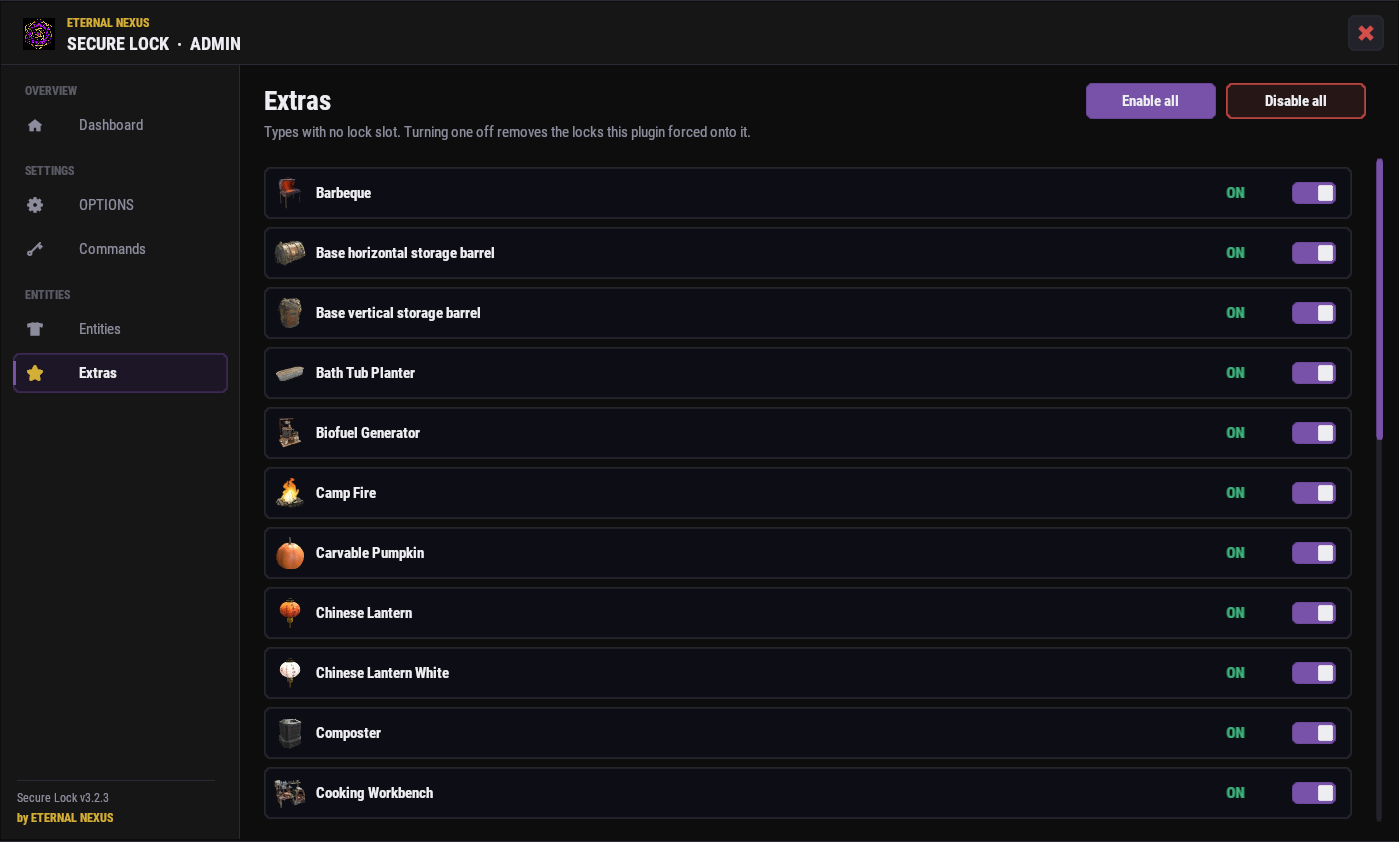
Ever wanted to have the ability to just adjust everything from in-game? Are you sick of having to always go all the way into file directories to make any minor adjustment? Well look No further.
Eternal Nexus - TGC
Our skill is making Plugins that are fully configurable from in game. So you don't have to do things the hard way. Now, There"s an easy way.
Secure Lock (by ETERNAL NEXUS - TGC)
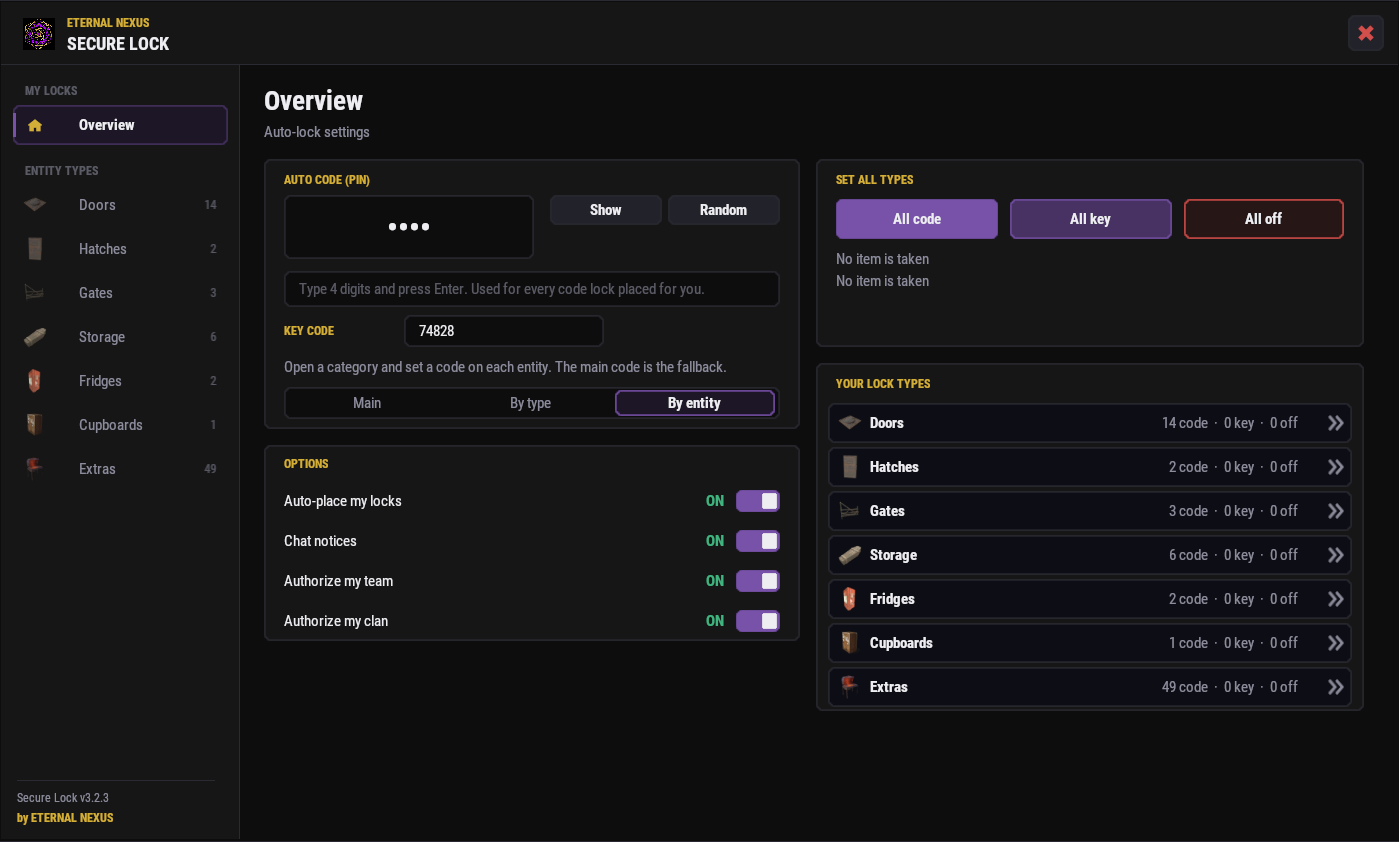
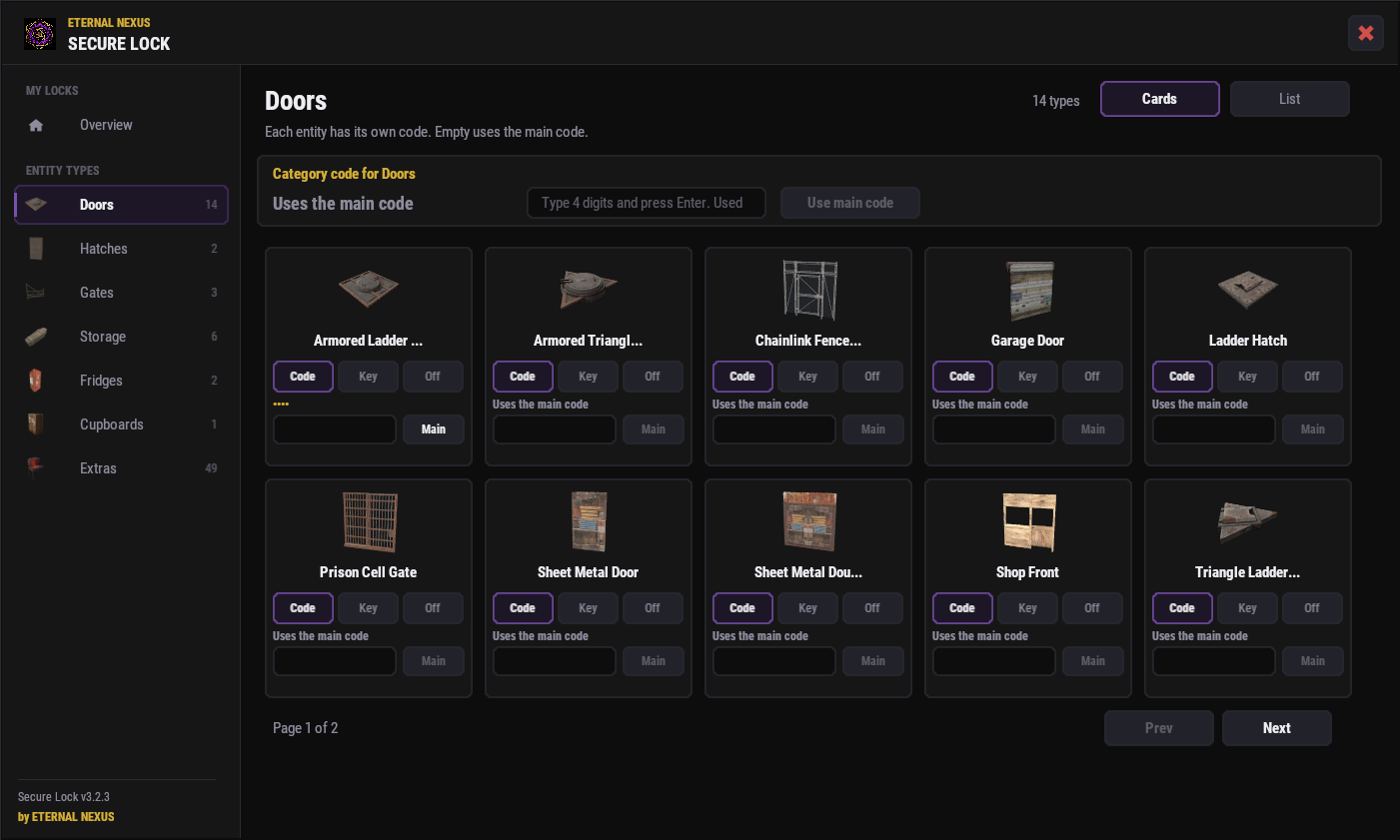
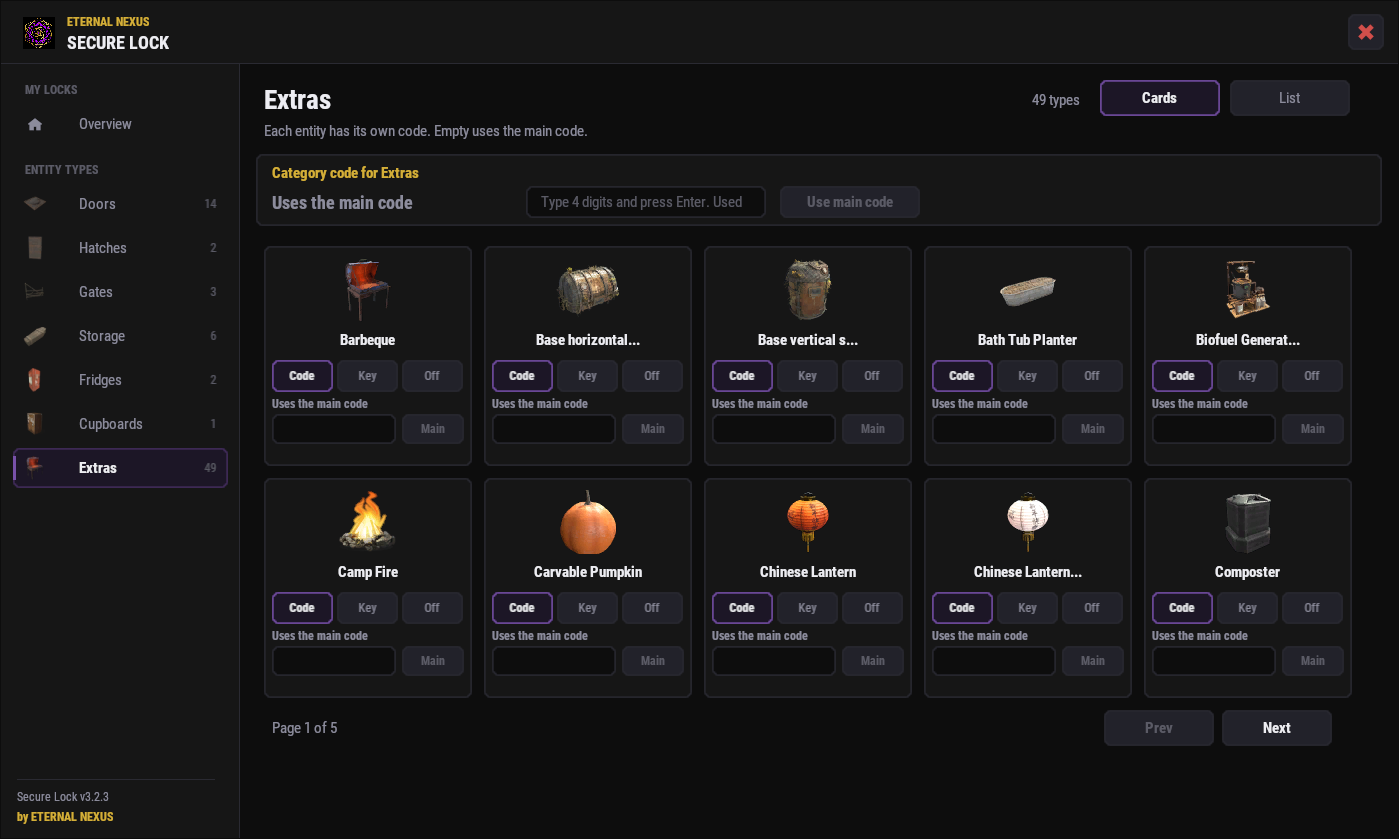
Secure Lock puts a code lock onto lockable Entities. Each player chooses, per entity type, whether it
gets a Code lock, a Key lock, or nothing (Off) And they can choose if they want seperate codes per "Catagory" or per "Entity" (Default is a one code for all).
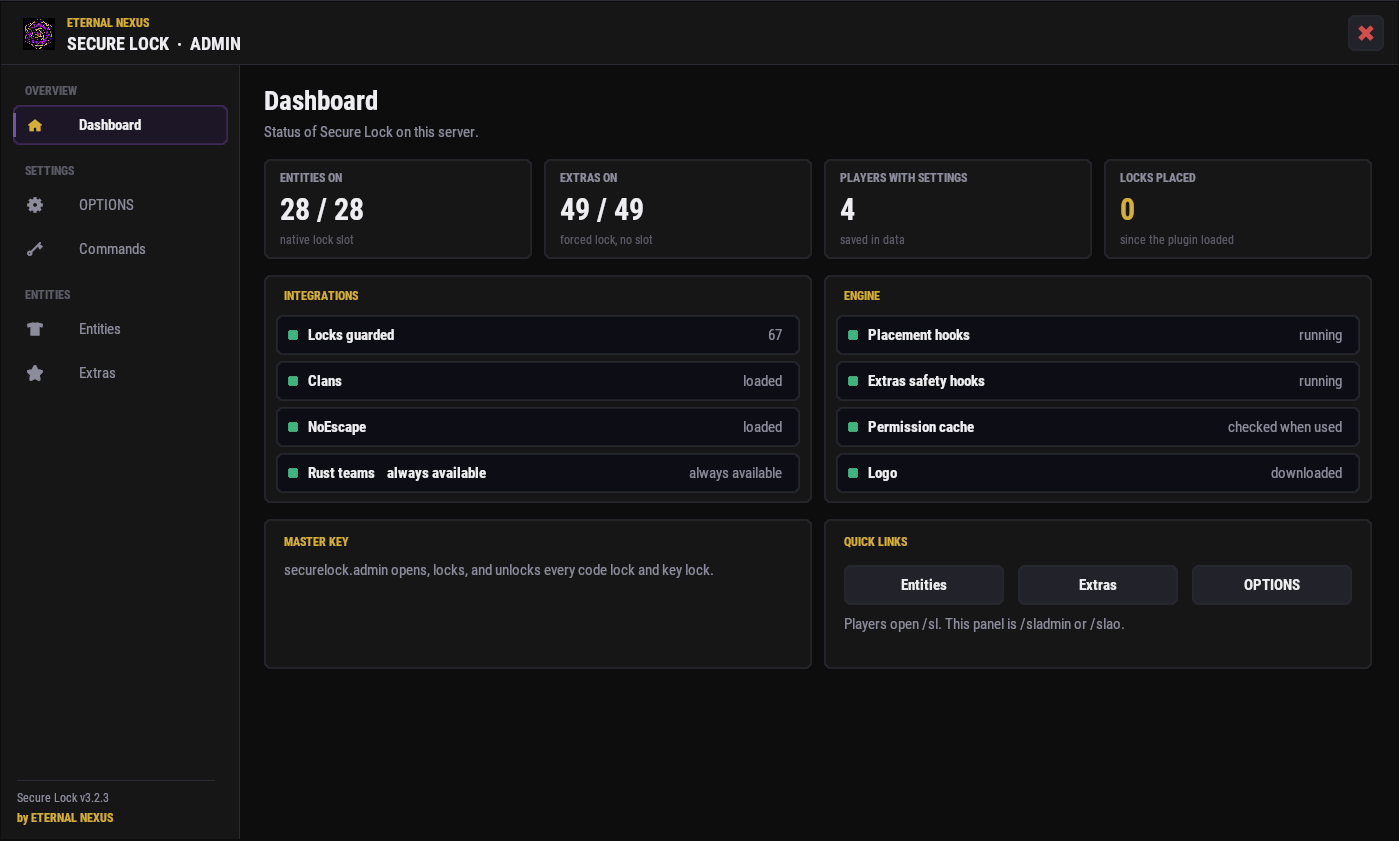
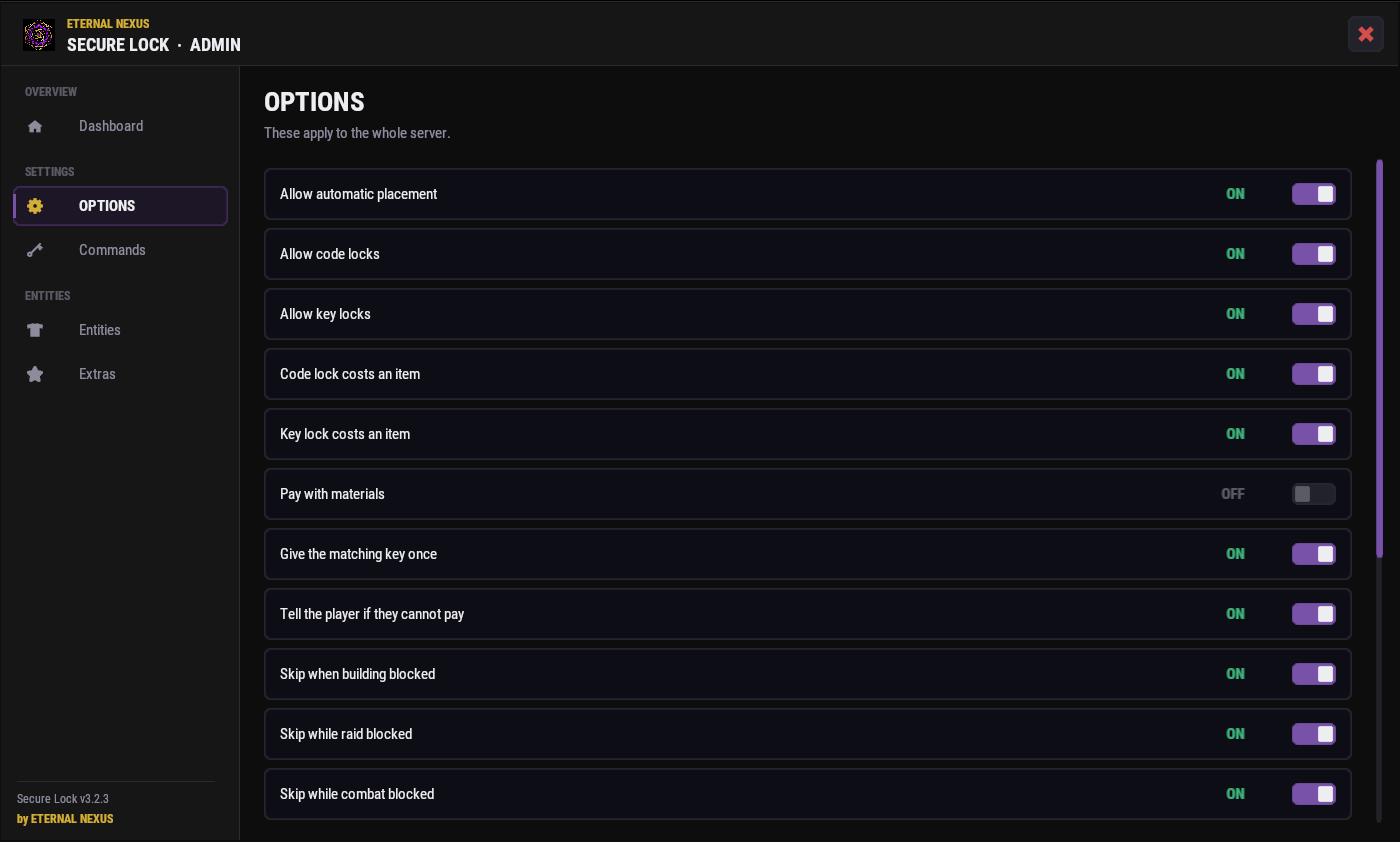
Admins decide which types are allowed, what it costs, who can use it, and can edit every setting in game.
Admins also are given other tools
Admins can lock and Unlock ANYONEs locks without wiping the users Auth
Admins can Open and Close ANY doors
Install
- Copy
SecureLock.csintooxide/plugins/. - Grant the basic permission:
oxide.grant group default securelock.use - Grant yourself admin:
oxide.grant user <yourname> securelock.admin - Optional plugins (all are detected automatically, nothing breaks without them):
ImageLibrary (pictures), Clans (clan authorize / clan leader), NoEscape (raid & combat block).
Commands
| Command | Who | What it does |
|---|---|---|
/sl | securelock.use | Opens your Secure Lock window. |
/sl pin 1234 (or /sl code 1234) | securelock.use | Sets your 4-digit auto-lock PIN from chat. |
/sl notices | securelock.use | Turns your chat notices on/off. |
/sl help | securelock.use | Short help. |
/sladmin | securelock.admin | Admin panel, opens on the Entity types tab. |
/slao | securelock.admin | Admin panel, opens on the General tab. |
All three command names can be changed in the admin panel (General tab) or config; changes apply immediately.
The window buttons use the console commands securelock.ui and securelock.admin internally (they check permissions themselves).
Permissions (complete list)
| Permission | Meaning |
|---|---|
securelock.use | Use Secure Lock: open /sl and get automatic locks. |
securelock.admin | Open /sladmin and /slao and change every setting. |
securelock.free.codelock | Automatic code locks cost this player nothing. |
securelock.free.keylock | Automatic key locks cost this player nothing. |
securelock.leader.team | A Rust team leader may apply their lock settings to members' new locks (only if the admin turned Leader override ON). |
securelock.leader.clan | A clan owner (Clans plugin) may do the same for clan members (Leader override ON). |
securelock.entity.<shortname> | One per entity type, e.g. securelock.entity.door.hinged.metal, securelock.entity.box.wooden.large, securelock.entity.cupboard.tool. Only checked when "Require per-entity permissions" is ON (default OFF, then securelock.use covers every enabled type). Spaces and odd characters in a shortname become _ (e.g. securelock.entity.mini_fridge). The full live list is on the admin Permissions tab. |
Example - only VIPs may auto-lock tool cupboards:
turn on Require per-entity permissions, then grant all the other securelock.entity.* to default and securelock.entity.cupboard.tool to vip.
Leader override (default OFF)
Admin turns ON Leader override (Team & clan tab). A team leader with securelock.leader.team (or clan owner with securelock.leader.clan) then turns on
Team uses my locks / Clan uses my locks. From then on, new locks placed by their members use the leader's Code/Key/Off choice per type and the
leader's PIN / key code, and the leader is authorized too. Existing locks are never touched. Members still pay the lock cost themselves.
If both a team leader and a clan owner override, Leader priority (Team or Clan) decides. Members see a gold note in their window while it applies. This does not show the leaders code. (You can decide if you want it shown or hidden from your team)
Integrations
- ImageLibrary
- Clans
- NoEscape
- Rust teams: built in.
Files
- Config:
oxide/config/SecureLock.json(self-documenting; see CONFIG_GUIDE.md). A broken config is not overwritten - defaults are used in memory and an error is printed. - Player data:
oxide/data/SecureLock/players.json(PIN, key code, choices).
SecureLock.json
| 1 | { |
| 2 | "General": { |
| 3 | "Player command": "sl", |
| 4 | "Admin command": "sladmin", |
| 5 | "Admin options command": "slao", |
| 6 | "Chat prefix": "<color=#7851A9>[Secure Lock]</color>", |
| 7 | "Require per-entity permissions (securelock.entity.<shortname>)": false, |
| 8 | "Show entity types without permission greyed out": false, |
| 9 | "Skip when building blocked": true, |
| 10 | "Play lock deploy sound": true, |
| 11 | "Log auto-locks to console": false |
| 12 | }, |
| 13 | "Lock types and costs": { |
| 14 | "Allow code locks": true, |
| 15 | "Allow key locks": true, |
| 16 | "Code lock needs a Code Lock item (consumed)": true, |
| 17 | "Key lock needs a Key Lock item (consumed)": true, |
| 18 | "Tell player when the item is missing": true, |
| 19 | "Give one matching key the first time a key lock is auto-placed": true, |
| 20 | "Allow automatic placement": false, |
| 21 | "Pay with materials instead of the lock item": false, |
| 22 | "Code lock material": "metal.fragments", |
| 23 | "Code lock material amount": 100, |
| 24 | "Key lock material": "", |
| 25 | "Key lock material amount": 100 |
| 26 | }, |
| 27 | "Team and clan": { |
| 28 | "Allow auto-authorizing team members": true, |
| 29 | "Allow auto-authorizing clan members (Clans plugin)": true, |
| 30 | "Leader override enabled": false, |
| 31 | "Leader override priority (Team or Clan)": "Team" |
| 32 | }, |
| 33 | "Raid and combat block (NoEscape)": { |
| 34 | "Skip while raid blocked": true, |
| 35 | "Skip while combat blocked": true |
| 36 | }, |
| 37 | "Defaults for new players": { |
| 38 | "Chat notices": true, |
| 39 | "Authorize team": true, |
| 40 | "Authorize clan": true, |
| 41 | "Lock type per category": { |
| 42 | "Doors": "Code", |
| 43 | "Hatches": "Code", |
| 44 | "Gates": "Code", |
| 45 | "Storage": "Code", |
| 46 | "Fridges": "Code", |
| 47 | "Tool Cupboards": "Code", |
| 48 | "Extras": "Code" |
| 49 | } |
| 50 | }, |
| 51 | "Player UI": { |
| 52 | "Cards per row (3-8)": 5, |
| 53 | "Use ImageLibrary pictures when available": true, |
| 54 | "Dim the screen behind the window": true, |
| 55 | "List rows per page (20-70)": 24 |
| 56 | }, |
| 57 | "Theme colors (hex #RRGGBB or #RRGGBBAA)": { |
| 58 | "Background": "#0B0B0E", |
| 59 | "Panel": "#131318", |
| 60 | "Panel alt": "#1B1B22", |
| 61 | "Accent (royal purple)": "#7851A9", |
| 62 | "Gold": "#D4AF37", |
| 63 | "Text": "#EDEDF2", |
| 64 | "Muted text": "#8C8C9C", |
| 65 | "Danger (red)": "#D2504B", |
| 66 | "Good (green)": "#3FB37F", |
| 67 | "Logo URL (https link; empty = oxide/data/SecureLock/images/logo.png)": "https://www.dropbox.com/scl/fi/rm3lzg0gvj54j058es6rb/TGC_LOGO_512.png?rlkey=7s2e4usn4w8nyd68zg0qeixga&st=cgvxteqs&dl=1" |
| 68 | }, |
| 69 | "Entities (native lock slot): shortname -> enabled": {}, |
| 70 | "Extras (forced lock, no native slot): shortname -> enabled": {} |
| 71 | } |

Trusted hosting partner. Affordable game servers with solid support and panels.
Visit site ↗