Teleport Grenades
 ZEODE
ZEODE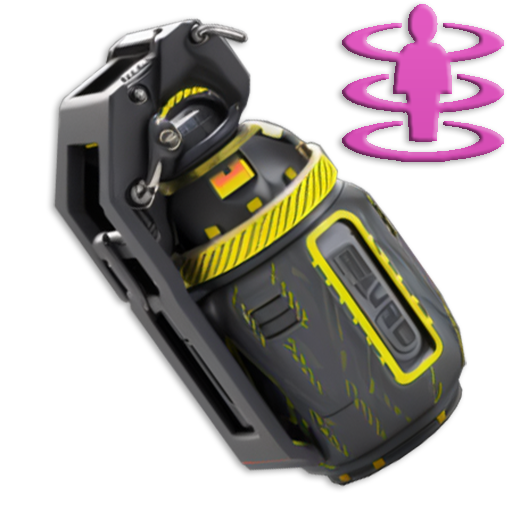
About Teleport Grenades
This plugin allows users with permission to throw a custom grenade, which when it explodes, teleports the player to its location.
The time between throwing the grenade and teleporting to it can be configured to whatever times you like. You can have as many different grenades as you want, all with different fuse lengths if you would like.
In the config file, you can control whether players can use while mounted, while building blocked and also set a maximum range (meters) which they work.
It's a lot of fun, and players will find all sorts of fun ways to use them to their advantage. For example, imagine setting the fuse length (if allowed in the config) to several minutes, then dropping it on the floor of your base before going out for a roam or farm and then after fuse time expires, you instantly teleport back to the safety of your base.
Or, if allowed within building blocked zones, players could use them to exploit weaknesses in other players bases, any open windows or roof access could quite literally now become a portal into their base!
The possibilities are endless, only limited by your players imagination (and your configuration! :D)
Teleport Grenade SkinID: 3338854123
Permissions:
- teleportgrenades.admin (to use give & clear cooldown commands)
- teleportgrenades.buy (to use /tpgbuy command)
- teleportgrenades.bypasscooldown
- teleportgrenades.use
Default Commands (Prefix with / for chat command):
- tpgbuy <FuseLength> <Amount> (requires buy perm)
- tpggive <PlayerName> <Amount> <FuseLength> (requires admin perm)
- tpgclearcd <Playername> (requires admin perm)
- tpgclearcd (requires admin perm)
- tpgfuse <FuseLength> (Set the fuse length of the item you are holding)
How it works:
Server owners can place TP Grenades in their loot tables using the smoke grenade item (ItemID: 1263920163) and the SkinID above, then they must use a custom name. By default, the plugin issues grenades using the name "Teleport Grenade", but the way this plugin works, players can choose to buy TP Grenades with whatever fuse length they want.
For example, if a player wants a 3 second fuse, they purchase using the command "tpgbuy 3". The item which appears in their inventory will be called "Teleport Grenade (3 sec)".
The display name is IMPORTANT, since the plugin uses the value within the brackets to determine the fuse length. If server owners are placing these items in the loot table, they must consider this and use the same naming format, with the time within brackets exactly as above.
If server owners want to issue grenades to players with a command, they can do so using the syntax "tpggive PlayerName Amount FuseLength"
If you have any issues, please join my Discord for help: https://discord.gg/jnyg3FvDnc
Help:
FuseLength must be in seconds.
tpgclearcd clears all players cooldowns
tpgclearcd PlayerName clears cooldown for that player only
Default Config:
{
"General Options": {
"Chat Prefix": "<color=orange>[Teleport Grenades]</color>",
"Use Chat Prefix": true,
"Custom Chat Icon (Default = 0)": 0,
"Use This Plugin to Control Stacking/Combining of TP Grenade Items": true,
"Use NoEscape to Prevent TP Grenade Use": true,
"Player Cooldown Time (seconds)": 600,
"VIP/Custom Cooldowns (seconds)": {
"teleportgrenades.example1": 480.0,
"teleportgrenades.example2": 360.0,
"teleportgrenades.example3": 240.0
}
},
"Purchasing Options": {
"Enable purchasing via chat or F1 console command": true,
"Player Buy Command (Chat or F1 Console)": "tpgbuy",
"Purchasing Currency (ServerRewards|Economics|Custom)": "Custom",
"Currency Unit Displayed e.g: RP | $ (Not Used for Custom Currency)": "RP",
"Cost Per Teleport Grenade": 500,
"Custom Currency": [
{
"ShortName": "scrap",
"SkinID": 0,
"Display Name": "Scrap"
}
]
},
"Grenade Options": {
"Skin ID": 3332942353,
"Display Name": "Teleport Grenade",
"Allow Use in Building Blocked Zone": false,
"Allow Use While Mounted": false,
"Dud if Thrown While Mounted or Building Blocked (false = Refunded)": false,
"Maximum Fuse Length Allowed (Seconds)": 30,
"Maximum Range (meters) That TP Grenade Will Work (0 = Unlimited)": 0.0,
"Teleport Appear Effect (Prefab Path)": "assets/prefabs/missions/portal/proceduraldungeon/effects/appear.prefab",
"Teleport Disappear Effect (Prefab Path)": "assets/prefabs/missions/portal/proceduraldungeon/effects/disappear.prefab"
},
"Version Number": {
"Major": 1,
"Minor": 0,
"Patch": 0
}
}
API:
The following hook is available to use in your plugins to check custom Smoke Grenades to avoid conflict with your plugins:
object IsTpGrenade(ulong skinID) // returns true if is a TP Grenade, otherwise returns null
TeleportGrenades.json
{
  "General Options": {
    "Chat Prefix": "<color=orange>[Teleport Grenades]</color>",
    "Use Chat Prefix": true,
    "Custom Chat Icon (Default = 0)": 0,
    "Use This Plugin to Control Stacking/Combining of TP Grenade Items": true,
    "Use NoEscape to Prevent TP Grenade Use": true,
    "Player Cooldown Time (seconds)": 600,
    "VIP/Custom Cooldowns (seconds)": {
      "teleportgrenades.example1": 480.0,
      "teleportgrenades.example2": 360.0,
      "teleportgrenades.example3": 240.0
    }
  },
  "Purchasing Options": {
    "Enable purchasing via chat or F1 console command": false,
    "Player Buy Command (Chat or F1 Console)": "tpgbuy",
    "Purchasing Currency (ServerRewards|Economics|Custom)": "Custom",
    "Currency Unit Displayed e.g: RP | $ (Not Used for Custom Currency)": "RP",
    "Cost Per Teleport Grenade": 500,
    "Custom Currency": [
      {
        "ShortName": "scrap",
        "SkinID": 0,
        "Display Name": "Scrap"
      }
    ]
  },
  "Grenade Options": {
    "Skin ID": 3338854123,
    "Display Name": "Teleport Grenade",
    "Set Fuse Command (Chat or F1 Console)": "tpgfuse",
    "Allow Use in Building Blocked Zone": false,
    "Allow Use While Mounted": false,
    "Dud if Thrown While Mounted or Building Blocked (false = Refunded)": false,
    "Dud if Thrown Where No Suitable TP Point is Found (false = Refunded)": false,
    "Maximum Fuse Length Allowed (Seconds)": 30,
    "Grenade Emits Repeating Beep Sound When Armed": true,
    "Prefab Path to Use For Beeping Sound": "assets/prefabs/locks/keypad/effects/lock.code.lock.prefab",
    "Delay Between Beep Sounds (Seconds)": 1.0,
    "Velocity Modifier For Thrown Grenade (0 = Default)": 1.0,
    "Maximum Range (meters) That TP Grenade Will Work (0 = Unlimited)": 0.0,
    "Teleport Appear Effect (Prefab Path)": "assets/prefabs/missions/portal/proceduraldungeon/effects/appear.prefab",
    "Teleport Disappear Effect (Prefab Path)": "assets/prefabs/missions/portal/proceduraldungeon/effects/disappear.prefab"
  },
  "Version Number": {
    "Major": 1,
    "Minor": 1,
    "Patch": 4
  }
}
Command your Rust server. Live WebRCON console, performance and player monitoring, quick actions, groups and permissions, and plugin management.
Visit site ↗