Announcer
 Razor
Razor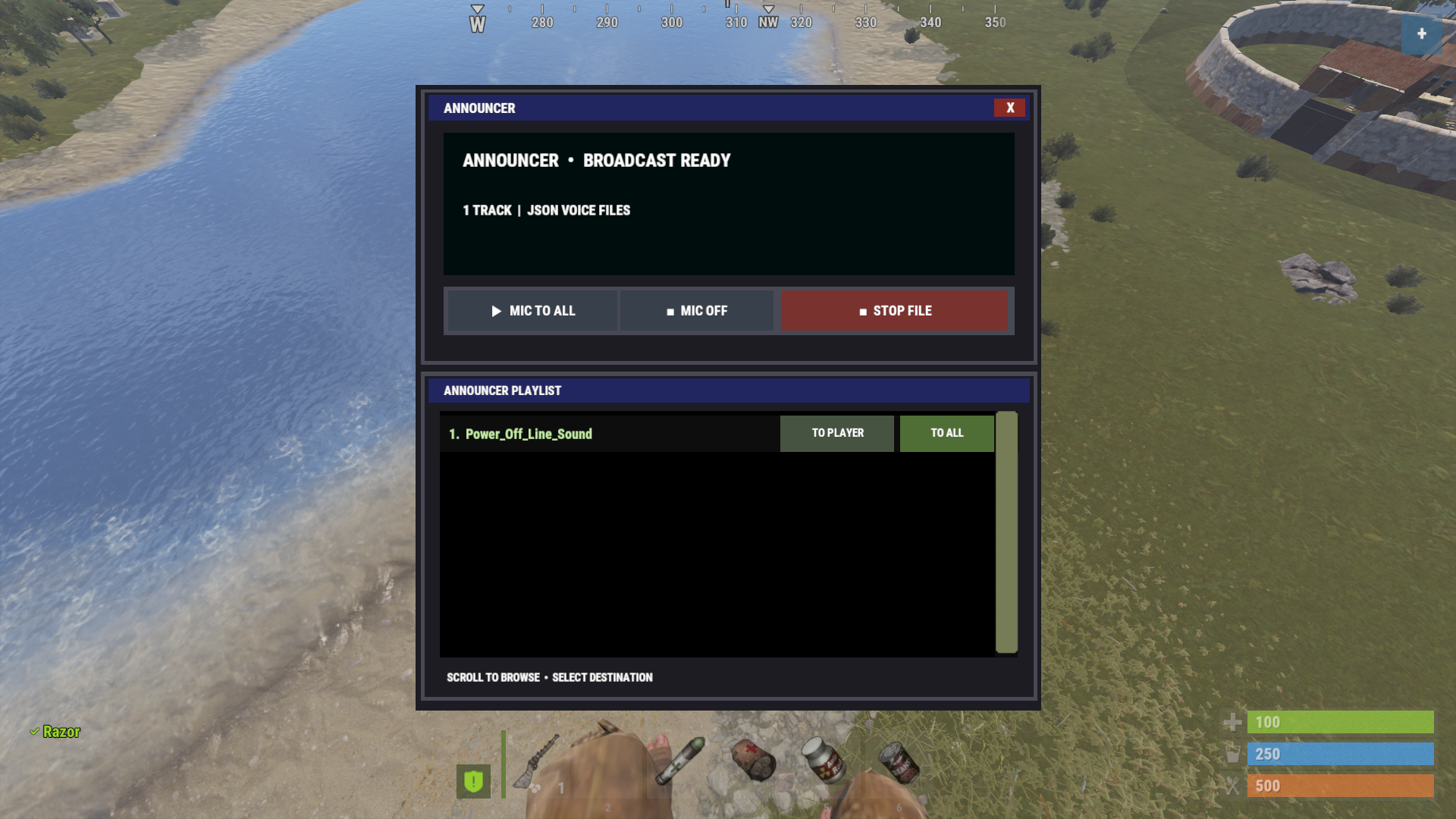
About Announcer
Announcer lets players with the announcer.broadcast permission broadcast their microphone or play a sound file to one connected player or everyone on the server.
Use /announcer to open the sound playlist. Choose To Player to pick someone online, or To All to broadcast the file. The Stop File button ends your current playback. For live voice, use Mic To All in the UI, or /announcer mic <player Steam ID> to speak to one player.
To add sounds, convert your audio to a Rust voice JSON file using this https://converter.converter.myvector.xyz then place the .json file in C:\rustserver\oxide\data\Announcer\Sounds. Reopen /announcer to see it in the playlist.
This will spawn a npc under the player that only will render to the player if he is way high and looking down with no obstructions...
Announcer lets players with the announcer.broadcast permission broadcast their microphone or play a sound file to one connected player or everyone on the server.
Use /announcer to open the sound playlist. Choose To Player to pick someone online, or To All to broadcast the file. The Stop File button ends your current playback. For live voice, use Mic To All in the UI, or /announcer mic <player Steam ID> to speak to one player.
To add sounds, convert your audio to a Rust voice JSON file using this converter, converter.myvector.xyz then place the .json file in C:\rustserver\oxide\data\Announcer\Sounds. Reopen /announcer to see it in the playlist.
Announcer.json
{
  "Settings": {
    "How far behind the player the announcer NPC follows": 1.25,
    "How far below the player's feet the announcer NPC follows": 3.0,
    "How often the announcer NPC position updates": 0.1,
    "Seconds to wait after spawning before sending voice": 0.1
  },
  "Version": {
    "Major": 1,
    "Minor": 0,
    "Patch": 0
  }
}
Command your Rust server. Live WebRCON console, performance and player monitoring, quick actions, groups and permissions, and plugin management.
Visit site ↗