MixMenuKit
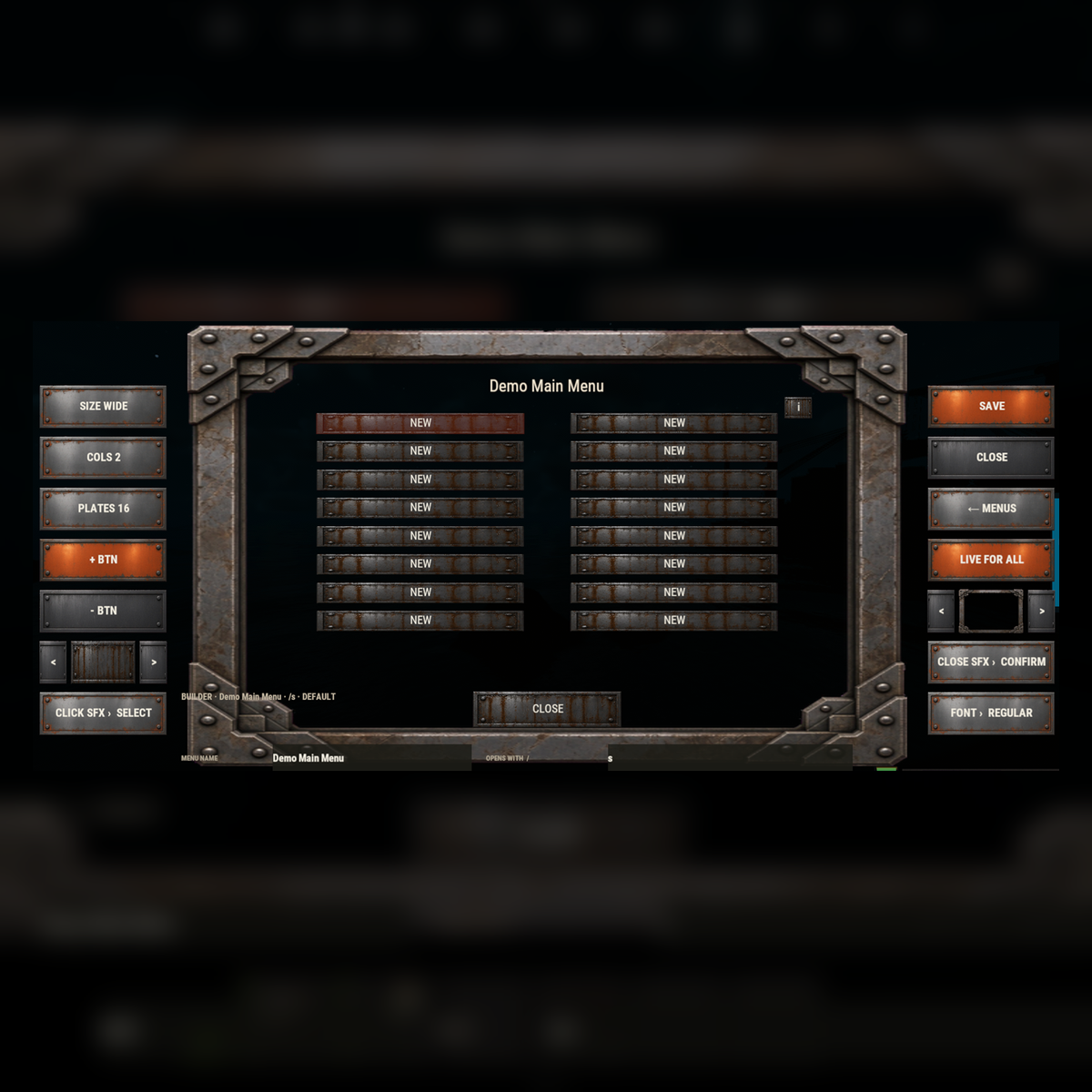
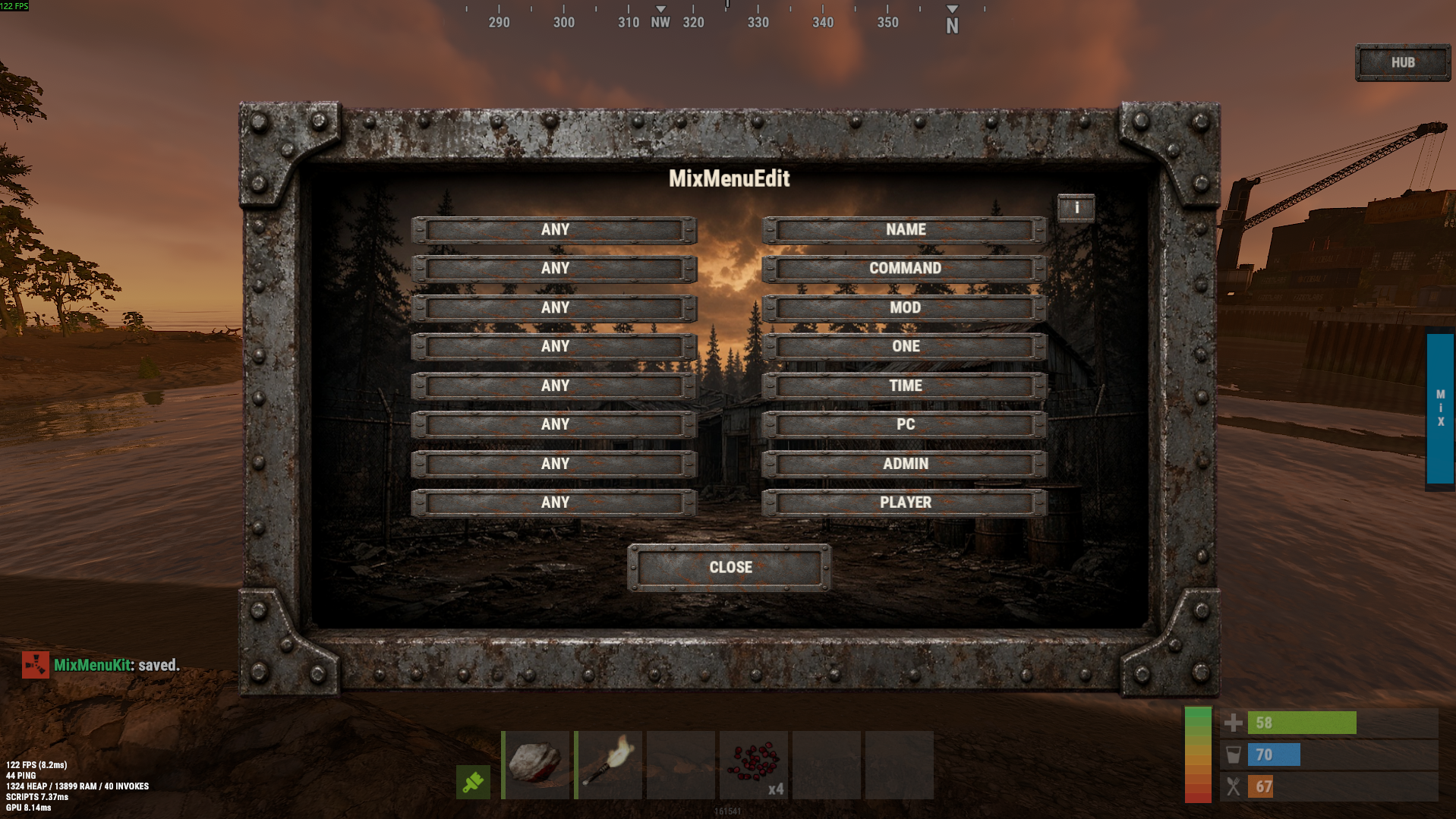
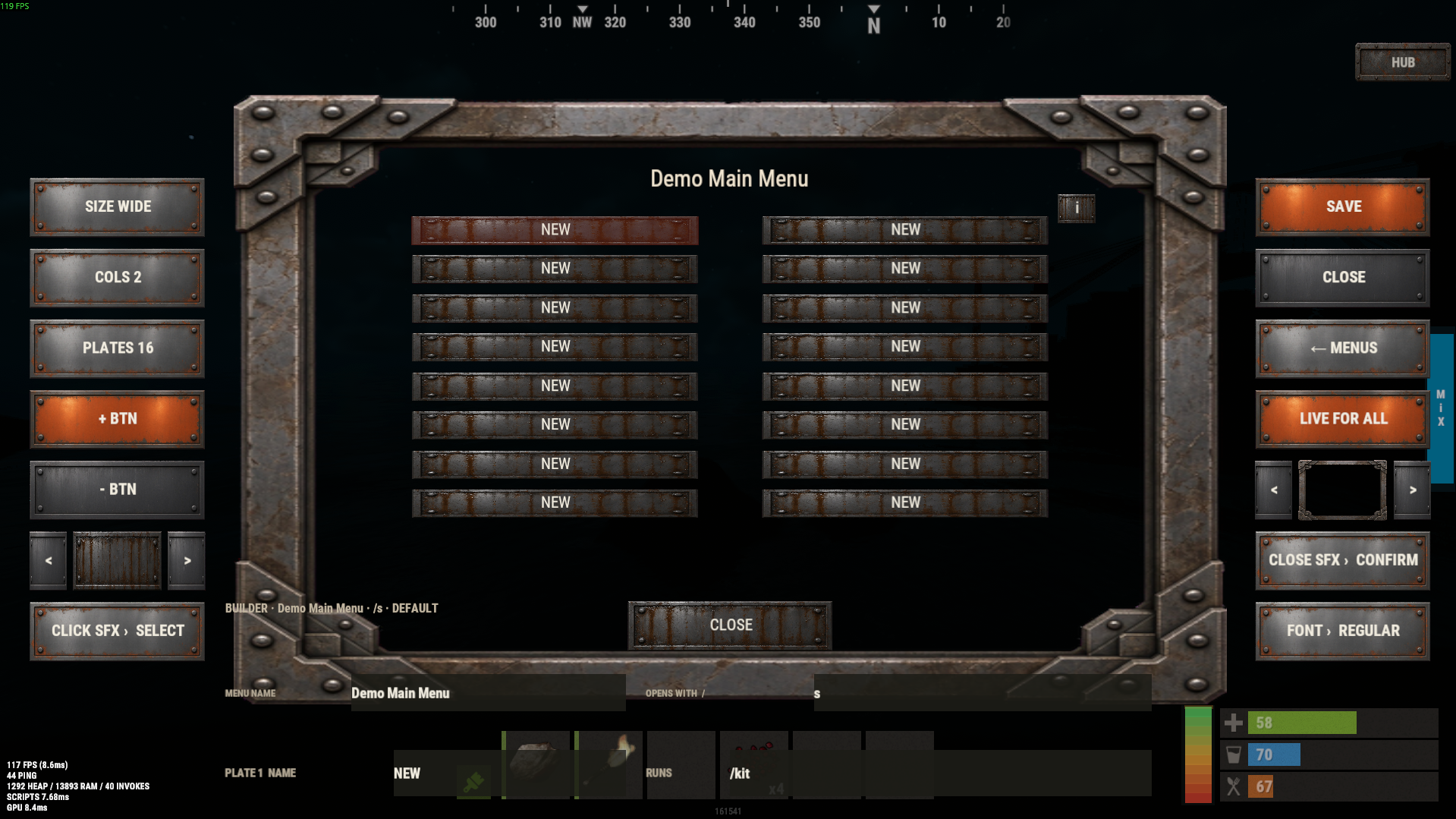
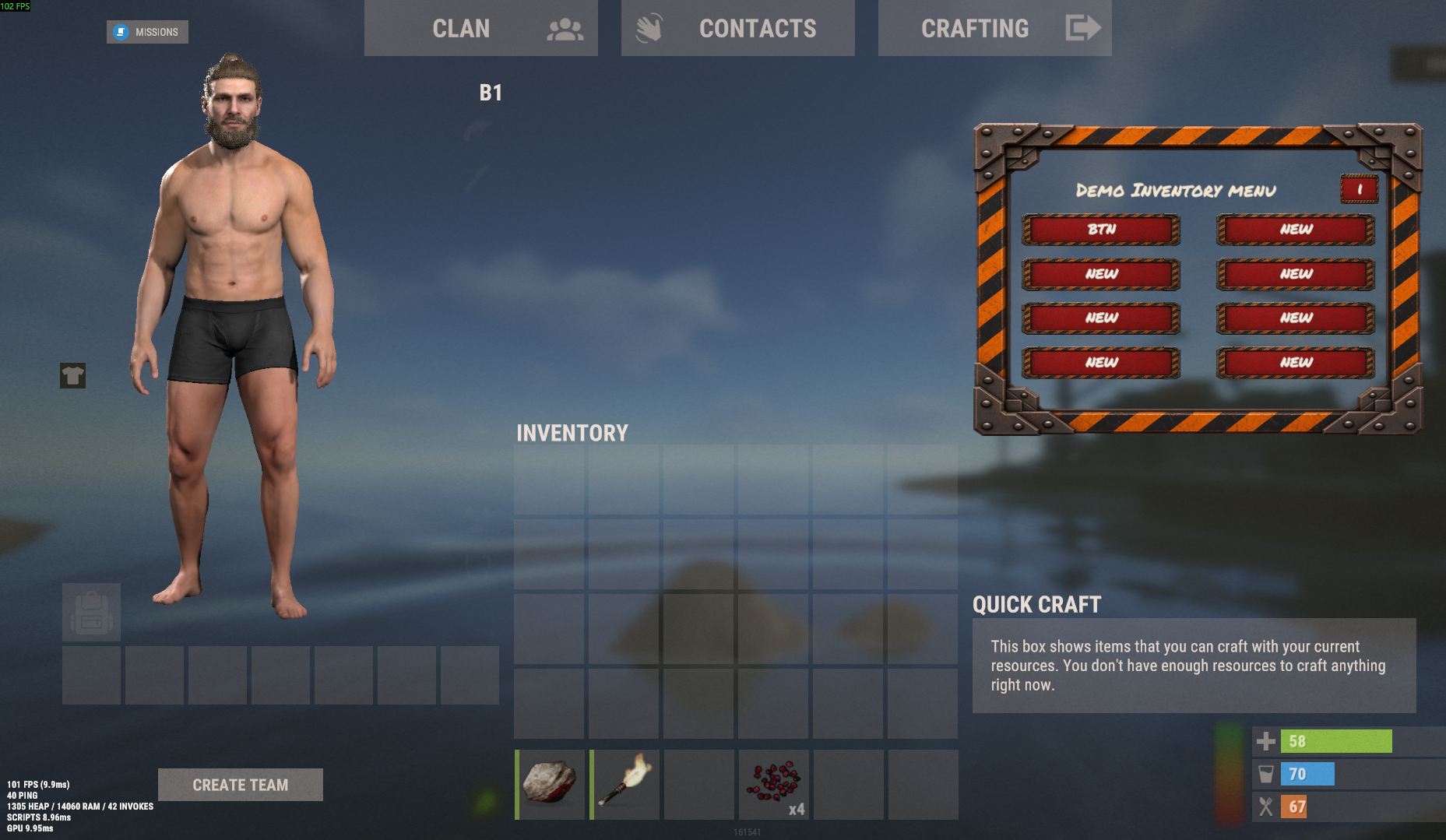
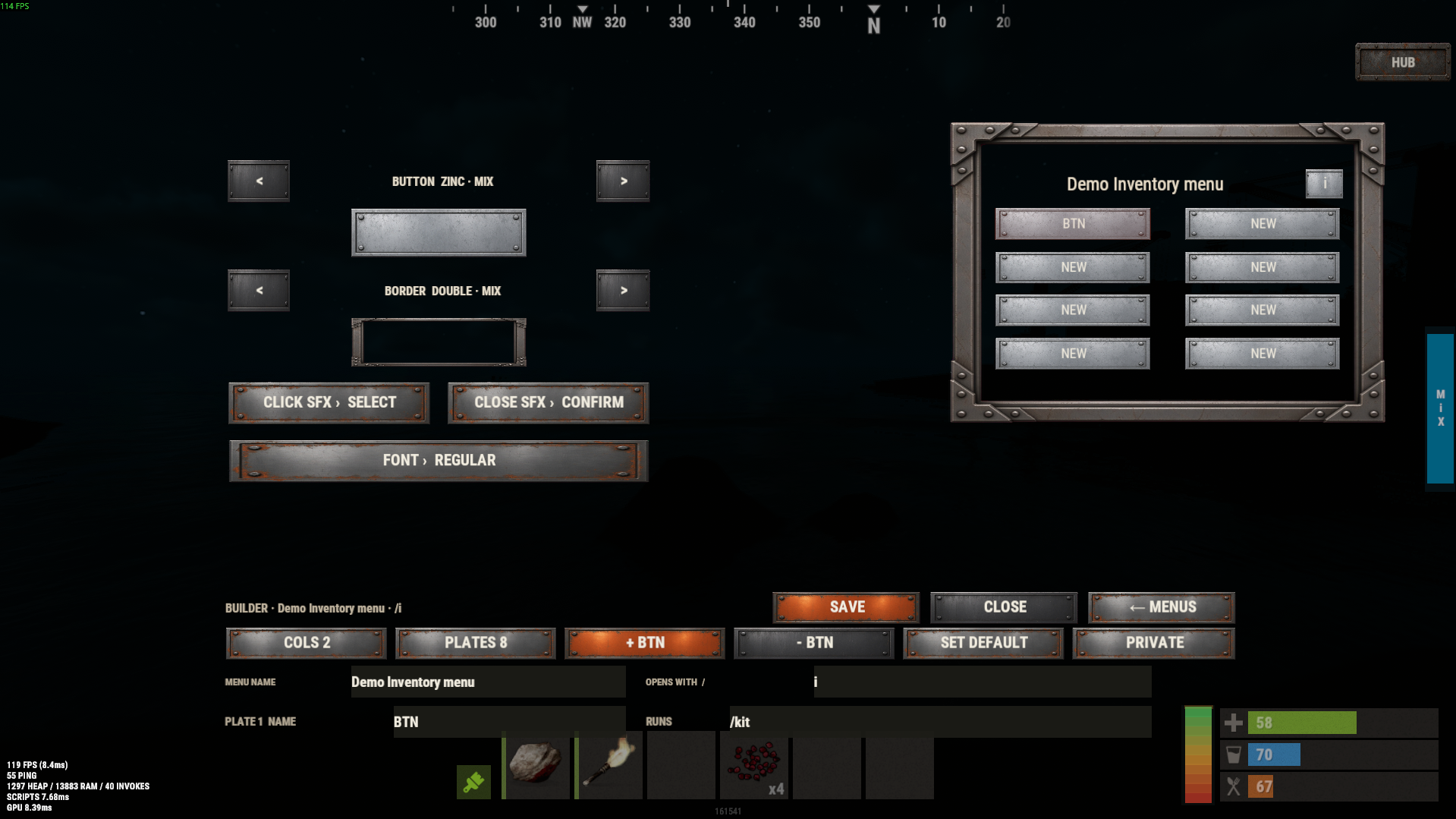
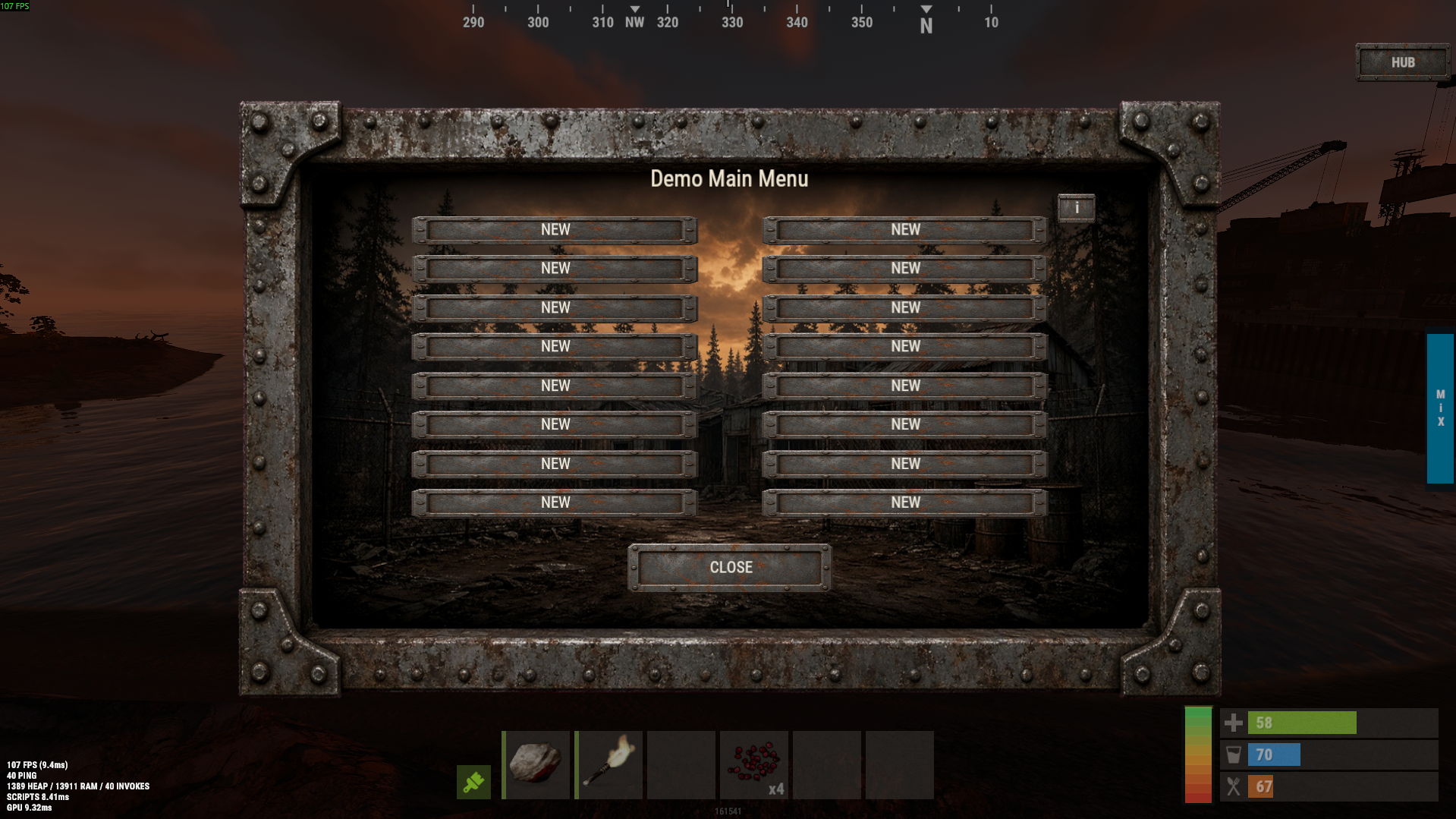
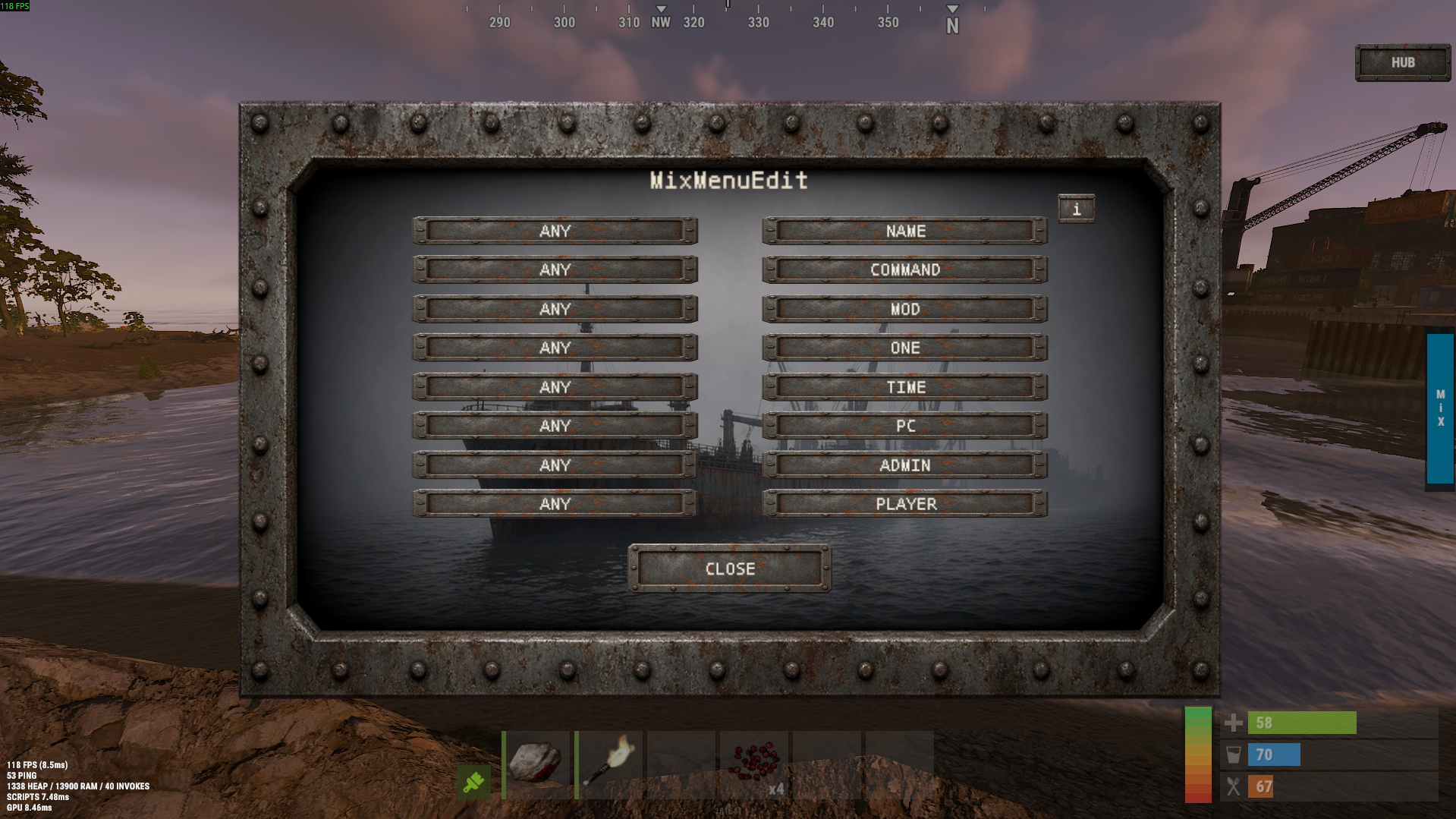
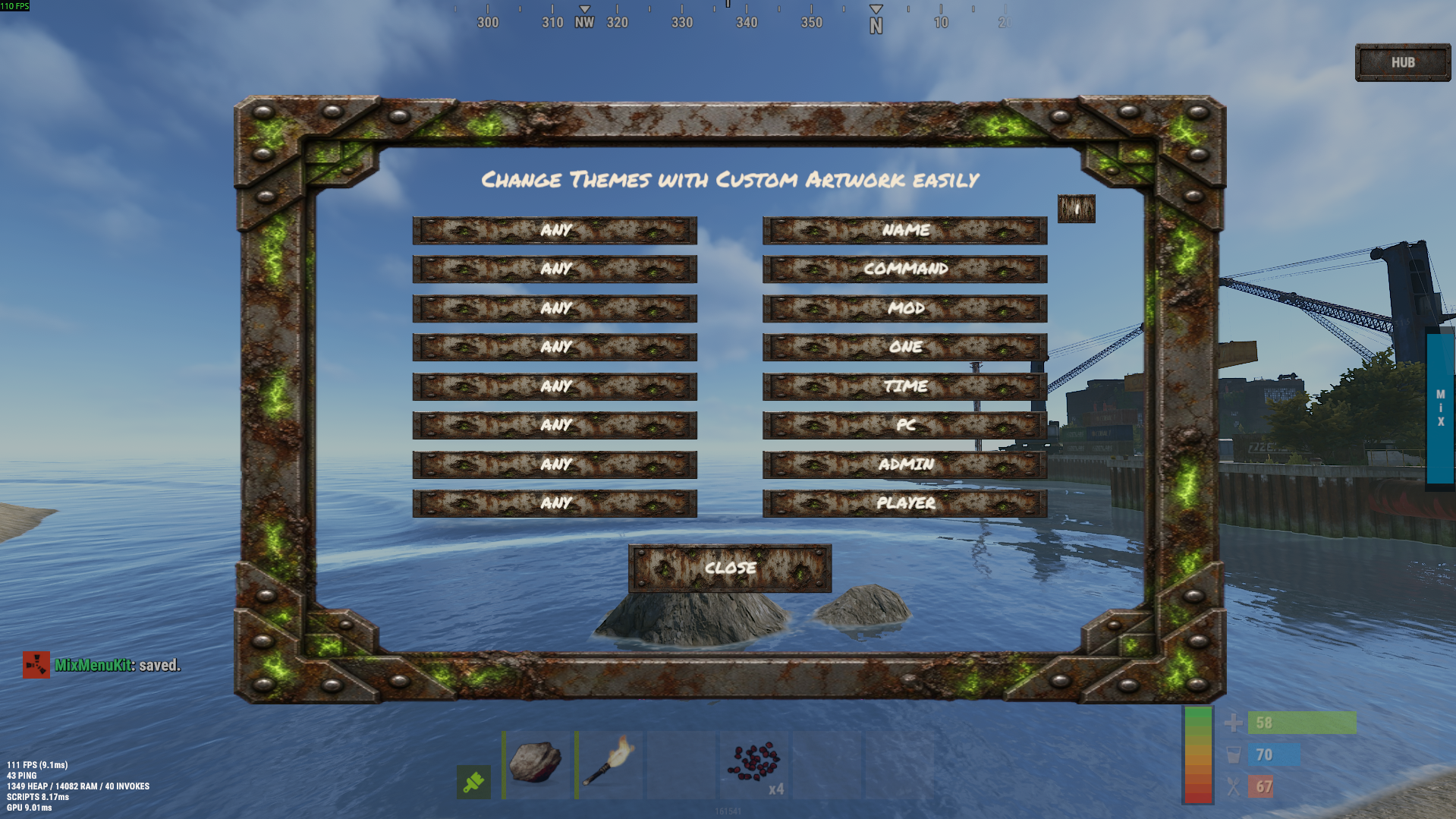
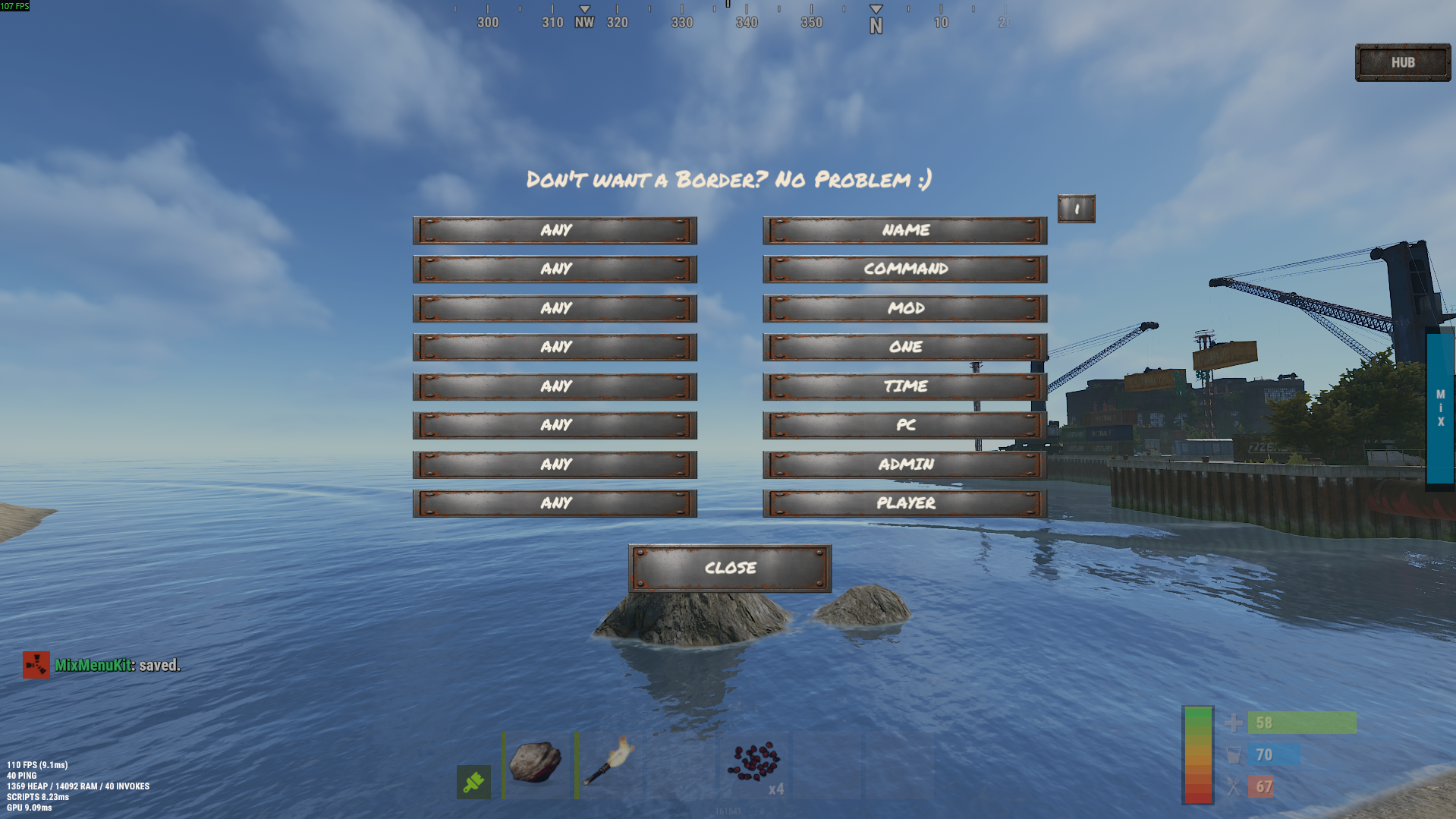
Tired of command soup? Give your players a menu instead of a spelling test.
Every plugin on your server comes with its own /command, its own spelling, its own "wait was it /tp or /tpr again?" MixMenuKit turns all of that into buttons - for players, and for you. Build a clean, custom player menu that puts your server's best commands one click away. Build a separate admin-only menu that puts your admin commands behind admin-only buttons, so your mod team isn't relying on memory (or a pinned Discord message) to run the server. All of it built entirely in-game with /mixmenu edit - no passwords, no RCON, no FTP. Log in, open the builder, make the change, done.
What you get
Menus for players, menus for admins, as many of each as you want. Every menu is Public or Private - Public for a player-facing board of the commands your server actually wants used, Private for an admin board sitting behind mixmenukit.use/mixmenukit.edit so admin-only commands stay admin-only. Same tool, two completely separate audiences, permission changes apply the instant you make them.
Set and forget, from inside the game. No config file to hand-edit, no server files to touch, no external tools at all. Log in with admin, run /mixmenu edit, add a menu, change a button, done - the next player to open that menu sees the update immediately. Come back next week and add another one exactly the same way.
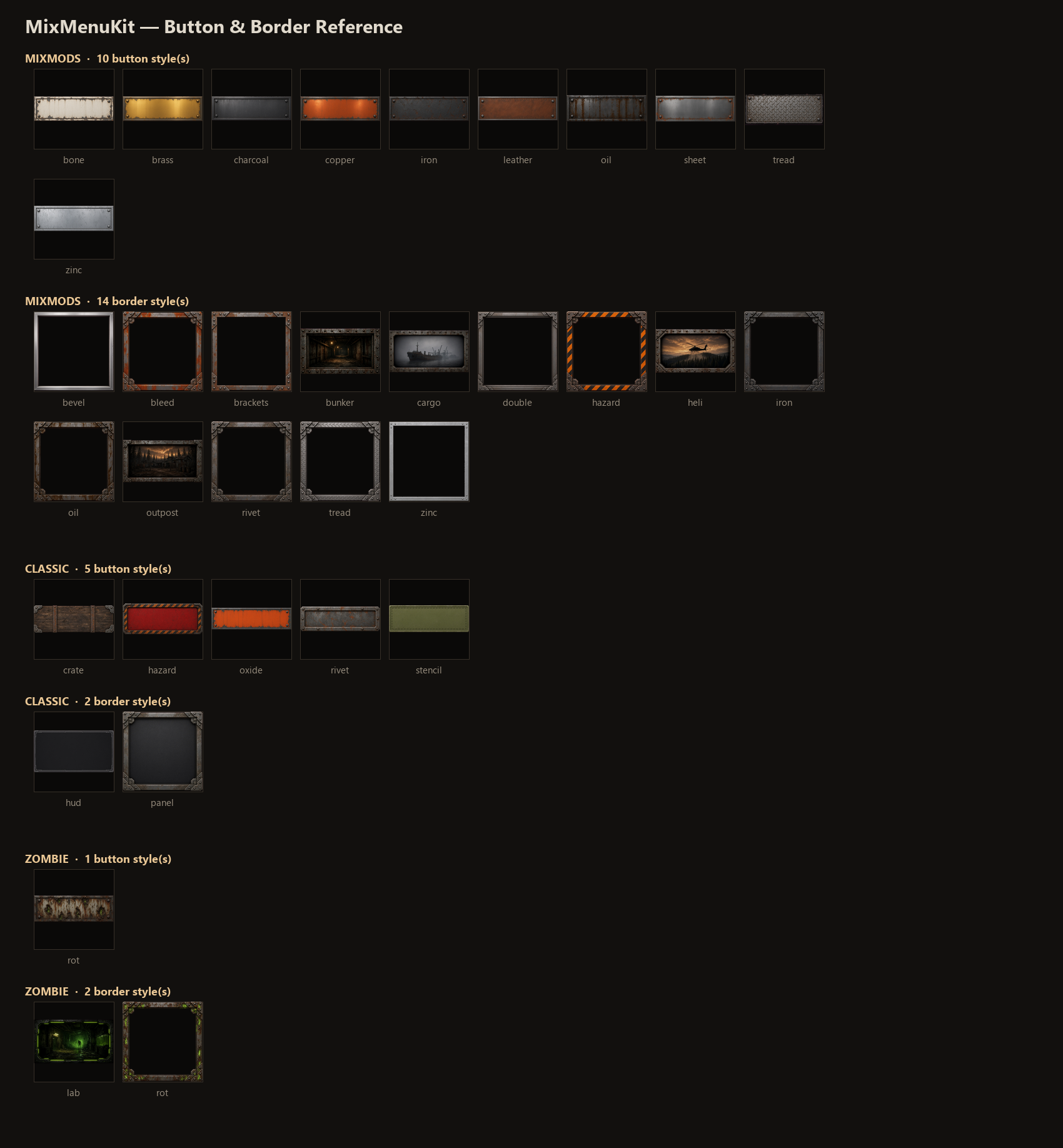
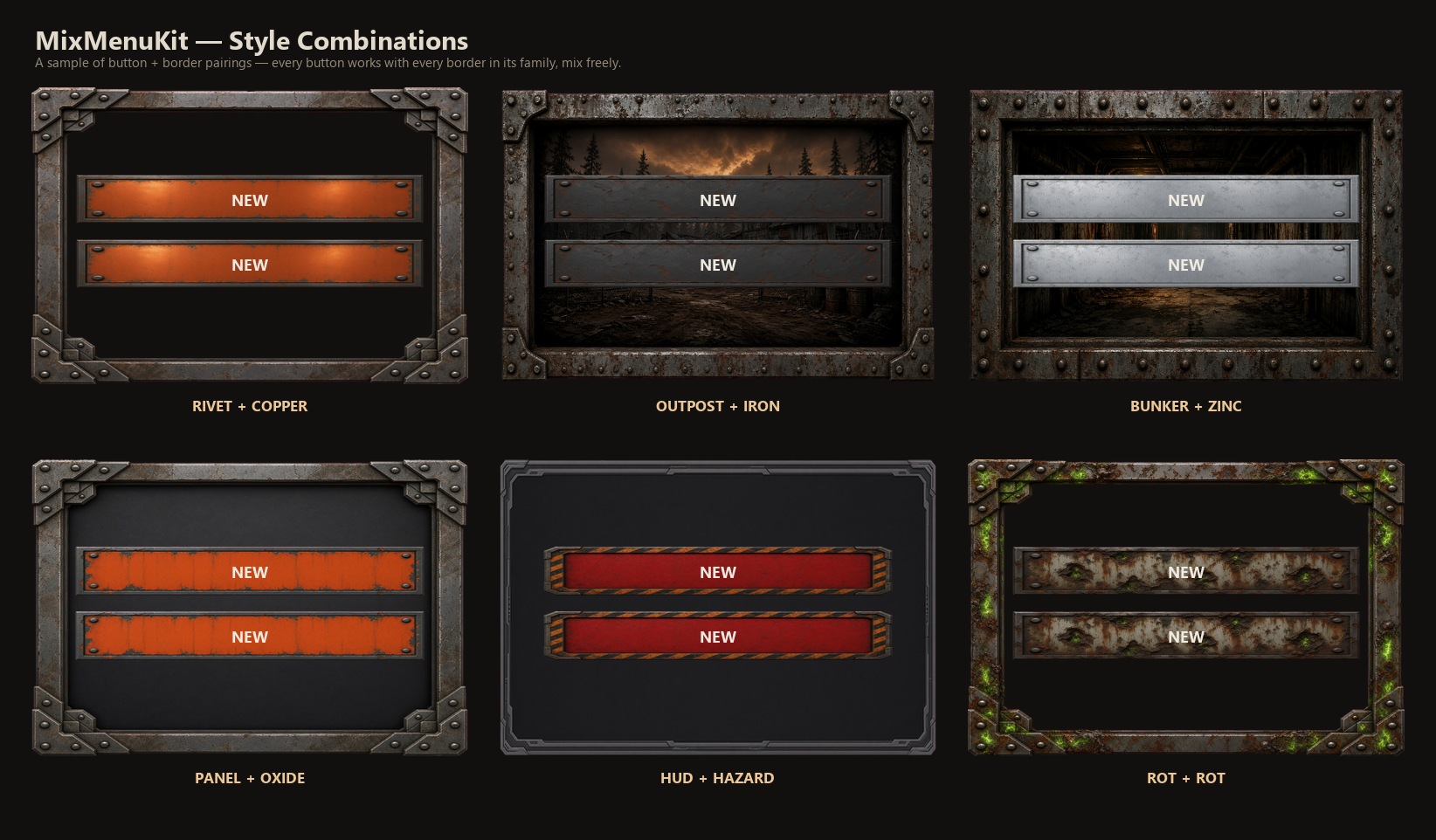
A look that isn't stock. Independent button and border pickers - mix and match, live preview right in the builder - across a curated set of styles, plus a choice of fonts. Future style packs are drop-in replacements: new art ships under the same names as what it replaces, so updating your look is a swap, not a stack of extra downloads.
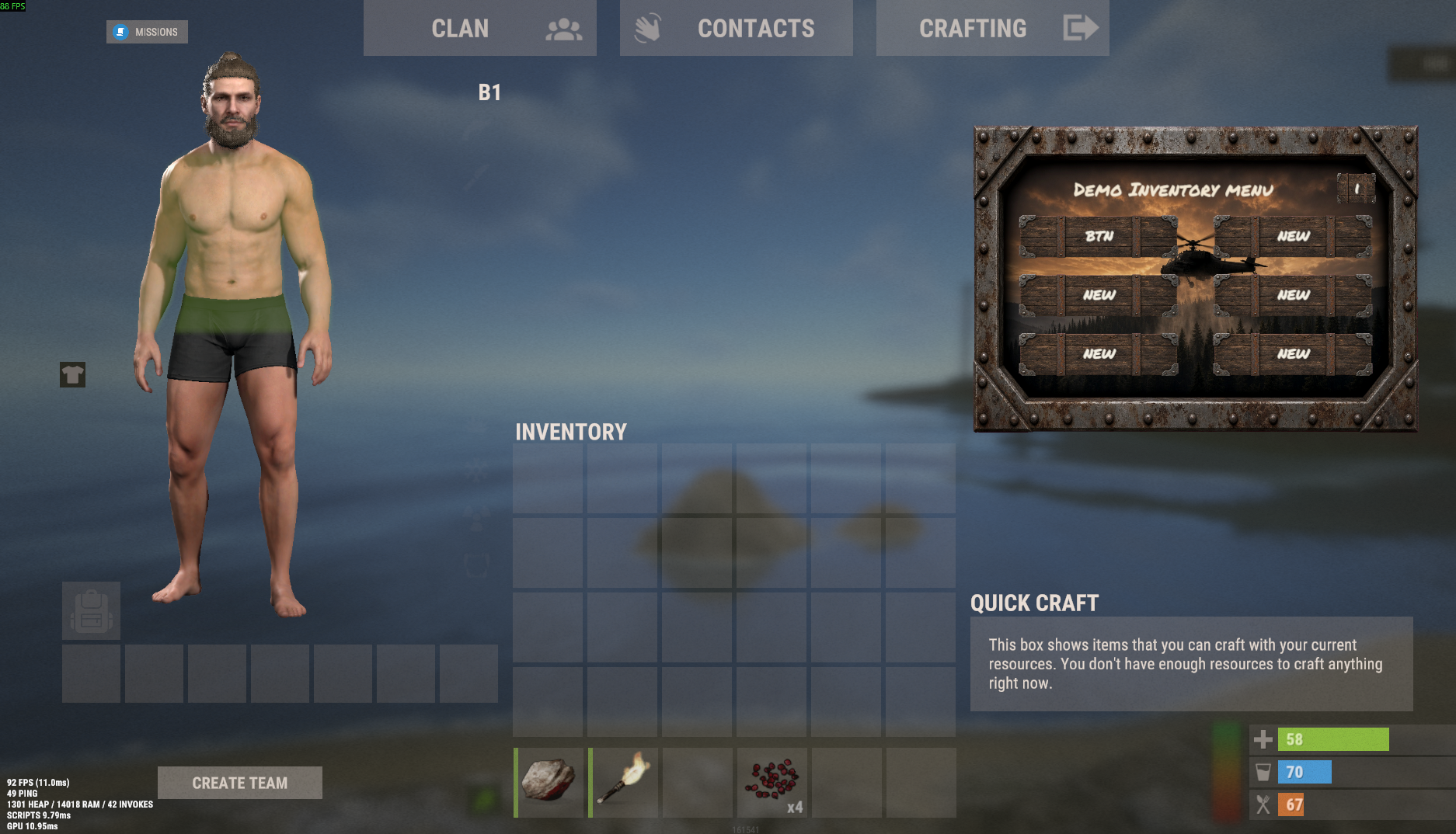
Inventory Menu mode. A sidebar-docked panel that opens and closes with its own trigger and sits alongside a player's inventory instead of covering it.
Hub menus, for free. Point a button's command at another menu's trigger and you've got a submenu. Build a player hub at /main that opens /shop, /kits, and /teleports - and a completely separate admin hub at /admin for your mod team. One trigger each, buttons do the rest.
Sound cues. Click and close sounds per menu, picked from a built-in Rust sound list, previewed live as you cycle through options.
Never lose your work. Leaving the builder any way - SAVE, back, close, even a disconnect - flushes your changes to disk immediately.
The details
Install:
MixMenuKit.cs → carbon/plugins/ (or oxide/plugins/)
Unzip the assets into carbon/data/MixMenuKit/ (or oxide/data/MixMenuKit/)
Reload, then /mixmenu edit
Commands: /mixmenu opens the default board · /mixmenu edit [menu] opens the builder · /mixmenu close closes whatever's open - plus each menu's own custom trigger.
Permissions: mixmenukit.use (open a Private menu) and mixmenukit.edit (full builder access). Admins have both by default; a Public menu needs neither.
Compatibility: Built on standard Oxide RustPlugin/API calls throughout - no Carbon-only code. Actively developed and stress-tested on Carbon.
MixMenuKit.json
{
  "NextId": 3,
  "Menus": [
    {
      "Id": 1,
      "Name": "MAIN MENU",
      "Trigger": "main",
      "Public": true,
      "Set": "mixmods",
      "ButtonSet": "mixmods",
      "Button": "copper",
      "FrameSet": "mixmods",
      "Frame": "rivet",
      "Size": "normal",
      "Columns": 2,
      "Default": true,
      "ClickSound": "select",
      "CloseSound": "confirm",
      "Font": "regular",
      "Buttons": [
        {
          "Label": "KIT",
          "Command": "/kit"
        },
        {
          "Label": "HOME",
          "Command": "/home"
        },
        {
          "Label": "SHOP",
          "Command": "/shop"
        },
        {
          "Label": "QUICK ACCESS",
          "Command": "/quick"
        }
      ]
    },
    {
      "Id": 2,
      "Name": "INVENTORY MENU",
      "Trigger": "",
      "Public": false,
      "Set": "mixmods",
      "ButtonSet": "mixmods",
      "Button": "copper",
      "FrameSet": "mixmods",
      "Frame": "rivet",
      "Size": "sidebar",
      "Columns": 2,
      "Default": false,
      "ClickSound": "select",
      "CloseSound": "confirm",
      "Font": "regular",
      "Buttons": [
        {
          "Label": "KIT",
          "Command": "/kit"
        },
        {
          "Label": "HOME",
          "Command": "/home"
        }
      ]
    }
  ]
}

Trusted hosting partner. Affordable game servers with solid support and panels.
Visit site ↗