Achievements
 Wrecks
 1 / 15
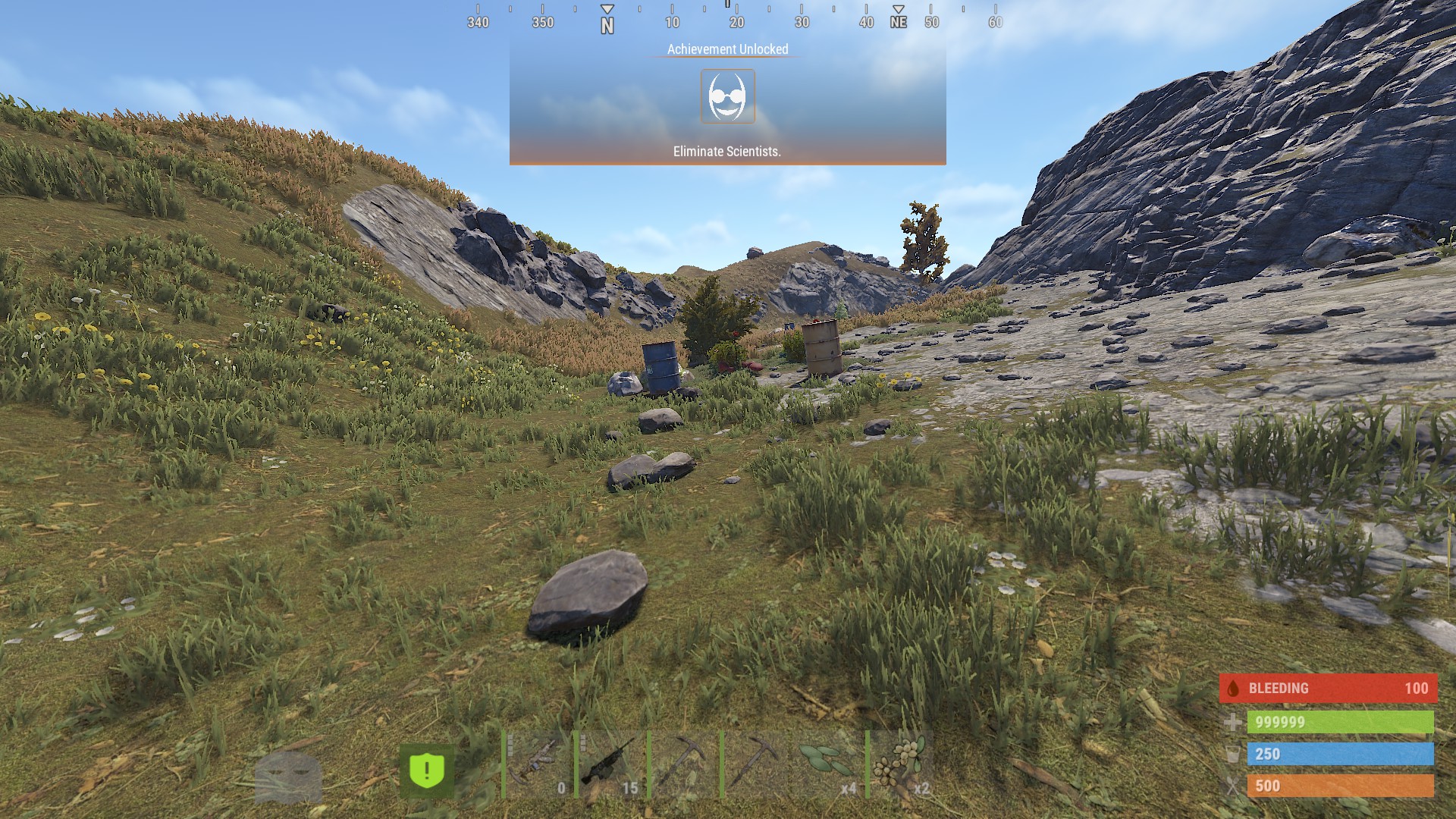
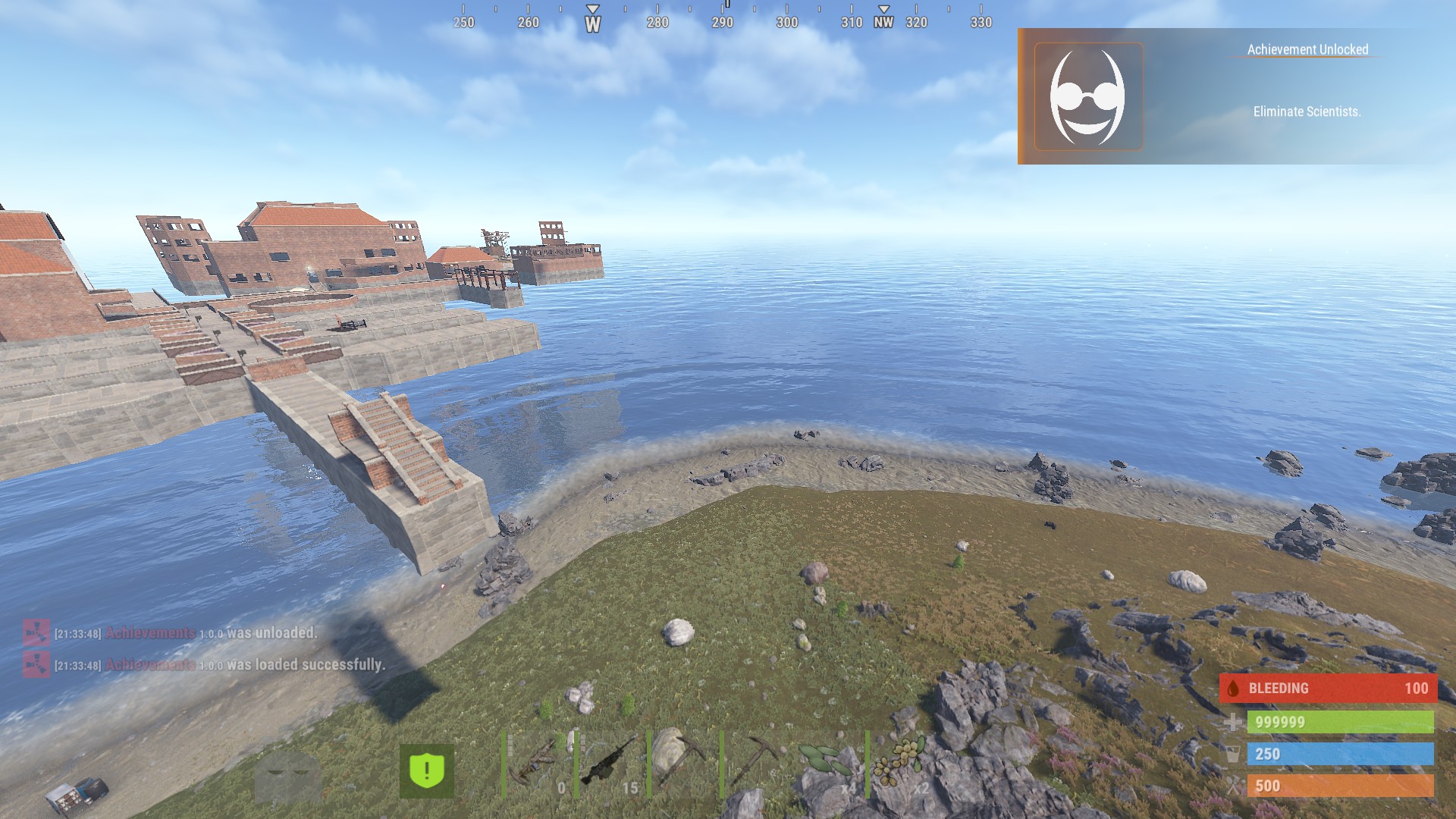
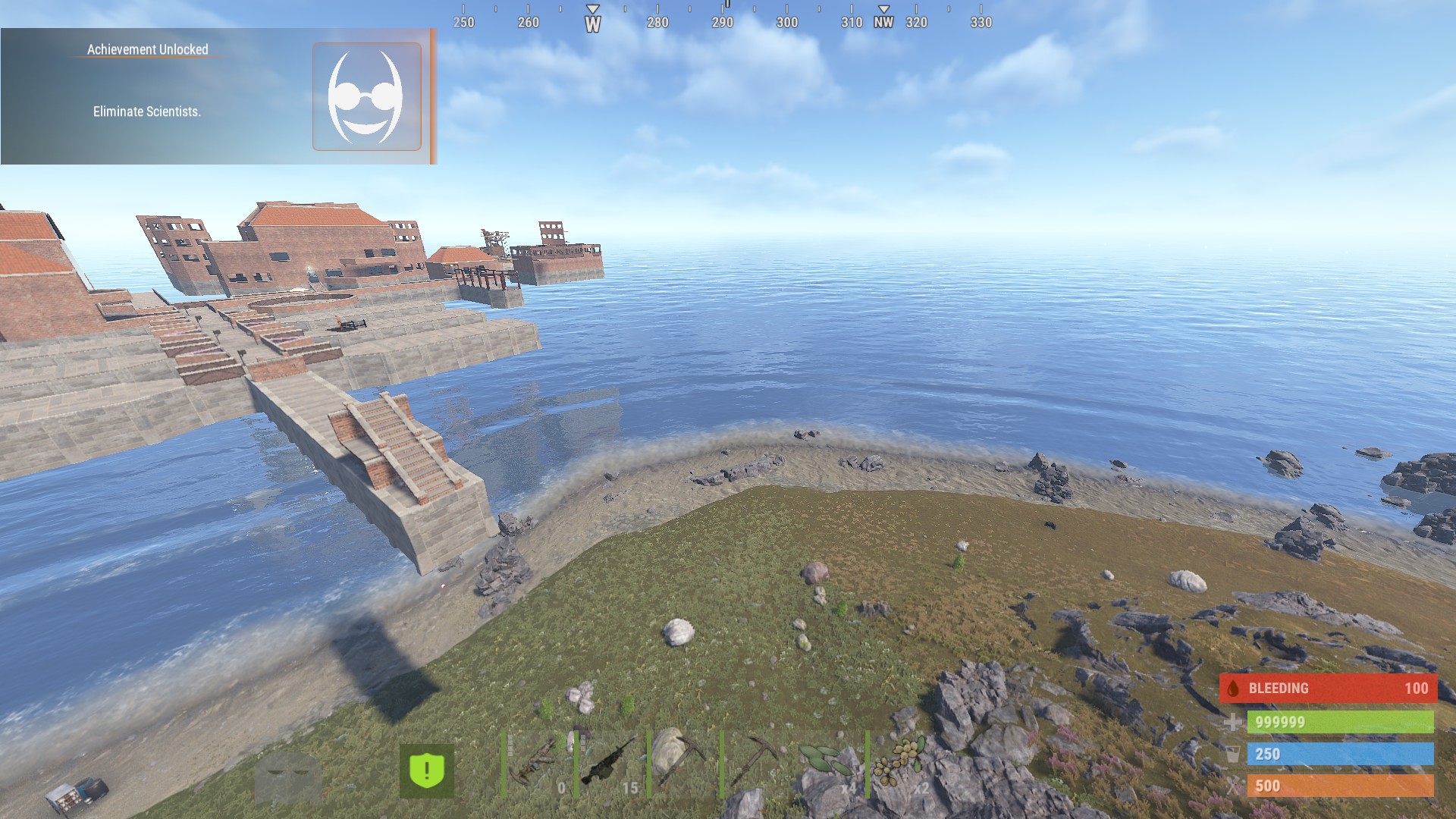
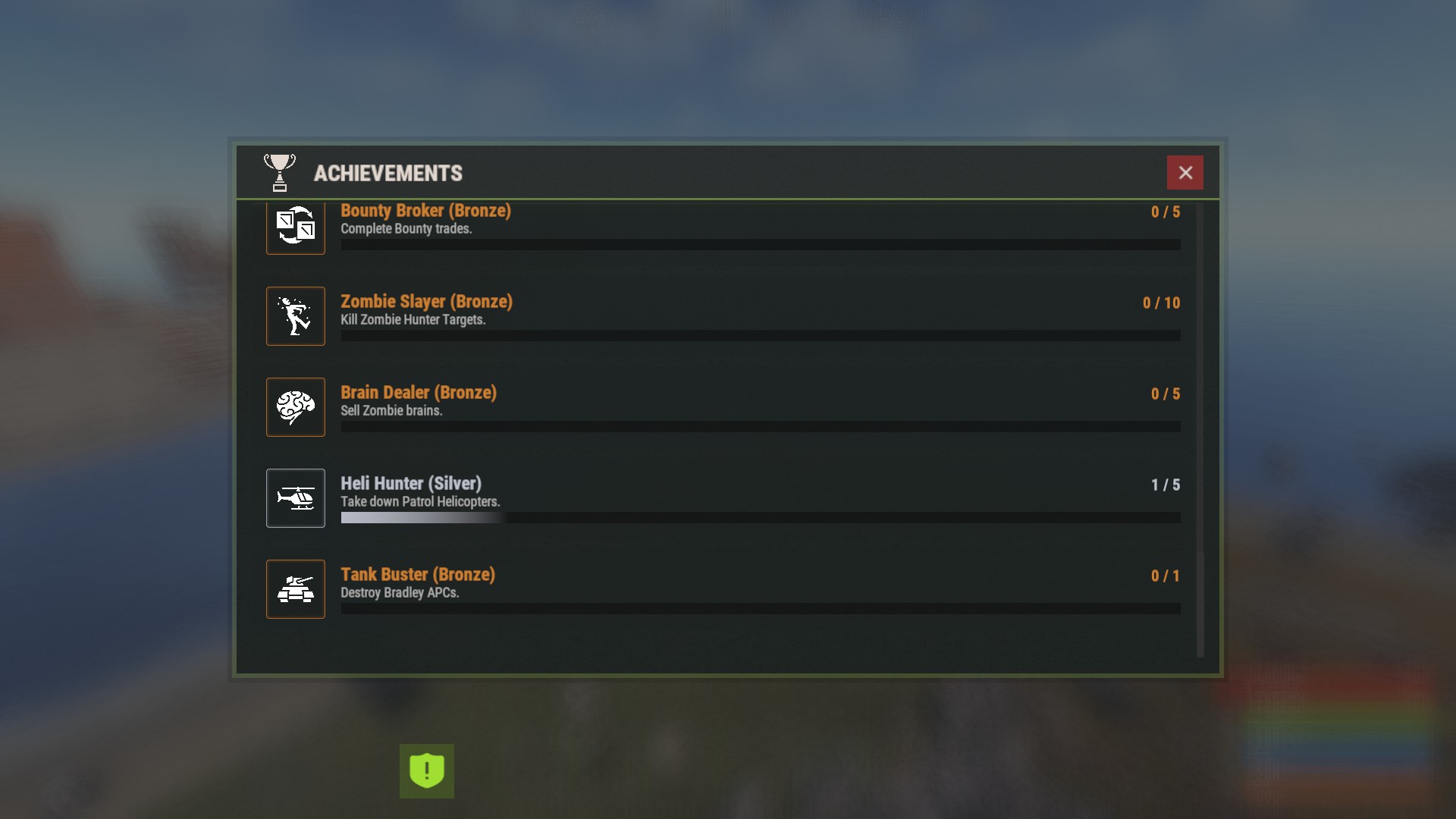
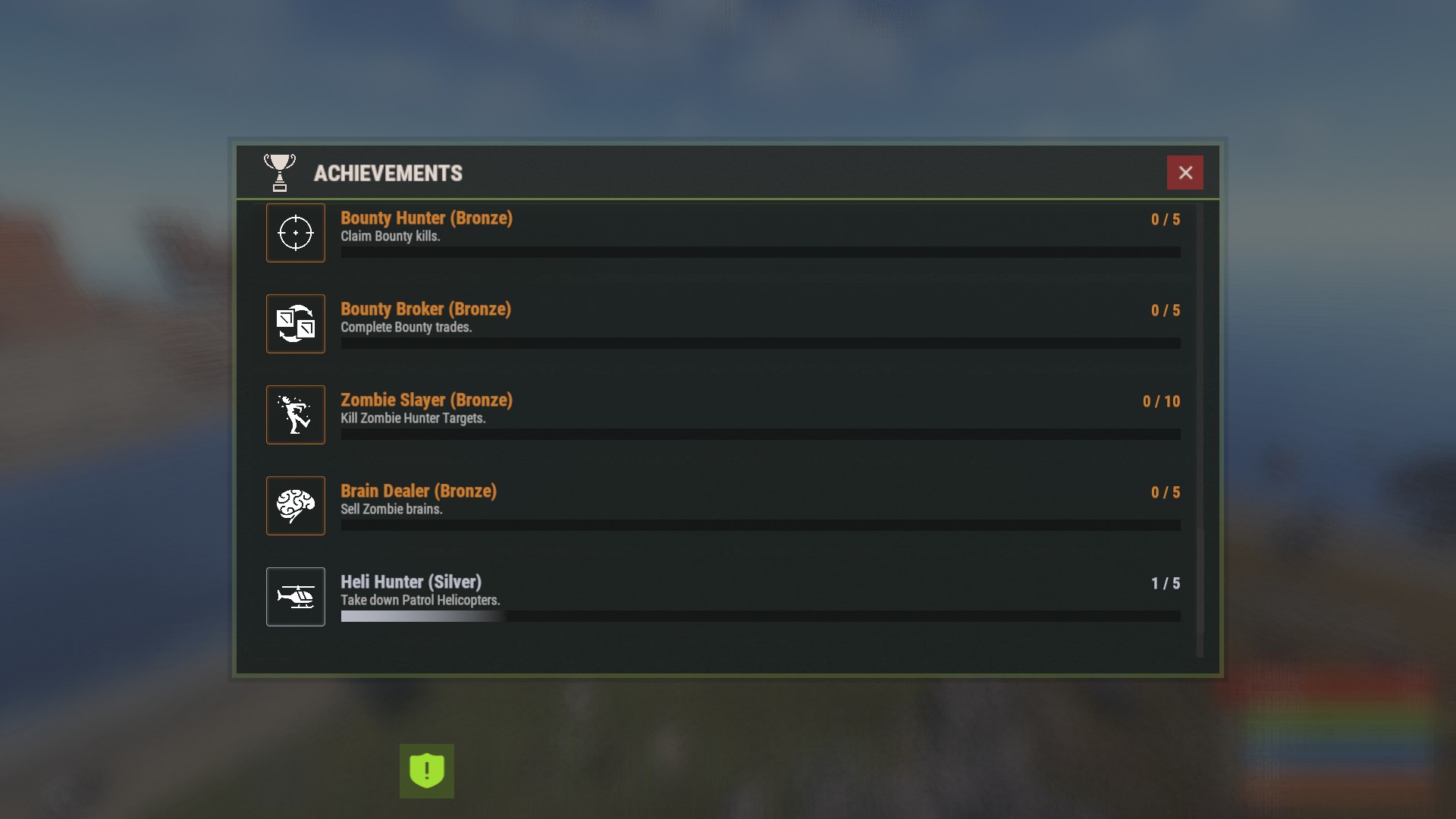
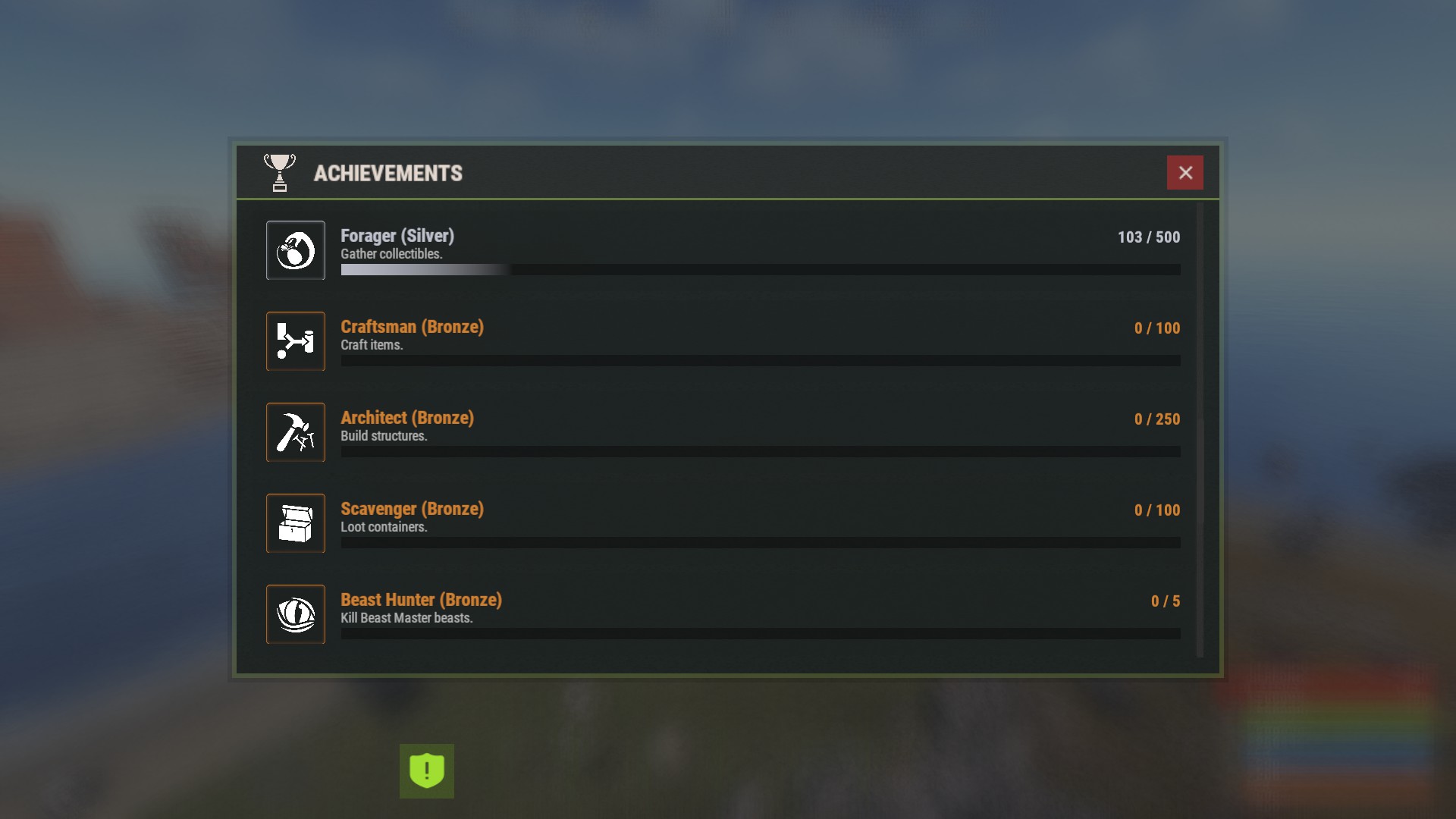
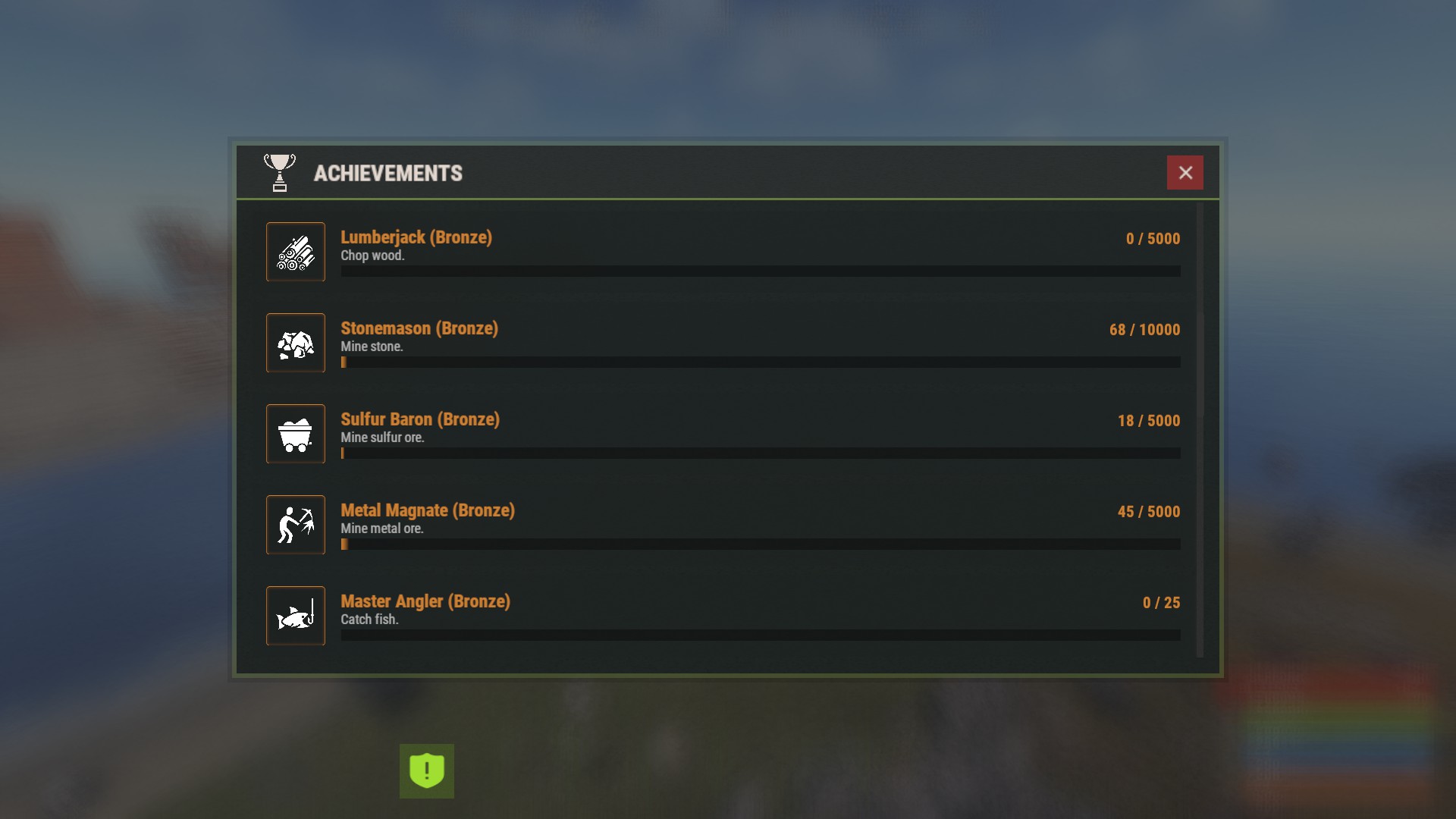
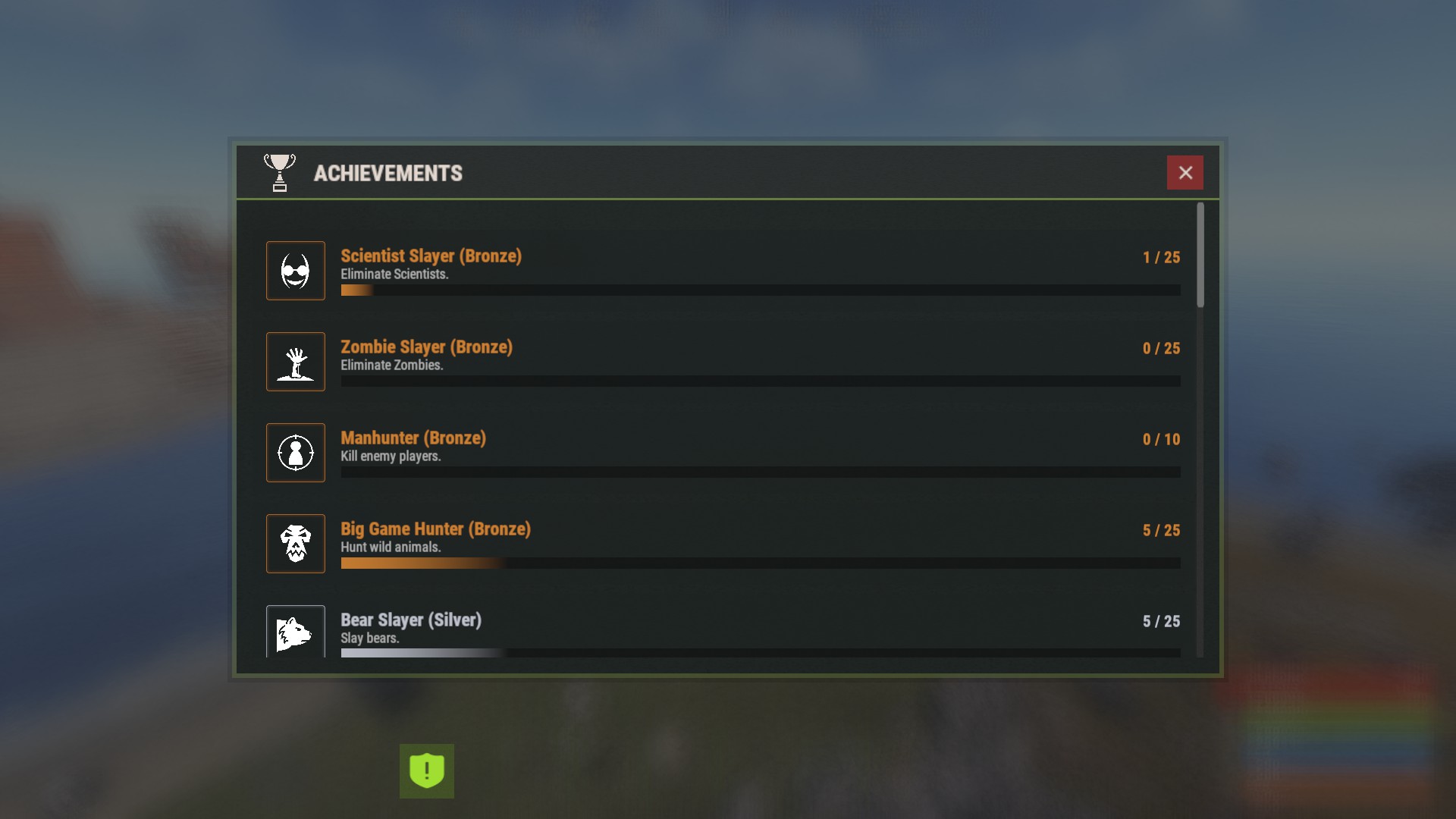
Create Achievements to Boost Player Retention
Details
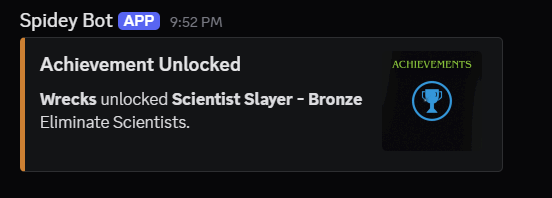
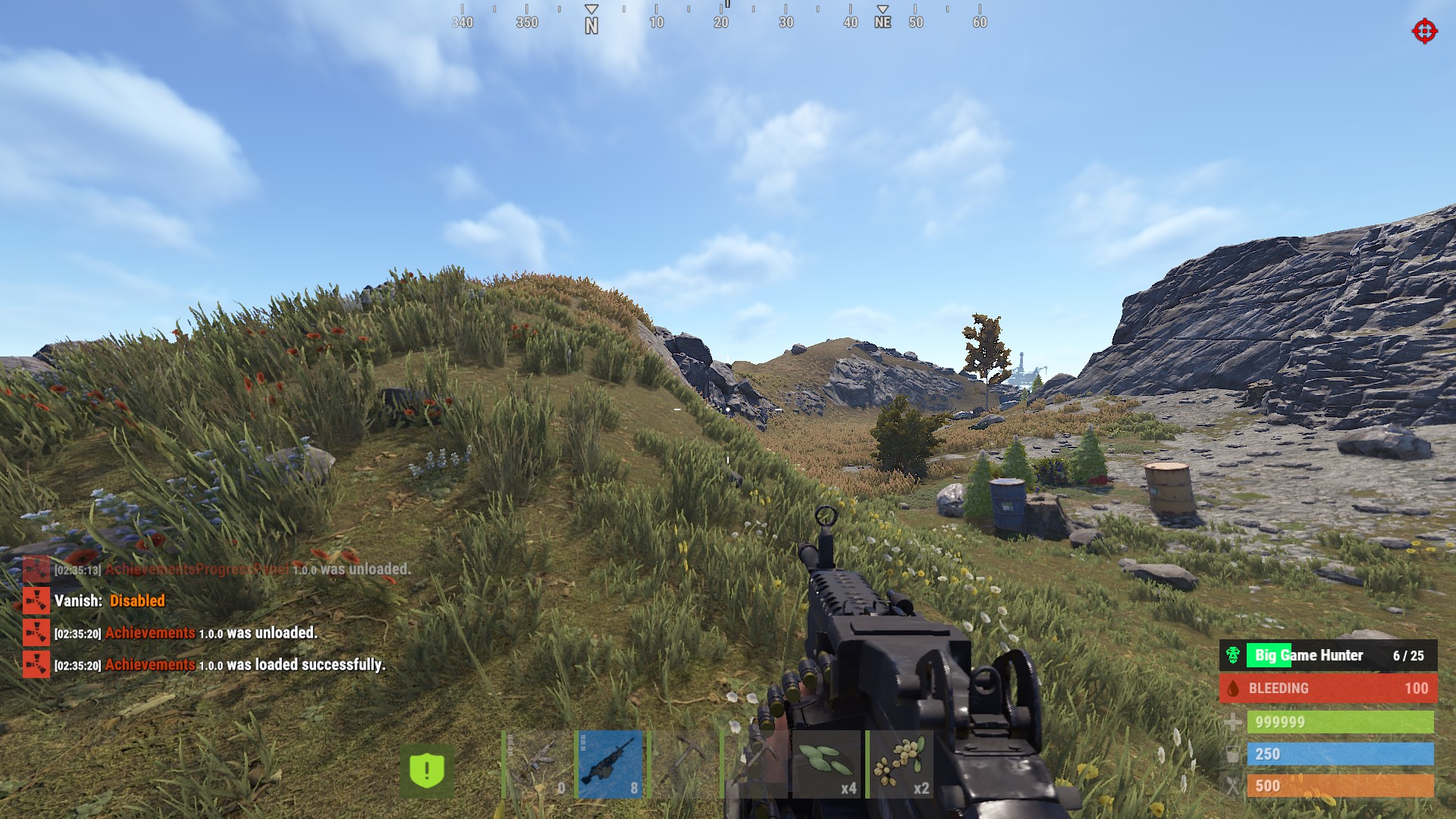
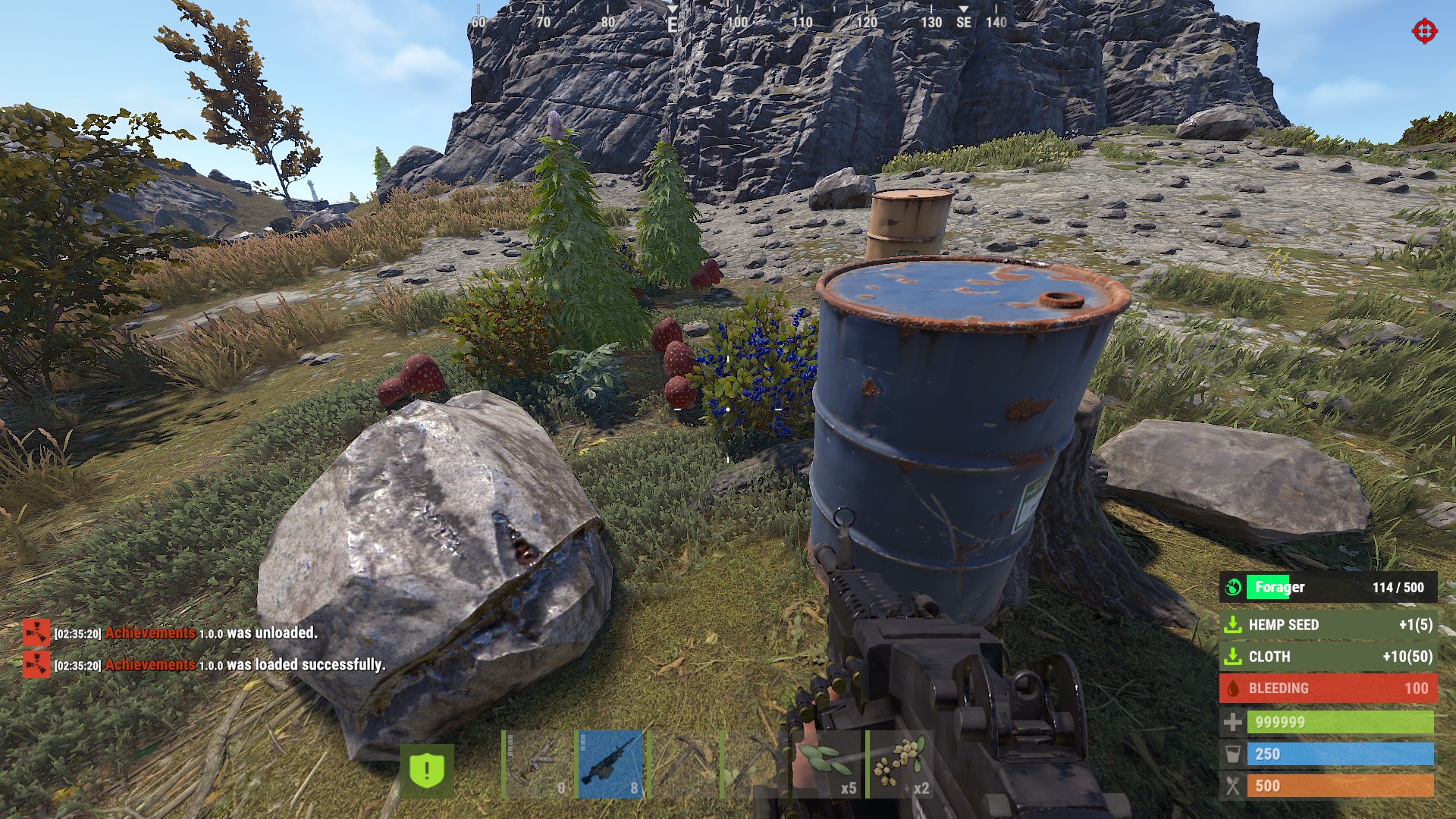
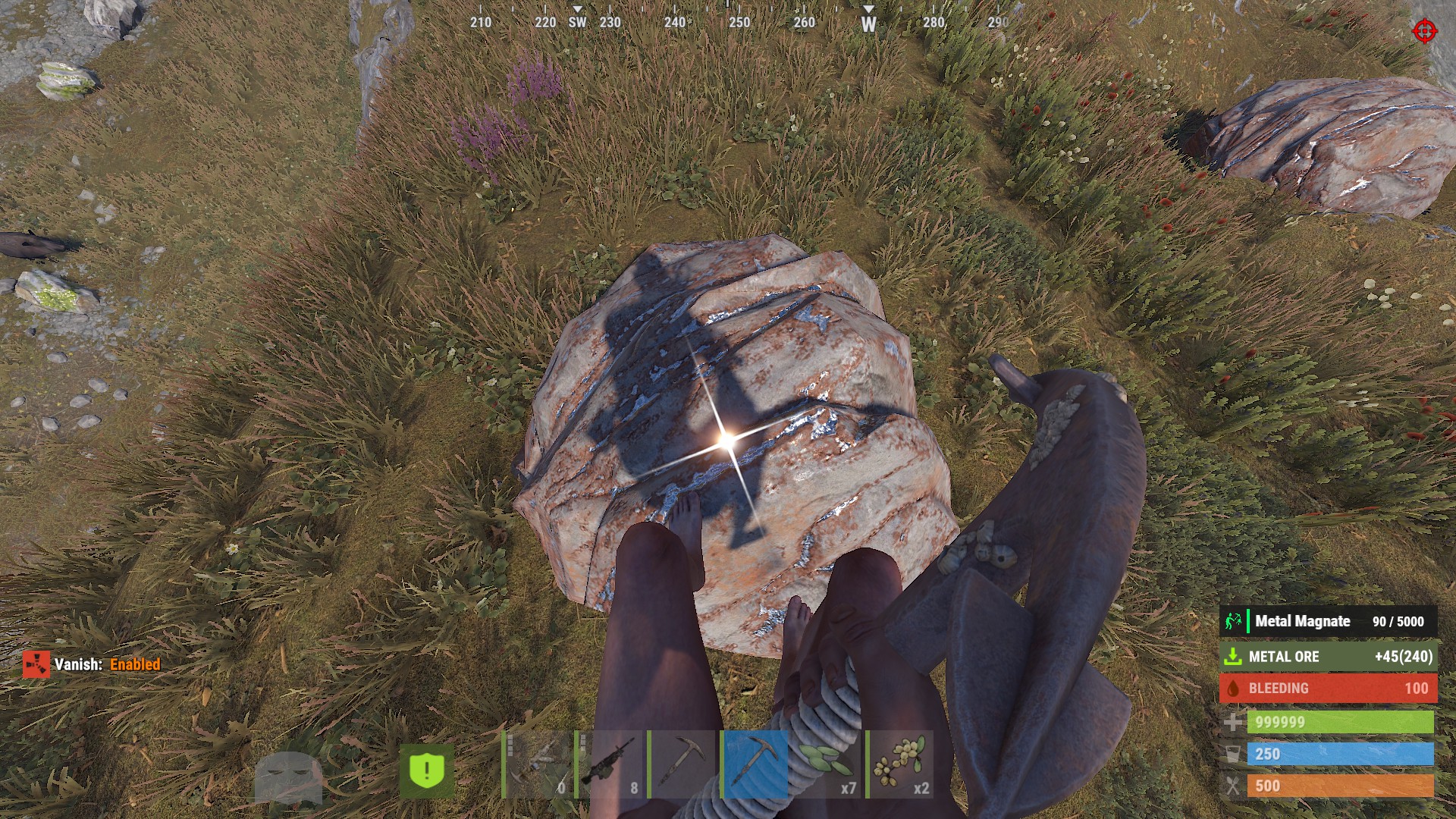
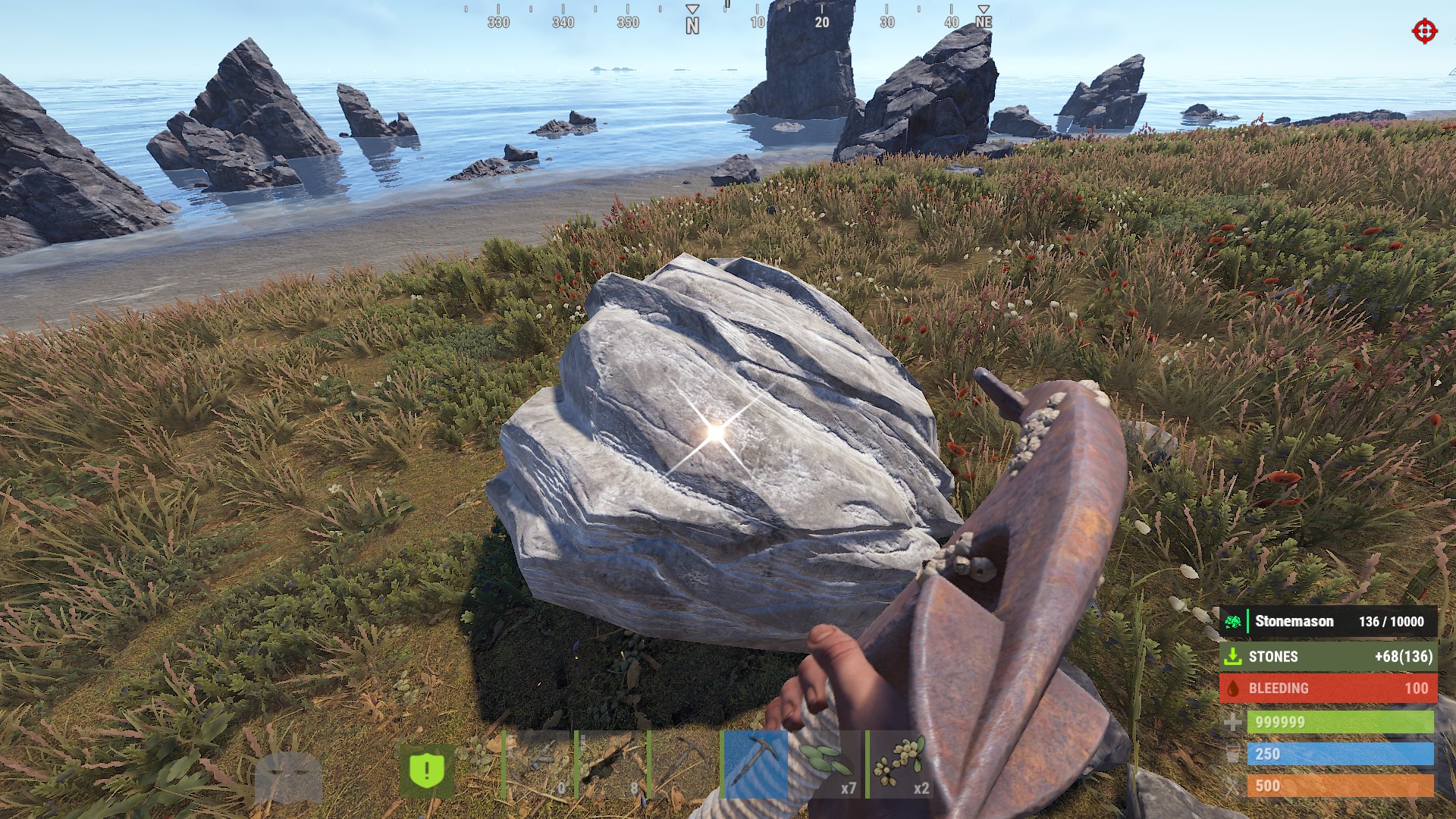
This is a tiered achievement system, Players earn achievements for doing things they do daily like killing scientists, mining ore, taking down heli / bradley, and more.
An achievement popup shows in when they rank up a tier, and they can open a panel to track their progress.
Default Config comes with 20 Achievements - with 5 Tiers across them. For a total of 100 obtainable Achievements. Easily add more with the instructions below. Any achievements not wanted can be deleted or used as a base to create others.
Requires ImageLibrary to load the images.
Commands
/at - requires Achievements.Admin - preview the popup banner /ap - open the achievements panel/awipe - requires Achievements.Admin - wipe all progress
CREATING AN ACHIEVEMENT
Every achievement in the Achievements list has the same setup:
| 1 | { |
| 2 | "Id": "scientist_slayer", |
| 3 | "Title": "Scientist Slayer", |
| 4 | "Description": "Eliminate Scientists.", |
| 5 | "Icon": "assets/icons/skull.png", |
| 6 | "Trigger": "NpcKill", |
| 7 | "Filter": [ "scientist" ], |
| 8 | "Tiers": [ xxx ] |
| 9 | } |
Id- a unique name. Player progress is saved to this, so don't rename it after players start earning it.Title/Description- what shows on the banner and in the panel.Icon- Takes an Image URLTrigger- what action counts - see the list below.Filter- what specifically to count - see below. Leave it out to count everything for that trigger.Tiers- the ladder of goals - see Tiers.
Triggers - what you can track
Pick one per achievement:
Playtime RoadBradley BossKill EventWin NpcKill PlayerKill AnimalKill Gather Collectible FishCaught Craft Build Loot BeastKill BountyKill BountyTrade ZombieKill ZombieTrade HeliKill BradleyKill
Playtime adds every minute connected, and will credit 1 to progress.
Filters - targeting exactly what you want
The Filter narrows a trigger down to specific things. It's a list, and it uses group names that are built in.
Want an achievement for killing only snakes? Use the AnimalKill trigger with a snake filter:
| 1 | "Trigger": "AnimalKill", |
| 2 | "Filter": [ "snake" ] |
Built-in groups exist for kills, animals, and gathering:
- Kills:
scientistdwellerscarecrow - Animals:
bearwolfboarstagchickensharkcrocodilepanthertigersnakeanimal(animal = all of them) - Gathering:
woodstonemetalsulfurhqmore- ore = all ore
You can combine them - "Filter": [ "bear", "wolf" ] counts bears and wolves.
Get as specific as you want. A group like scientist is just a shortcut for a big list of exact names. You can use any single one of those names on its own to target one variant:
- Only Bradley scientists -
"Filter": [ "scientistnpc_bradley" ] - Only oil rig scientists -
"Filter": [ "scientistnpc_oilrig" ] - Only heavy scientists -
"Filter": [ "scientistnpc_heavy" ]
Mix exact names and groups freely, e.g. "Filter": [ "scientistnpc_oilrig", "scarecrow" ].
Leave the Filter out entirely to count every kill/gather for that trigger. Example: AnimalKill with no filter = any animal, Gather with no filter = any resource.
For anything without a group - crafting, building, looting, fishing, collectibles, or a specific target not in the lists below - put the exact in-game name in the Filter instead. Use the item shortname for Craft / Gather ex. rifle.ak, and the prefab name for a kill. Or just leave the Filter off to count them all.
Every group and the names inside it
Use the group name for the whole set, or any single name on its own line for one variant.
RoadBradley counts road bradley kills. No filter.
BossKill counts boss monster kills. Leave the filter off to count any boss, or filter to a specific boss by its in-game name - example - "Filter": [ "Franken" ].
eventwin - convoy sputnik caravan harbor supermarket satdish powerplant junkyard gasstation arcticbase air botpurge eradication ferryterminal water triangulation raidbase
scientist - scientistnpc_arena scientistnpc_bradley scientistnpc_bradley_heavy scientistnpc_cargo scientistnpc_cargo_turret_any scientistnpc_cargo_turret_lr300 scientistnpc_ch47_gunner scientistnpc_excavator scientistnpc_full_any scientistnpc_full_lr300 scientistnpc_full_mp5 scientistnpc_full_pistol scientistnpc_full_shotgun scientistnpc_heavy scientistnpc_junkpile_pistol scientistnpc_oilrig scientistnpc_outbreak scientistnpc_patrol scientistnpc_patrol_arctic scientistnpc_peacekeeper scientistnpc_ptboat scientistnpc_rhib scientistnpc_roam scientistnpc_roam_nvg_variant scientistnpc_roamtethered scientist2 scientist2.heavy scientist2.shotgun
dweller - npc_tunneldweller npc_underwaterdweller
scarecrow - scarecrow
bear - bear polarbear
wolf - wolf2
boar - boar
stag - stag
chicken - chicken
shark - simpleshark
crocodile - crocodile
panther - panther
tiger - tiger
snake - snake.entity
animal - targets all of the above animals (bear polarbear wolf2 boar stag chicken simpleshark crocodile panther tiger snake.entity)
wood - wood
stone - stones
metal - metal.ore
sulfur - sulfur.ore
hqm - hq.metal.ore
ore - metal.ore sulfur.ore hq.metal.ore
CREATING TIERS
Tiers are the ladder for an achievement. Each one needs a Name and an Amount, and can hand out a list of rewards. Add as many as you like, they are sorted low to high automatically.
| 1 | "Tiers": [ |
| 2 | { "Name": "Bronze", "Amount": 25, "Reward Commands": [ "inventory.giveto {id} scrap 250" ] }, |
| 3 | { "Name": "Silver", "Amount": 75, "Reward Commands": [ "inventory.giveto {id} scrap 500" ] }, |
| 4 | { "Name": "Gold", "Amount": 200, "Reward Commands": [ "inventory.giveto {id} scrap 1000" ] } |
| 5 | ] |
Amount- how many of the thing they need for that tier.Reward Commands- any console commands to run when they hit it. Use{id}for the player's steam id. Give items, kits, RP, Economics, Perms - whatever you like. Leave it null for no reward.
Adding a new tier (say a 6th one called "Master"): add it to the list, then give it a color and a sound by adding "Master" to the Tier Colors and Tier Sounds sections.
Tier Colors and Sounds
These sit at the top of the config and are matched by tier name. The color themes the banner and panel row, the sound plays when the tier is earned.
| 1 | "Tier Colors": { |
| 2 | "Bronze": "0.80 0.50 0.20", |
| 3 | "Silver": "0.75 0.76 0.80", |
| 4 | "Gold": "1.00 0.84 0.00", |
| 5 | "Platinum": "0.85 0.92 0.95", |
| 6 | "Diamond": "0.45 0.85 1.00" |
| 7 | }, |
| 1 | "Tier Sounds": { |
| 2 | "Bronze": "assets/prefabs/misc/easter/painted eggs/effects/bronze_open.prefab", |
| 3 | "Silver": "assets/prefabs/misc/easter/painted eggs/effects/silver_open.prefab", |
| 4 | "Gold": "assets/prefabs/misc/easter/painted eggs/effects/gold_open.prefab", |
| 5 | "Platinum": "assets/bundled/prefabs/fx/item_unlock.prefab", |
| 6 | "Diamond": "assets/bundled/prefabs/fx/item_unlock.prefab" |
| 7 | } |
The Popup Banner
When a player earns a tier, an Achievement will pop up.
Banner Style (Top, Right, Left)- where it sits on screen.Banner Scale- size.1is full size,0.65is the default, lower is smaller.Display Duration/Fade In/Fade Out- timing in seconds.
Icons
Take 256x256 PNGs with a transparent background. Set the achievement's Icon to your URL.
By default the icon shows base png color.
If you want to use white/grayscale art and have it auto-colored to the tier, set Match Icon Color to Tier to true.
Integrations
Works alongside these automatically if they are loaded.
- BeastMaster -
BeastKill - BountyHunter -
BountyKill,BountyTrade - ZombieHunter -
ZombieKill,ZombieTrade - WelcomePanel - the achievement panel can be shown as a page inside WelcomePanel.
Wipe Handling
Set Wipe Progress On New Save to true to clear all progress when the map wipes. Off by default, so progress carries across wipes unless you turn it on.
Webhook logging
Enter a webhook url to track achievement completions
Simple Status
Enable to allow players to visualize progress without opening the Achievement Panel
Achievements.json
{
"Chat Command to Open the Achievements Panel": "ap",
"Chat Command to Preview a Banner": "at",
"Chat Command to Wipe Progress": "awipe",
"Banner Style (Top, Right, Left)": "Right",
"Banner Scale": 0.65,
"Display Duration": 5.0,
"Fade In": 0.5,
"Fade Out": 1.0,
"Broadcast Completions To Chat": true,
"Match Icon Color to Tier": false,
"Show Progress Status Popup": false,
"Progress Status Seconds": 4,
"Achievement Completed Discord Webhook": "",
"Progress Save Interval Seconds": 60.0,
"Wipe Progress On New Save": false,
"Tier Colors": {
"Bronze": "0.80 0.50 0.20",
"Silver": "0.75 0.76 0.80",
"Gold": "1.00 0.84 0.00",
"Platinum": "0.85 0.92 0.95",
"Diamond": "0.45 0.85 1.00"
},
"Tier Sounds": {
"Bronze": "assets/prefabs/misc/easter/painted eggs/effects/bronze_open.prefab",
"Silver": "assets/prefabs/misc/easter/painted eggs/effects/silver_open.prefab",
"Gold": "assets/prefabs/misc/easter/painted eggs/effects/gold_open.prefab",
"Platinum": "assets/bundled/prefabs/fx/item_unlock.prefab",
"Diamond": "assets/bundled/prefabs/fx/item_unlock.prefab"
},
"Achievements": [
{
"Id": "scientist_slayer",
"Title": "Scientist Slayer",
"Description": "Eliminate Scientists.",
"Icon": "https://pub-09754c0ed12744ccbadfe5c88357cb4d.r2.dev/Achievements/Icons/mad-scientist.png",
"Trigger": "NpcKill",
"Filter": [
"scientist"
],
"Tiers": [
{
"Name": "Bronze",
"Amount": 25,
"Reward Commands": [
"inventory.giveto {id} scrap 250"
]
},
{
"Name": "Silver",
"Amount": 75,
"Reward Commands": [
"inventory.giveto {id} scrap 500"
]
},
{
"Name": "Gold",
"Amount": 200,
"Reward Commands": [
"inventory.giveto {id} scrap 1000"
]
},
{
"Name": "Platinum",
"Amount": 500,
"Reward Commands": [
"inventory.giveto {id} scrap 2500"
]
},
{
"Name": "Diamond",
"Amount": 1500,
"Reward Commands": [
"inventory.giveto {id} scrap 5000"
]
}
]
},
{
"Id": "zombie_slayer",
"Title": "Zombie Slayer",
"Description": "Eliminate Zombies.",
"Icon": "https://pub-09754c0ed12744ccbadfe5c88357cb4d.r2.dev/Achievements/Icons/raise-zombie.png",
"Trigger": "NpcKill",
"Filter": [
"scarecrow"
],
"Tiers": [
{
"Name": "Bronze",
"Amount": 25,
"Reward Commands": [
"inventory.giveto {id} scrap 250"
]
},
{
"Name": "Silver",
"Amount": 75,
"Reward Commands": [
"inventory.giveto {id} scrap 500"
]
},
{
"Name": "Gold",
"Amount": 200,
"Reward Commands": [
"inventory.giveto {id} scrap 1000"
]
},
{
"Name": "Platinum",
"Amount": 500,
"Reward Commands": [
"inventory.giveto {id} scrap 2500"
]
},
{
"Name": "Diamond",
"Amount": 1500,
"Reward Commands": [
"inventory.giveto {id} scrap 5000"
]
}
]
},
{
"Id": "manhunter",
"Title": "Manhunter",
"Description": "Kill enemy players.",
"Icon": "https://pub-09754c0ed12744ccbadfe5c88357cb4d.r2.dev/Achievements/Icons/human-target.png",
"Trigger": "PlayerKill",
"Filter": null,
"Tiers": [
{
"Name": "Bronze",
"Amount": 10,
"Reward Commands": [
"inventory.giveto {id} scrap 250"
]
},
{
"Name": "Silver",
"Amount": 50,
"Reward Commands": [
"inventory.giveto {id} scrap 500"
]
},
{
"Name": "Gold",
"Amount": 150,
"Reward Commands": [
"inventory.giveto {id} scrap 1000"
]
},
{
"Name": "Platinum",
"Amount": 400,
"Reward Commands": [
"inventory.giveto {id} scrap 2500"
]
},
{
"Name": "Diamond",
"Amount": 1000,
"Reward Commands": [
"inventory.giveto {id} scrap 5000"
]
}
]
},
{
"Id": "big_game_hunter",
"Title": "Big Game Hunter",
"Description": "Hunt wild animals.",
"Icon": "https://pub-09754c0ed12744ccbadfe5c88357cb4d.r2.dev/Achievements/Icons/animal-skull.png",
"Trigger": "AnimalKill",
"Filter": null,
"Tiers": [
{
"Name": "Bronze",
"Amount": 25,
"Reward Commands": [
"inventory.giveto {id} scrap 250"
]
},
{
"Name": "Silver",
"Amount": 100,
"Reward Commands": [
"inventory.giveto {id} scrap 500"
]
},
{
"Name": "Gold",
"Amount": 300,
"Reward Commands": [
"inventory.giveto {id} scrap 1000"
]
},
{
"Name": "Platinum",
"Amount": 750,
"Reward Commands": [
"inventory.giveto {id} scrap 2500"
]
},
{
"Name": "Diamond",
"Amount": 2000,
"Reward Commands": [
"inventory.giveto {id} scrap 5000"
]
}
]
},
{
"Id": "bear_slayer",
"Title": "Bear Slayer",
"Description": "Slay bears.",
"Icon": "https://pub-09754c0ed12744ccbadfe5c88357cb4d.r2.dev/Achievements/Icons/bear-head.png",
"Trigger": "AnimalKill",
"Filter": [
"bear"
],
"Tiers": [
{
"Name": "Bronze",
"Amount": 5,
"Reward Commands": [
"inventory.giveto {id} scrap 250"
]
},
{
"Name": "Silver",
"Amount": 25,
"Reward Commands": [
"inventory.giveto {id} scrap 500"
]
},
{
"Name": "Gold",
"Amount": 75,
"Reward Commands": [
"inventory.giveto {id} scrap 1000"
]
},
{
"Name": "Platinum",
"Amount": 200,
"Reward Commands": [
"inventory.giveto {id} scrap 2500"
]
},
{
"Name": "Diamond",
"Amount": 500,
"Reward Commands": [
"inventory.giveto {id} scrap 5000"
]
}
]
},
{
"Id": "lumberjack",
"Title": "Lumberjack",
"Description": "Chop wood.",
"Icon": "https://pub-09754c0ed12744ccbadfe5c88357cb4d.r2.dev/Achievements/Icons/wood-pile.png",
"Trigger": "Gather",
"Filter": [
"wood"
],
"Tiers": [
{
"Name": "Bronze",
"Amount": 5000,
"Reward Commands": [
"inventory.giveto {id} scrap 250"
]
},
{
"Name": "Silver",
"Amount": 25000,
"Reward Commands": [
"inventory.giveto {id} scrap 500"
]
},
{
"Name": "Gold",
"Amount": 100000,
"Reward Commands": [
"inventory.giveto {id} scrap 1000"
]
},
{
"Name": "Platinum",
"Amount": 300000,
"Reward Commands": [
"inventory.giveto {id} scrap 2500"
]
},
{
"Name": "Diamond",
"Amount": 1000000,
"Reward Commands": [
"inventory.giveto {id} scrap 5000"
]
}
]
},
{
"Id": "stonemason",
"Title": "Stonemason",
"Description": "Mine stone.",
"Icon": "https://pub-09754c0ed12744ccbadfe5c88357cb4d.r2.dev/Achievements/Icons/stone-pile.png",
"Trigger": "Gather",
"Filter": [
"stone"
],
"Tiers": [
{
"Name": "Bronze",
"Amount": 10000,
"Reward Commands": [
"inventory.giveto {id} scrap 250"
]
},
{
"Name": "Silver",
"Amount": 50000,
"Reward Commands": [
"inventory.giveto {id} scrap 500"
]
},
{
"Name": "Gold",
"Amount": 200000,
"Reward Commands": [
"inventory.giveto {id} scrap 1000"
]
},
{
"Name": "Platinum",
"Amount": 600000,
"Reward Commands": [
"inventory.giveto {id} scrap 2500"
]
},
{
"Name": "Diamond",
"Amount": 2000000,
"Reward Commands": [
"inventory.giveto {id} scrap 5000"
]
}
]
},
{
"Id": "sulfur_baron",
"Title": "Sulfur Baron",
"Description": "Mine sulfur ore.",
"Icon": "https://pub-09754c0ed12744ccbadfe5c88357cb4d.r2.dev/Achievements/Icons/mine-wagon.png",
"Trigger": "Gather",
"Filter": [
"sulfur"
],
"Tiers": [
{
"Name": "Bronze",
"Amount": 5000,
"Reward Commands": [
"inventory.giveto {id} scrap 250"
]
},
{
"Name": "Silver",
"Amount": 25000,
"Reward Commands": [
"inventory.giveto {id} scrap 500"
]
},
{
"Name": "Gold",
"Amount": 100000,
"Reward Commands": [
"inventory.giveto {id} scrap 1000"
]
},
{
"Name": "Platinum",
"Amount": 300000,
"Reward Commands": [
"inventory.giveto {id} scrap 2500"
]
},
{
"Name": "Diamond",
"Amount": 1000000,
"Reward Commands": [
"inventory.giveto {id} scrap 5000"
]
}
]
},
{
"Id": "metal_magnate",
"Title": "Metal Magnate",
"Description": "Mine metal ore.",
"Icon": "https://pub-09754c0ed12744ccbadfe5c88357cb4d.r2.dev/Achievements/Icons/miner.png",
"Trigger": "Gather",
"Filter": [
"metal"
],
"Tiers": [
{
"Name": "Bronze",
"Amount": 5000,
"Reward Commands": [
"inventory.giveto {id} scrap 250"
]
},
{
"Name": "Silver",
"Amount": 25000,
"Reward Commands": [
"inventory.giveto {id} scrap 500"
]
},
{
"Name": "Gold",
"Amount": 100000,
"Reward Commands": [
"inventory.giveto {id} scrap 1000"
]
},
{
"Name": "Platinum",
"Amount": 300000,
"Reward Commands": [
"inventory.giveto {id} scrap 2500"
]
},
{
"Name": "Diamond",
"Amount": 1000000,
"Reward Commands": [
"inventory.giveto {id} scrap 5000"
]
}
]
},
{
"Id": "master_angler",
"Title": "Master Angler",
"Description": "Catch fish.",
"Icon": "https://pub-09754c0ed12744ccbadfe5c88357cb4d.r2.dev/Achievements/Icons/fishing.png",
"Trigger": "FishCaught",
"Filter": null,
"Tiers": [
{
"Name": "Bronze",
"Amount": 25,
"Reward Commands": [
"inventory.giveto {id} scrap 250"
]
},
{
"Name": "Silver",
"Amount": 100,
"Reward Commands": [
"inventory.giveto {id} scrap 500"
]
},
{
"Name": "Gold",
"Amount": 300,
"Reward Commands": [
"inventory.giveto {id} scrap 1000"
]
},
{
"Name": "Platinum",
"Amount": 750,
"Reward Commands": [
"inventory.giveto {id} scrap 2500"
]
},
{
"Name": "Diamond",
"Amount": 2000,
"Reward Commands": [
"inventory.giveto {id} scrap 5000"
]
}
]
},
{
"Id": "forager",
"Title": "Forager",
"Description": "Gather collectibles.",
"Icon": "https://pub-09754c0ed12744ccbadfe5c88357cb4d.r2.dev/Achievements/Icons/robber-hand.png",
"Trigger": "Collectible",
"Filter": null,
"Tiers": [
{
"Name": "Bronze",
"Amount": 100,
"Reward Commands": [
"inventory.giveto {id} scrap 250"
]
},
{
"Name": "Silver",
"Amount": 500,
"Reward Commands": [
"inventory.giveto {id} scrap 500"
]
},
{
"Name": "Gold",
"Amount": 2000,
"Reward Commands": [
"inventory.giveto {id} scrap 1000"
]
},
{
"Name": "Platinum",
"Amount": 6000,
"Reward Commands": [
"inventory.giveto {id} scrap 2500"
]
},
{
"Name": "Diamond",
"Amount": 20000,
"Reward Commands": [
"inventory.giveto {id} scrap 5000"
]
}
]
},
{
"Id": "craftsman",
"Title": "Craftsman",
"Description": "Craft items.",
"Icon": "https://pub-09754c0ed12744ccbadfe5c88357cb4d.r2.dev/Achievements/Icons/crafting.png",
"Trigger": "Craft",
"Filter": null,
"Tiers": [
{
"Name": "Bronze",
"Amount": 100,
"Reward Commands": [
"inventory.giveto {id} scrap 250"
]
},
{
"Name": "Silver",
"Amount": 1000,
"Reward Commands": [
"inventory.giveto {id} scrap 500"
]
},
{
"Name": "Gold",
"Amount": 5000,
"Reward Commands": [
"inventory.giveto {id} scrap 1000"
]
},
{
"Name": "Platinum",
"Amount": 15000,
"Reward Commands": [
"inventory.giveto {id} scrap 2500"
]
},
{
"Name": "Diamond",
"Amount": 50000,
"Reward Commands": [
"inventory.giveto {id} scrap 5000"
]
}
]
},
{
"Id": "architect",
"Title": "Architect",
"Description": "Build structures.",
"Icon": "https://pub-09754c0ed12744ccbadfe5c88357cb4d.r2.dev/Achievements/Icons/hammer-nails.png",
"Trigger": "Build",
"Filter": null,
"Tiers": [
{
"Name": "Bronze",
"Amount": 250,
"Reward Commands": [
"inventory.giveto {id} scrap 250"
]
},
{
"Name": "Silver",
"Amount": 2000,
"Reward Commands": [
"inventory.giveto {id} scrap 500"
]
},
{
"Name": "Gold",
"Amount": 10000,
"Reward Commands": [
"inventory.giveto {id} scrap 1000"
]
},
{
"Name": "Platinum",
"Amount": 30000,
"Reward Commands": [
"inventory.giveto {id} scrap 2500"
]
},
{
"Name": "Diamond",
"Amount": 100000,
"Reward Commands": [
"inventory.giveto {id} scrap 5000"
]
}
]
},
{
"Id": "scavenger",
"Title": "Scavenger",
"Description": "Loot containers.",
"Icon": "https://pub-09754c0ed12744ccbadfe5c88357cb4d.r2.dev/Achievements/Icons/open-chest.png",
"Trigger": "Loot",
…

Trusted hosting partner. Affordable game servers with solid support and panels.
Visit site ↗