Advanced Apartment
 Khaled
 1 / 18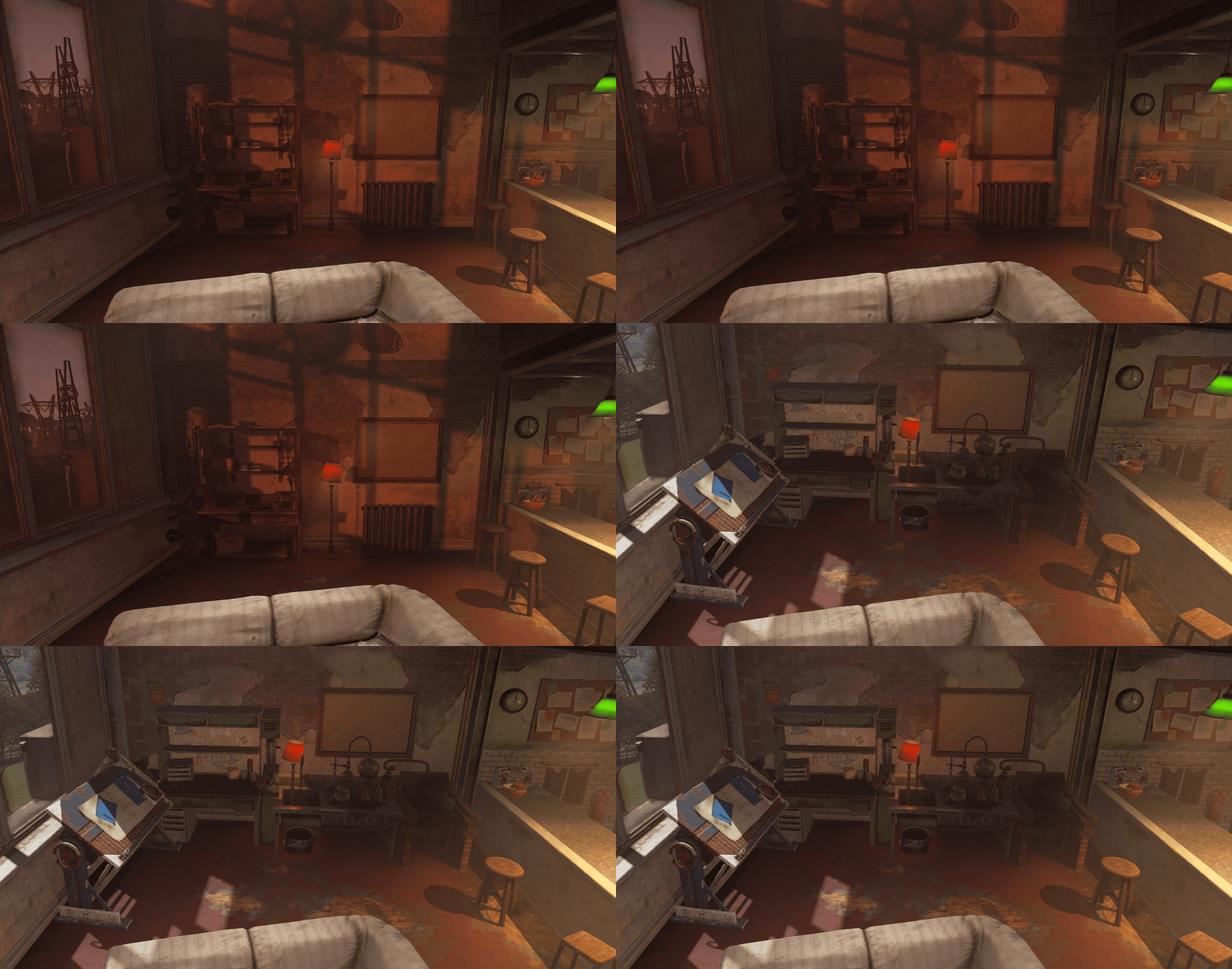
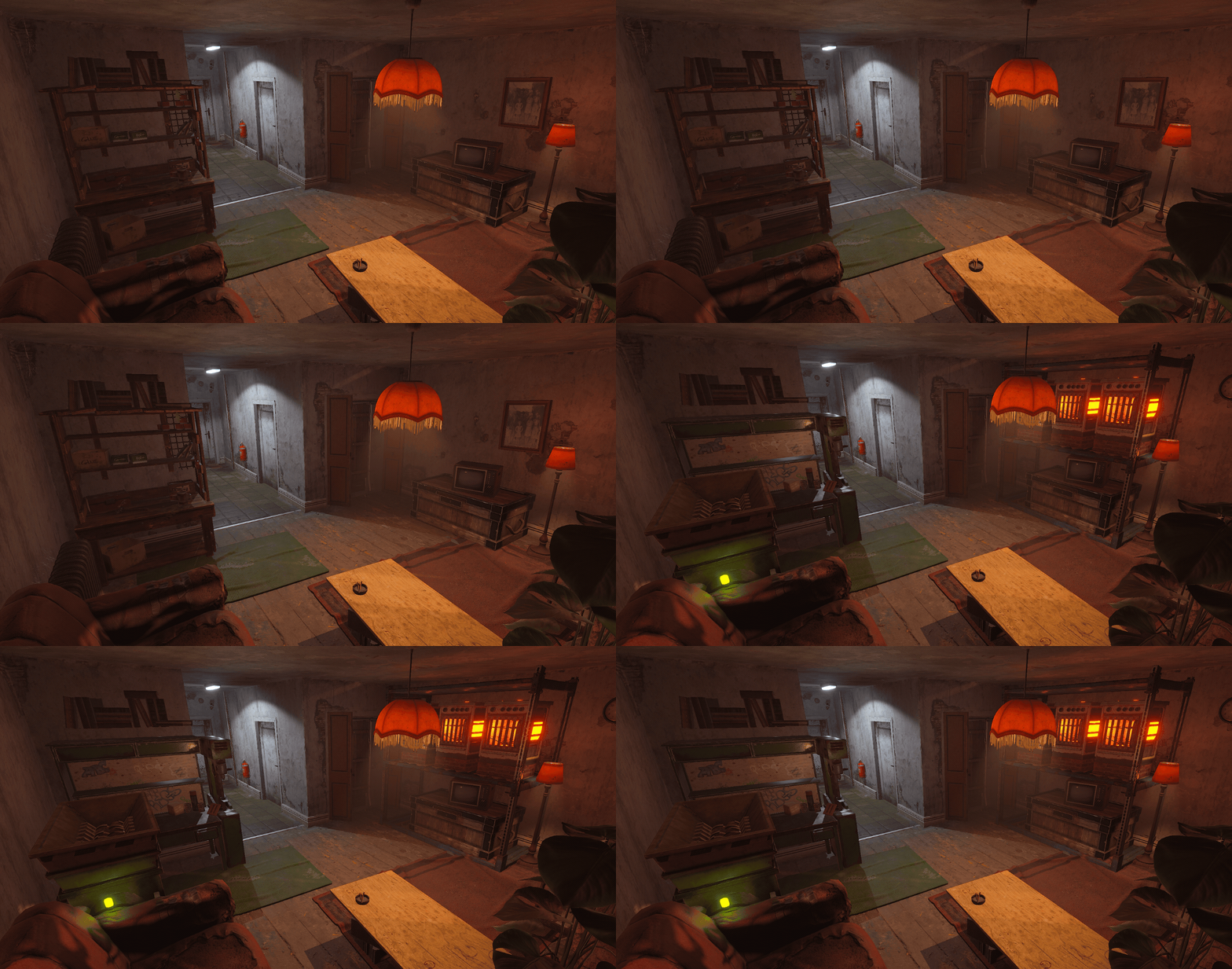
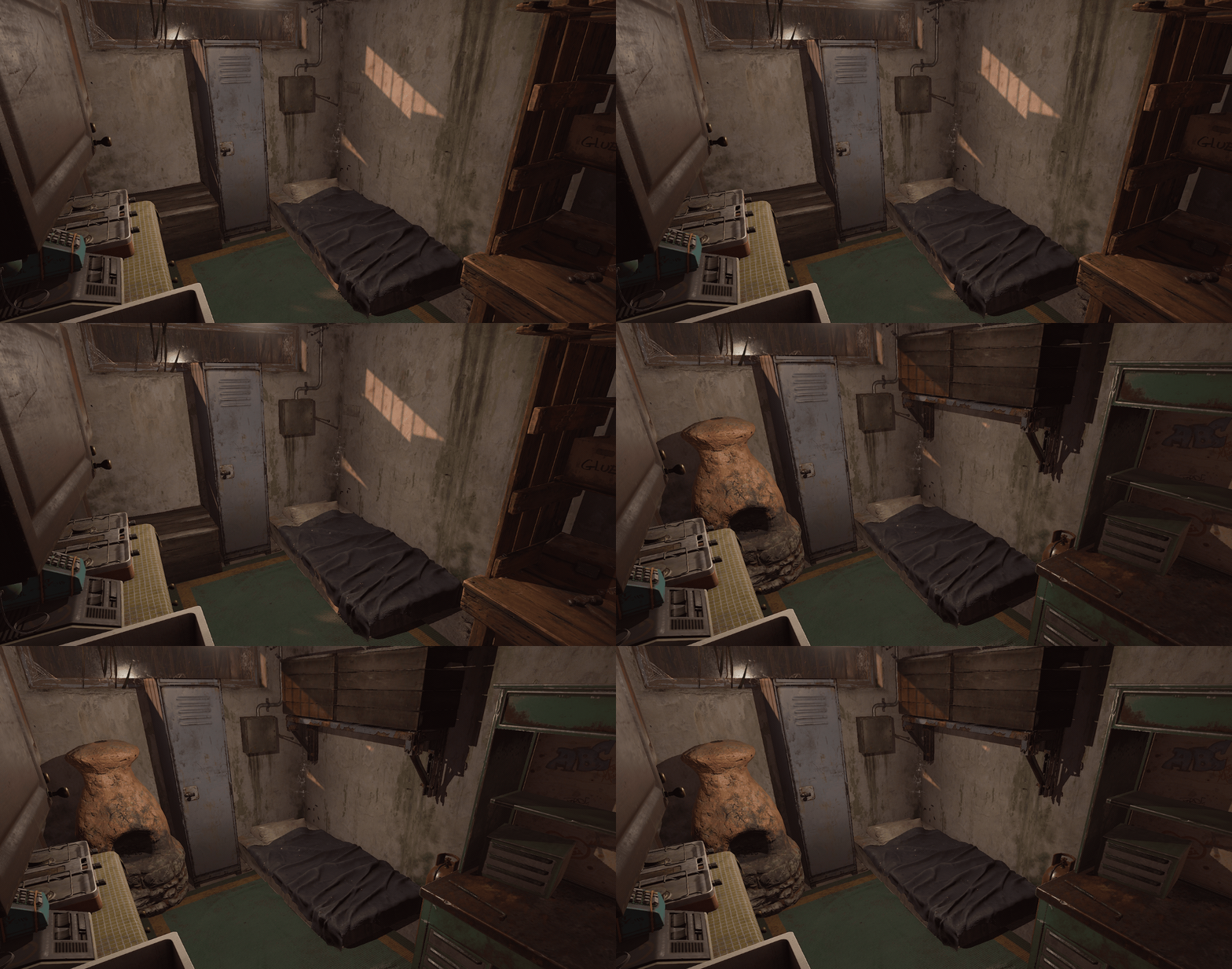
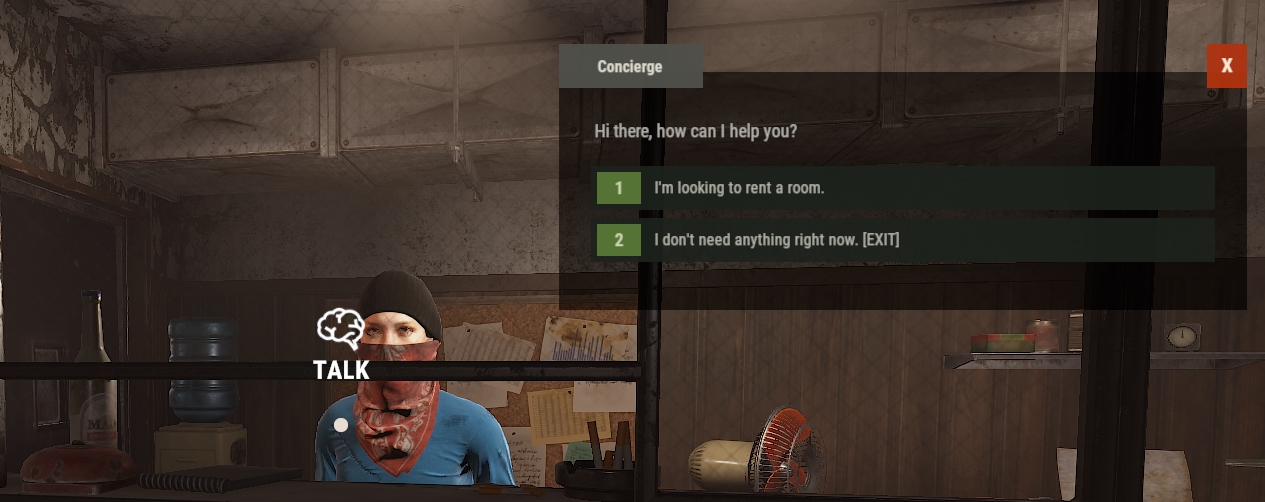
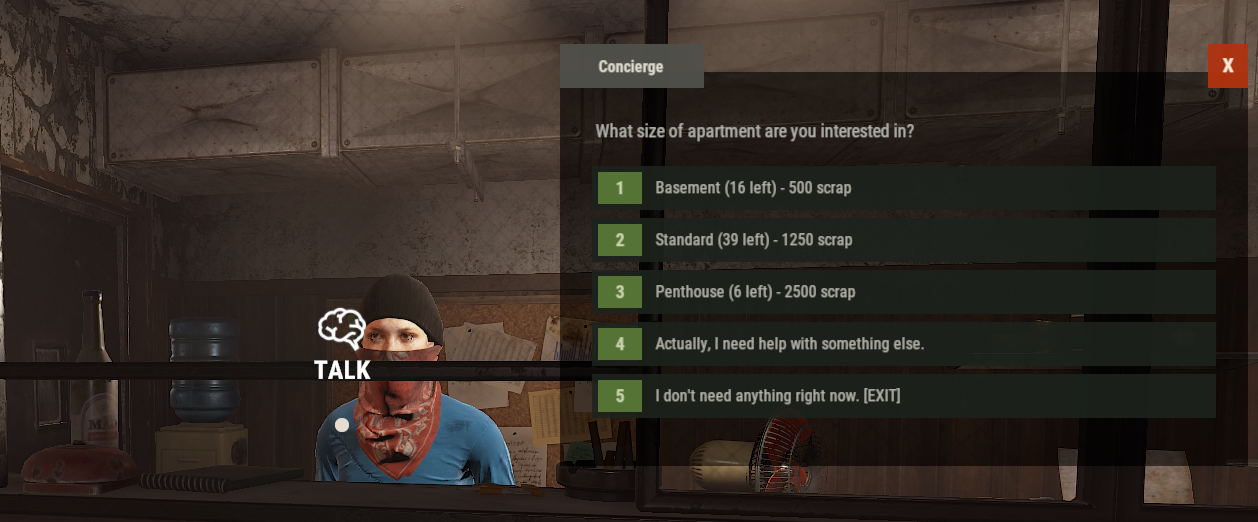
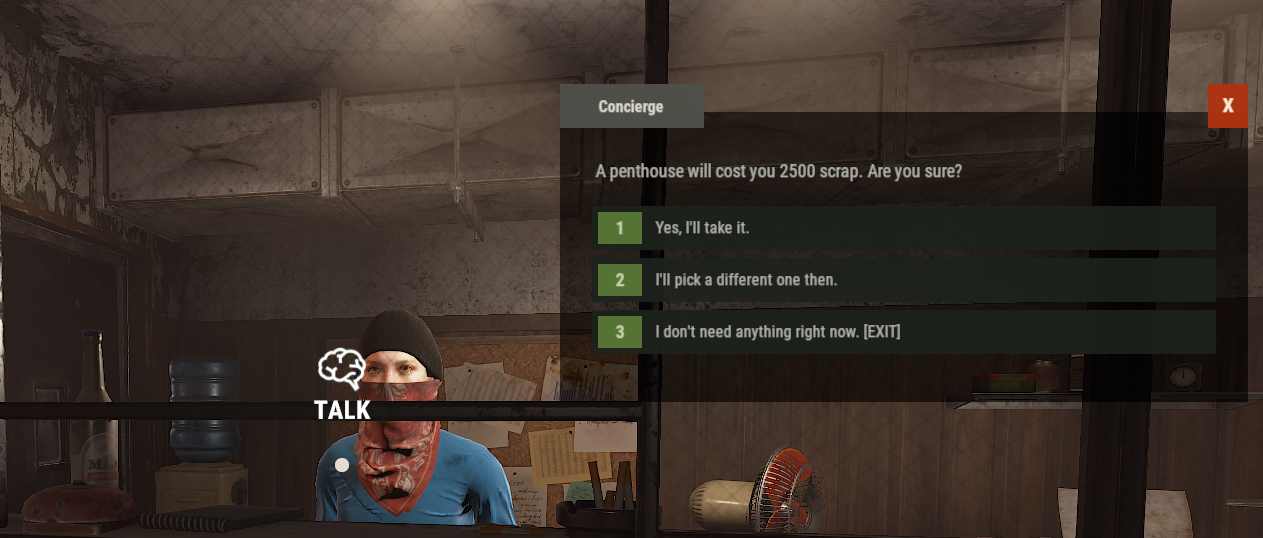
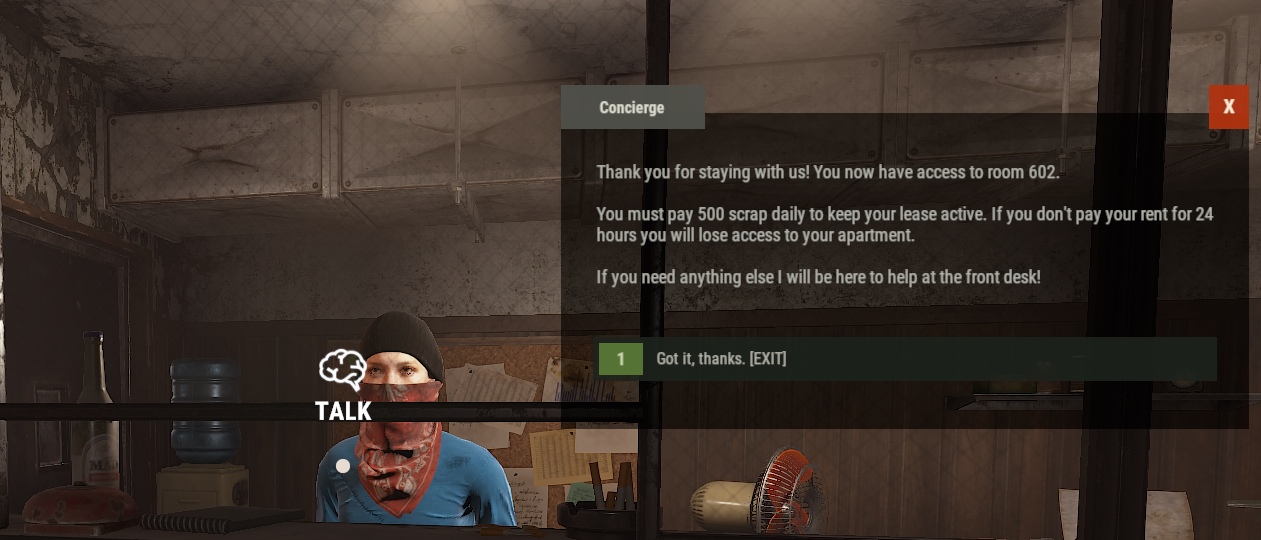
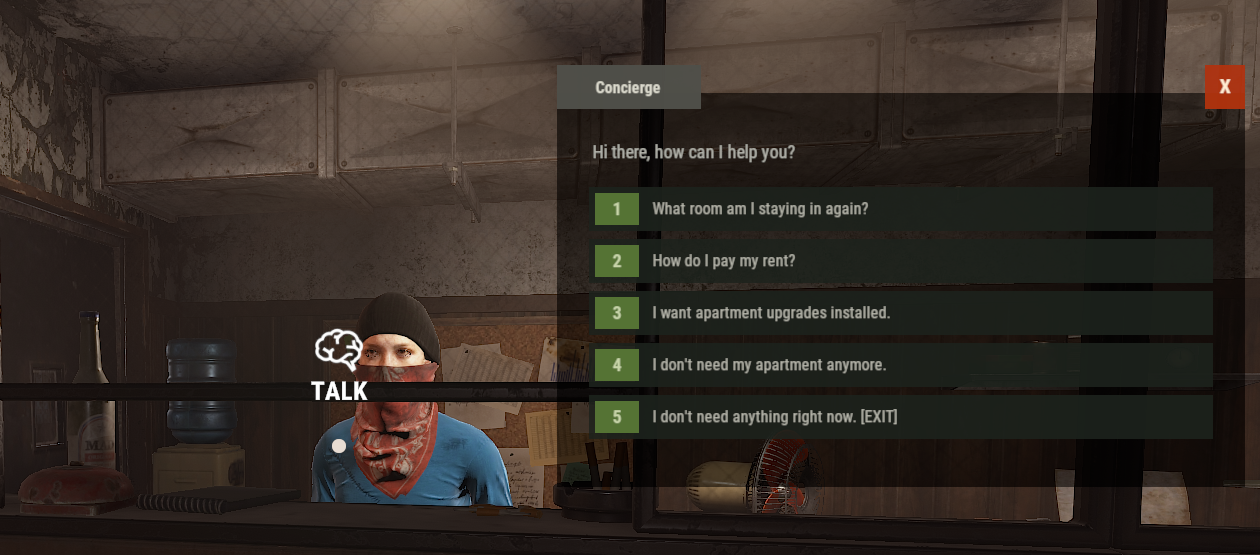
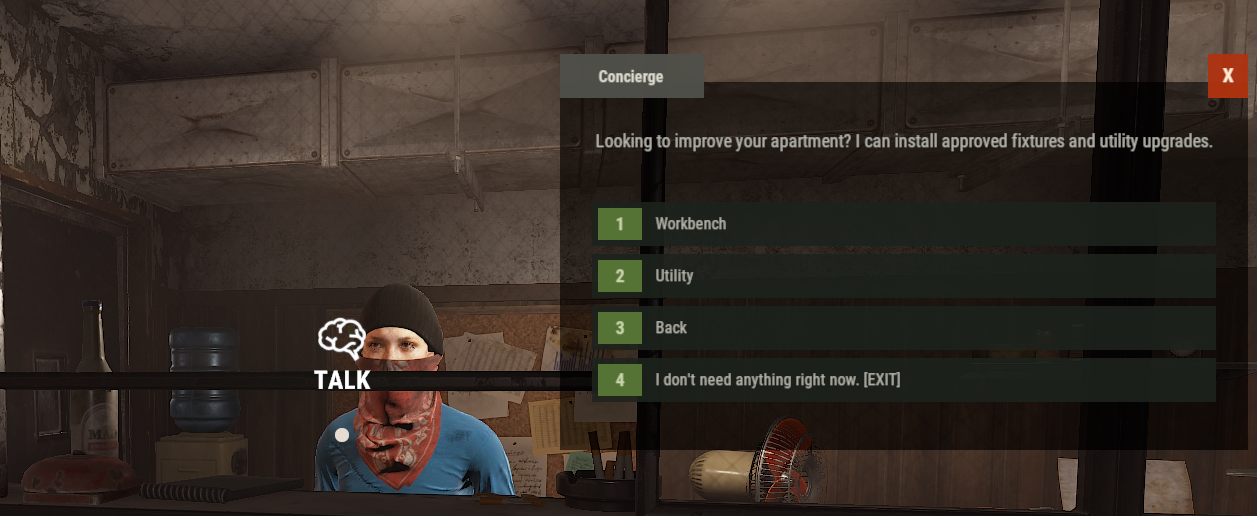
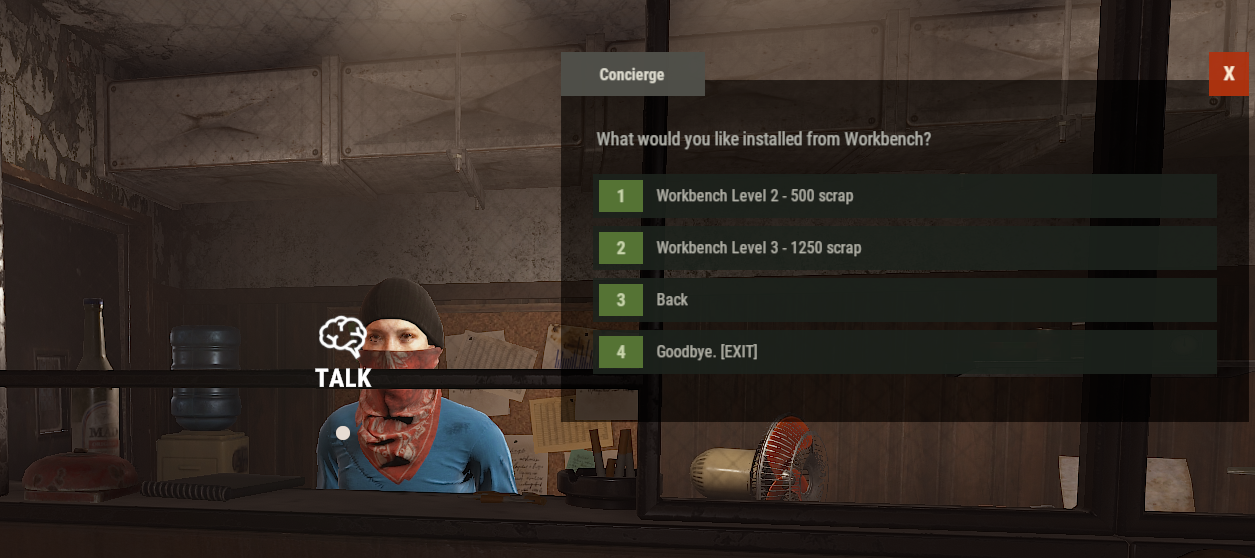
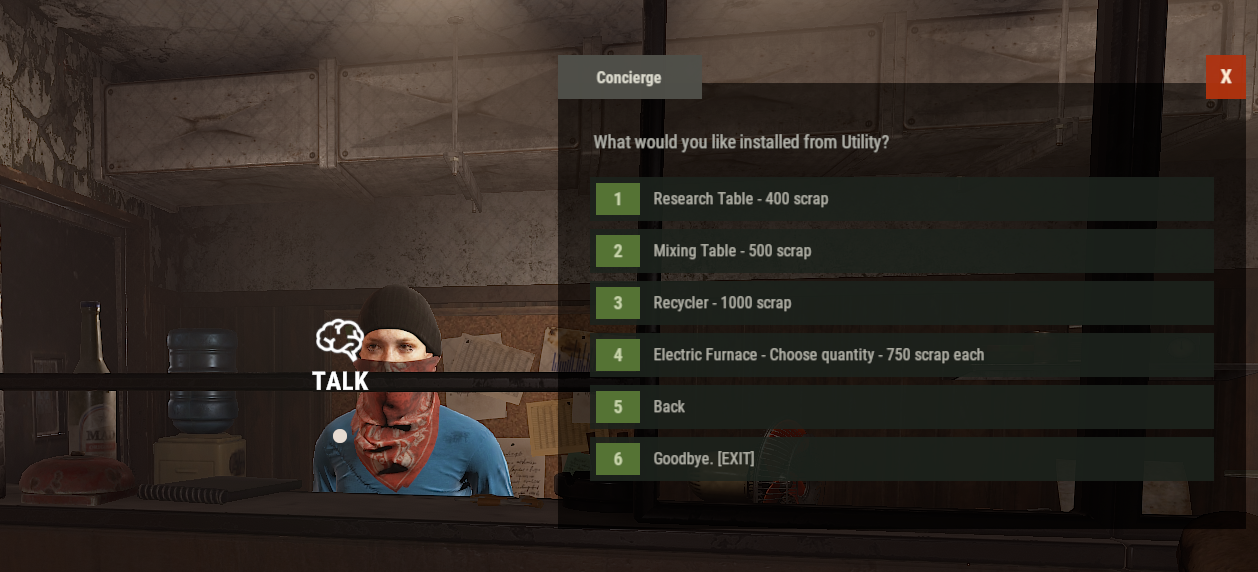
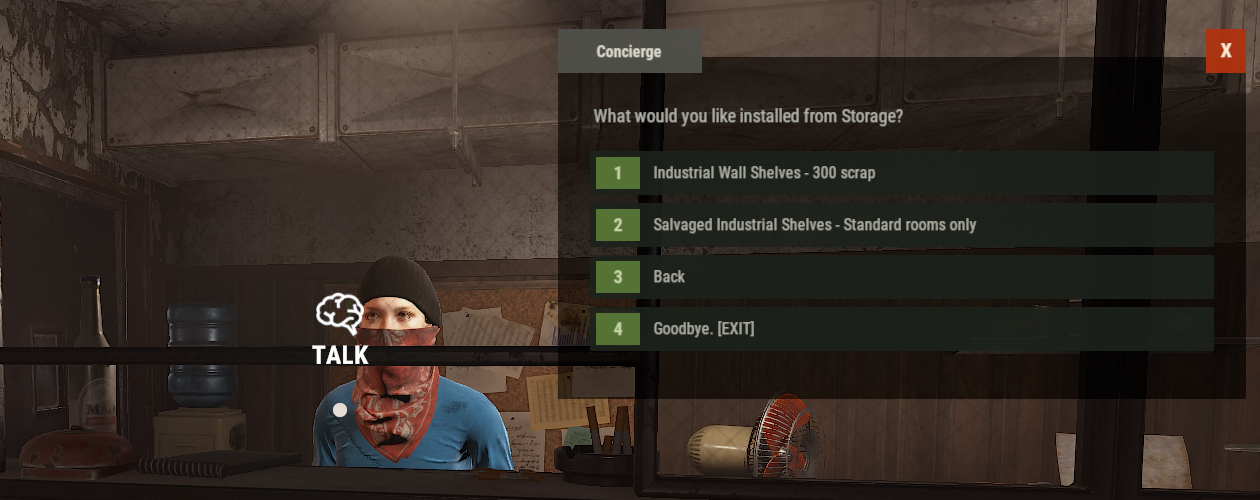
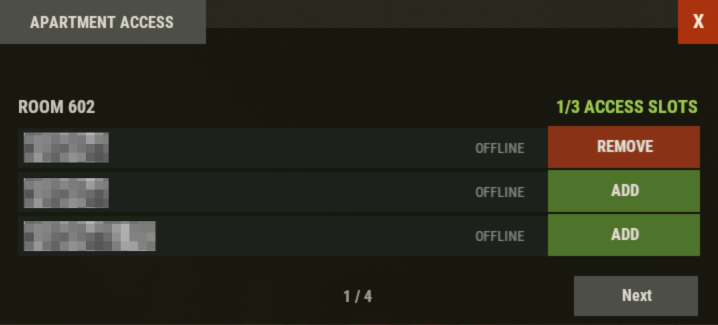
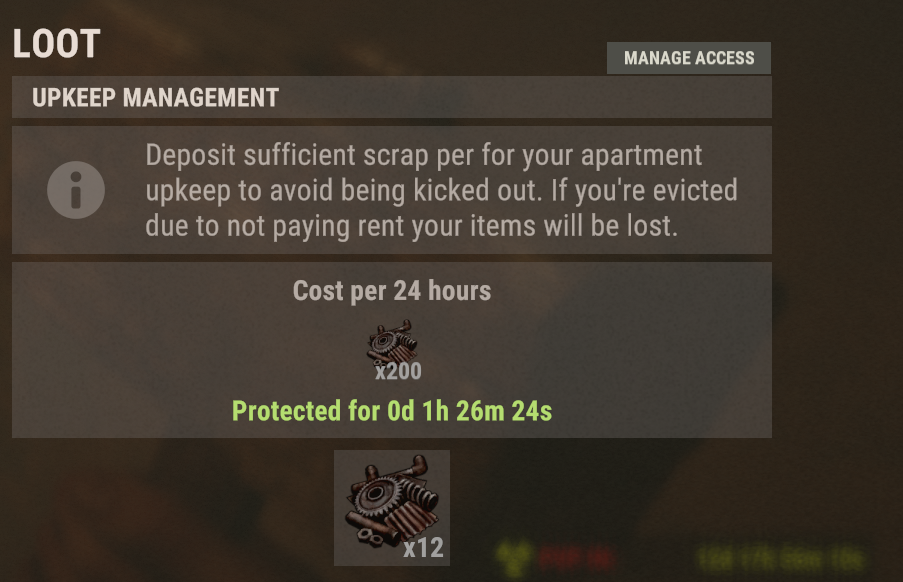
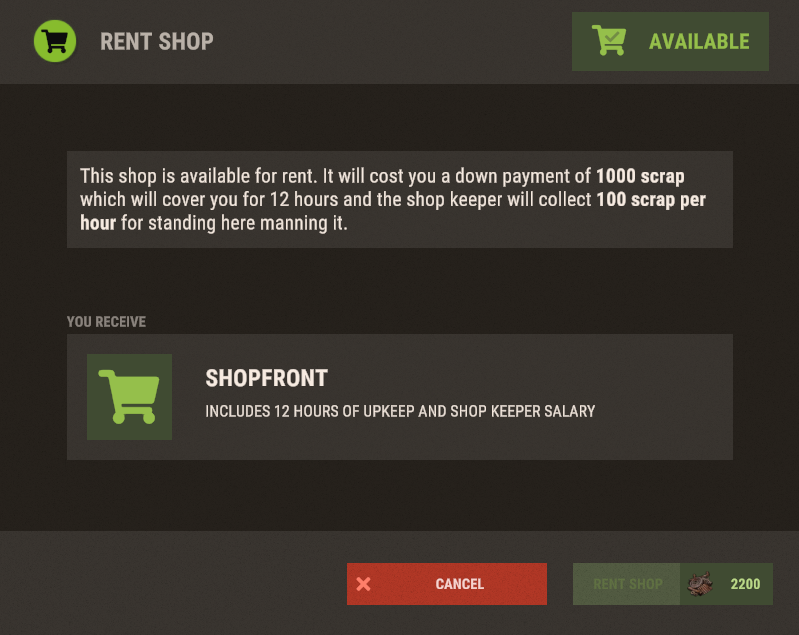
Players interact with the existing apartment concierge to rent a room, check their room number, manage rent, move to a larger apartment, purchase upgrades, and manage apartment access. Everything is handled through a polished conversation interface designed to closely match Rust’s native dialogue UI, including fonts, colors, button styling, hover effects, and animated text.
No additional NPCs, player commands, or external dependencies are required.
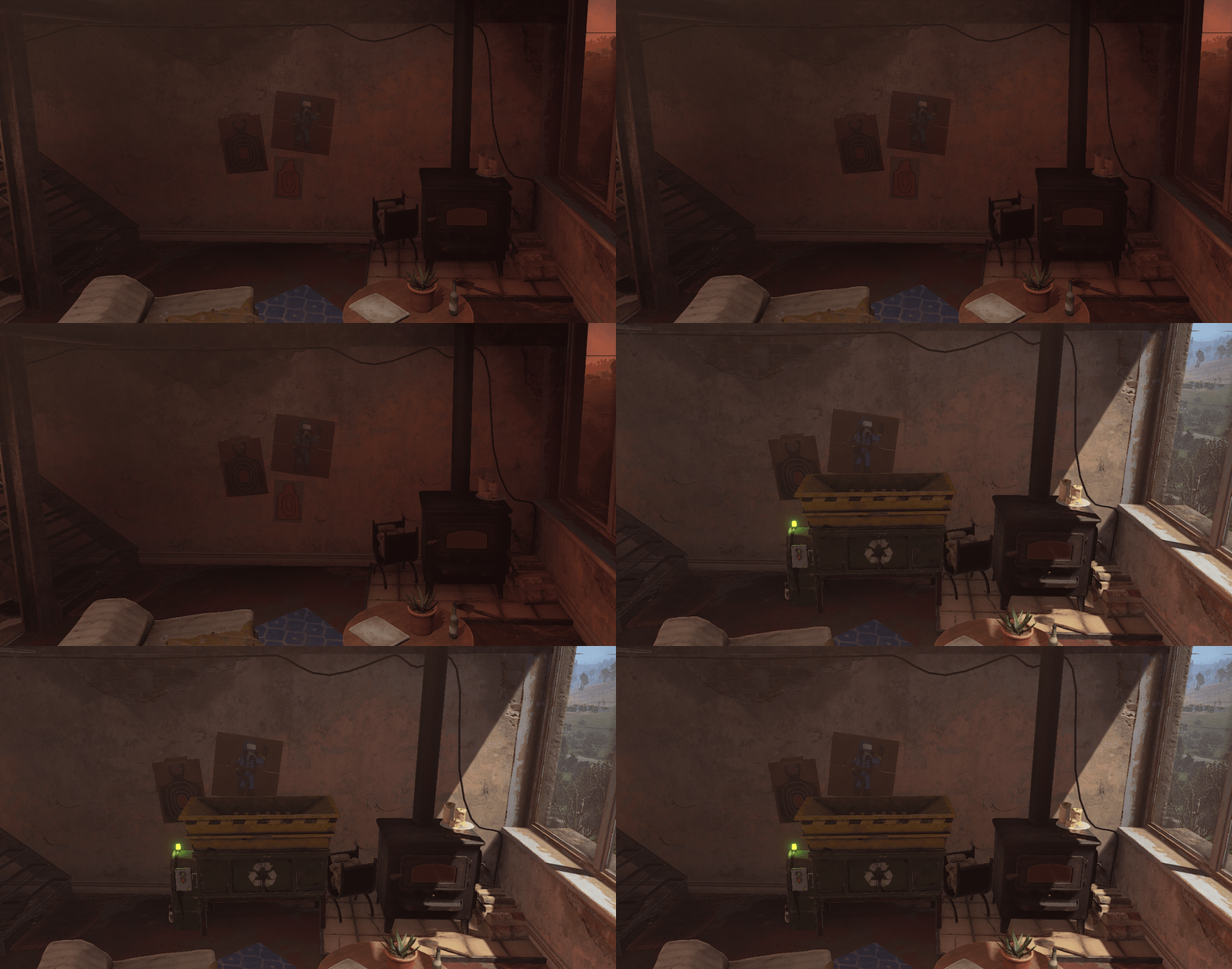
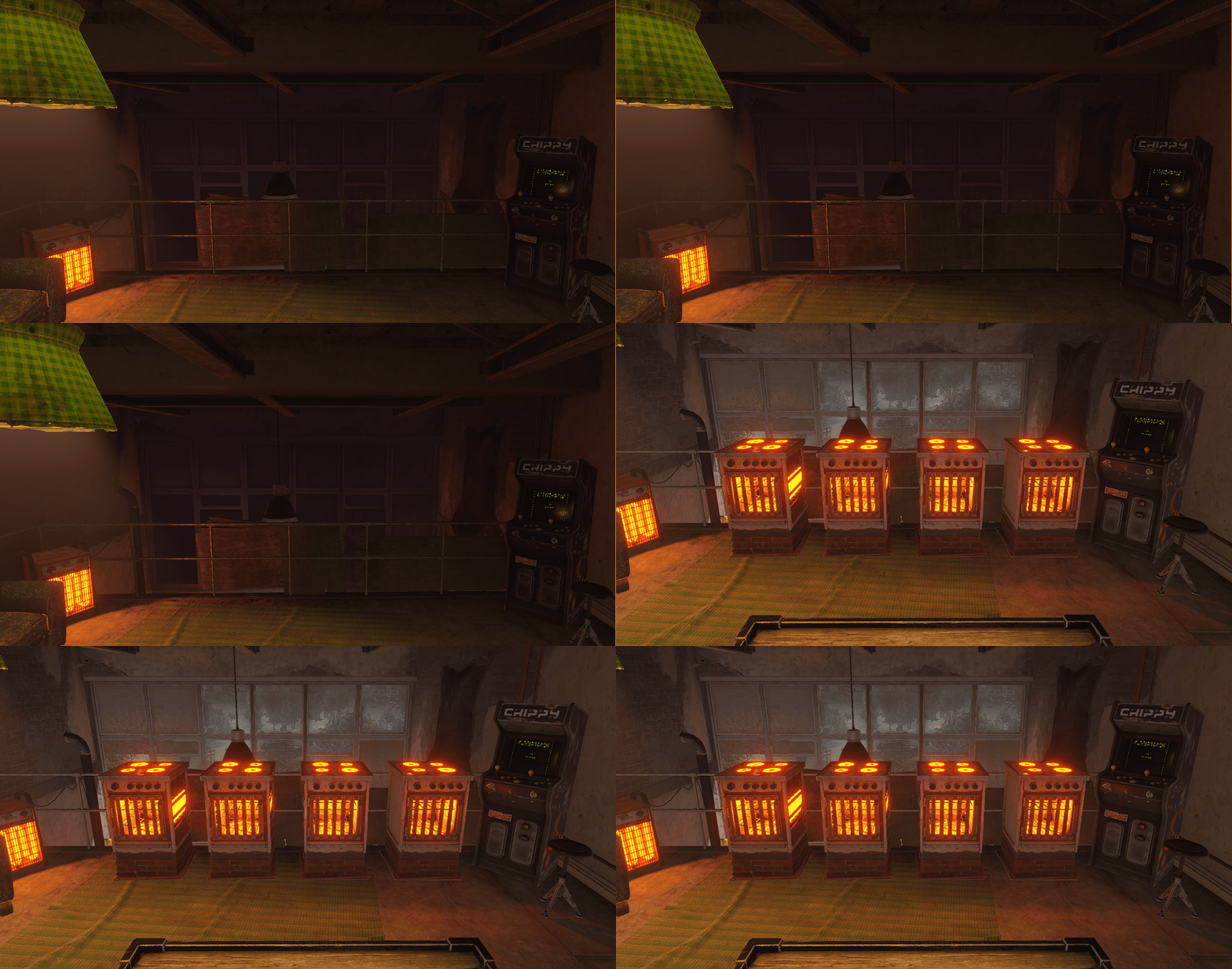
Apartment Upgrades
Every apartment tier has its own upgrade selection based on available space and intended progression.
Basement Apartment
- Industrial Wall Shelves
- Two integrated Wooden Storage Boxes
- Furnace replacement for the original storage box
- Workbench Level 2 and Level 3
Standard Apartment
- Salvaged Industrial Shelves fitted around the original furniture
- Up to three permanently powered Electric Furnaces
- Recycler
- Workbench Level 2 and Level 3
Penthouse
- Research Table
- Mixing Table
- Recycler
- Up to four permanently powered Electric Furnaces
- Workbench Level 2 and Level 3
Upgrade availability is automatically filtered by apartment type, so players only see upgrades compatible with their current room.
Integrated Rental System
The plugin takes control of the official apartment workflow without replacing the original apartment building or concierge.
Players can:
- Rent any available apartment
- View their current room number
- Check daily upkeep information
- Purchase room upgrades
- Move to a larger apartment tier
- Check out and release their apartment
- Manage apartment access
- Authorize other players to use their apartment
- Provide guest sleeping bags for authorized players
Configured purchase, upkeep, shop, security camera, and master key prices are displayed directly in the plugin interface and applied immediately.
When moving to a different apartment tier, stored items are transferred safely while upgrades from the previous room are removed because each apartment layout uses different placements and available space.
Apartment Access
Apartment owners can authorize additional players directly from the upkeep interface. Authorized players can access the apartment, and optional guest sleeping bags are created for them using the player’s name.
Access slots are configurable per apartment tier, allowing server owners to control how many additional players can share each apartment type.
Fully Configurable
Server owners can configure:
- Apartment purchase prices
- Daily upkeep costs
- Individual upgrade prices
- Upgrade availability
- Required permissions
- VIP access
- Apartment access slots
- Guest sleeping bags
- Shop prices
- Security camera price
- Master key price and cooldown
- Concierge text and interaction range
Every upgrade and optional feature can be enabled or disabled separately. Disabled options are automatically removed from the interface.
Reliable Placement and Persistence
All upgrade positions are built directly into the plugin and calculated relative to the apartment itself. They do not depend on world coordinates or editable data files.
This allows apartment buildings to be placed in different locations or rotations across map wipes while keeping every upgrade correctly positioned inside each room.
Player purchases and access data are stored automatically and restored after:
- Server restarts
- Plugin reloads
- Entity reloads
The plugin also detects expired, changed, or released apartment leases and removes outdated records safely.
Advanced Apartment delivers a natural extension to Rust’s apartment system, giving players meaningful room progression while giving server owners full control over pricing, upgrades, access, and apartment-related services.
AdvancedApartment.json
{
  "General": {
    "InteractionRange": 8.0,
    "VipPermission": "advancedapartment.vip"
  },
  "ApartmentRent": {
    "Enabled": true,
    "Basement": {
      "PurchaseScrapCost": 500,
      "DailyUpkeepScrap": 50
    },
    "Standard": {
      "PurchaseScrapCost": 1250,
      "DailyUpkeepScrap": 100
    },
    "Penthouse": {
      "PurchaseScrapCost": 2500,
      "DailyUpkeepScrap": 200
    }
  },
  "ApartmentSecurity": {
    "MasterKeyScrapCost": 1000,
    "CameraAccessScrapCost": 50
  },
  "ApartmentTenants": {
    "Enabled": true,
    "RequireSameTeam": false,
    "AdditionalTenantsCanPurchaseUpgrades": true,
    "BasementAdditionalTenantSlots": 1,
    "StandardAdditionalTenantSlots": 2,
    "PenthouseAdditionalTenantSlots": 3
  },
  "UpgradeSettings": {
    "Workbench": {
      "Level2": {
        "Enabled": true,
        "ScrapCost": 500,
        "RequiredPermission": ""
      },
      "Level3": {
        "Enabled": true,
        "ScrapCost": 1250,
        "RequiredPermission": ""
      }
    },
    "Basement": {
      "IndustrialWallShelves": {
        "Enabled": true,
        "ScrapCost": 300,
        "RequiredPermission": ""
      },
      "Furnace": {
        "Enabled": true,
        "ScrapCost": 250,
        "RequiredPermission": ""
      }
    },
    "Standard": {
      "SalvagedIndustrialShelves": {
        "Enabled": true,
        "ScrapCost": 500,
        "RequiredPermission": ""
      },
      "ElectricFurnace": {
        "Enabled": true,
        "ScrapCost": 750,
        "RequiredPermission": ""
      },
      "Recycler": {
        "Enabled": true,
        "ScrapCost": 1000,
        "RequiredPermission": ""
      }
    },
    "Penthouse": {
      "ResearchTable": {
        "Enabled": true,
        "ScrapCost": 400,
        "RequiredPermission": ""
      },
      "MixingTable": {
        "Enabled": true,
        "ScrapCost": 500,
        "RequiredPermission": ""
      },
      "Recycler": {
        "Enabled": true,
        "ScrapCost": 1000,
        "RequiredPermission": ""
      },
      "ElectricFurnace": {
        "Enabled": true,
        "ScrapCost": 750,
        "RequiredPermission": ""
      }
    }
  }
}

Trusted hosting partner. Affordable game servers with solid support and panels.
Visit site ↗