MegaCrateEvent
 Duff
Duff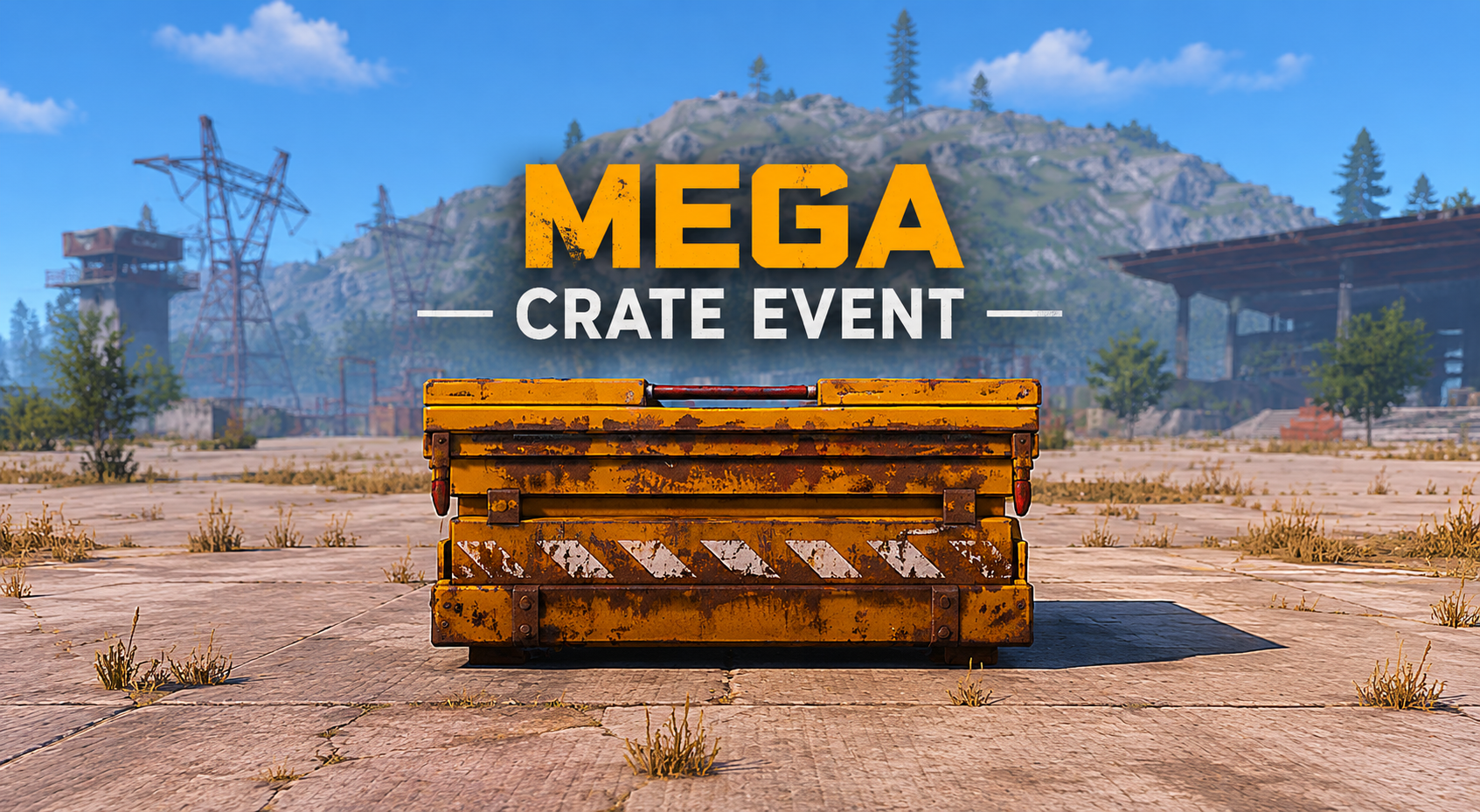 1 / 6
1 / 6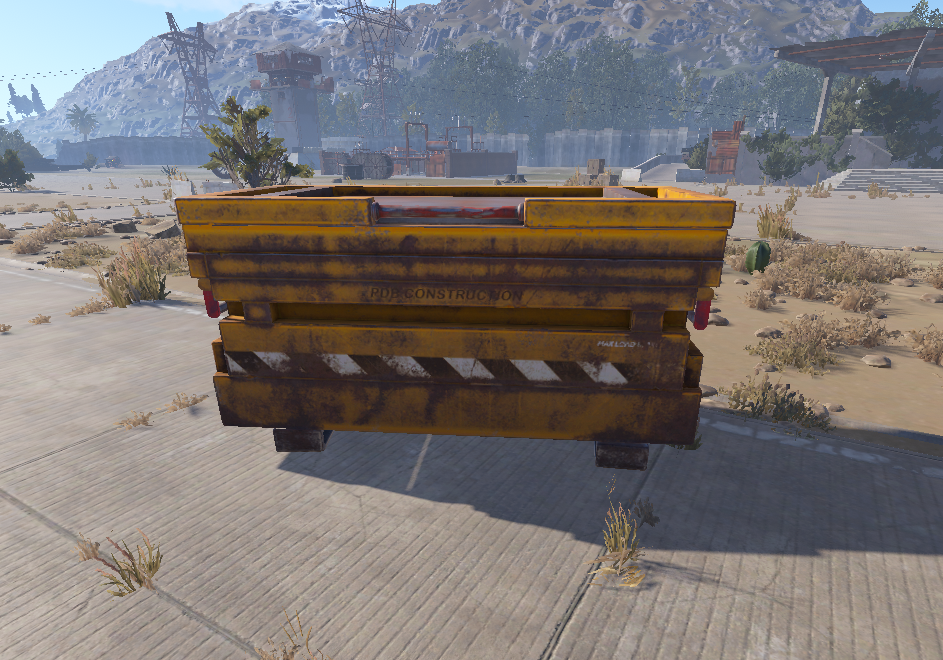
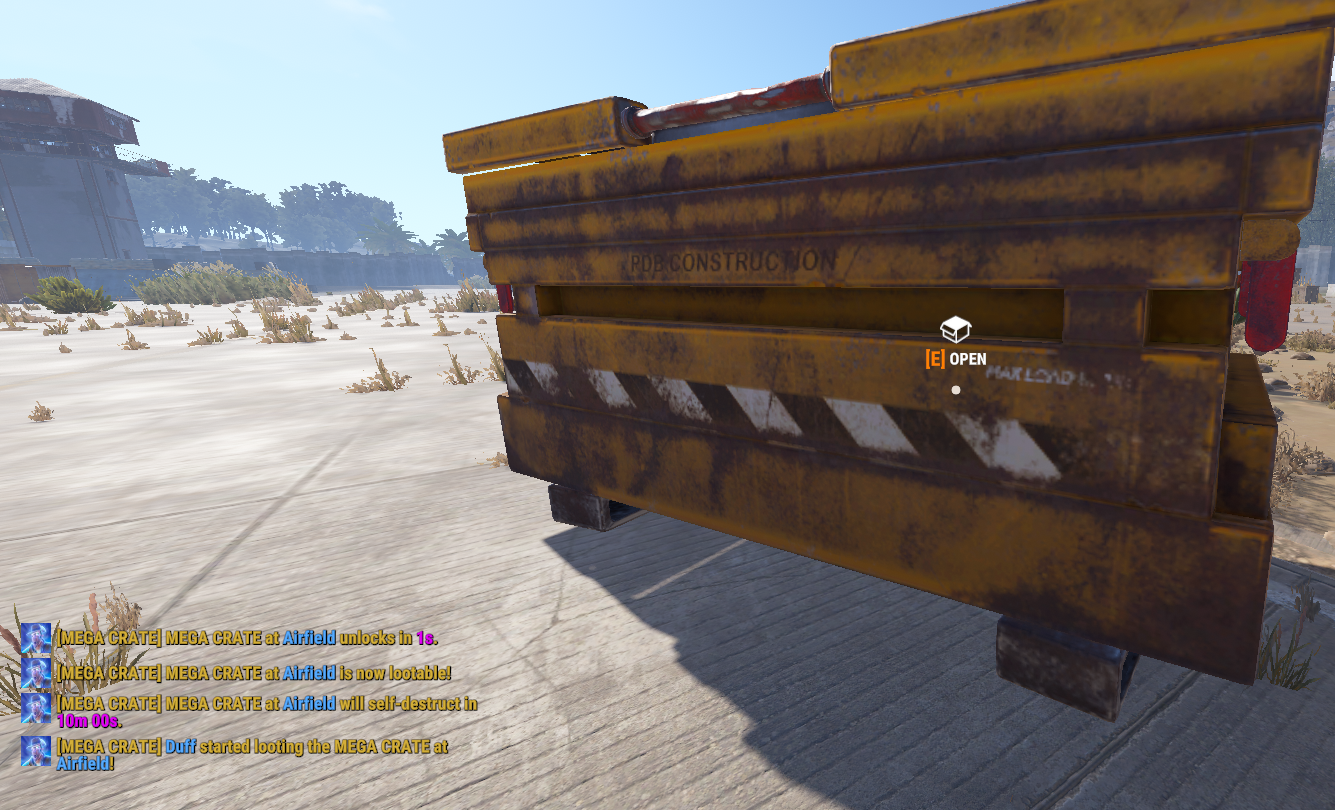
One Crate. One Countdown. One Monument Worth Fighting For.
MegaCrateEvent turns supported Rust monuments into visible, high-value loot objectives.
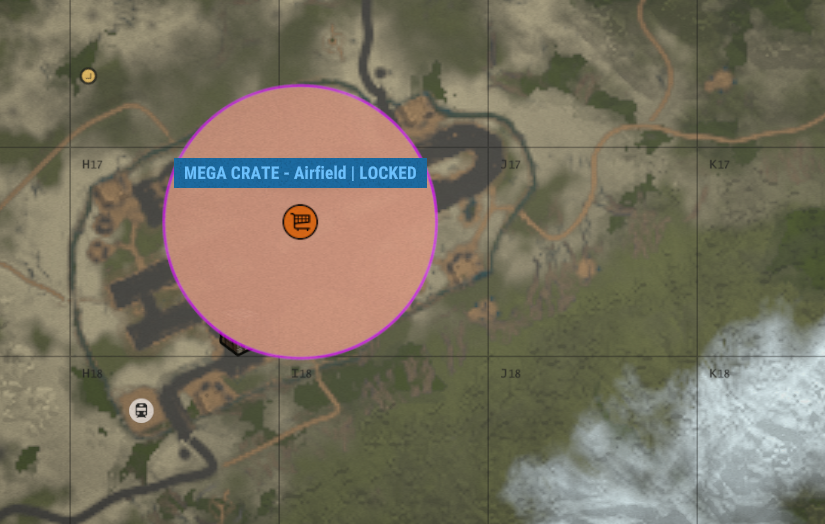
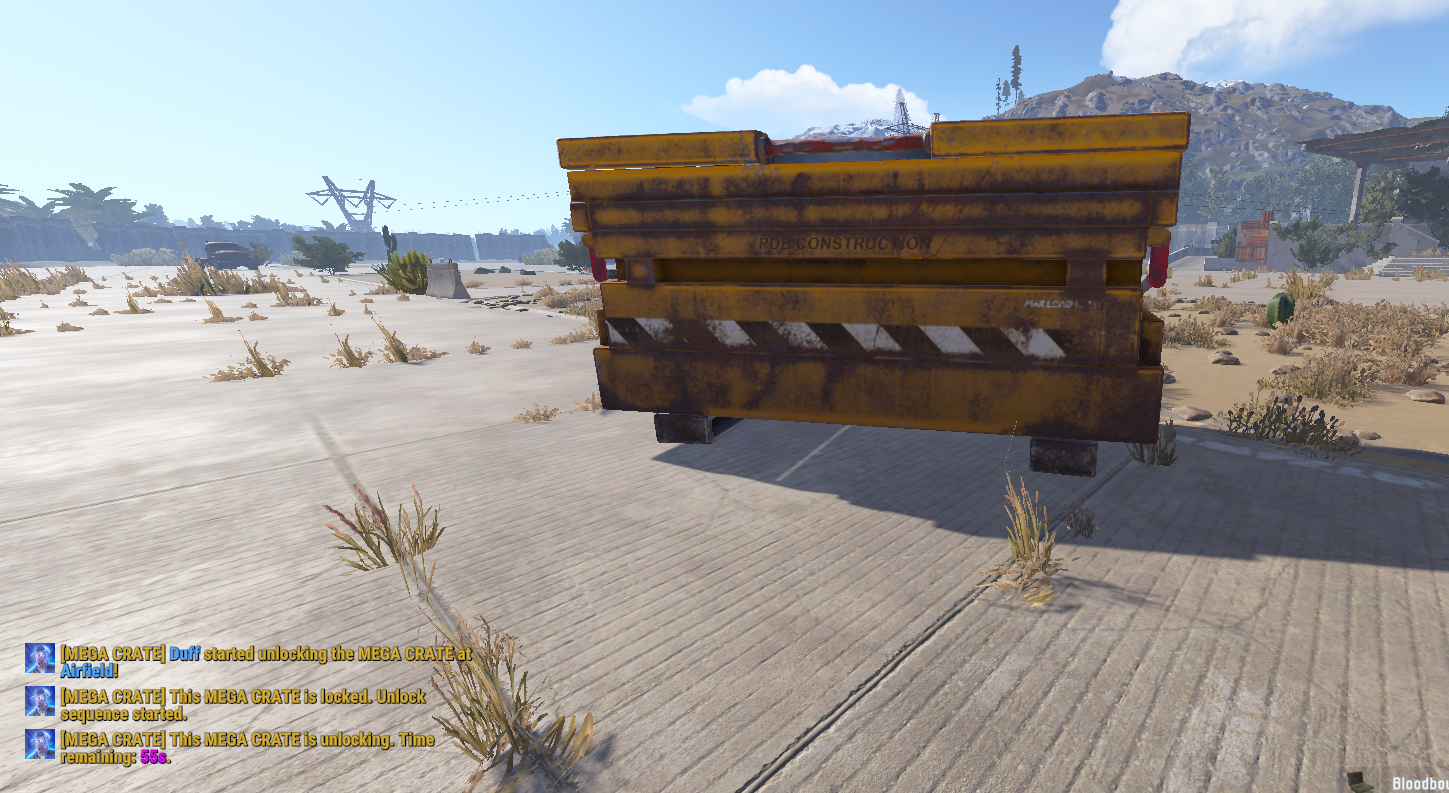
A large locked crate appears at a monument and is shown to players through configurable event markers. The first player who finds it can begin the unlock sequence, but the loot does not open immediately. The countdown is running, the server knows where the prize is, and other players have time to move in and contest it.
Get to the monument. Hold the area. Take the crate.
Features
- Large configurable MEGA CRATE event entity
- Automatic events with fixed or random scheduling
- Supported monument detection with safe auto-generated spawn points
- Manual admin spawn points and direct aimed-position spawning
- Timed fake-lock system with configurable unlock duration
- Unlock start, progress and unlocked sound effects
- Configurable map marker, hover text marker and visual sphere
- Live marker text for Locked, Unlocking, Lootable and Clearing states
- Custom loot profiles with amounts, chances, skins, names and item text
- Per-monument loot profiles with individual point overrides
- Optional first-looter rewards through Economics, ServerRewards or server commands
- Monument cooldowns, event limits and same-monument protection
- Idle despawn and timed event cleanup
- Admin status command showing live event and scheduler information
- Automatic cleanup of crates, markers, spheres and timers
How It Works
A MEGA CRATE spawns at an eligible monument location and begins in a locked state.
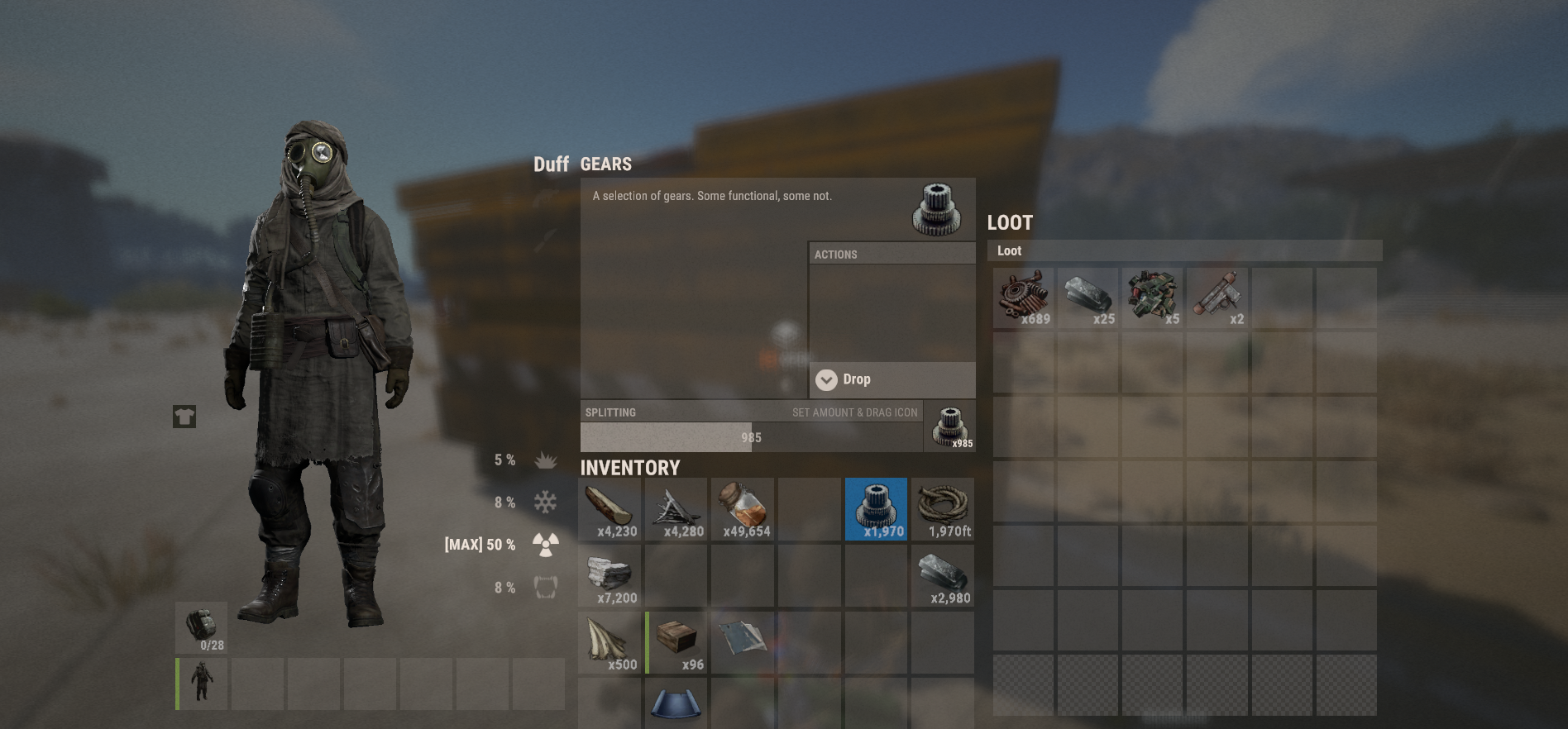
When a player tries to open it, the unlock sequence begins. Until the countdown completes, nobody can access the contents. Once unlocked, the crate generates loot from its assigned profile and becomes available to loot.
The first player to successfully open the crate can receive additional rewards. When the crate is emptied, or its configured cleanup timer expires, the event is removed automatically.
MegaCrateEvent is built around a simple objective players immediately understand: a valuable crate is opening at a monument, and somebody is going to leave with it.
Spawn Points And Monuments
MegaCrateEvent detects supported monuments on the current map and can automatically generate safe crate locations for them.
Spawn positions are checked for ground placement, slope, clearance, monument bounds and runtime safety before being used.
Admins can:
- Enable or disable saved spawn points
- Assign loot profiles to individual spawn points
- Save custom manual locations in-game
- Prefer manual locations over generated points
- Spawn an event at a selected monument or saved point
Supported monument areas include Airfield, Launch Site, Train Yard, Water Treatment Plant, Power Plant, Military Tunnels, Arctic Research Base, Excavator, Junkyard, Dome, Satellite Dish, Sewer Branch, Supermarket, Gas Station, Mining Outpost, Harbors, Quarries, Ferry Terminal, Lighthouse, Missile Silo and optionally Oil Rig when enabled and detected.
Custom Loot Profiles
Loot profiles are stored in:
| 1 | oxide/data/MegaCrateEvent/MegaCrateLootProfiles.json |
Profiles support:
- Item shortname
- Minimum and maximum amount
- Chance percent
- Skin ID
- Custom display name
- Custom item text
- Optional first-looter rewards
Default and high-tier example profiles are included.
Command rewards support:
| 1 | {steamid} |
| 2 | {playerid} |
| 3 | {playername} |
| 4 | {monument} |
| 5 | {point} |
| 6 | {profile} |
Admin Commands
| 1 | /megacrate |
| 2 | /megacrate status |
| 3 | /megacrate spawn |
| 4 | /megacrate spawn <point selector> |
| 5 | /megacrate spawnmonument <monument name> |
| 6 | /megacrate spawnhere |
| 7 | /megacrate despawn |
| 8 | /megacrate scan |
| 9 | /megacrate reload |
| 10 | /megacrate points |
| 11 | /megacrate savepoint <name> |
| 12 | /megacrate delpoint <point selector> |
| 13 | /megacrate enablepoint <point selector> |
| 14 | /megacrate disablepoint <point selector> |
| 15 | /megacrate setprofile <point selector> <profileId> |
Permission:
| 1 | megacrateevent.admin |
Console commands:
| 1 | megacrate.spawn |
| 2 | megacrate.despawn |
| 3 | megacrate.scan |
Note: /megacrate scan intentionally regenerates auto-generated spawn points. Manual spawn points remain available for custom placement control.
Performance And Cleanup
MegaCrateEvent is designed for live servers:
- Event gameplay hooks are only active while a MEGA CRATE exists
- Runtime spawn positions are safety checked before a crate is created
- Invalid or empty loot generation fails safely
- Crates, markers, spheres and timers are cleaned up when an event ends
- Active event entities are removed when the plugin unloads
- Editable event data recovers safely if malformed
Support
For support, feedback and updates, join Plugins By Duff:
MegaCrateEvent.json
{
  "Chat Settings": {
    "Use Prefix (true/false)": true,
    "Prefix": "<color=#d4af37>[MEGA CRATE]</color> ",
    "Chat Icon SteamID (0 = none)": 76561198888888888,
    "Chat Channel (0 default)": 0
  },
  "Event Schedule Settings": {
    "Spawn Automatically": true,
    "Use Random Interval": true,
    "Fixed Interval Seconds": 3600.0,
    "Minimum Random Interval Seconds": 3600.0,
    "Maximum Random Interval Seconds": 7200.0,
    "Start First Event After Seconds": 900.0,
    "Try Again After Failed Spawn Seconds": 300.0
  },
  "Event Limit Settings": {
    "Allow Multiple Active Events": false,
    "Maximum Active Events": 1,
    "Prevent Multiple Events At Same Monument": true,
    "Prefer Manual Spawn Points Over Auto Generated Points": true,
    "Monument Cooldown Seconds": 7200.0
  },
  "Population Settings": {
    "Minimum Players Online To Spawn": 10,
    "Include Sleepers": false
  },
  "Monument Scanner Settings": {
    "Auto Generate Current Map Monument Data": true,
    "Use Detected Land Monument Data": true,
    "New Detected Monuments Default Enabled": true,
    "Update Existing Monument Positions On Load": true,
    "Remove Missing Monuments From Current Map Data": true,
    "Allow Oil Rig If Detected As Land Monument": true
  },
  "Auto Spawn Point Generator Settings": {
    "Enabled": true,
    "Generate Points When Map Data Is Created": true,
    "Regenerate Auto Points On Map Change": true,
    "Auto Generated Points Default Enabled": true,
    "Generate Points For Disabled Monuments": false,
    "Maximum Auto Points Per Monument": 5,
    "Candidate Sample Step Meters": 6.0,
    "Candidate Raycast Height": 30.0,
    "Candidate Raycast Distance": 80.0,
    "Crate Clearance Radius": 0.65,
    "Crate Clearance Height": 1.1,
    "Minimum Distance Between Auto Spawn Points": 15.0,
    "Maximum Ground Slope": 30.0,
    "Minimum Auto Spawn Point Score": 55.0,
    "Placement Height Offset": 0.08,
    "Spawn Surface Mode (TerrainOnly, TerrainPreferred, StaticSurface)": "TerrainPreferred",
    "Require Spawn Point Above Terrain": true,
    "Minimum Height Above Terrain": 0.05,
    "Maximum Height Above Terrain": 4.0,
    "Maximum Height Below Terrain Allowed": 0.05
  },
  "Crate Settings": {
    "Crate Prefab Path": "assets/bundled/prefabs/radtown/underwater_labs/crate_normal.prefab",
    "Crate Scale": 3.0,
    "Inventory Slots": 36,
    "Loot Panel Name": "generic_large",
    "Seconds Until Unlock": 900.0,
    "Destroy Crate When Emptied": true,
    "Prevent Damage To Event Crate": true
  },
  "Announcement Settings": {
    "Announce Event Spawned": true,
    "Announce Unlock Started": true,
    "Announce Unlock Progress": true,
    "Unlock Progress Interval Seconds": 30.0,
    "Announce Crate Unlocked": true,
    "Announce First Player Looting": true,
    "Announce Crate Fully Looted": true,
    "Announce Idle Despawn": true,
    "Announce Clear Timer Started": true,
    "Announce Clear Timer Progress": true,
    "Clear Progress Interval Seconds": 60.0,
    "Announce Crate Despawned": true
  },
  "Player Warning Settings": {
    "Show Warning When Locked": true,
    "Show Warning When Unlocking": true,
    "Warning Cooldown Seconds": 3.0
  },
  "Sound Effect Settings": {
    "Play Sound When Unlock Starts": true,
    "Unlock Start Sound Prefab": "assets/prefabs/locks/keypad/effects/lock.code.lock.prefab",
    "Play Sound While Unlocking": true,
    "Unlock Progress Sound Prefab": "assets/prefabs/locks/keypad/effects/lock.code.updated.prefab",
    "Unlock Progress Sound Interval Seconds": 30.0,
    "Play Sound When Unlocked": true,
    "Unlocked Sound Prefab": "assets/prefabs/locks/keypad/effects/lock.code.unlock.prefab"
  },
  "Map Marker Settings": {
    "Enabled": true,
    "Marker Prefab Path": "assets/prefabs/tools/map/genericradiusmarker.prefab",
    "Show Hover Text Marker": true,
    "Hover Text Marker Prefab Path": "assets/prefabs/deployable/vendingmachine/vending_mapmarker.prefab",
    "Hover Text (supports {monument}, {point}, {profile}, {state}, {time})": "MEGA CRATE EVENT - {monument}",
    "Update Hover Text While Active": true,
    "Hover Text Update Interval Seconds": 10.0,
    "Hover Text Locked (supports {monument}, {point}, {profile}, {state}, {time})": "MEGA CRATE - {monument} | LOCKED",
    "Hover Text Unlocking (supports {monument}, {point}, {profile}, {state}, {time})": "MEGA CRATE - {monument} | UNLOCKING: {time}",
    "Hover Text Unlocked (supports {monument}, {point}, {profile}, {state}, {time})": "MEGA CRATE - {monument} | LOOTABLE",
    "Hover Text Clearing (supports {monument}, {point}, {profile}, {state}, {time})": "MEGA CRATE - {monument} | DESPAWNS: {time}",
    "Radius": 0.6,
    "Alpha": 0.85,
    "Primary Color": "#d4af37",
    "Secondary Color": "#e703f9",
    "Unlocking Primary Color": "#ff9900",
    "Unlocking Secondary Color": "#ff3333",
    "Unlocked Primary Color": "#33ff66",
    "Unlocked Secondary Color": "#d4af37",
    "Clearing Primary Color": "#999999",
    "Clearing Secondary Color": "#ff3333"
  },
  "Sphere Settings": {
    "Enabled": true,
    "Sphere Type (Visualization, BR Blue, BR Green, BR Red, BR Purple, Custom)": "Visualization",
    "Custom Sphere Prefab Path": "assets/prefabs/visualization/sphere.prefab",
    "Radius": 35.0,
    "Lerp Speed": 10.0
  },
  "Idle Despawn Settings": {
    "Enabled": true,
    "Seconds Until Despawn If Unlock Not Started": 1800.0
  },
  "Cleanup Settings": {
    "Start Clear Timer When Unlocked": true,
    "Clear Timer Seconds After Unlock": 600.0,
    "Start Clear Timer When First Looted": false,
    "Clear Timer Seconds After First Loot": 300.0
  },
  "Debug Settings": {
    "Enabled": false,
    "Print State Transitions": true,
    "Print Loot Rolls": true,
    "Print Spawn Point Generation": false
  }
}

Trusted hosting partner. Affordable game servers with solid support and panels.
Visit site ↗