Lumos
 Duff
Duff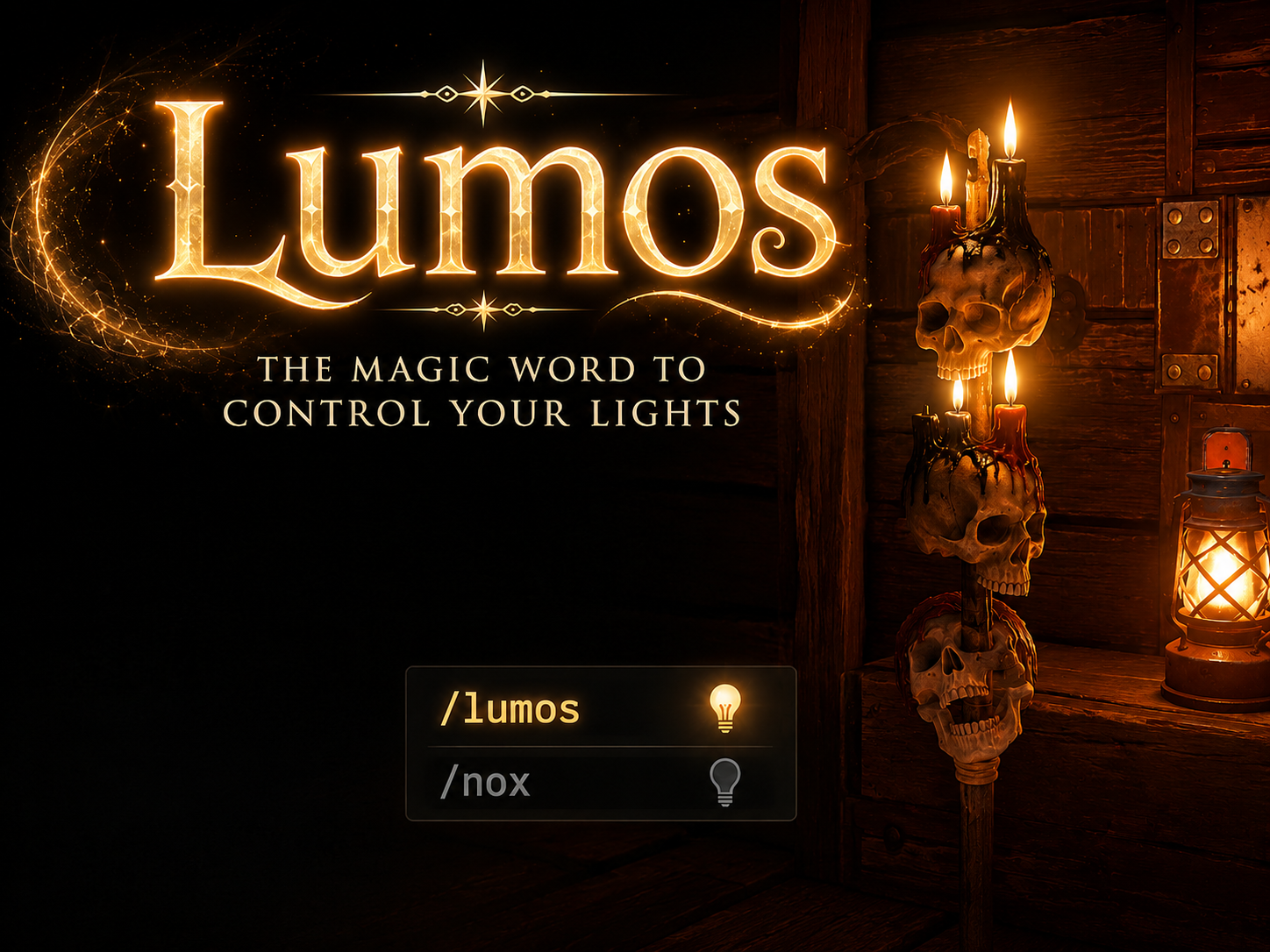 1 / 6
1 / 6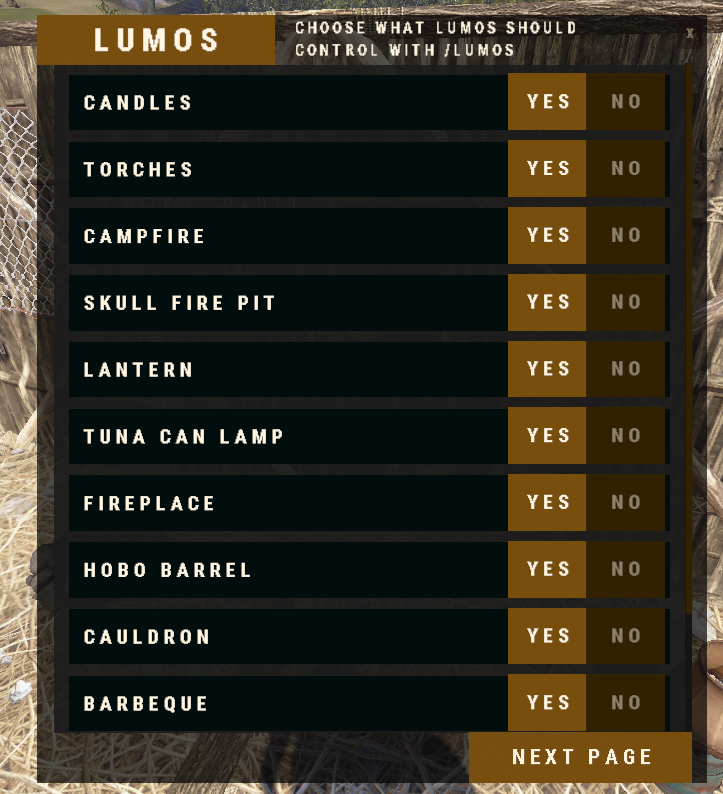
Lumos
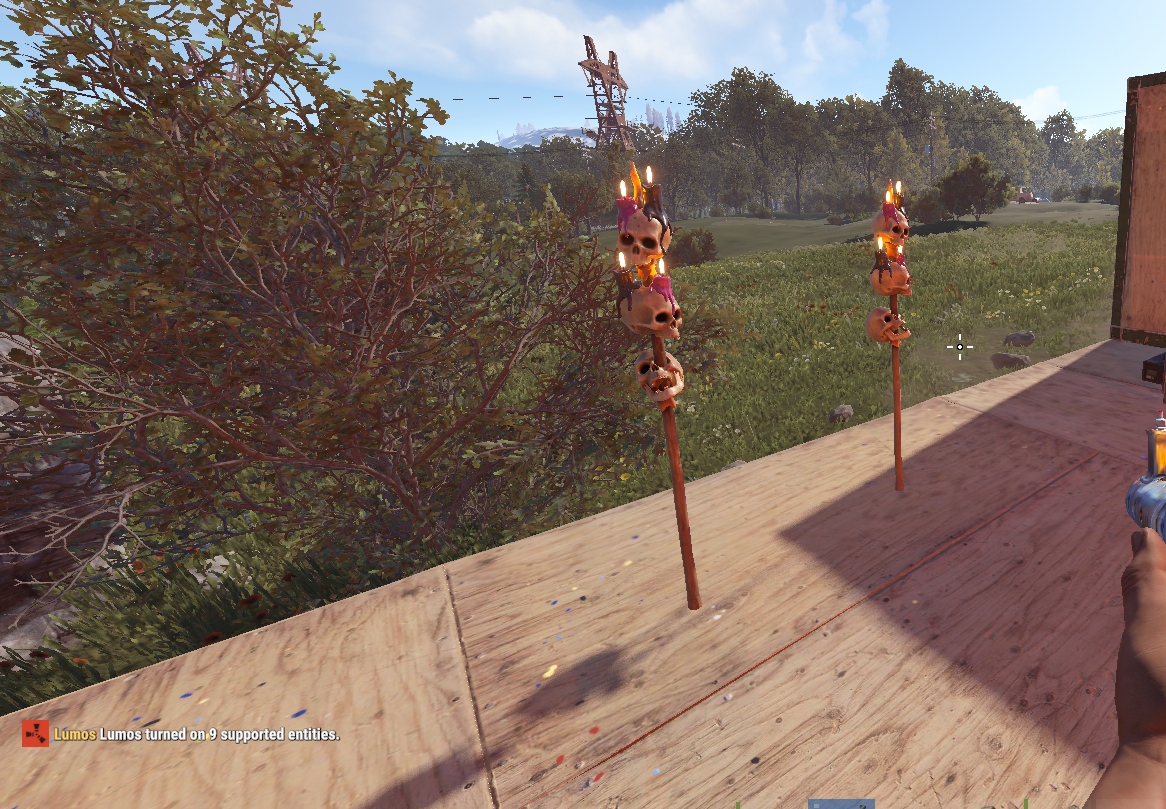
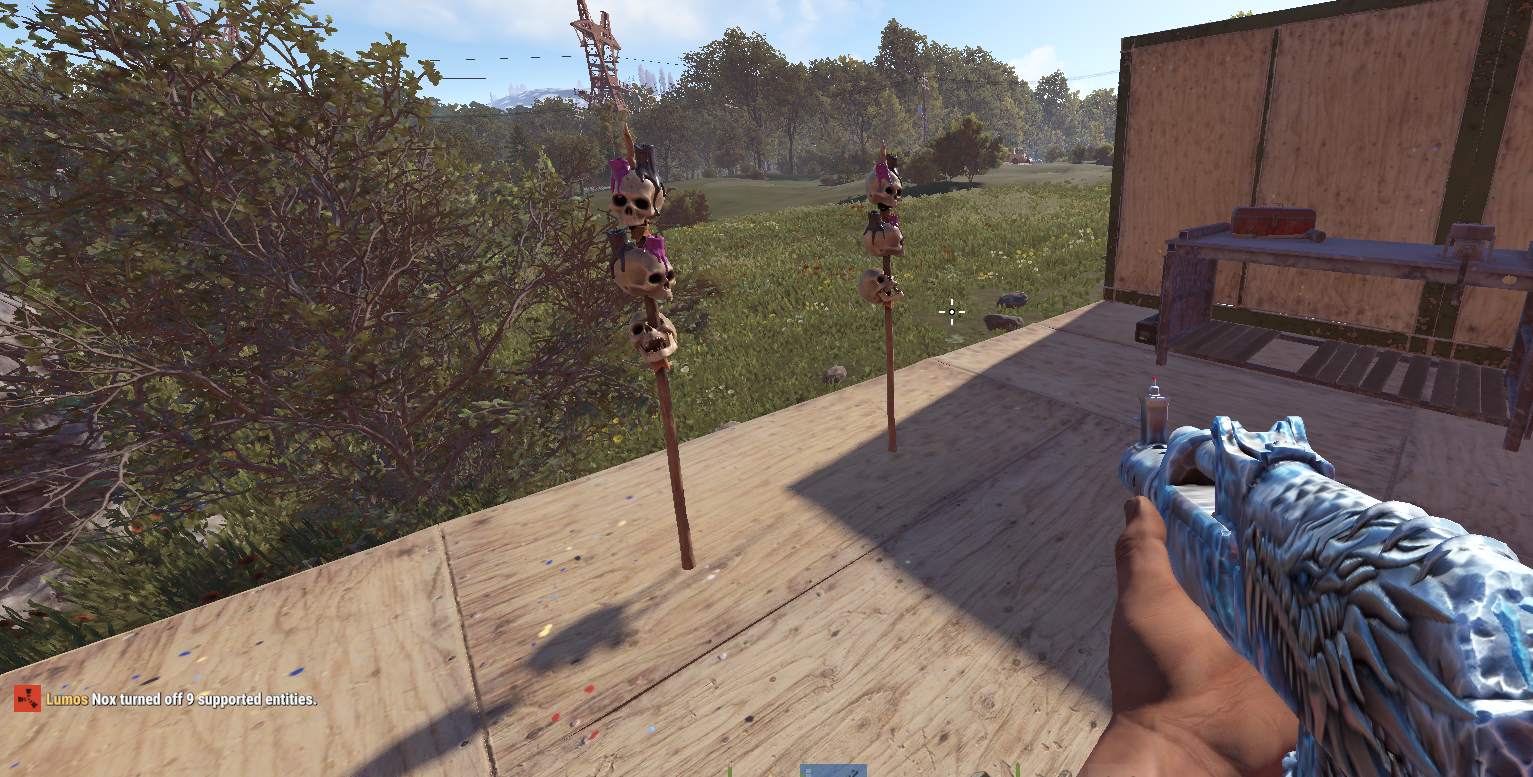
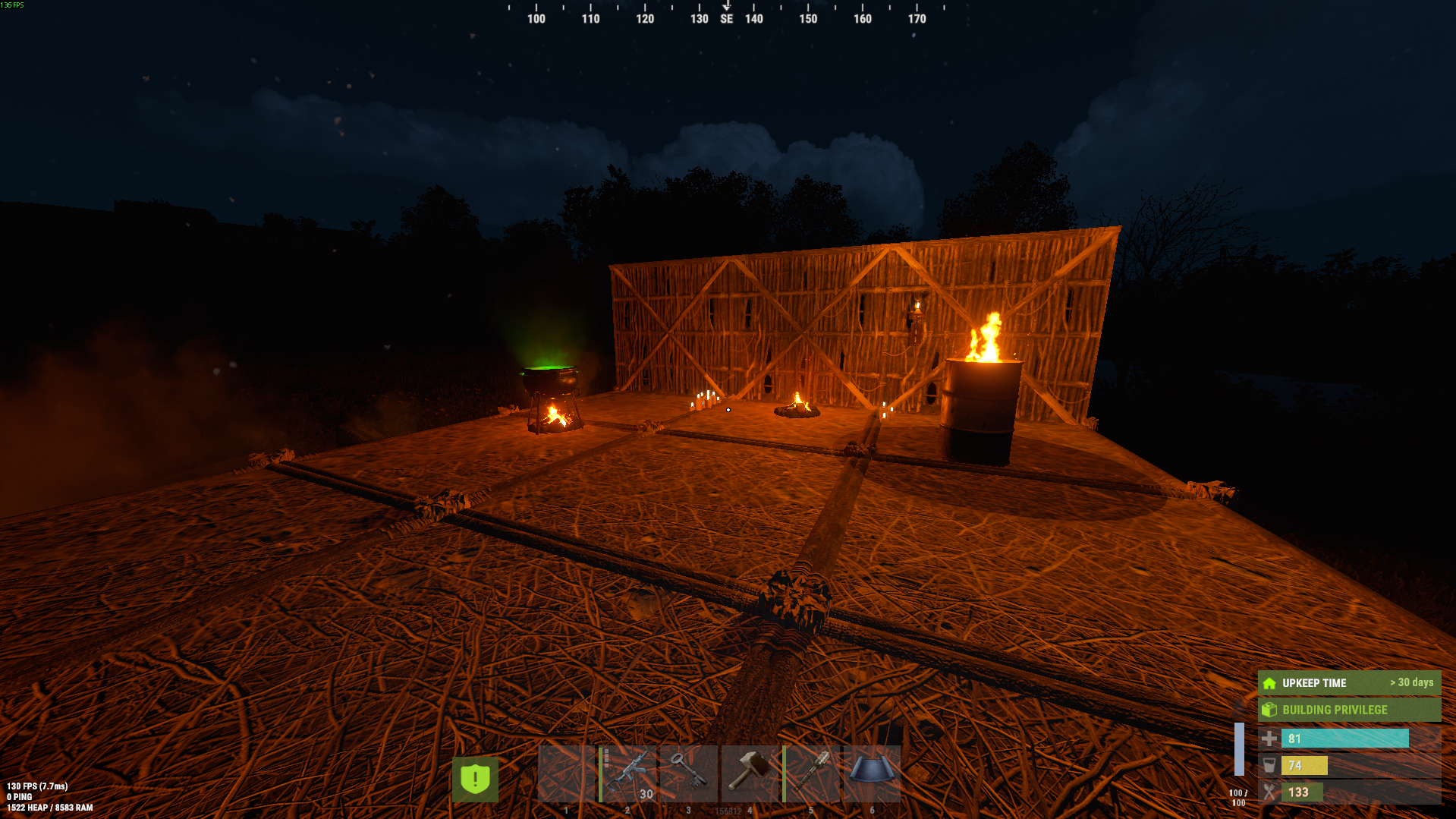
Lumos is a spell-themed Rust plugin that lets players control non-electrical lights and decorative effect entities inside their authorized building privilege.
Players can use simple chat commands to light up or extinguish supported entities around their base, choose which groups should be affected, and optionally enable automatic night lighting.
Features
- Turn supported lights on with
/lumos - Turn supported lights off with
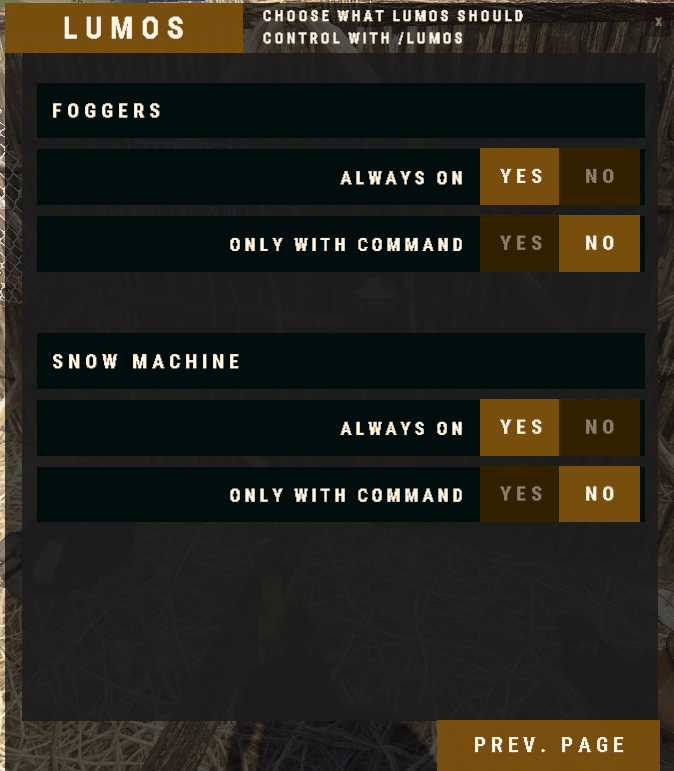
/nox - Control specific groups such as candles, torches, lanterns, campfires, fires, fog, and snow
- Player settings UI with
/lumos ui - Optional automatic night mode with
/lumos nightand/nox night - Building privilege authorization checks
- Optional same-tool-cupboard protection
- Saved player preferences
- Admin discovery tools for finding and adding supported entities
- Damage, decay, fuel, item, and durability protection options for supported entity types
Player Commands
/lumos
Turns on all enabled light groups nearby.
/nox
Turns off all enabled light groups nearby.
/lumos <group>
Turns on a specific group.
/nox <group>
Turns off a specific group.
/lumos ui
Opens the player settings UI.
/lumos night
Enables automatic night lighting.
/nox night
Disables automatic night lighting.
/lumos help
Shows the player command list.
Example Groups
lightsfirescandlestorcheslanternscampfiresfogsnow
Admin Commands
/lumosadmin reload
Reloads config and entity definitions.
/lumosadmin scan [radius]
Scans nearby supported or interesting entities.
/lumosadmin target
Shows information about the entity you are looking at.
/lumosadmin addtarget <group> [display name]
Adds the entity you are looking at to a group.
/lumosadmin addprefab <group> <shortPrefabName> [requiredType] [display name]
Adds a prefab manually.
/lumosadmin removeprefab <group> <prefabOrShortPrefab>
Removes a prefab from a group.
/lumosadmin groups
Lists configured groups.
/lumosadmin definitions
Lists configured entity definitions.
/lumosadmin repairui
Repairs duplicate UI group entries.
Permissions
lumos.use
Allows players to use Lumos, Nox, the UI, and night mode.
lumos.admin
Allows access to admin discovery and configuration commands.
Notes
Lumos only controls configured non-electrical lights and decorative effect entities. Players must be authorized in the relevant building privilege area unless you disable that requirement in the config.
Electrical Support can be added upon request
Join my discord
Plugins by duff
https://discord.gg/jewGrSqHB4
Lumos.json
{
  "General": {
    "Command Scan Radius": 45.0,
    "Require Building Privilege For Commands": true,
    "Require Same Building Privilege As Player": true,
    "Process Existing Entities On Server Initialized": true,
    "Restore Modified Entity State On Unload": true,
    "Reapply Saved Player Lumos State On Load": true,
    "Reapply Saved Player Lumos State On Player Connected": true,
    "Reapply Saved Player Lumos State Delay Seconds": 8.0
  },
  "Commands": {
    "Lumos Command": "lumos",
    "Nox Command": "nox",
    "Admin Command": "lumosadmin"
  },
  "Messages": {
    "Chat Prefix": "<color=#ffd479>Lumos</color>",
    "Chat Icon Steam ID (0 = default Rust icon)": "0"
  },
  "UI": {
    "Enabled": true,
    "Use Group Display Names From UI Config": true,
    "Groups": [
      {
        "Enabled": true,
        "Group": "candles",
        "Display Name": "Candles",
        "Category (Lights, Effects)": "Lights",
        "Order": 10,
        "Default Enabled For Commands": true,
        "Default Special Mode (AlwaysOn, Command, NeverOn)": "Command"
      },
      {
        "Enabled": true,
        "Group": "torches",
        "Display Name": "Torches",
        "Category (Lights, Effects)": "Lights",
        "Order": 20,
        "Default Enabled For Commands": true,
        "Default Special Mode (AlwaysOn, Command, NeverOn)": "Command"
      },
      {
        "Enabled": true,
        "Group": "campfires",
        "Display Name": "Campfire",
        "Category (Lights, Effects)": "Lights",
        "Order": 30,
        "Default Enabled For Commands": true,
        "Default Special Mode (AlwaysOn, Command, NeverOn)": "Command"
      },
      {
        "Enabled": true,
        "Group": "skull_fire_pits",
        "Display Name": "Skull Fire Pit",
        "Category (Lights, Effects)": "Lights",
        "Order": 40,
        "Default Enabled For Commands": true,
        "Default Special Mode (AlwaysOn, Command, NeverOn)": "Command"
      },
      {
        "Enabled": true,
        "Group": "lanterns",
        "Display Name": "Lantern",
        "Category (Lights, Effects)": "Lights",
        "Order": 50,
        "Default Enabled For Commands": true,
        "Default Special Mode (AlwaysOn, Command, NeverOn)": "Command"
      },
      {
        "Enabled": true,
        "Group": "tuna_can_lamps",
        "Display Name": "Tuna Can Lamp",
        "Category (Lights, Effects)": "Lights",
        "Order": 60,
        "Default Enabled For Commands": true,
        "Default Special Mode (AlwaysOn, Command, NeverOn)": "Command"
      },
      {
        "Enabled": true,
        "Group": "fireplaces",
        "Display Name": "Fireplace",
        "Category (Lights, Effects)": "Lights",
        "Order": 70,
        "Default Enabled For Commands": true,
        "Default Special Mode (AlwaysOn, Command, NeverOn)": "Command"
      },
      {
        "Enabled": true,
        "Group": "hobo_barrels",
        "Display Name": "Hobo Barrel",
        "Category (Lights, Effects)": "Lights",
        "Order": 80,
        "Default Enabled For Commands": true,
        "Default Special Mode (AlwaysOn, Command, NeverOn)": "Command"
      },
      {
        "Enabled": true,
        "Group": "cauldrons",
        "Display Name": "Cauldron",
        "Category (Lights, Effects)": "Lights",
        "Order": 90,
        "Default Enabled For Commands": true,
        "Default Special Mode (AlwaysOn, Command, NeverOn)": "Command"
      },
      {
        "Enabled": true,
        "Group": "bbqs",
        "Display Name": "Barbeque",
        "Category (Lights, Effects)": "Lights",
        "Order": 100,
        "Default Enabled For Commands": true,
        "Default Special Mode (AlwaysOn, Command, NeverOn)": "Command"
      },
      {
        "Enabled": true,
        "Group": "jack_o_lanterns",
        "Display Name": "Jack O Lanterns",
        "Category (Lights, Effects)": "Lights",
        "Order": 110,
        "Default Enabled For Commands": true,
        "Default Special Mode (AlwaysOn, Command, NeverOn)": "Command"
      },
      {
        "Enabled": true,
        "Group": "chinese_lanterns",
        "Display Name": "Chinese Lanterns",
        "Category (Lights, Effects)": "Lights",
        "Order": 120,
        "Default Enabled For Commands": true,
        "Default Special Mode (AlwaysOn, Command, NeverOn)": "Command"
      },
      {
        "Enabled": true,
        "Group": "fog",
        "Display Name": "Foggers",
        "Category (Lights, Effects)": "Effects",
        "Order": 200,
        "Default Enabled For Commands": false,
        "Default Special Mode (AlwaysOn, Command, NeverOn)": "AlwaysOn"
      },
      {
        "Enabled": true,
        "Group": "snow",
        "Display Name": "Snow Machine",
        "Category (Lights, Effects)": "Effects",
        "Order": 210,
        "Default Enabled For Commands": false,
        "Default Special Mode (AlwaysOn, Command, NeverOn)": "AlwaysOn"
      }
    ]
  },
  "Protection": {
    "Enabled": true,
    "Prevent Cooking While Fuel Protected": true
  },
  "Night Mode": {
    "Enabled": true,
    "Start Hour": 18.0,
    "End Hour": 7.0,
    "Check Interval Seconds": 20.0,
    "Apply On Server Initialized": true,
    "Turn Off When Player Disables Night Mode": true,
    "Do Not Turn Off Ovens With Inventory In These Groups": [
      "campfires",
      "skull_fire_pits",
      "fireplaces",
      "hobo_barrels",
      "cauldrons",
      "bbqs"
    ]
  },
  "Blacklists": {
    "Command Control": {
      "Definition IDs": [],
      "Short Prefab Names": [],
      "Prefab Names": []
    },
    "Always-On Handling": {
      "Definition IDs": [],
      "Short Prefab Names": [],
      "Prefab Names": []
    },
    "Protection": {
      "Definition IDs": [],
      "Short Prefab Names": [],
      "Prefab Names": []
    },
    "Scan Results": {
      "Definition IDs": [],
      "Short Prefab Names": [],
      "Prefab Names": []
    },
    "Admin Scan": {
      "Definition IDs": [],
      "Short Prefab Names": [],
      "Prefab Names": []
    }
  },
  "Debug": {
    "Admin Scan Radius": 8.0,
    "Admin Debug Radius": 3.0,
    "Max Admin Scan Results": 20
  },
  "Version": {
    "Major": 1,
    "Minor": 0,
    "Patch": 0
  }
}

Trusted hosting partner. Affordable game servers with solid support and panels.
Visit site ↗