Augmented Reality Glasses - HUD Panel
 TrapBox
 1 / 10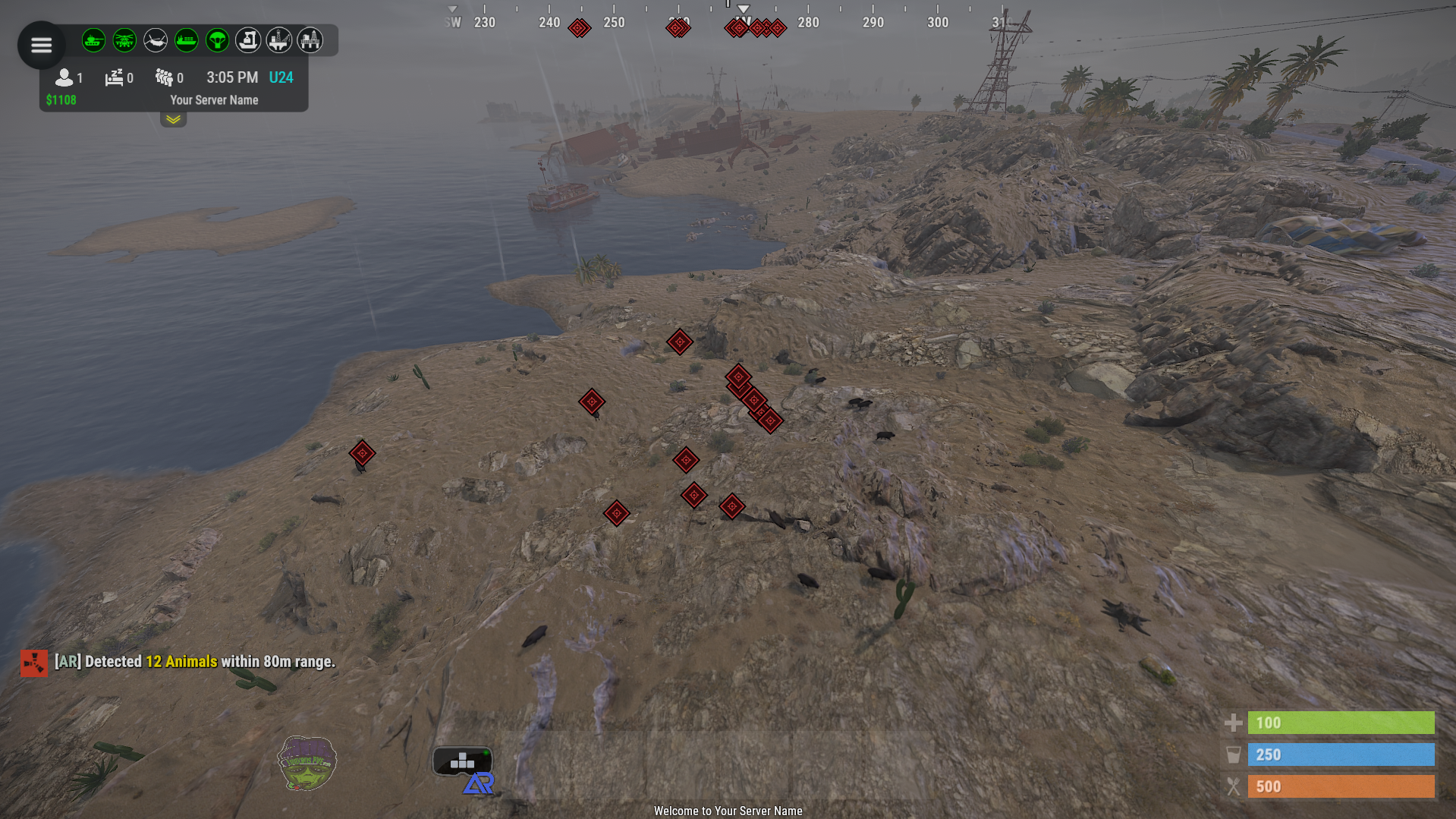
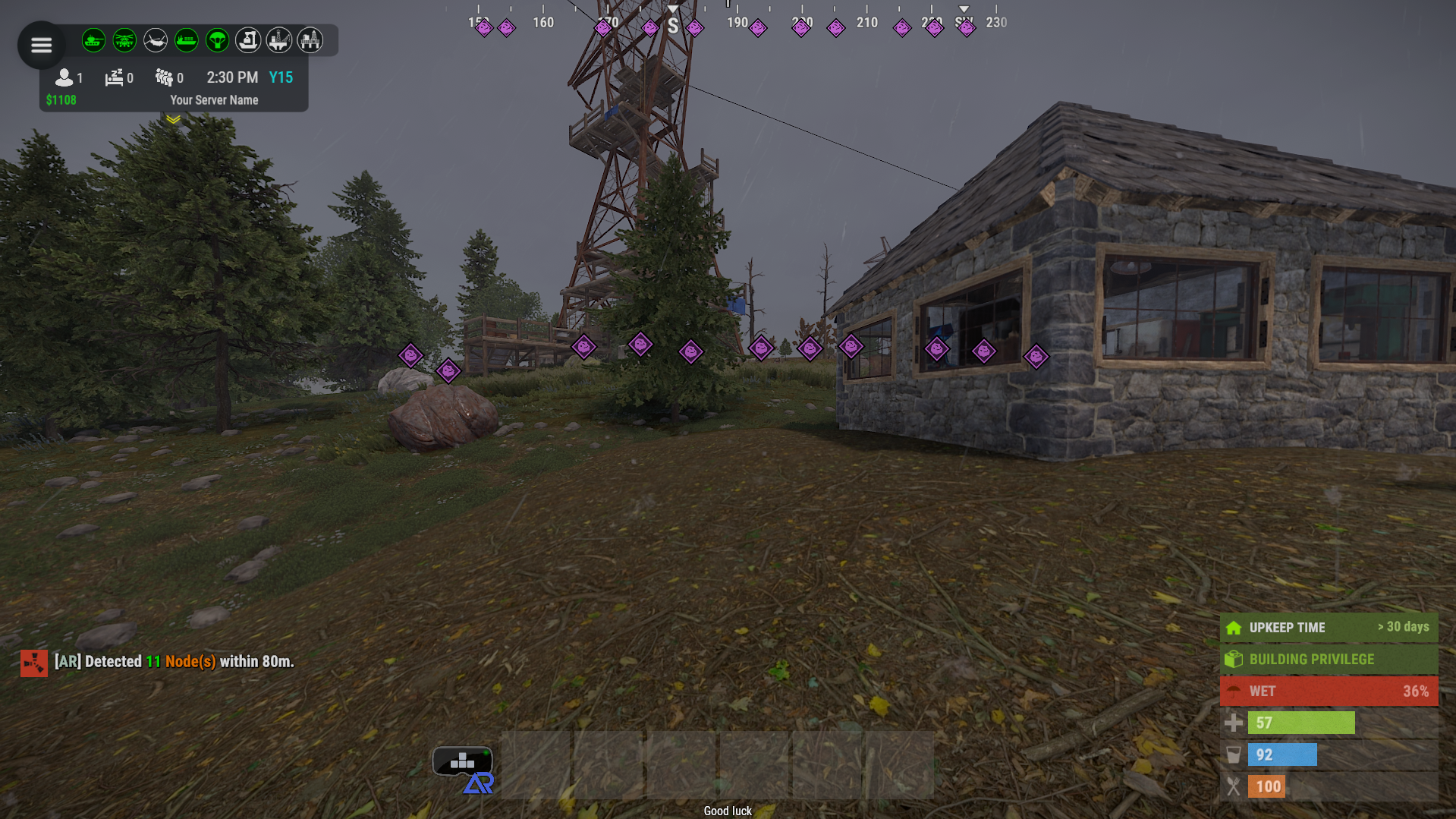
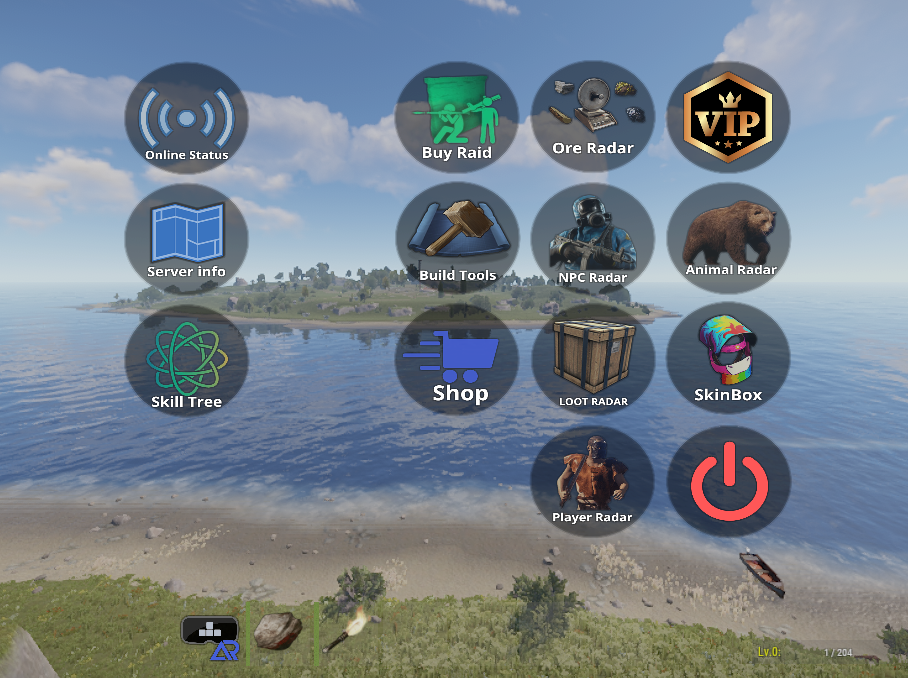
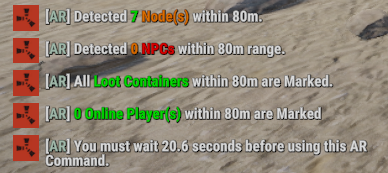
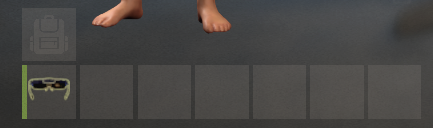
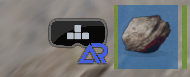
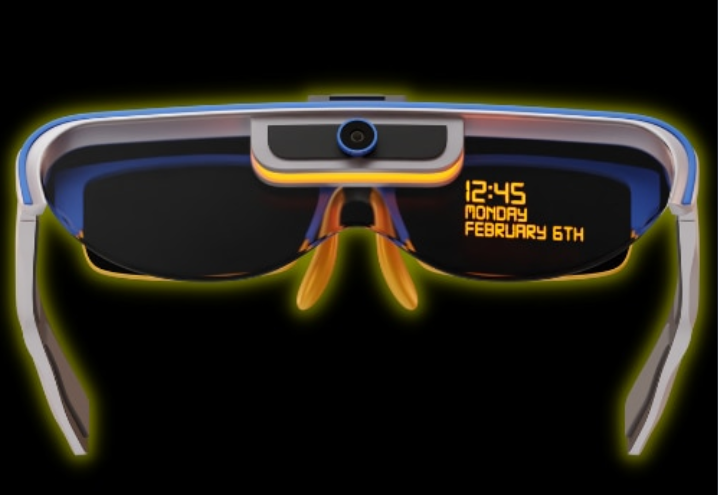
With AR Glasses , you can now make the boring old Sunglasses play a vital role in information when your players roam your Server.
REQUIRES IMAGE LIBRARY TO LOAD IMAGES
When equipped, the AR Glasses can trigger Preset Commands, and even Custom Commands, for example, set a custom image and command to a button, and have it run whatever you like.
Preset commands are able to be set on Cooldown.
When a Preset command is ran, it can send crucial data such as existing loot crates in the configurable range, but to combat this being OP, we introduce reducing the items condition and range, This is also configurable.
LIST OF COMMANDS / PRESET BUTTONS
Commands can be ran via chat or via AR Panel Button
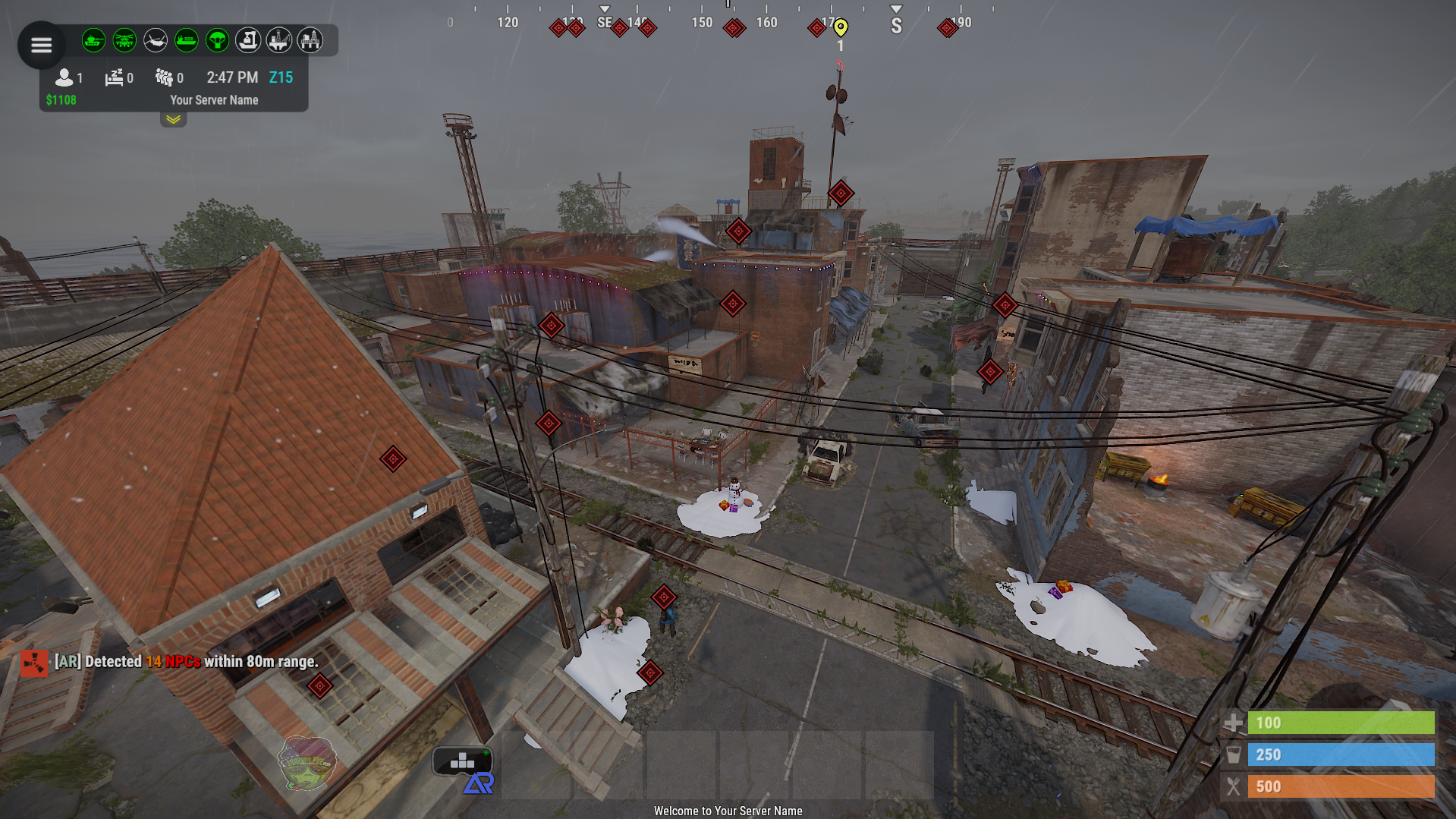
/arn - Shows NPCs within a specified range.
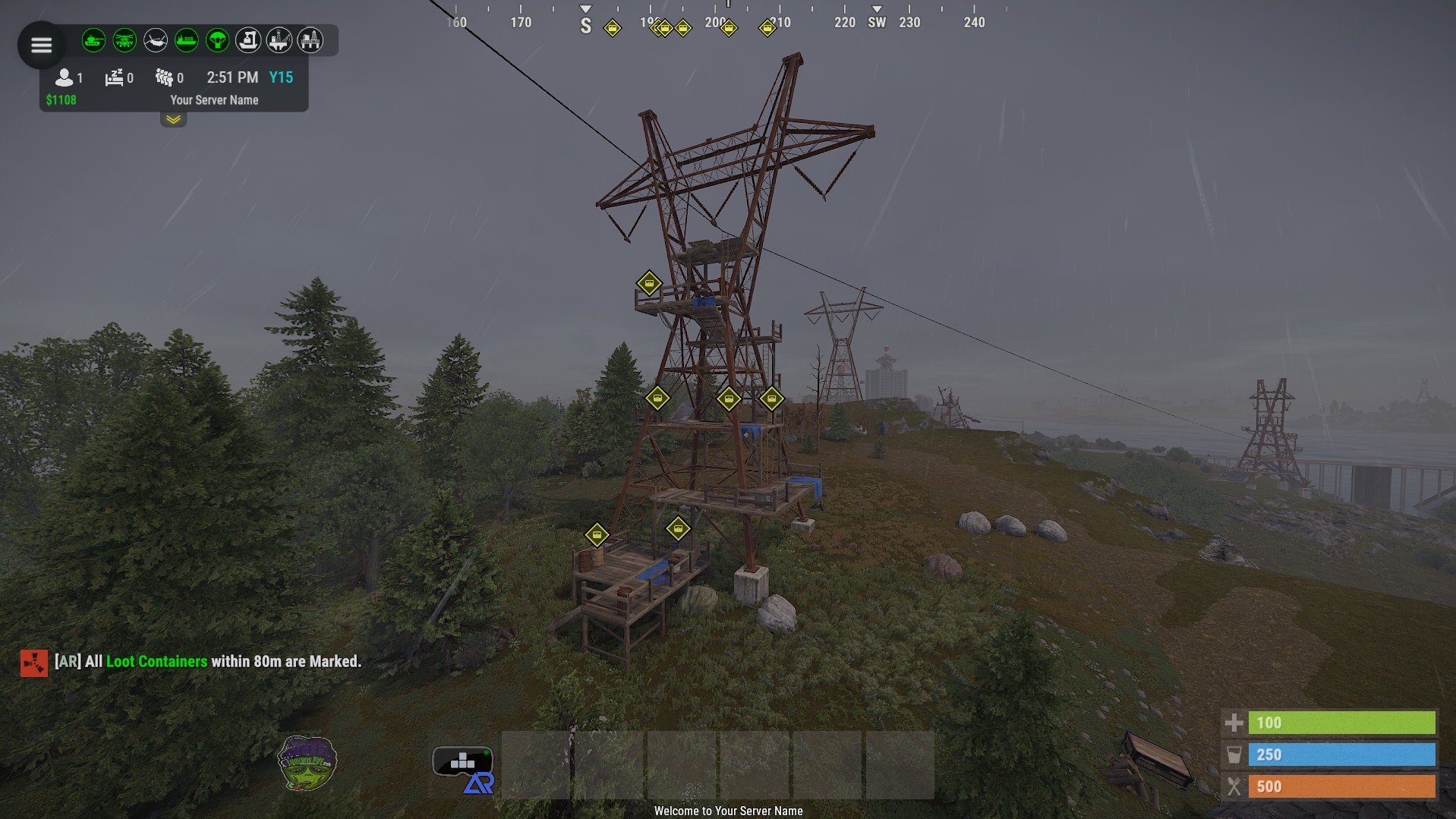
/arl - Marks all loot containers within a specified range.
/arp - Displays nearby online players.
/arore - Highlights ore nodes within a specified range.
/ara - Detects animals within a specified range.
/ArServer - Shows current server statistics.
/arglasses - Grants the player a pair of AR glasses. - IF PLAYER HAS PERMISSION
/arinfo - Displays information about available AR commands and functionalities.
For Suggestions Send a PM or contact me at
{
"UI Location (top right | top left | bottom right hotbar | default | custom)": "default",
"Custom UI Position": {
"Custom AR Button Anchor Min": "0.5 0",
"Custom AR Button Anchor Max": "0.5 0",
"Custom AR Button Offset Min": "-263.87 18.889",
"Custom AR Button Offset Max": "-203.331 79.111"
},
"AR Glasses Shortname": "sunglasses",
"AR Glasses SkinID": 3182747023,
"AR Panel Transparency": 0,
"AR Text Size": 40,
"AR Text Position": {
"x": 0,
"y": 2,
"z": 0.8
},
"AR Command Cooldown": 30,
"How Long to Keep Pings Visible in Seconds?": 60,
"Decrease Ar Glasses Durability By This Much Per AR Command Use": 15,
"Ore Detection Range": 80,
"NPC Detection Range": 80,
"Animal Detection Range": 80,
"Loot Container Detection Range": 80,
"Online Player Detection Range": 80,
"Custom Button 1 Enabled?": false,
"Custom Button 1 Command": "chat.say /info",
"Custom Button 1 Image": "https://www.dropbox.com/scl/fi/qscxb6uxszldma7d5lazx/Placeholder.png?rlkey=ad60m0xd8zq89xrj7repwlb60&dl=1",
"Custom Button 2 Enabled?": false,
"Custom Button 2 Command": "chat.say /info",
"Custom Button 2 Image": "https://www.dropbox.com/scl/fi/qscxb6uxszldma7d5lazx/Placeholder.png?rlkey=ad60m0xd8zq89xrj7repwlb60&dl=1",
"Custom Button 3 Enabled?": false,
"Custom Button 3 Command": "chat.say /info",
"Custom Button 3 Image": "https://www.dropbox.com/scl/fi/qscxb6uxszldma7d5lazx/Placeholder.png?rlkey=ad60m0xd8zq89xrj7repwlb60&dl=1",
"Custom Button 4 Enabled?": false,
"Custom Button 4 Command": "chat.say /info",
"Custom Button 4 Image": "https://www.dropbox.com/scl/fi/qscxb6uxszldma7d5lazx/Placeholder.png?rlkey=ad60m0xd8zq89xrj7repwlb60&dl=1",
"Custom Button 5 Enabled?": false,
"Custom Button 5 Command": "chat.say /info",
"Custom Button 5 Image": "https://www.dropbox.com/scl/fi/qscxb6uxszldma7d5lazx/Placeholder.png?rlkey=ad60m0xd8zq89xrj7repwlb60&dl=1",
"Custom Button 6 Enabled?": false,
"Custom Button 6 Command": "chat.say /info",
"Custom Button 6 Image": "https://www.dropbox.com/scl/fi/qscxb6uxszldma7d5lazx/Placeholder.png?rlkey=ad60m0xd8zq89xrj7repwlb60&dl=1",
"Custom Button 7 Enabled?": false,
"Custom Button 7 Command": "chat.say /info",
"Custom Button 7 Image": "https://www.dropbox.com/scl/fi/qscxb6uxszldma7d5lazx/Placeholder.png?rlkey=ad60m0xd8zq89xrj7repwlb60&dl=1"
}
AugmentedRealityGlasses.json
{
  "UI Location (top right | top left | bottom right hotbar | default | custom)": "left hotbar",
  "Custom UI Position": {
    "Custom AR Button Anchor Min": "0.5 0",
    "Custom AR Button Anchor Max": "0.5 0",
    "Custom AR Button Offset Min": "-263.87 18.889",
    "Custom AR Button Offset Max": "-203.331 79.111"
  },
  "AR Glasses Shortname": "sunglasses",
  "AR Glasses SkinID": 3182747023,
  "AR Panel Transparency": 0.0,
  "AR Text Size": 40.0,
  "AR Text Position": {
    "x": 0.0,
    "y": 2.0,
    "z": 0.8
  },
  "AR Command Cooldown": 30.0,
  "How Long to Keep Pings Visible in Seconds?": 60,
  "Decrease Ar Glasses Durability By This Much Per AR Command Use": 15,
  "Ore Detection Range": 80.0,
  "NPC Detection Range": 80.0,
  "Animal Detection Range": 80.0,
  "Loot Container Detection Range": 80.0,
  "Online Player Detection Range": 80.0,
  "Custom Button 1 Enabled?": false,
  "Custom Button 1 Command": "chat.say /info",
  "Custom Button 1 Image": "https://www.dropbox.com/scl/fi/qscxb6uxszldma7d5lazx/Placeholder.png?rlkey=ad60m0xd8zq89xrj7repwlb60&dl=1",
  "Custom Button 2 Enabled?": false,
  "Custom Button 2 Command": "chat.say /info",
  "Custom Button 2 Image": "https://www.dropbox.com/scl/fi/qscxb6uxszldma7d5lazx/Placeholder.png?rlkey=ad60m0xd8zq89xrj7repwlb60&dl=1",
  "Custom Button 3 Enabled?": false,
  "Custom Button 3 Command": "chat.say /info",
  "Custom Button 3 Image": "https://www.dropbox.com/scl/fi/qscxb6uxszldma7d5lazx/Placeholder.png?rlkey=ad60m0xd8zq89xrj7repwlb60&dl=1",
  "Custom Button 4 Enabled?": false,
  "Custom Button 4 Command": "chat.say /info",
  "Custom Button 4 Image": "https://www.dropbox.com/scl/fi/qscxb6uxszldma7d5lazx/Placeholder.png?rlkey=ad60m0xd8zq89xrj7repwlb60&dl=1",
  "Custom Button 5 Enabled?": false,
  "Custom Button 5 Command": "chat.say /info",
  "Custom Button 5 Image": "https://www.dropbox.com/scl/fi/qscxb6uxszldma7d5lazx/Placeholder.png?rlkey=ad60m0xd8zq89xrj7repwlb60&dl=1",
  "Custom Button 6 Enabled?": false,
  "Custom Button 6 Command": "chat.say /info",
  "Custom Button 6 Image": "https://www.dropbox.com/scl/fi/qscxb6uxszldma7d5lazx/Placeholder.png?rlkey=ad60m0xd8zq89xrj7repwlb60&dl=1",
  "Custom Button 7 Enabled?": false,
  "Custom Button 7 Command": "chat.say /info",
  "Custom Button 7 Image": "https://www.dropbox.com/scl/fi/qscxb6uxszldma7d5lazx/Placeholder.png?rlkey=ad60m0xd8zq89xrj7repwlb60&dl=1"
}

Trusted hosting partner. Affordable game servers with solid support and panels.
Visit site ↗