Item Showcase UI
 Theswingingturtle
 1 / 3
1 / 3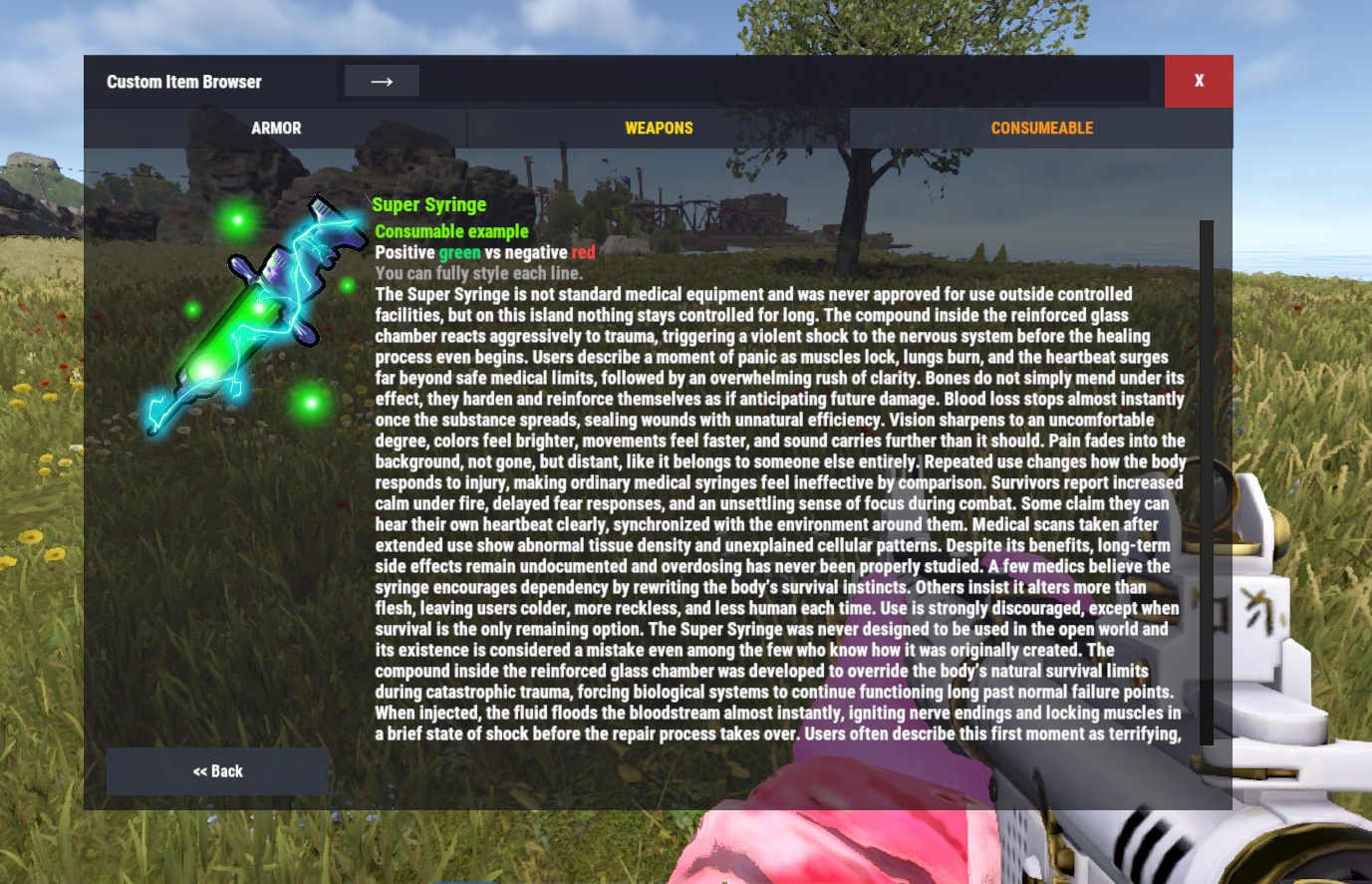
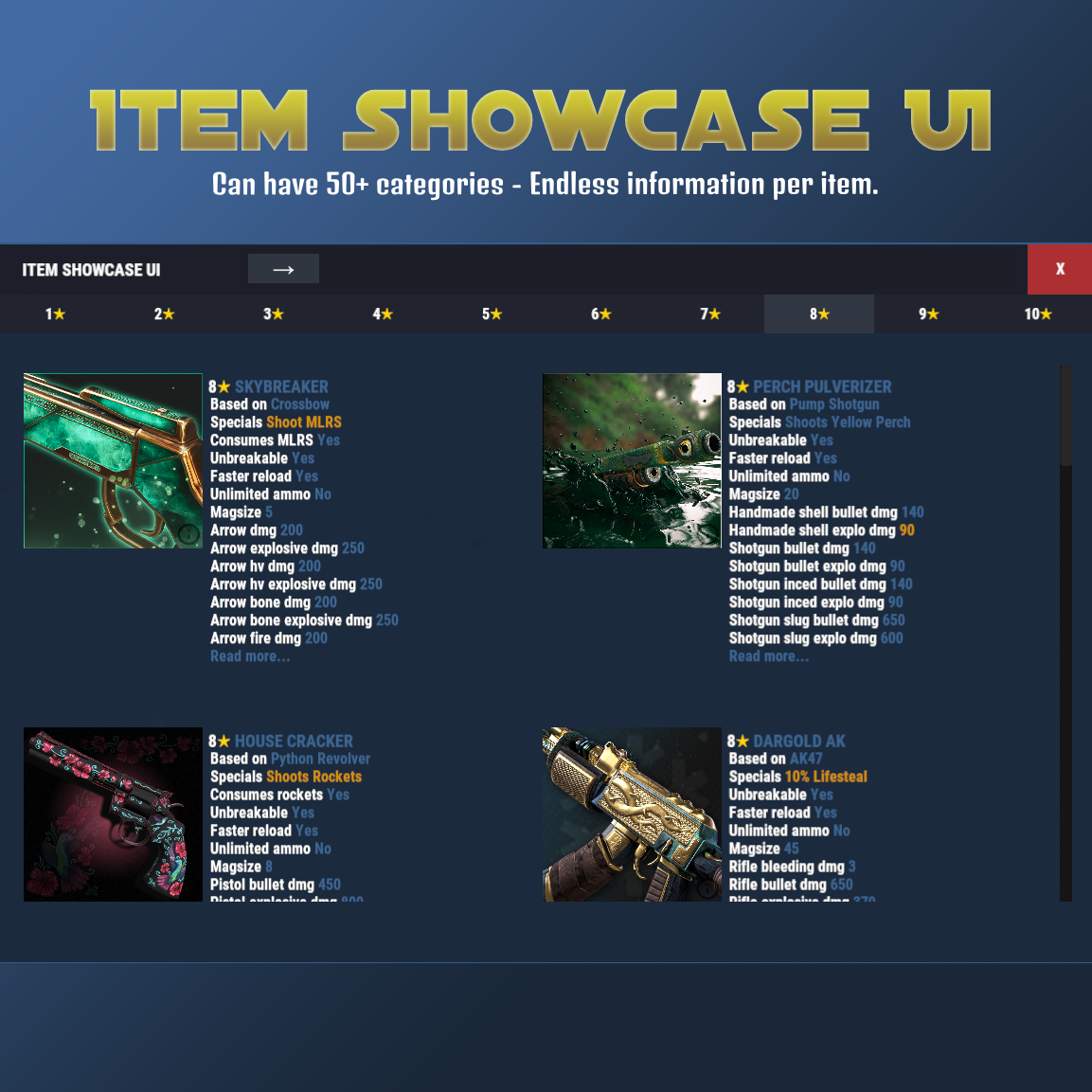
Browse and showcase your custom items in-game with categories, search and themed UI.
Features
• Unlimited categories
• Color formatted text (<color> tags supported)
• Search by name, shortname or skin ID
• Item images via ImageLibrary (shortname or URL)
• Designed for modded servers with custom items
Admin Command
/additem <category>
• Registers the item you are currently holding
• Works with exact category name from config
• Also works if you type the category without color tags
• Example: 1<color=#FFD700>★</color> can be added using /additem 1★
• Automatically sets shortname, SkinID (0 if none) and the lowest available unique ID
How to open ItemShowcaseUI
Use /items
Optional Dependency
ImageLibrary - only required for item images
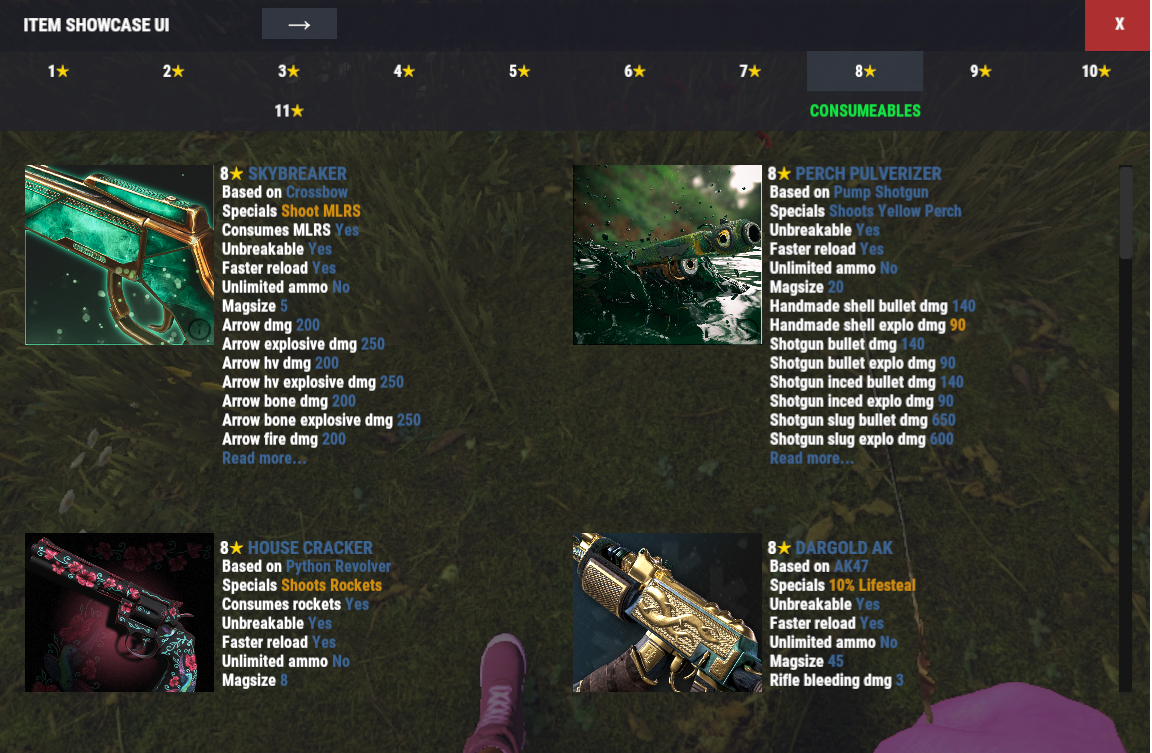
Example of adding more categories and different colors to both UI and info text.
Endless Info text
Easy to find items with searchbar
Data Example
{
"Id": 1,
"DisplayName": "<color=#FF66CC>Bubblegum Armor</color>",
"Category": "<color=#FFD700>ARMOR</color>",
"Shortname": "metal.plate.torso",
"SkinID": 0,
"Url": null,
"Description": [
"Colored text example",
"Gold, cyan and lime colors supported"
],
"Drops": [
"Elite Crate",
"Dungeon Boss"
]
}
Config Example
{
"General": {
"Browser Title": "Custom Item Browser",
"Categories": [
"<color=#FFD700>ARMOR</color>",
"<color=#FFD700>WEAPONS</color>",
"<color=#FFD700>CONSUMABLE</color>"
]
},
"Override UI Theme (None, Blue, Teal, Purple, Green, Yellow, Orange, Red, Pink, Swamp, Oak)": "None"
}
ItemShowcaseUI.json
{
  "General": {
    "Browser Title": "Custom Item Browser",
    "Command": "items",
    "Categories": [
      "<color=#FFD700>ARMOR</color>",
      "<color=#FFD700>WEAPONS</color>",
      "<color=#FFD700>CONSUMEABLE</color>"
    ]
  },
  "Showlist": {
    "Max Lines": 15,
    "Auto Slot Height": true,
    "Base Slot Height Px": 108.0,
    "Line Height Px": 16.0,
    "Max Chars Per Line": 60
  },
  "UI": {
    "Main Background Color": "0.08 0.09 0.11 0.92",
    "Secondary Panel Color": "0.11 0.12 0.15 0.94",
    "Inner Box/Card Color": "0 0 0 0",
    "Border Highlight Color": "0.25 0.27 0.32 0.25",
    "Search Background Color": "0.11 0.12 0.15 0.85",
    "Primary Button Color": "0.20 0.22 0.26 0.95",
    "Danger Button Color": "0.75 0.20 0.20 0.90",
    "Tab Normal Color": "0.13 0.14 0.17 0.90",
    "Tab Active Color": "0.20 0.22 0.26 0.95",
    "Text Color": "1 1 1 1",
    "Browser Title Color": "1.0 1.0 1.0 1.0"
  },
  "Override UI Theme (None, Blue, Teal, Purple, Green, Yellow, Orange, Red, Pink, Swamp, Oak)": "None",
  "Config Version": 1
}

Trusted hosting partner. Affordable game servers with solid support and panels.
Visit site ↗