Welcomer Bot
 Storption
 1 / 12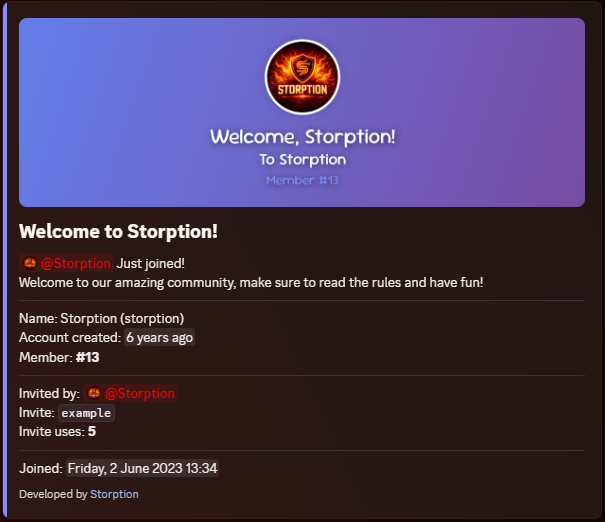
👋 Welcomer Bot 👋
Welcomer is a self-hosted Discord bot that sends fully customised welcome cards with generated banner images whenever someone joins your server. Everything is configured through a live in-Discord dashboard - no files to edit, no restarts required.
✨ What's New in v3.0.0
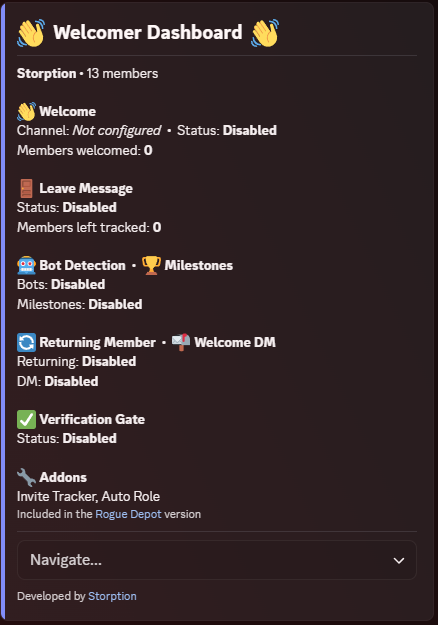
Everything is now configured through a live in-Discord dashboard - no more editing config files or restarting the bot to apply changes.
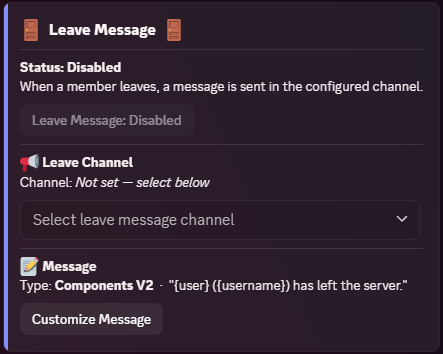
Leave messages - post a message when a member leaves, in plain text, embed, or Components V2 style.
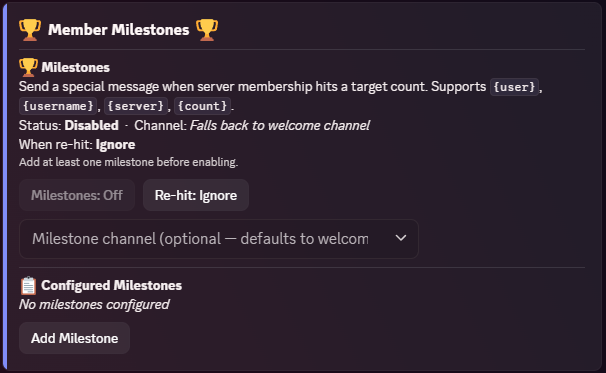
Member milestones - trigger a custom message when your server hits a target member count (e.g. 100, 500, 1000 members).
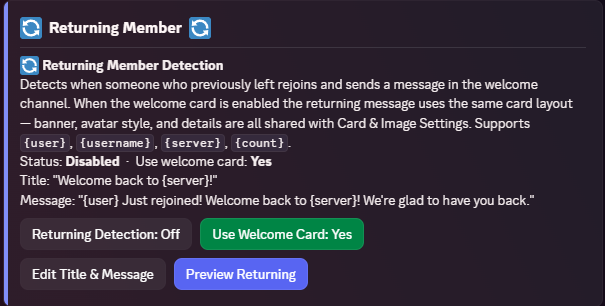
Returning member detection - detect when someone who previously left rejoins and send them a separate welcome back message.
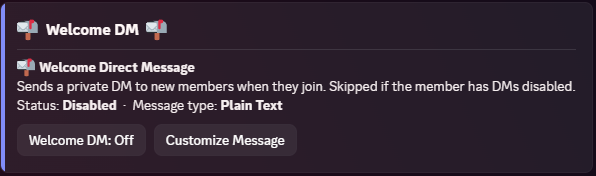
Welcome DM - send a private DM to every new member on join, in plain text, embed, or Components V2 style.
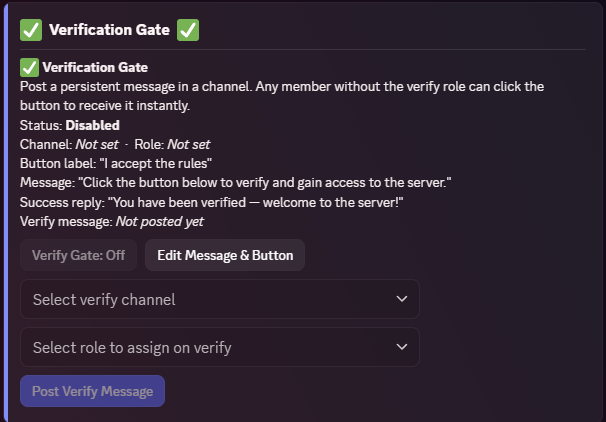
Verification gate - post a persistent button members click to receive a role and gain access to the server.
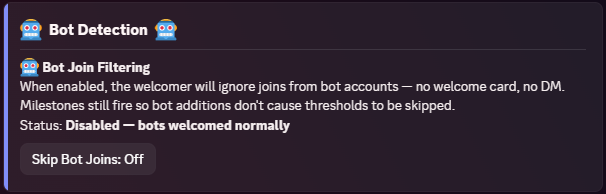
Bot detection - optionally skip all welcome logic when a bot account joins.
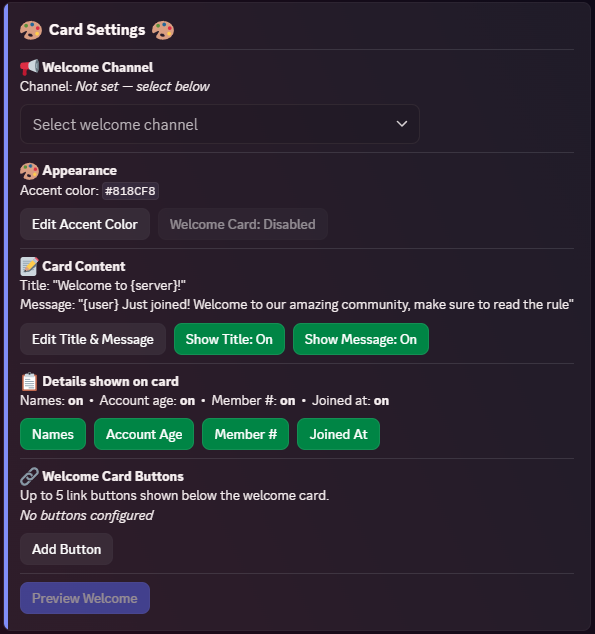
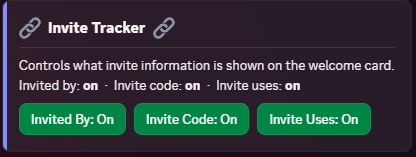
Card link buttons - add up to 5 custom link buttons below the welcome card (rules, socials, etc.).
Preview buttons - preview every message type directly from the dashboard without waiting for a real join.
Multi-guild support - the bot can now run across multiple servers simultaneously with fully independent settings per server.
🖼️ Features
Generated banner image - 1200×400 canvas-rendered banner with the member's avatar on every join
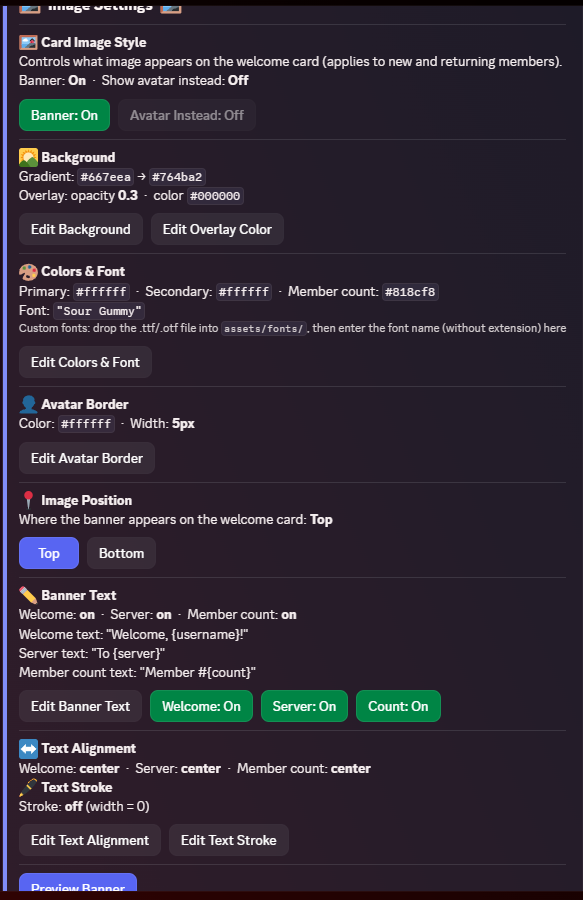
Flexible backgrounds - gradient colours, remote image URL, or a local file (JPG, PNG, WebP, GIF)
Animated GIF support - GIF backgrounds render as a fully animated output image
Custom fonts - drop any .ttf file into the assets folder and configure it through the dashboard
Placeholders - {user}, {username}, {server}, {count} supported across all message types
Fully toggleable - every element of the card can be individually shown or hidden from the dashboard
Text alignment and stroke - control banner text alignment and add outlines per text line
Avatar border - set the colour and width of the avatar circle border on the banner
⚙️ Commands
/setup - Post the configuration dashboard in any channel. Run it once and use it any time to manage all settings.📋 Requirements
Node.js 24+
Discord bot token
Server Members Intent enabled in the Discord Developer Portal
🚀 Setup
- Download and extract the files
- Run
npm install - Fill in your
.envfile:
| 1 | TKN=BotTokenHere |
- Run
npm start - Run
/setupin any channel in your server and configure everything from the dashboard
Need help? Join the support server: Click Here
🔄 Updating
- Stop the bot
- Overwrite
src/,package.json,CHANGELOG, andREADME.mdwith the new version - Keep your
.env,assets/folder, anddb/folder - all your settings are preserved in the database - Delete
node_modules/andpackage-lock.json - Run
npm install - Start the bot (
npm start)
From v2 to v3:
- Stop the bot
- Replace the entire
src/folder and overwritepackage.json - Keep your
.envandassets/folder - your token, background images, and custom fonts carry over - Delete
node_modules/andpackage-lock.json - Run
npm install - Start the bot and run
/setupto reconfigure through the dashboard - note:src/config.jsno longer exists in v3 so v2 settings will need to be re-entered
Your .env and assets/ folder are not touched - your token, background images, and custom fonts are preserved.


Trusted hosting partner. Affordable game servers with solid support and panels.
Visit site ↗