MBKits
 Barry_Allenn
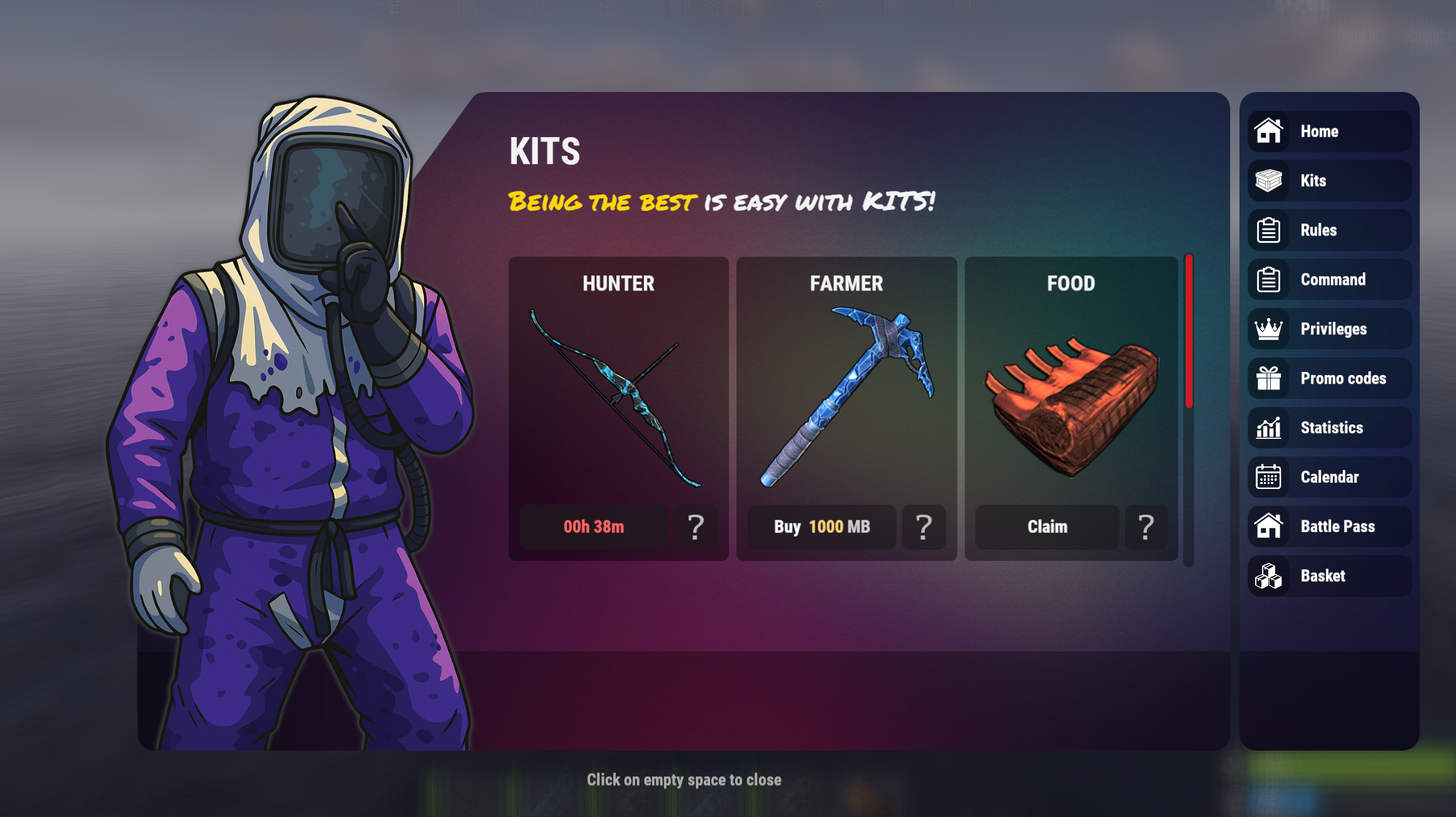
🌟 MBKits - Modern Kit UI with Previews, Cooldowns, AutoKits & Permissions
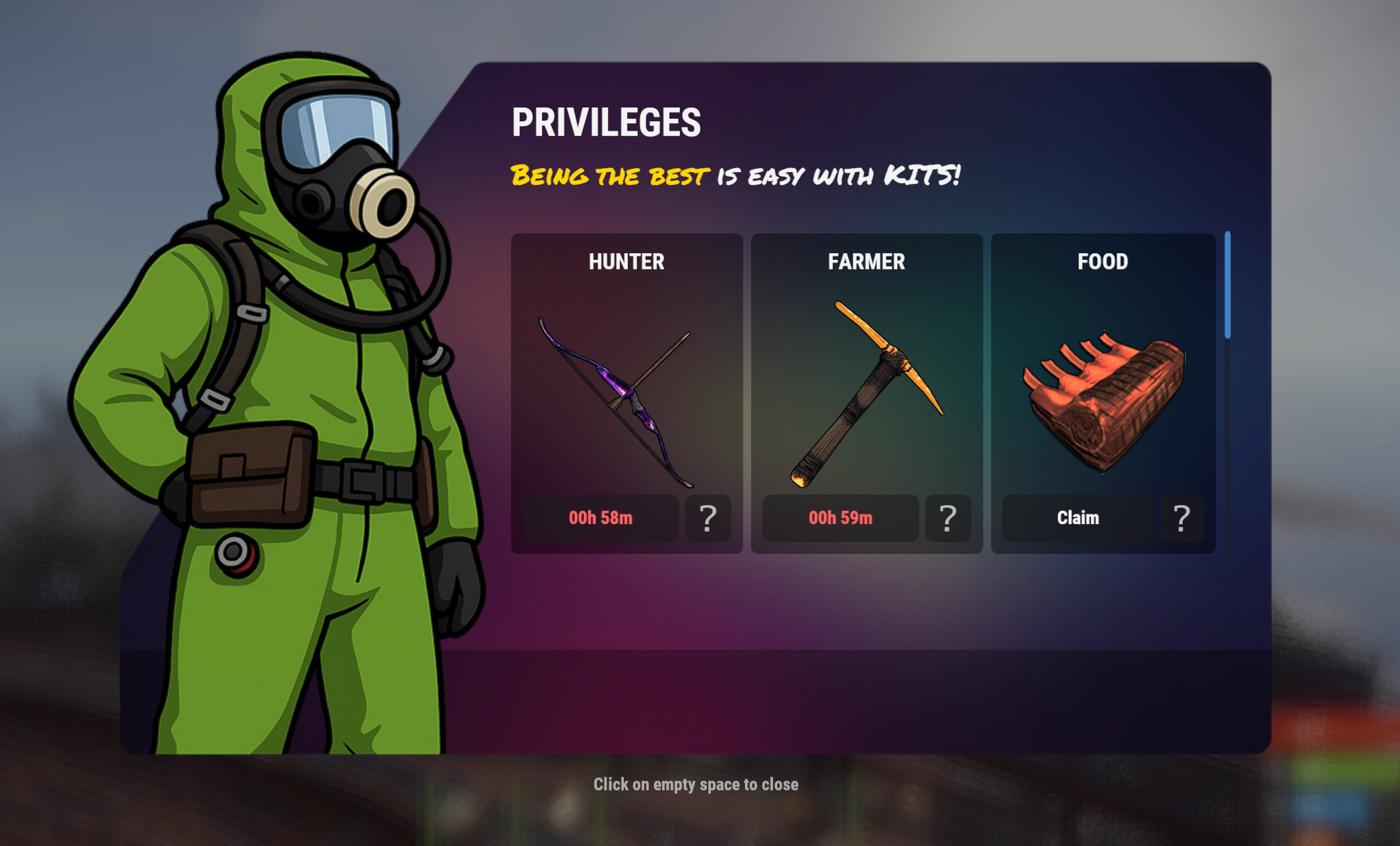
MBKits is a modern, fully customizable and visually refined Rust plugin for managing player kits through an advanced UI.
It features a polished interface, animated intro images, detailed kit previews, cooldowns, autokits, pop-up notifications, flexible permissions, item skins, ammo support, and deep integration with systems.
⭐ Core Features
🎨 Beautiful Modern UI
- Clean scrollable interface with a 3-column grid for kits.
- Fully image-driven design (backgrounds, kit icons, overlays).
- Optional animated intro images on player connect.
- Supports custom images for individual kits.
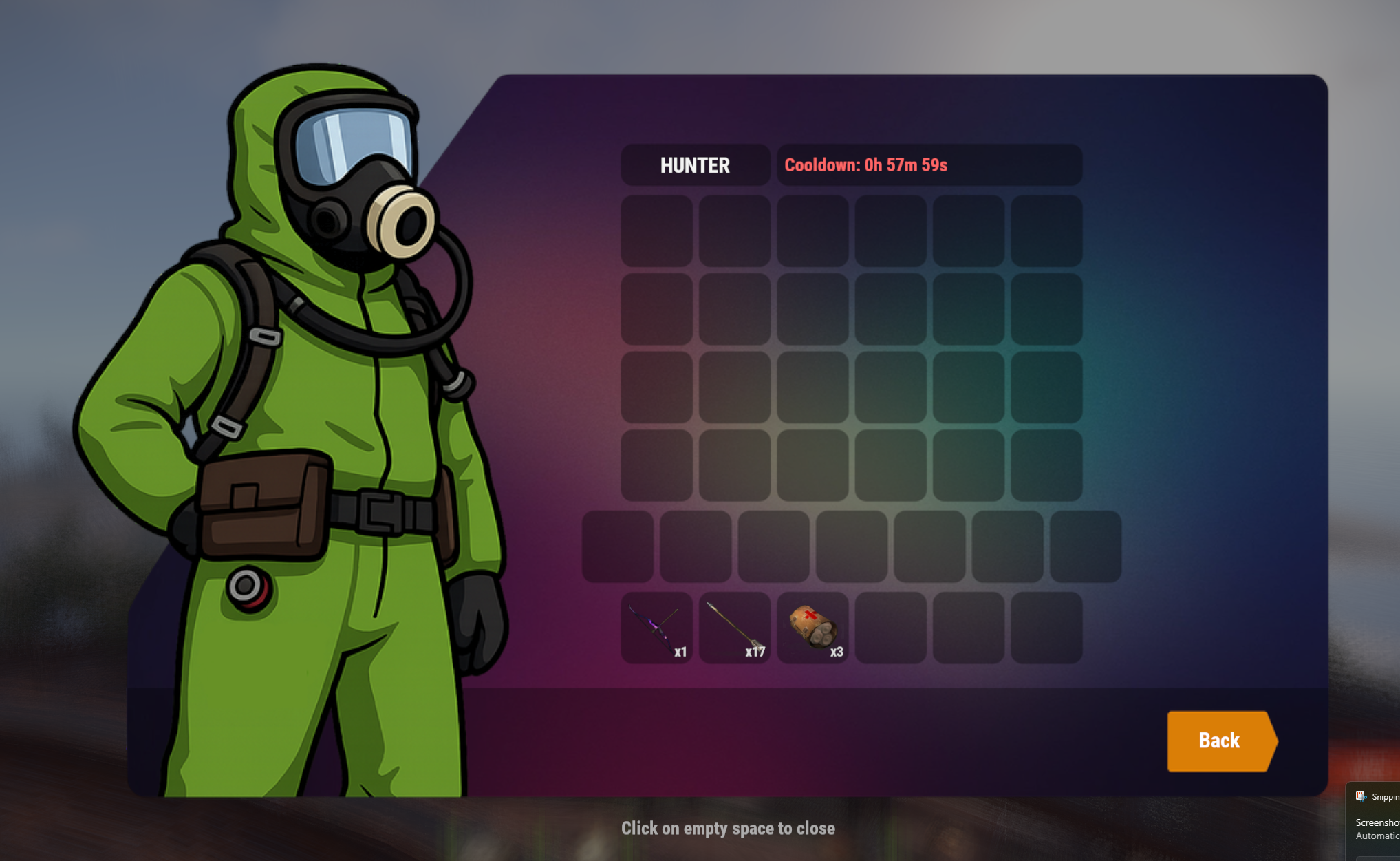
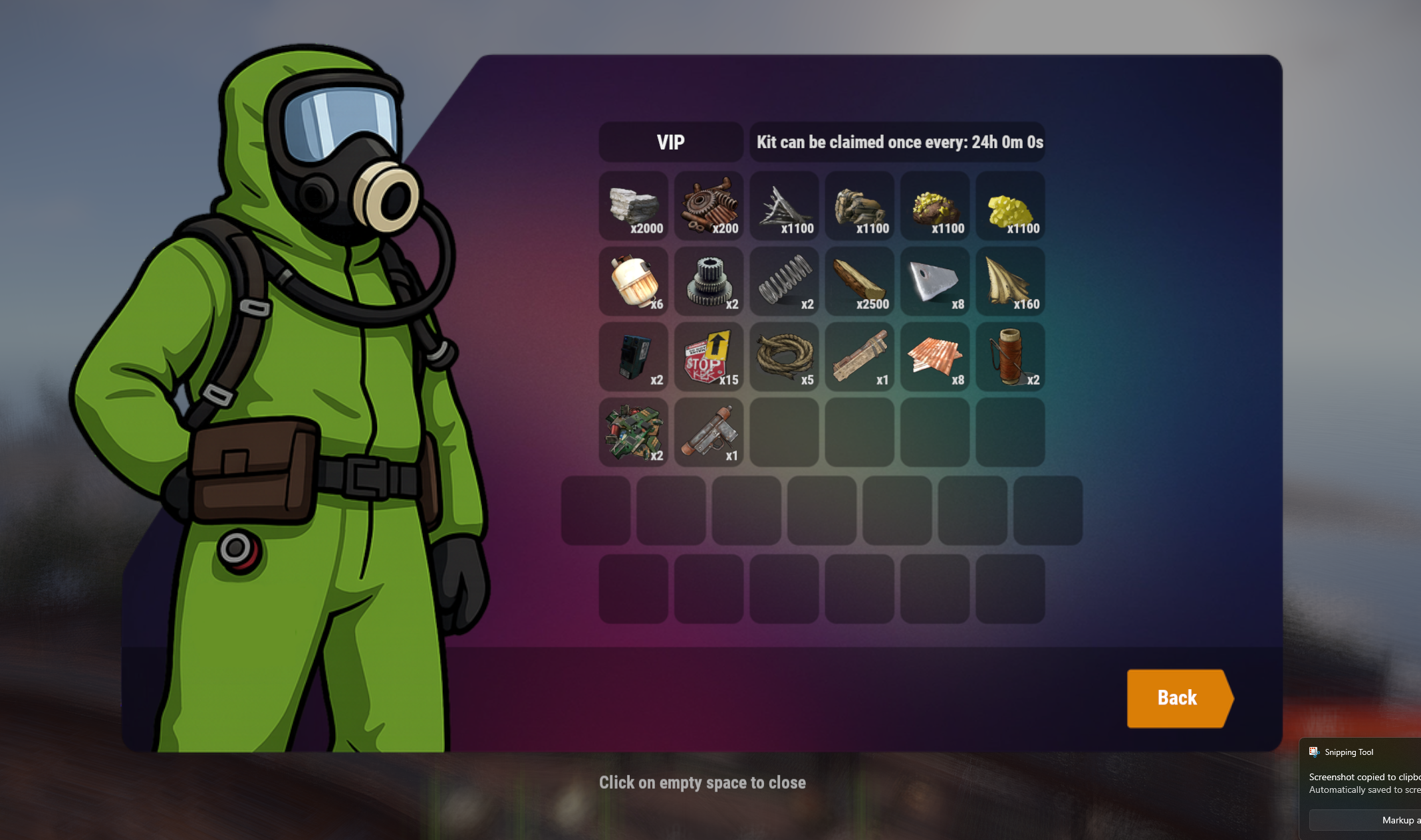
🔍 View Kit Contents
- Players can preview every item inside a kit:
- Detailed inventory layout: Main, Belt, Wear.
- Supports custom skins, modded items, nested contents.
- Shows weapon ammo, attachments, and item quantities.
- Supports custom icons per item via custom image keys.
⏳ Advanced Cooldown System
- Per-kit cooldowns: 1h, 30m, 2d4h, etc.
- UI shows exact remaining cooldown time.
- Cooldowns persist through server restarts.
- Per-player cooldowns stored in data files.
🔐 Permission Support
- Each kit can require its own permission.
- Permissions auto-register if missing.
- UI reacts to permission state:
- No access → greyed-out button.
- Hidden kits optionally supported.
🎁 Claim System
- Checks if the player has enough space before giving the kit.
- Fully supports skins, ammo, attachments, modded weapons.
- Smart fallback logic if the intended slot is occupied.
- Custom commands per kit item using {playerid} and {name}.
- Success & error popups using dynamic UI with icons.
🌐 Multi-language Support
- Built-in languages:
- 🇺🇸 English
- 🇷🇺 Russian
- 🇺🇦 Ukrainian
- All UI text and messages are fully localized and stored in separate language files.
🛠 Admin Tools
➕ Create / Remove Kits
- Create kit from your inventory:
-
/dkit add <name> [permission]
- Saves main, belt, wear containers.
- Automatically creates a permission if not supplied.
- Sets default cooldown.
❌ Remove a kit:
-
/dkit remove <name>
-
Deletes the kit.
-
Clears all cooldowns for all players.
🎯 Create / Remove AutoKits
-
/akit add <name>
/akit remove <name>
🔑 Permission System
- Requires mbkits.admin to manage kits.
- Kit permissions auto-create: mbkits.<kitname>
- Autokits: mbkits.autokit.<name>
📘 Commands
- Command Description
- /kits Opens the main kit UI
- /dkit add <name> Creates a new kit from your current inventory
- /dkit add <name> <permission> Creates a kit with a custom permission
- /dkit remove <name> Deletes a kit and clears all cooldown data
- /akit add <name> Creates a hidden AutoKit from your inventory
- /akit remove <name> Removes an AutoKit
📁 Data Files
Stored under:
oxide/data/MBSystem/MBKits/
- MBKits_kits.json - player kits
- MBKits_cooldowns.json - per-player cooldowns
- MBKits_uses.json - usage limits
- MBKits_autokits.json - hidden autokits
MBKits.json
{
  "Additional Chat Commands (the /kits command is always enabled)": [
    "kit",
    "kit"
  ],
  "NPC Image URL": "https://i.ibb.co/r2Ft9sJQ/MBNPC.png",
  "Show NPC Image": true,
  "Scrollbar Handle Color": "1 0 0 0.6"
}
Trusted hosting partner. Affordable game servers with solid support and panels.
Visit site ↗