Poller Bot
 Storption
 1 / 7
1 / 7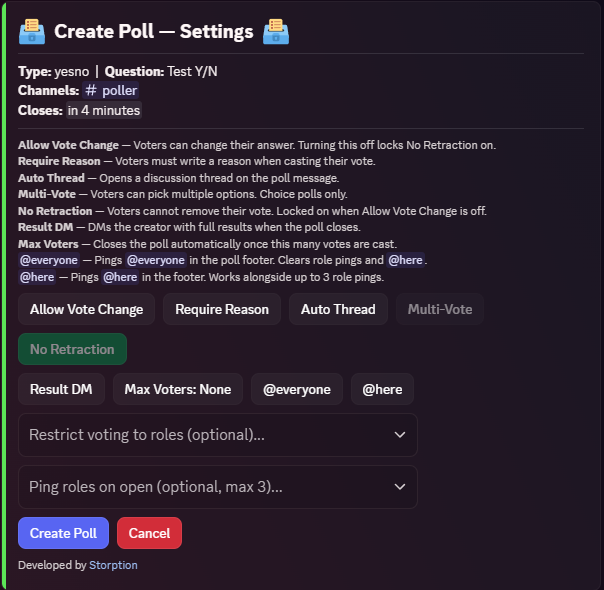
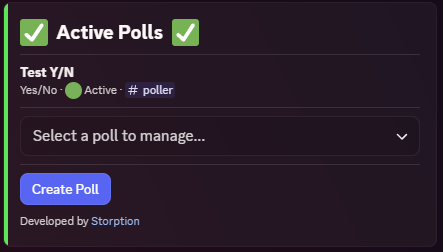
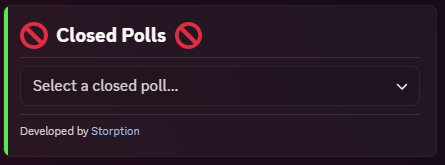
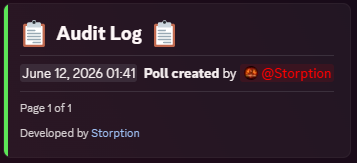
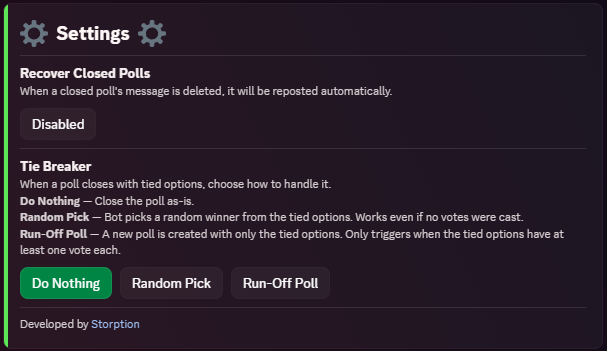
Poller is a self-hosted Discord bot for running polls in your community.
Depends on
Description
📊 Poller Bot 📊
Poller is a self-hosted Discord bot for running polls in your community. Built for server owners who want a clean, flexible polling system with live results and full admin control.
🗳️ Features
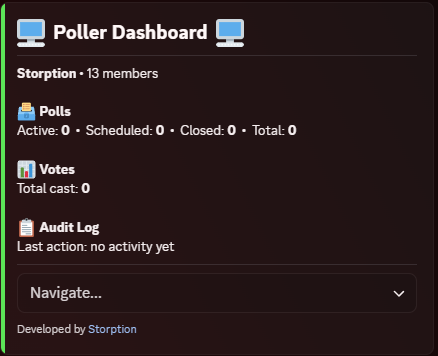
- Persistent admin dashboard with tabbed navigation (Overview, Polls, Closed Polls, Audit Log, Settings)
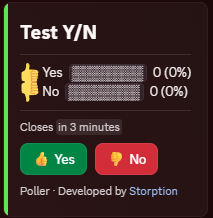
- Three poll types - Yes/No, Multiple Choice, and Rating with live visual vote bars
- Schedule polls to open and close at specific UTC times
- Role controls - restrict who can vote per-poll, ping roles when a poll goes live
- Multi-vote - let voters pick multiple options on choice polls
- Require reason - voters must write a reason when casting their vote
- Auto thread - automatically opens a discussion thread on each poll message
- Max voters - automatically closes a poll once a set number of votes are cast
- Result DM - sends the poll creator full results when a poll closes
- Tie breaker - configurable: do nothing, randomly pick a winner, or launch a run-off poll with only the tied options
- Reopen closed polls with a new close date - all existing votes preserved
- Pin and unpin closed poll messages directly from the dashboard
- Paginated audit log of every admin action
- Vote and dashboard message recovery on deletion
- All polls and config stored in SQLite - nothing is lost on restart
- Full multi-guild support
⚙️ Commands
/setup Create or move the admin dashboard to a channelAll poll creation and management is done through the dashboard - no other commands needed.
🔐 Restricting Access
/setup requires Administrator by default. You can grant it to specific roles without giving them full admin - go to Server Settings > Integrations > Poller and configure per-command role access.📋 Requirements
- Node.js 24+
- Discord bot token
🚀 Setup
- Download and extract the files
- Run
npm install - Fill in your
.envfile:
env
| 1 | TKN=BotTokenHere |
- Run
npm start - Use
/setup #your-admin-channelto create the dashboard
Need help? Join the support server: Click Here
🔄 Updating
- Stop the bot
- Delete the
src/folder - Copy in the new
src/folder and overwritepackage.json,CHANGELOG, andREADME.md - Delete the
node_modules/folder andpackage-lock.jsonfile - Run
npm install - Start the bot (
npm start)
Your .env and db/ files are not touched - all settings and data are preserved.
Sponsored
Trusted hosting partner. Affordable game servers with solid support and panels.
Visit site ↗$15.00$12.75
Views202
Downloads0
Purchases0
Rating★ 0.0
Version1.0.0
PlatformGeneral Discord Bots
CategoryUtility
Size36 KB
PublishedJun 12, 2026
UpdatedJun 12, 2026
✓ Reviewed for safety and integrity