RFGiveaway | Your favourite Giveaway System
 RustFlash
 1 / 14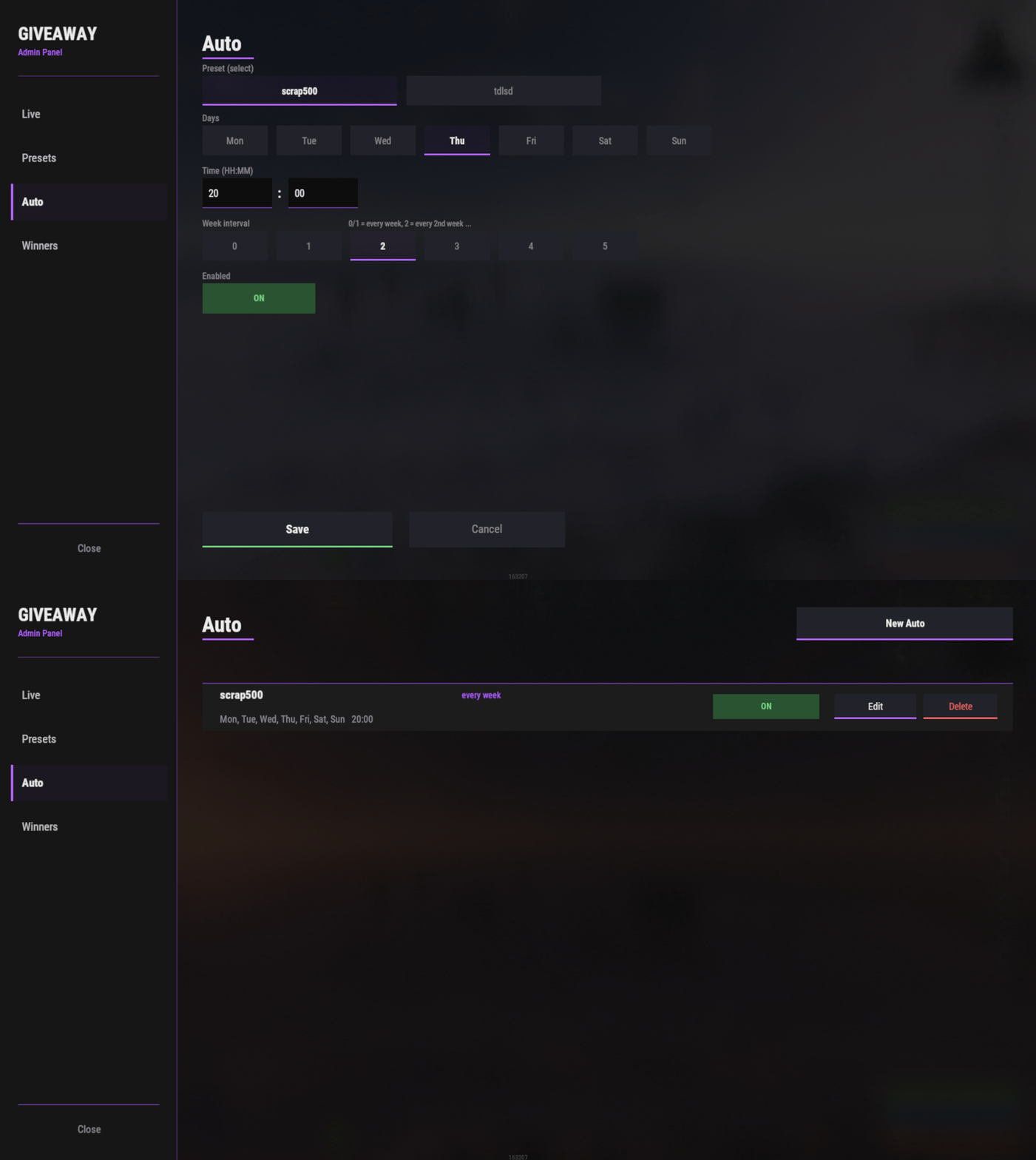
RFGiveaway
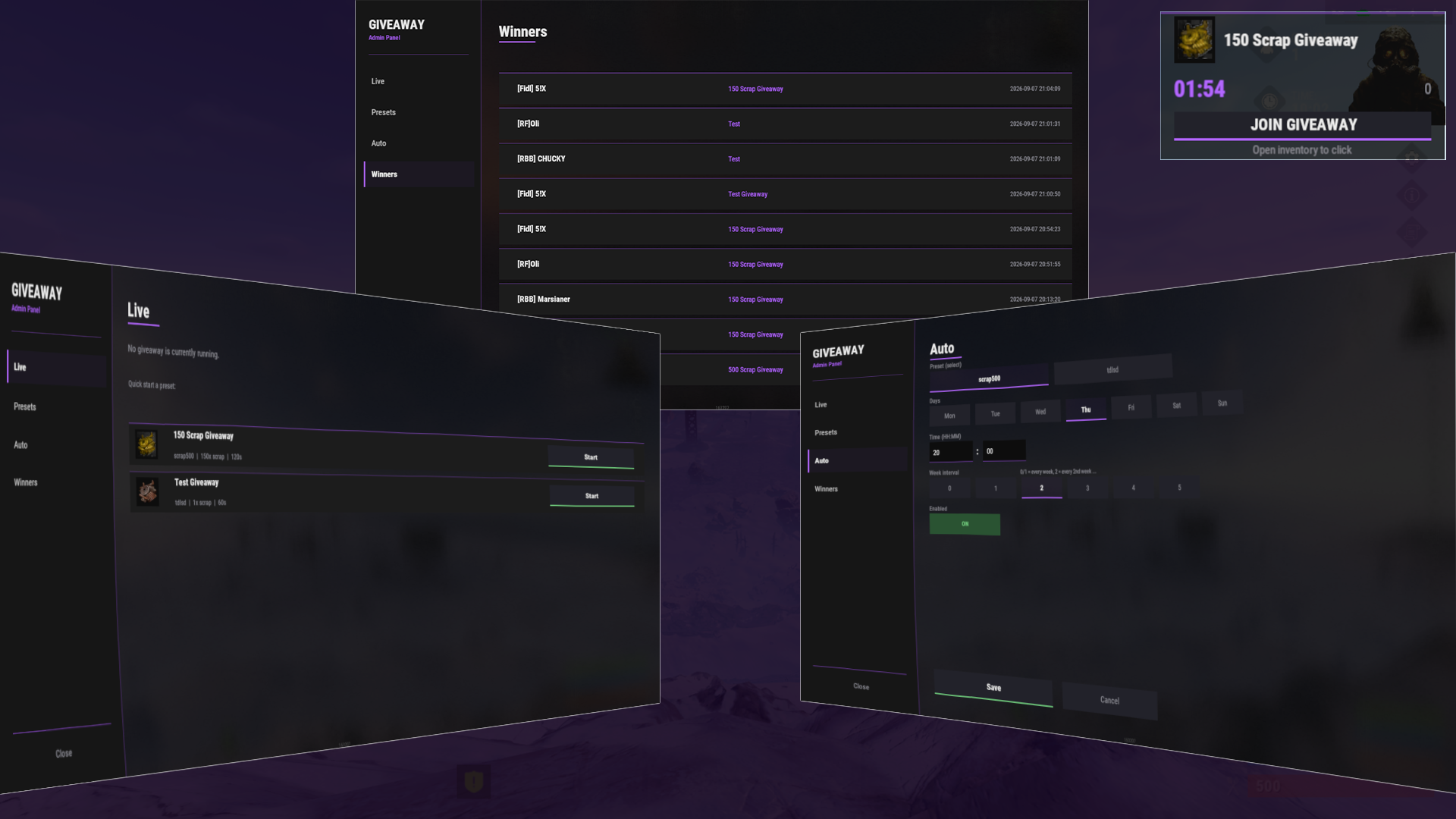
A powerful, fully UI-driven giveaway system for Rust servers with instant, preset-based, and advanced automatic scheduling capabilities.
https://www.youtube.com/watch?v=S7rRFlcvI0w
Description
RFGiveaway is a complete giveaway solution that lets server admins run organized prize distributions with minimal setup. Whether you want to launch a quick giveaway right now or schedule them automatically for specific days and times, RFGiveaway handles it all through an intuitive admin panel.
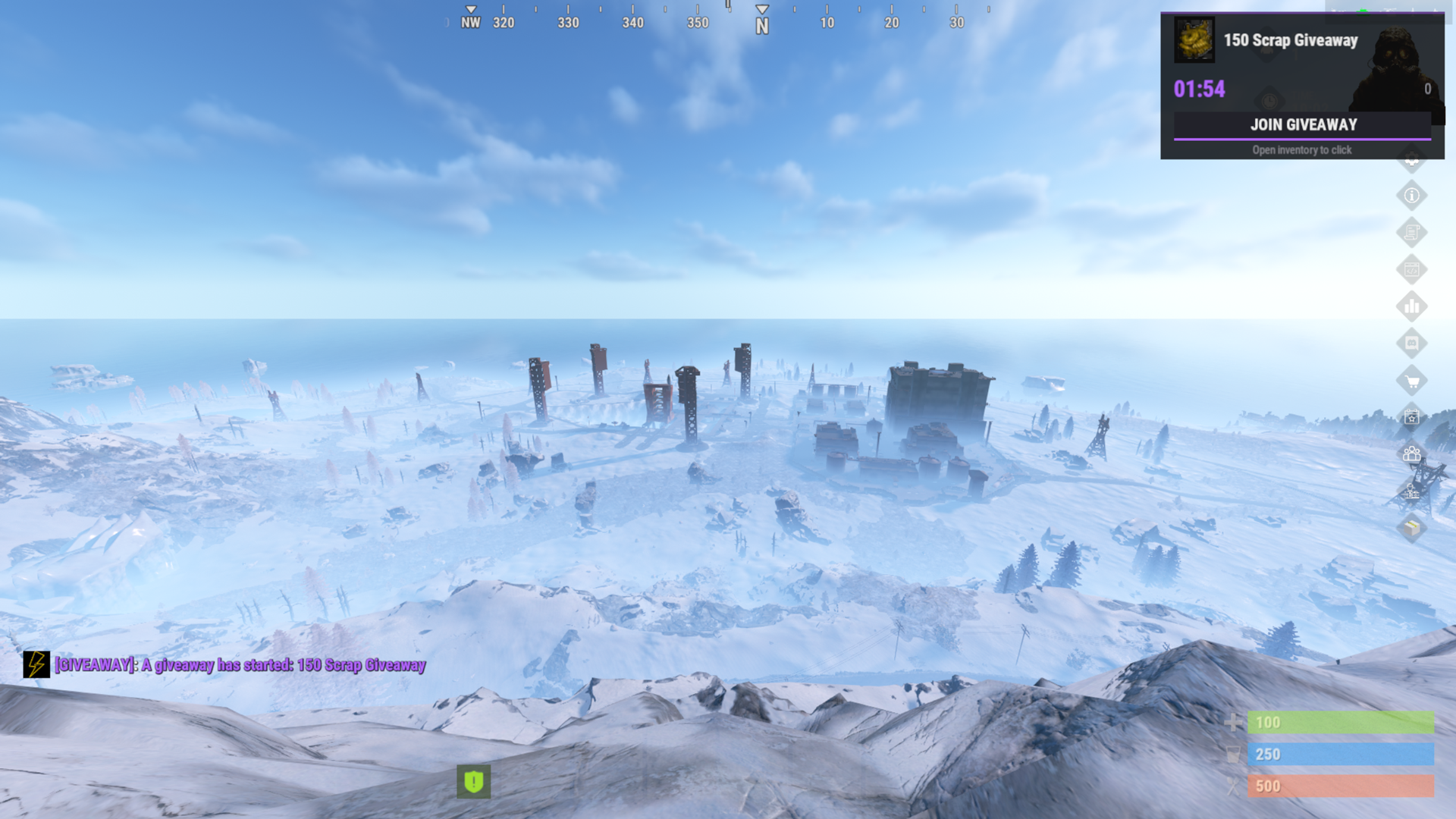
Players join through an in-game HUD overlay (no cursor lock - they can move and look around freely), and a winner is drawn randomly from all participants. Supports multiple prize types: items, in-game currency, server reward points, or custom commands.
Features
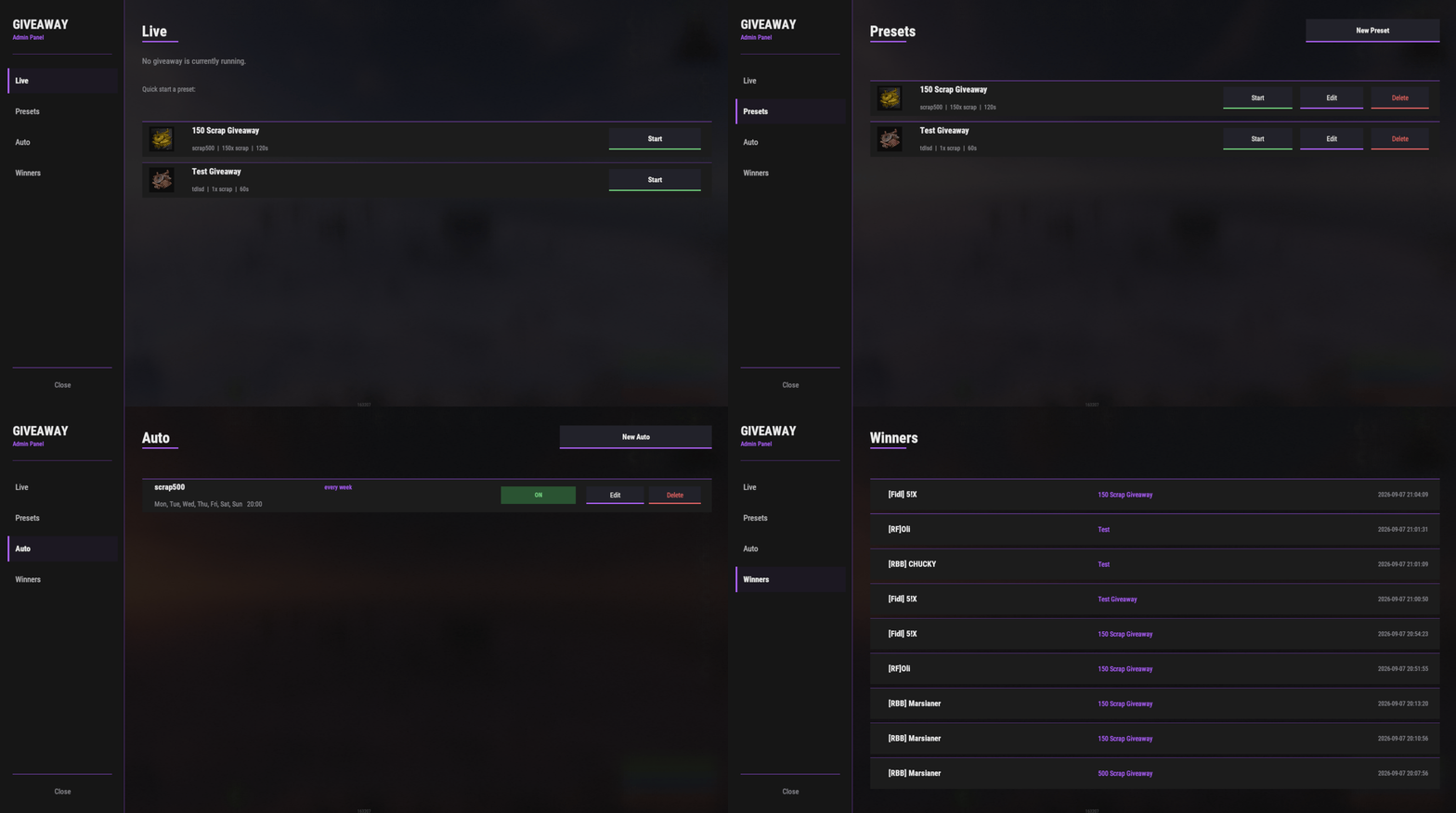
Live Giveaways
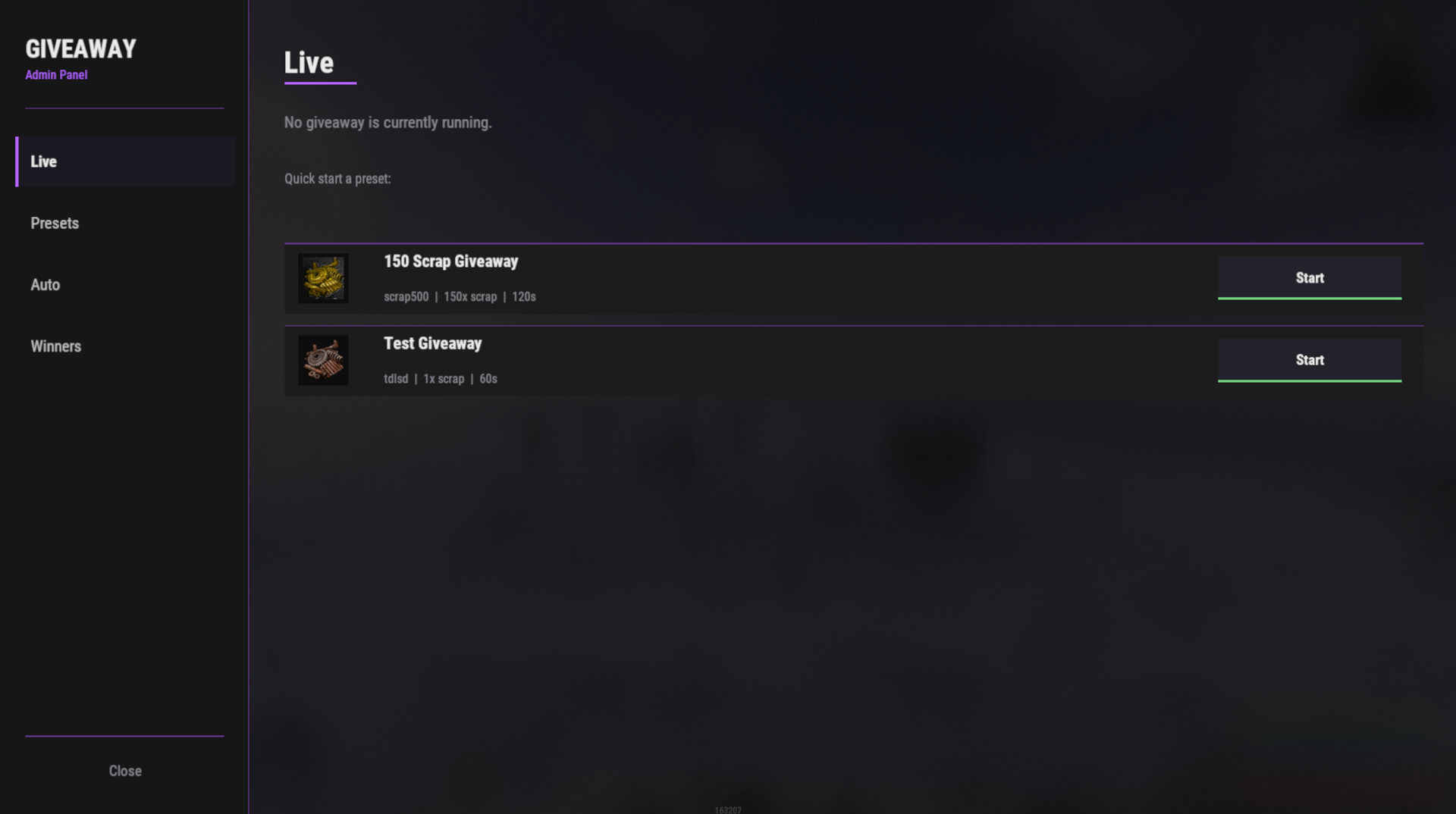
- Start giveaways instantly with any preset
- Real-time countdown timer visible to all players
- Participant counter
- One-click winner drawing
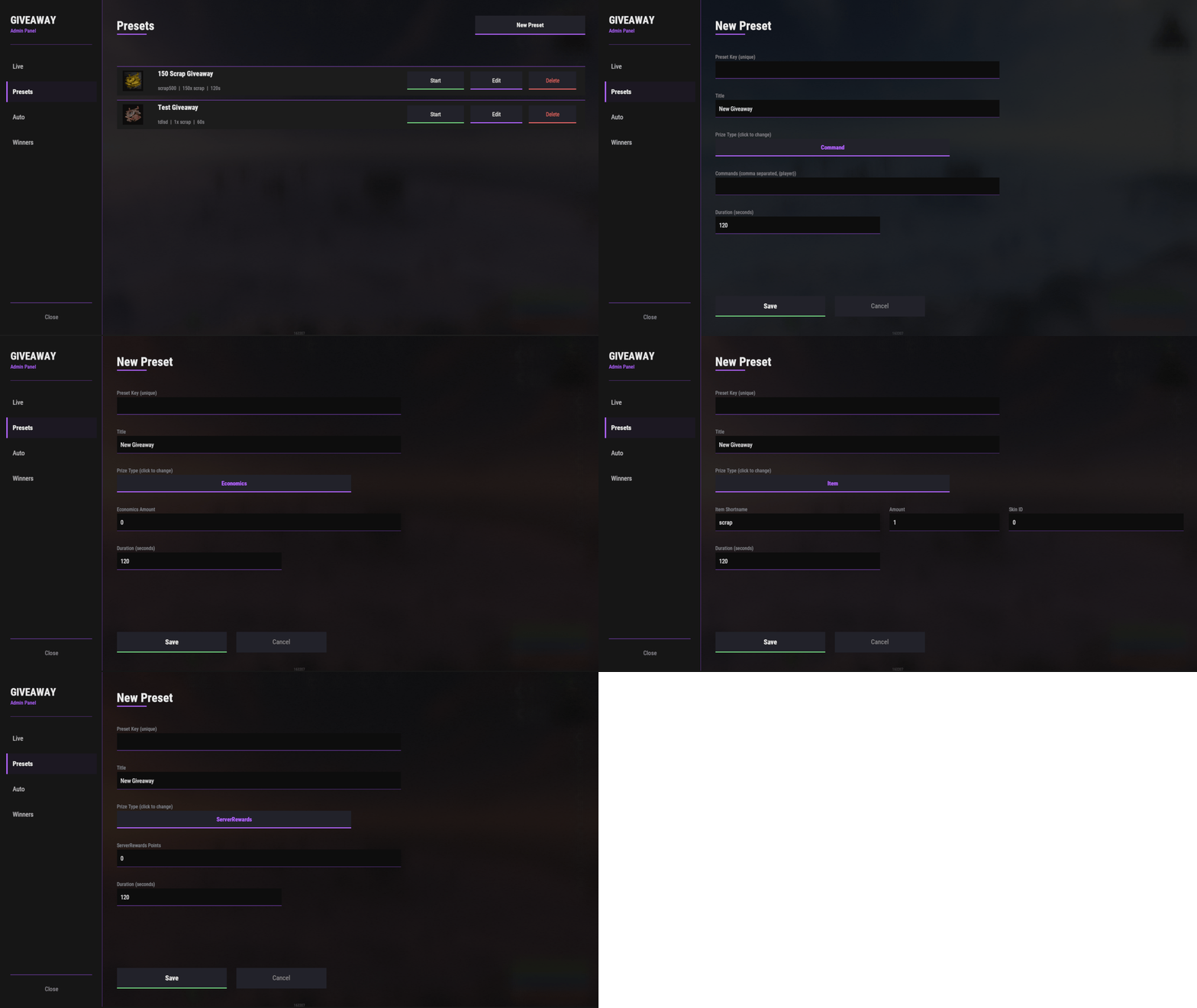
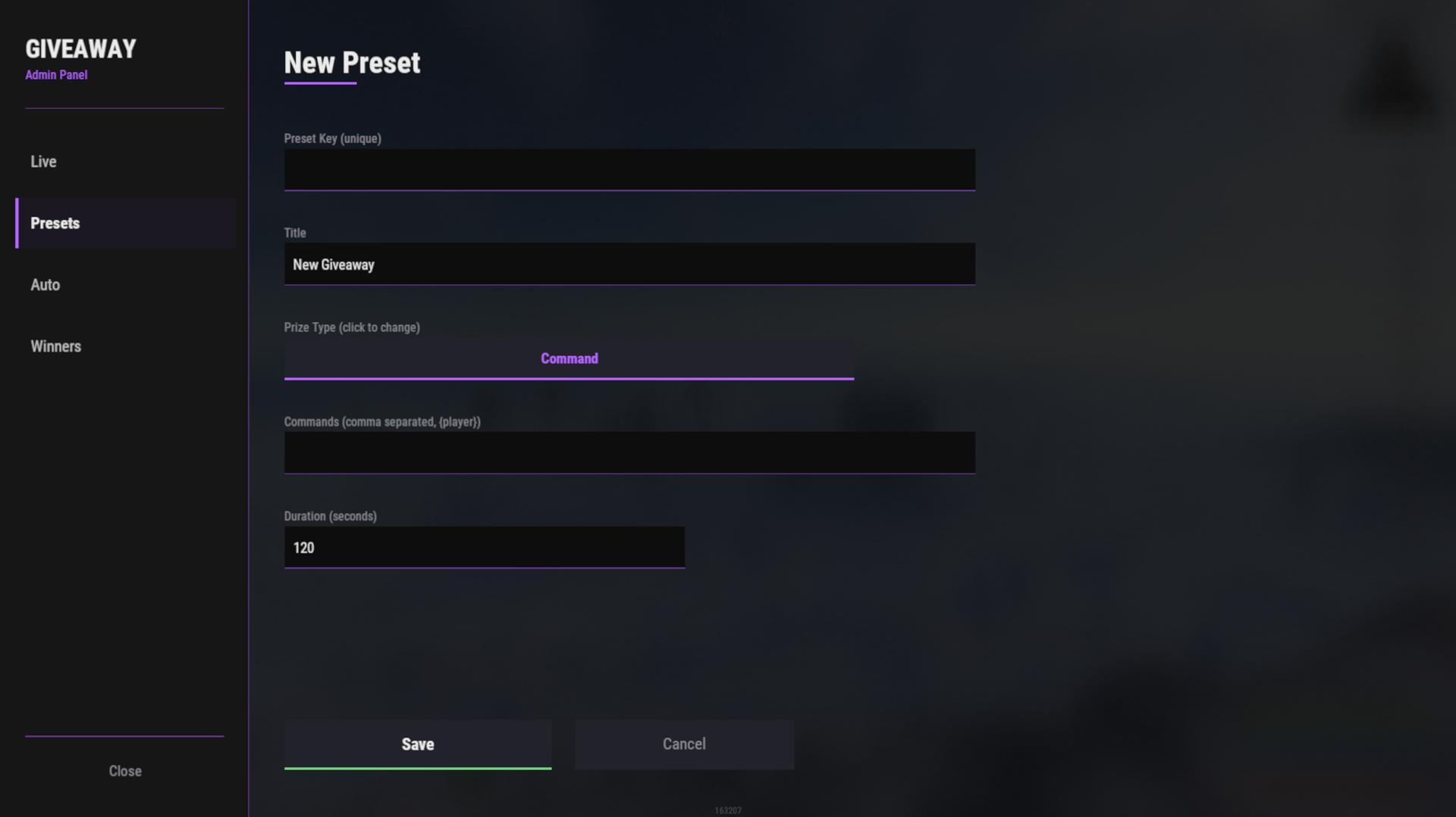
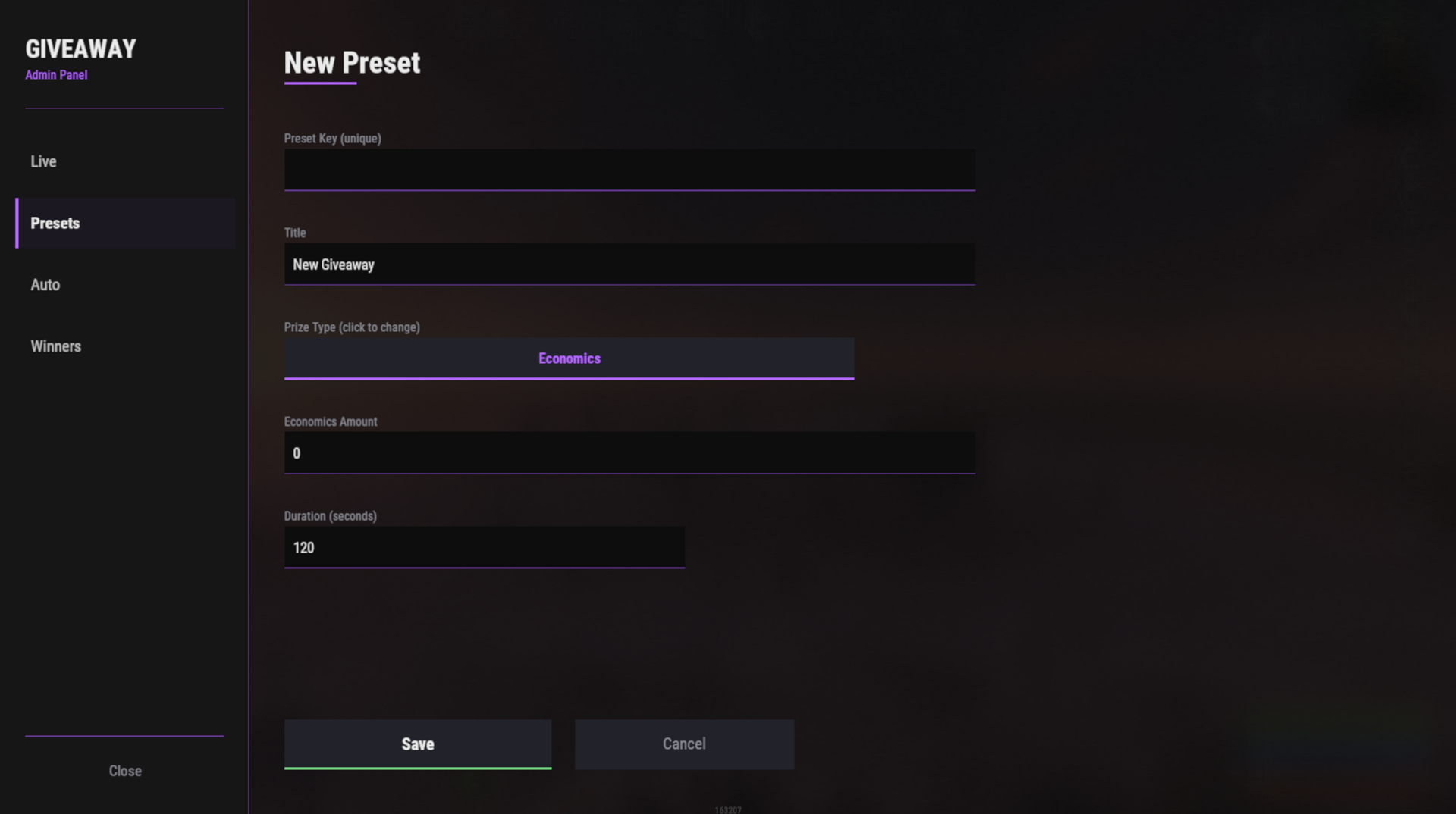
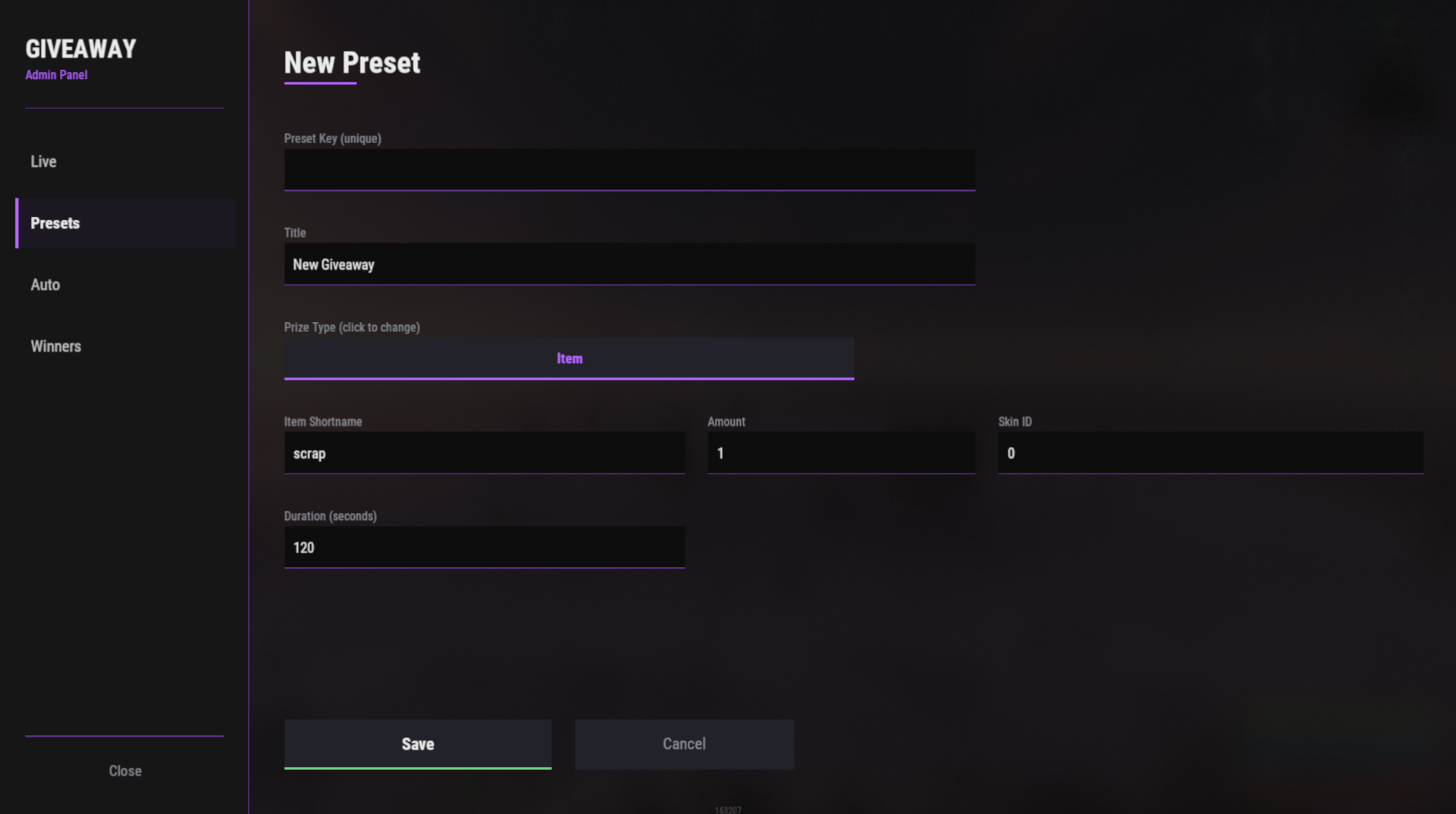
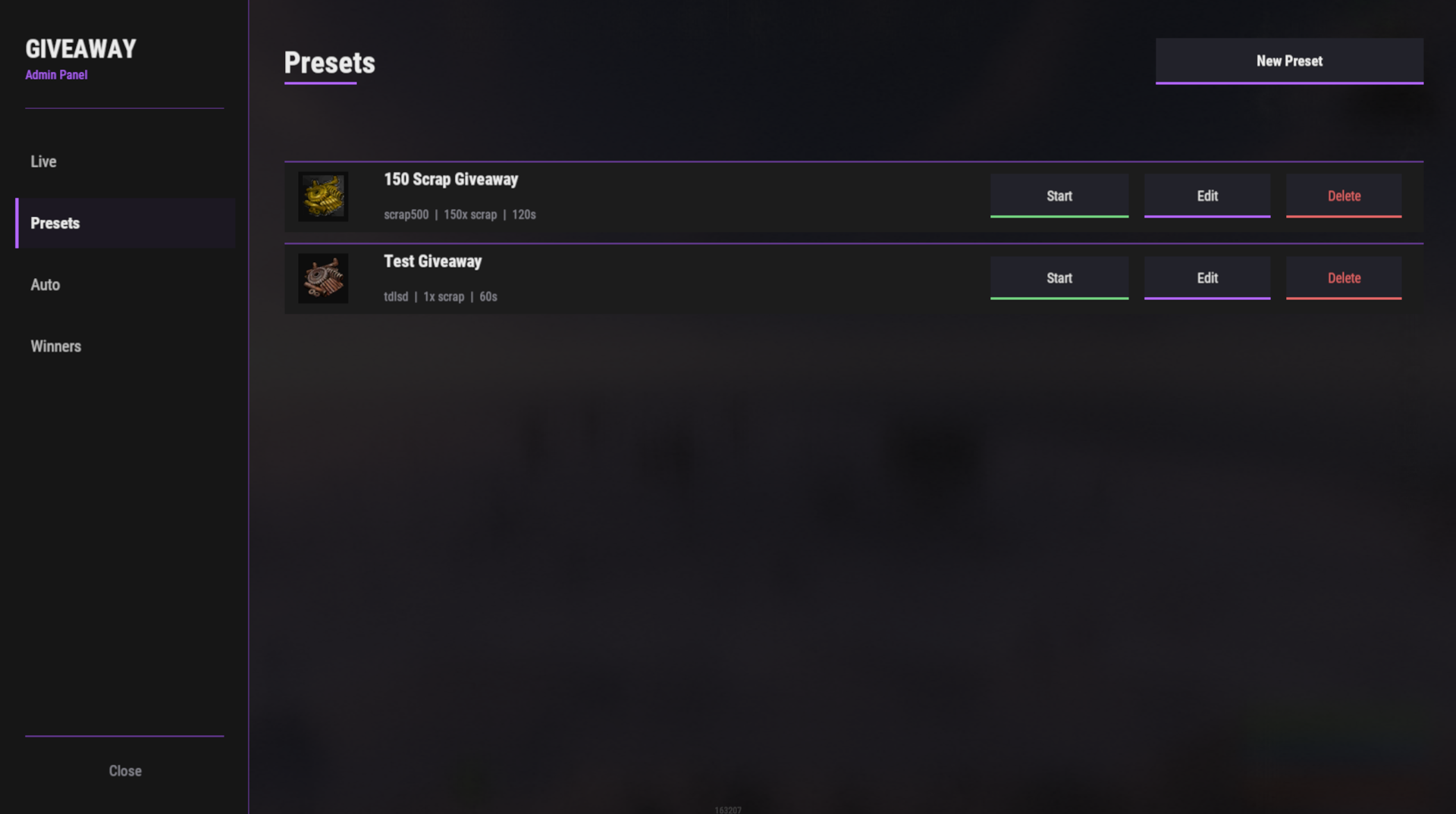
Preset System
- Create and manage unlimited presets
- Support for multiple prize types:
- Items (with custom skins and amounts)
- Economics plugin integration
- ServerRewards plugin integration
- Custom Commands (e.g., grant permissions, teleport, etc.)
- Set custom durations per preset
- Edit, duplicate, or delete presets anytime
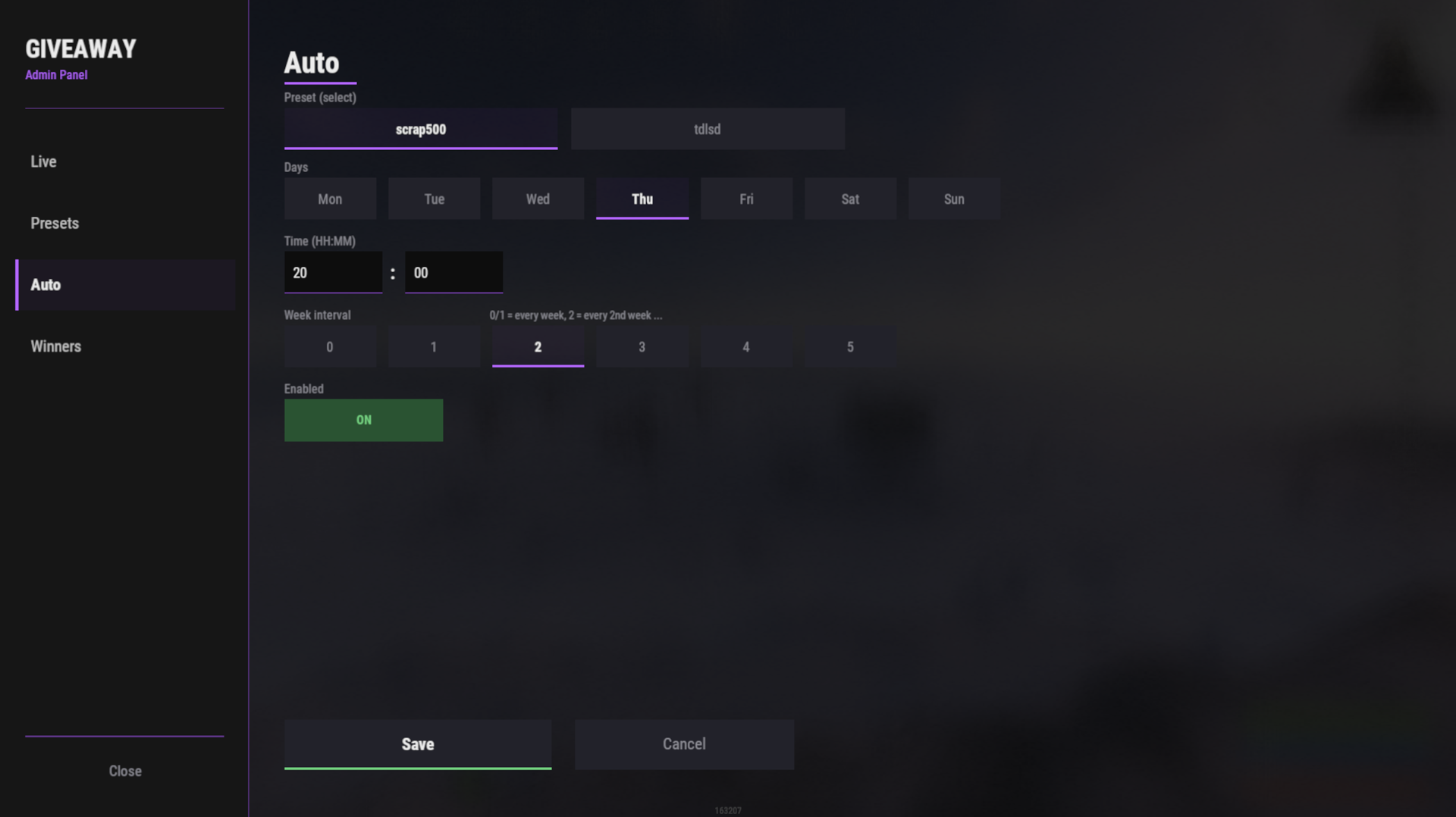
Auto Giveaways (Advanced Scheduling)
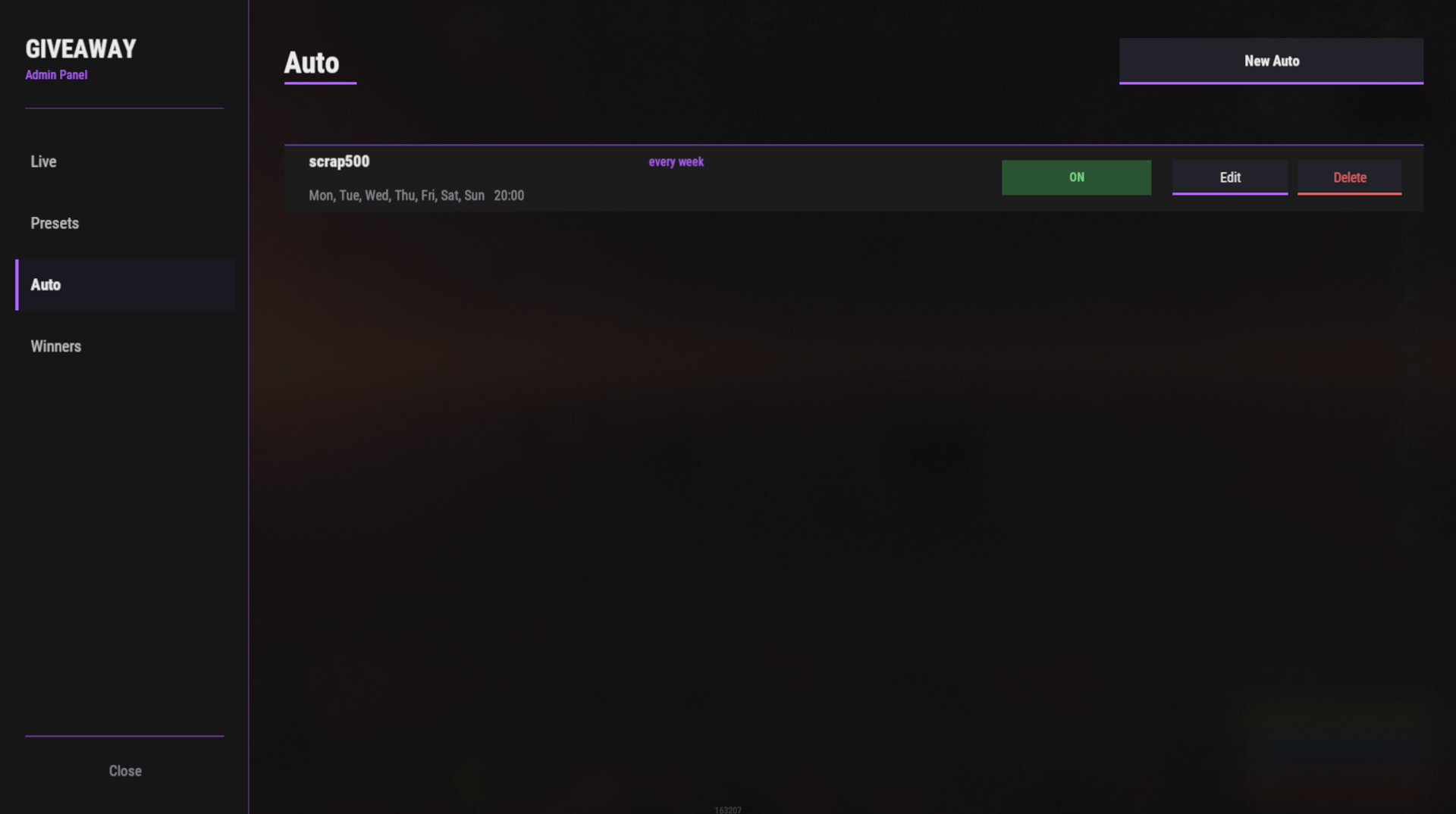
- Schedule giveaways for specific days of the week (Mon - Sun)
- Set exact time (HH:MM format)
- Week interval control (every week, every 2 weeks, up to every 5 weeks)
- Enable/Disable individual schedules without deleting them
- Live configuration through the UI - no config file editing required
- Runs automatically on a 60-second check cycle
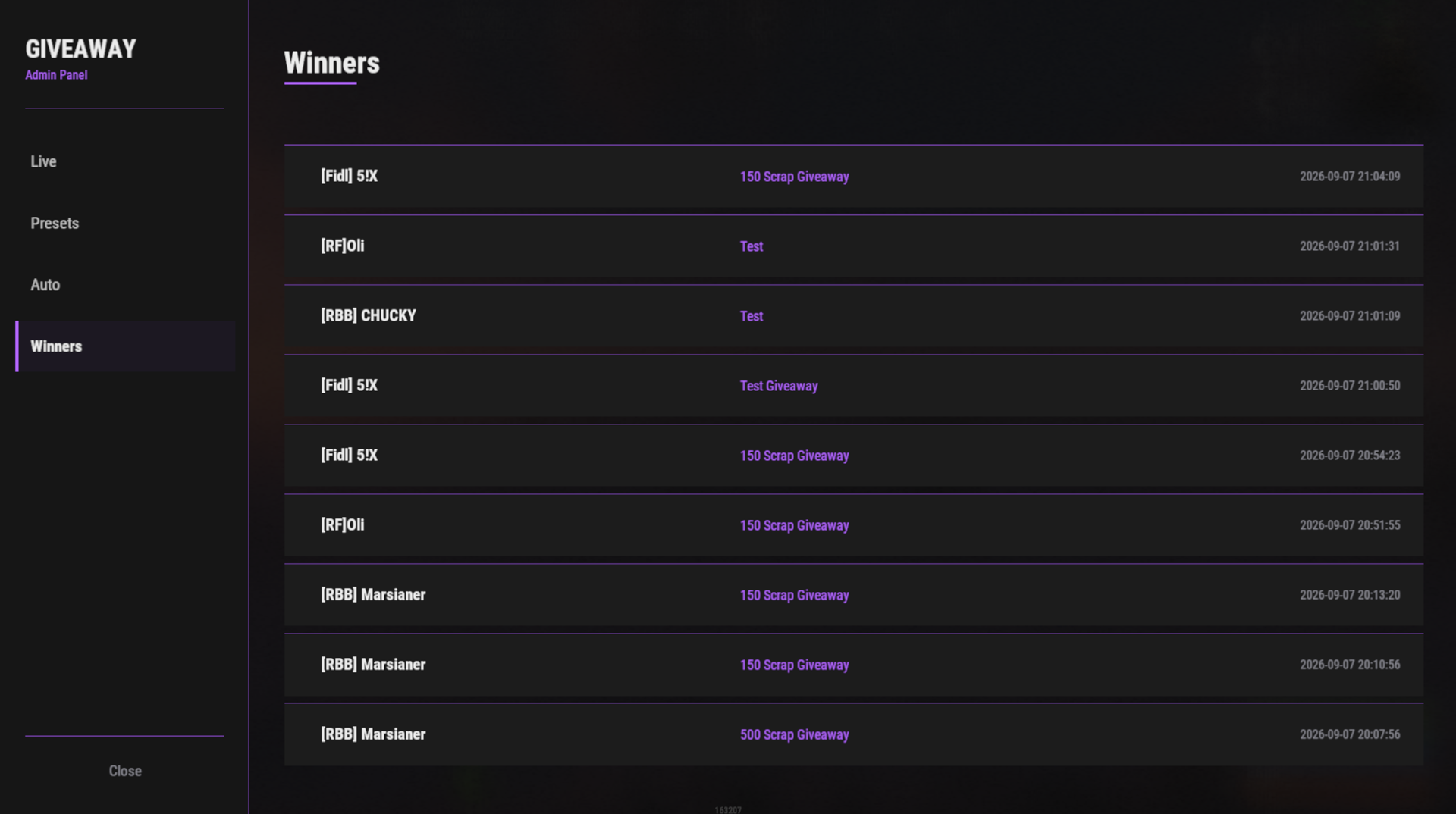
Winners History
- Permanent record of all winners
- Displays player name, prize, and timestamp
- View up to 9 most recent winners
User Experience
- No cursor lock: Players can move, look around, and chat freely while the giveaway HUD is visible
- Chat integration: Join via
/joincommand or by opening chat/inventory and clicking the join button - Fully localized: English and German UI text
- Responsive design: Compact HUD in the top-right corner
Commands
| Command | Access | Description |
|---|---|---|
| /giveaway | rfgiveaway.admin | Opens the admin panel. |
| /join | rfgiveaway.use | Joins the currently active giveaway. |
Permissions
| Permission | Grants |
|---|---|
| rfgiveaway.admin | Access to the admin panel: start/stop giveaways, manage presets, manage auto giveaways, view winners. |
| rfgiveaway.use | Ability to join an active giveaway (/join or the HUD Join button). |
Configuration
Everything is managed through the UI. No manual config file editing is required for normal operation.
Optional Manual Configuration
The plugin stores settings in two files:
oxide/config/RFGiveaway.json - Presets and auto giveaway schedules
| 1 | { |
| 2 | "Presets": { |
| 3 | "scrap500": { |
| 4 | "Title": "500 Scrap Giveaway", |
| 5 | "PrizeType": "Item", |
| 6 | "ItemShortname": "scrap", |
| 7 | "ItemAmount": 500, |
| 8 | "ItemSkin": 0, |
| 9 | "DurationSeconds": 120 |
| 10 | } |
| 11 | }, |
| 12 | "Auto Giveaways": [ |
| 13 | { |
| 14 | "PresetKey": "scrap500", |
| 15 | "Days": [0, 3], |
| 16 | "Hour": 20, |
| 17 | "Minute": 0, |
| 18 | "WeekInterval": 1, |
| 19 | "Enabled": true |
| 20 | } |
| 21 | ], |
| 22 | "Countdown Update Interval (Sekunden)": 1 |
| 23 | } |
oxide/data/RFGiveaway.json - Winners history (auto-generated, read-only)
Days of Week
0= Monday1= Tuesday2= Wednesday3= Thursday4= Friday5= Saturday6= Sunday
Week Interval
1= Every week2= Every 2 weeks3= Every 3 weeks4= Every 4 weeks5= Every 5 weeks
Commands
Admin
| Command | Purpose |
|---------|---------|
| /giveaway | Open the admin panel |
Players
| Command | Purpose |
|---------|---------|
| /join | Join the current giveaway |
Dependencies & Compatibility
Required
- Rust (latest game version)
- Oxide/uMod framework
Optional
- Economics plugin (for currency-based prizes)
- ServerRewards plugin (for point-based prizes)
Compatibility
- Works with all Rust server configurations
- No conflicts with other plugins
- Fully compatible with Oxide 2.0+
Usage
Create a Preset
- Open admin panel (
/giveaway) - Go to Presets tab
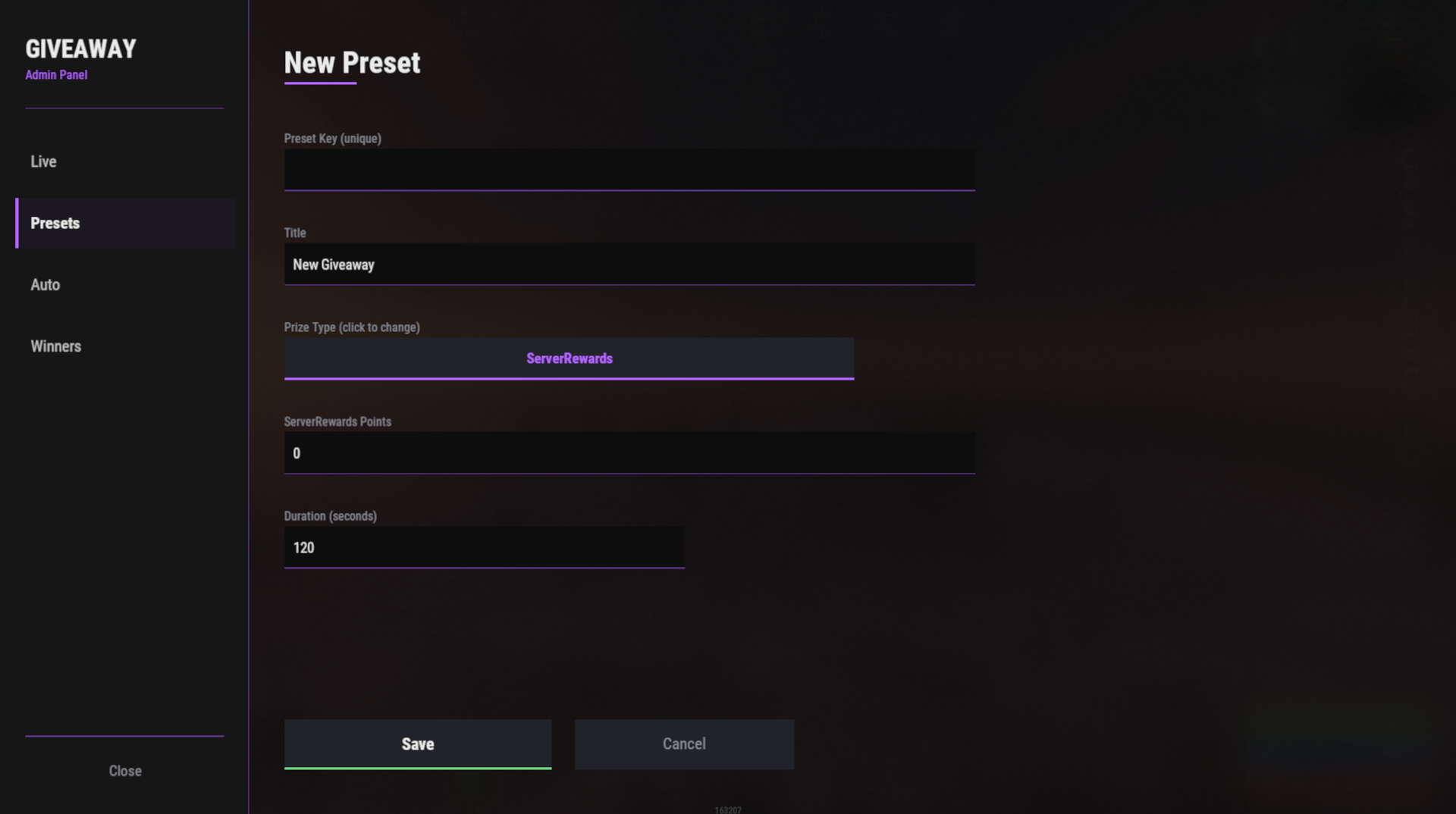
- Click New Preset
- Enter title, select prize type, set amount and duration
- Click Save
Start a Live Giveaway
- Open admin panel
- Go to Live tab
- Click Start on any preset
- Players join via
/joinor by opening chat/inventory and clicking the button - Countdown runs; winner is drawn automatically
Schedule Auto Giveaways
- Open admin panel
- Go to Auto tab
- Click New Auto
- Select a preset (chip buttons)
- Choose days (Mon - Sun, multiple allowed)
- Set time (HH:MM)
- Set week interval (1 - 5)
- Toggle Enabled on/off as needed
- Click Save
The system automatically checks every minute and starts giveaways at the scheduled time.
load, run, enjoy 💝
RFGiveaway.json
{
  "Presets": {},
  "Auto Giveaways": [],
  "Countdown Update Interval (Sekunden)": 1
}

Trusted hosting partner. Affordable game servers with solid support and panels.
Visit site ↗